





Netskope Global Technical Success (GTS)
Anthropic Claude - Access to Corporate Instance Only (via Header Insertion)
Netskope Cloud Version - 135
Objective
Anthropic Claude - Access to Corporate Instance Only (via Header Insertion)
Prerequisite
Netskope Next-Gen SWG license
Context
Customers licensed to use Anthropic Claude may require that access be restricted to users authenticated with approved corporate domain accounts. Any attempts to access Anthropic Claude using accounts from non-corporate or unauthorized domains should be blocked.
This knowledge base article explains how to achieve this use case using Netskope Header Insertion.
Do You Know?
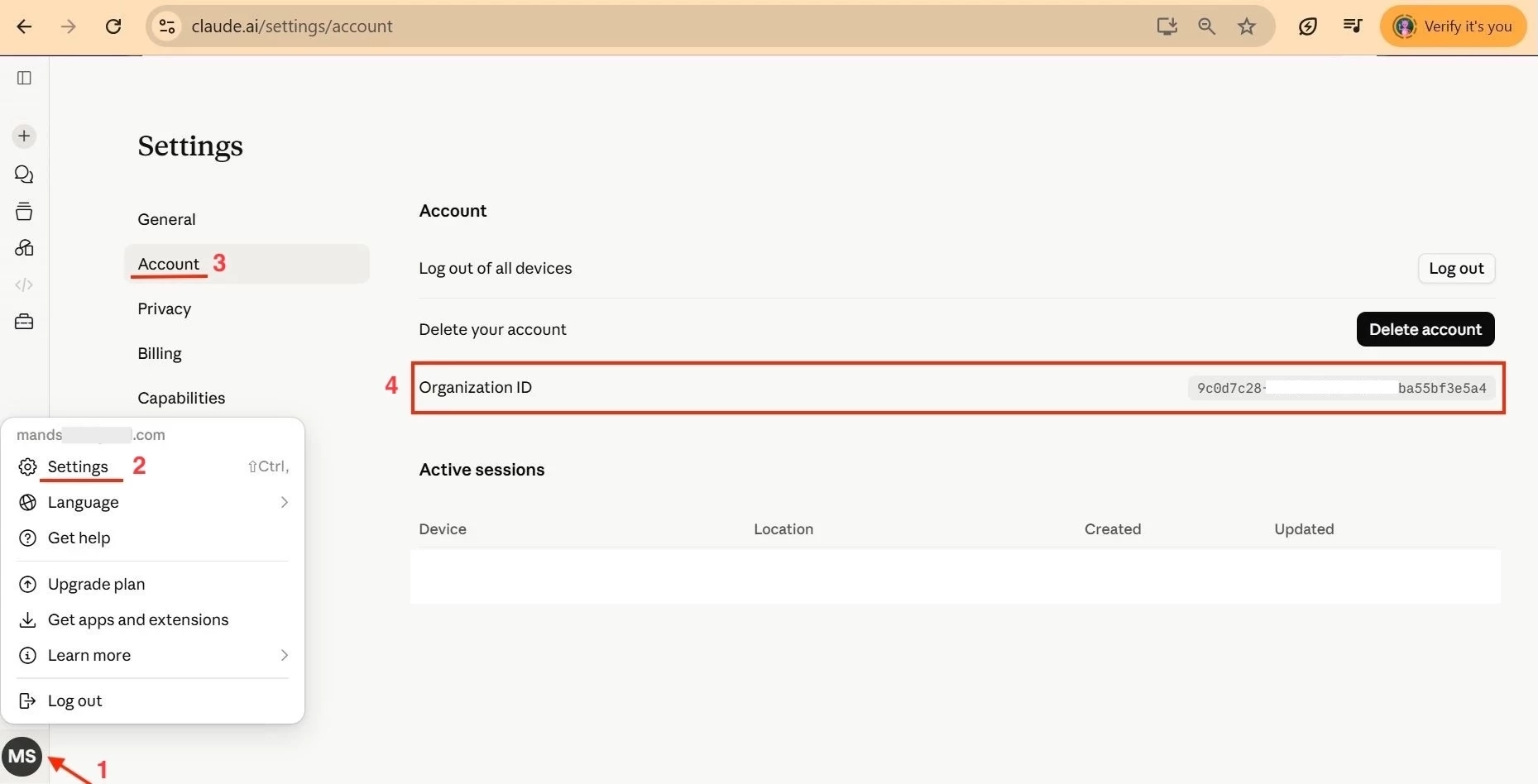
- Anthropic assigns an Org ID to all their Organizations customers.
- Where to find the Organization ID

Configuration
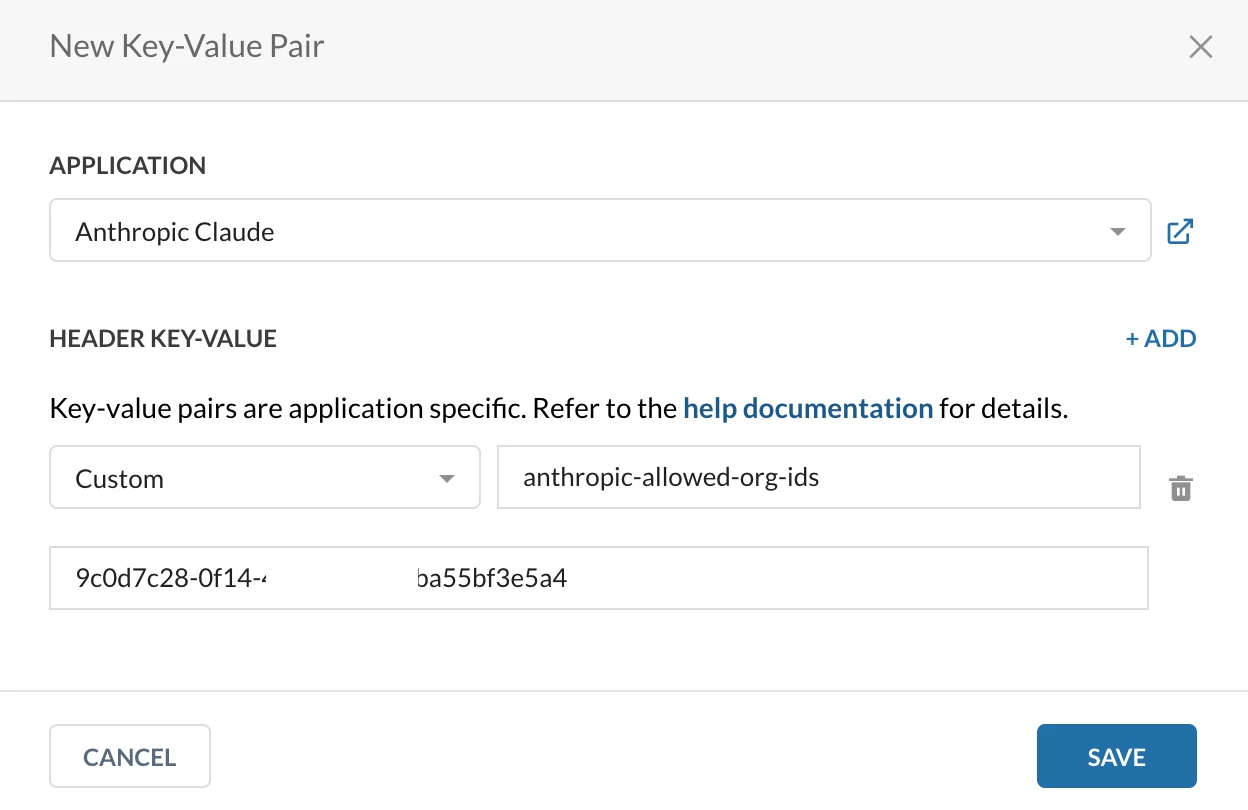
Configure Header Insertion
Path: Netskope Tenant UI >>> Settings >>> Manage >>> Header Insertion
anthropic-allowed-org-ids
Verification
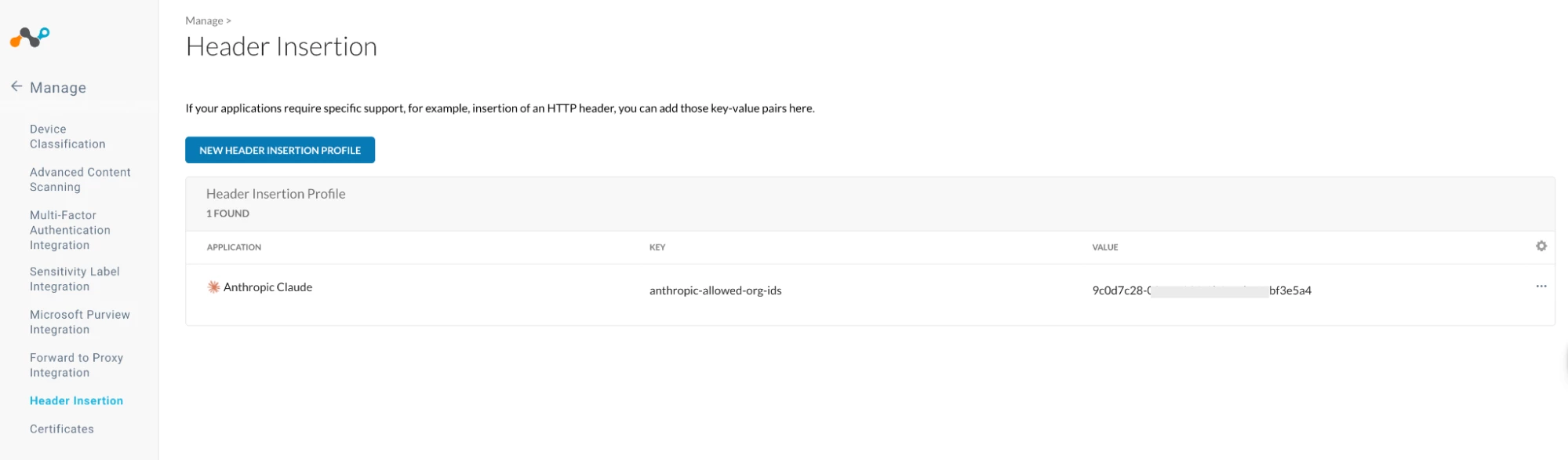
- Validate Header Insertion configuration

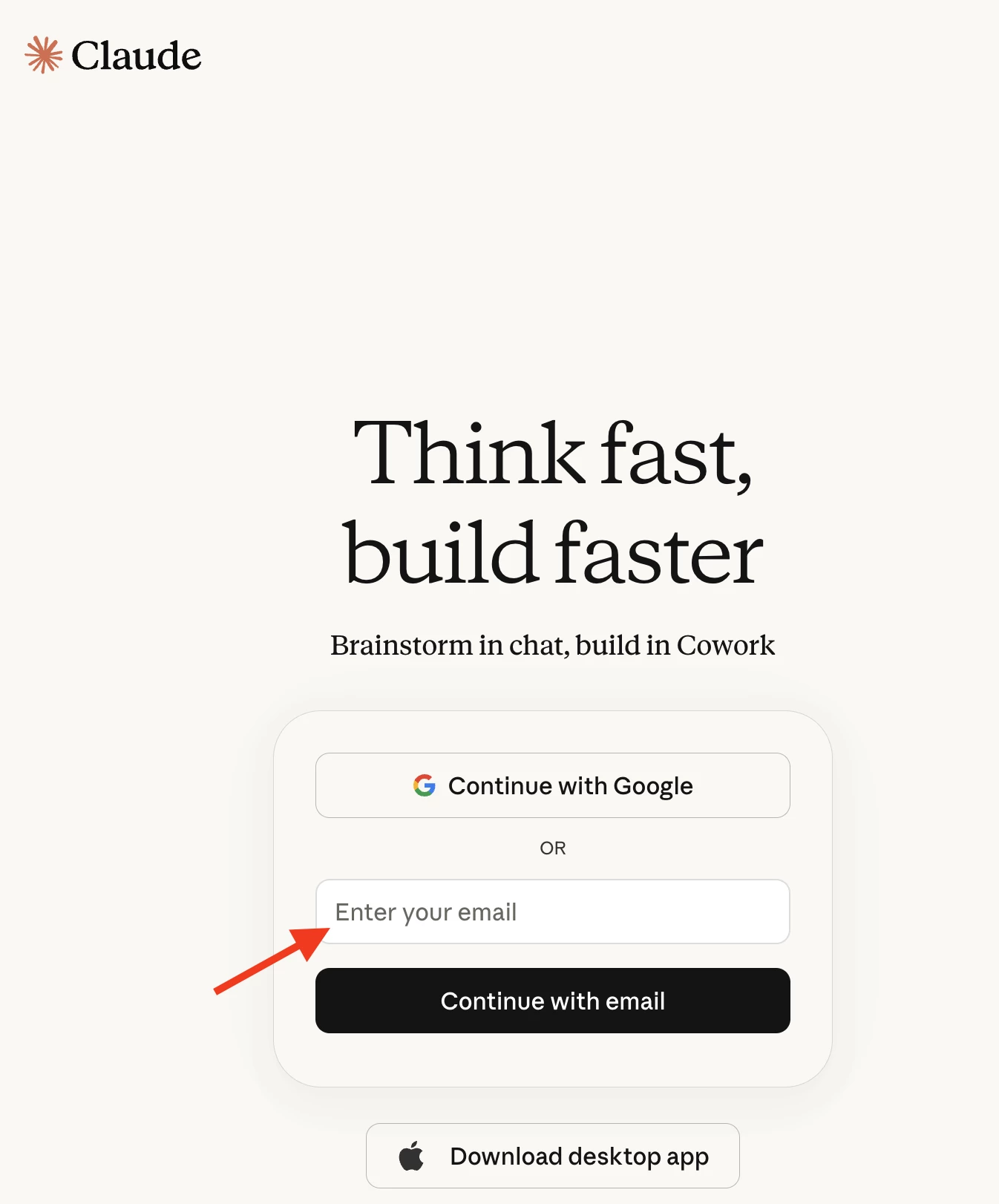
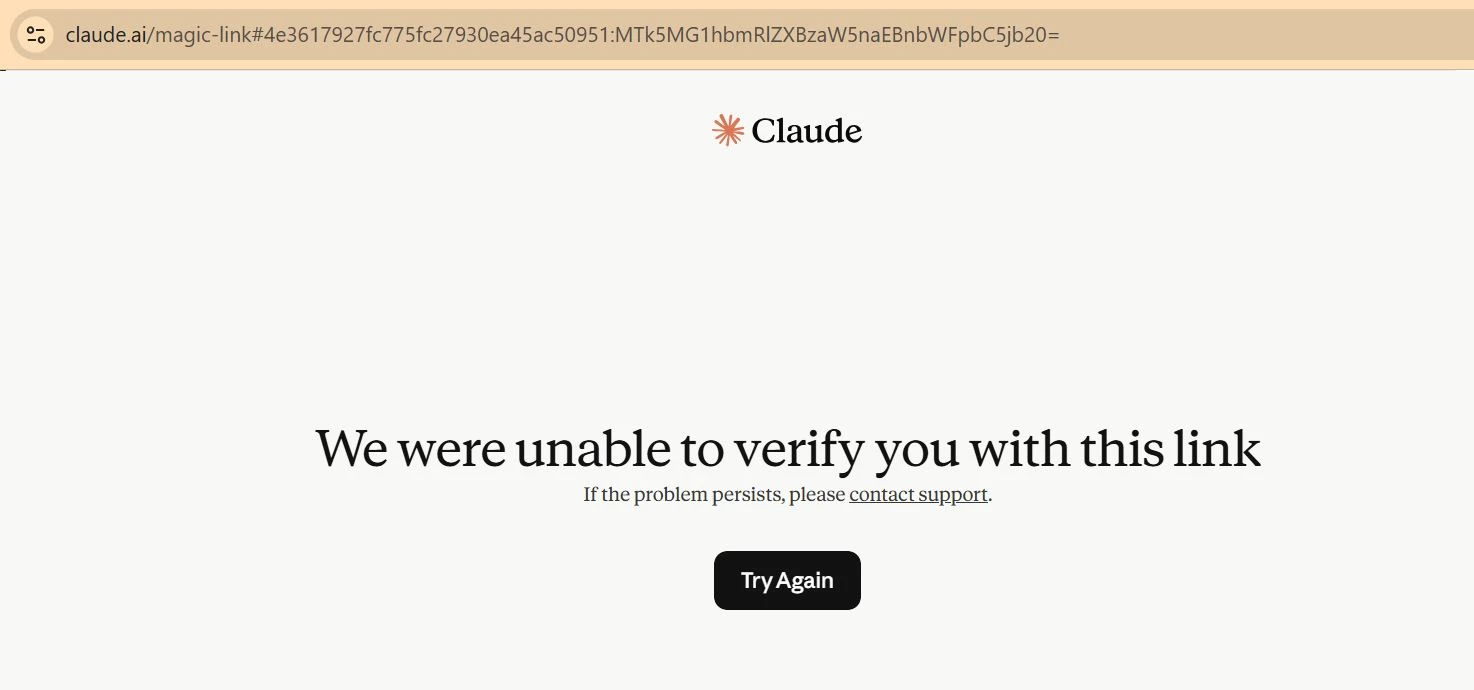
- Try to login via any other account
- Continue with Google


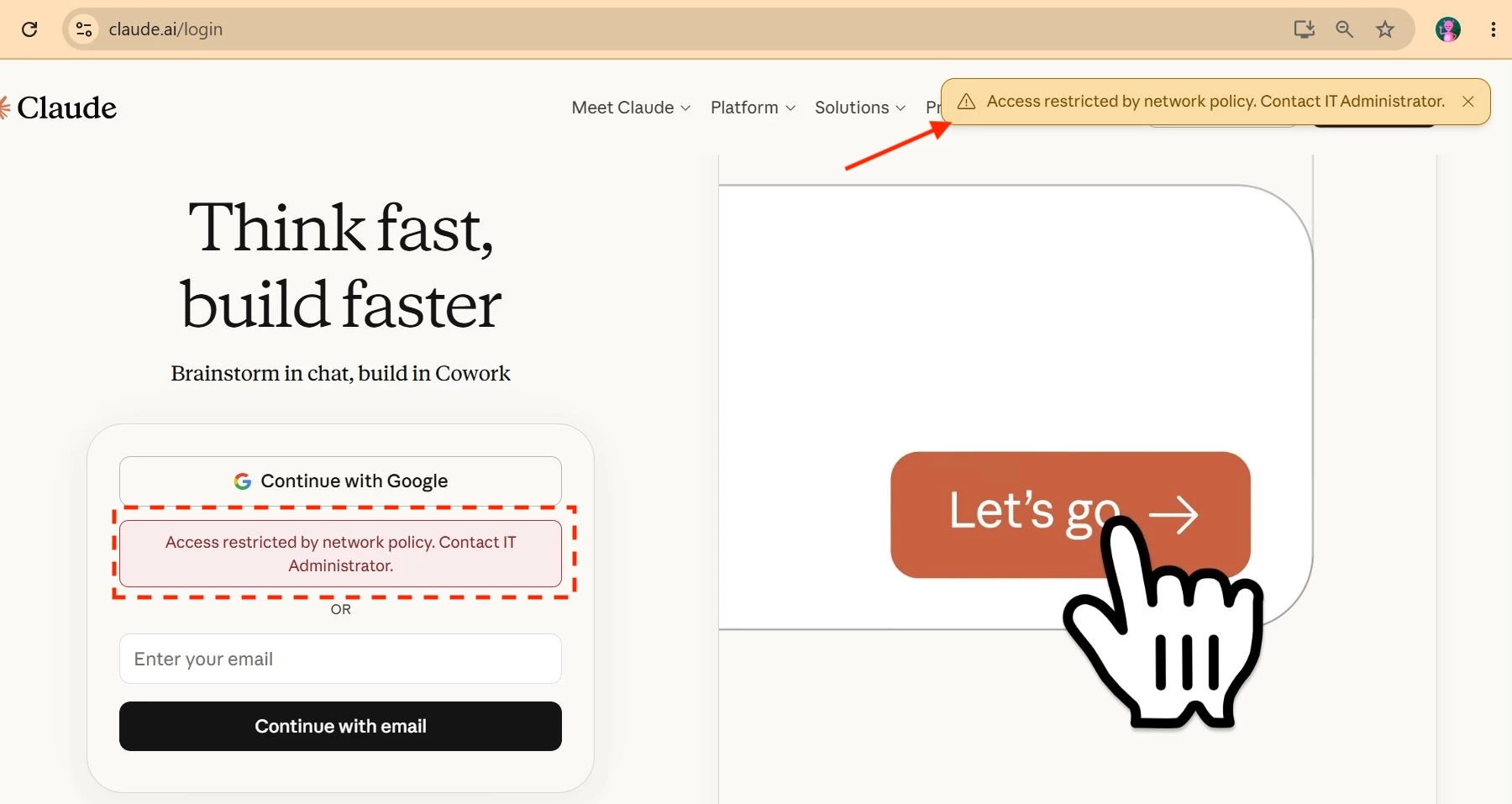

- Via Email


Logic Behind This Solution
There are three parties involved in the traffic flow:
- End User (A)
- Netskope (B)
- Anthropic Claude (C)
A attempts to access C, and the traffic is routed through B. As the traffic passes through B, an additional HTTP header containing the configured Org ID is inserted into the request through the Header Insertion policy before it is forwarded to C.
When C receives the request, it validates the Org ID carried in the HTTP header against the account that A is attempting to access. If the Org ID in the header does not match the target account, C rejects the request.
Therefore, from a technical standpoint, Netskope (B) is not directly blocking the traffic. Netskope only inserts the HTTP header containing the Org ID, while Anthropic Claude (C) performs the validation and ultimately rejects the request when the Org ID does not match its expected value.
Author Notes
- There is no additional license required to use the Header Insertion feature.
- However, there are a few caveats associated with the proposed solution:
- There will be no transaction events generated for login requests in Skope IT.
- Since no real-time blocking policy is configured on Netskope, no block alerts will be generated.
- Netskope User Notifications will not be displayed to end users.
- If the customer has a use case where certain users require exceptions, they have two options:
- Create an SSL Bypass policy for the targeted users.
- Configure additional Org IDs in the Header Insertion.
anthropic-allowed-org-ids: <org-uuid-1>,<org-uuid-2>,...
Comma-delimited list of organization IDs and No spaces between values.
Note: SSL Bypass is not the recommended approach because it results in a loss of visibility and inspection for the bypassed traffic.
Terms and Conditions
- All documented information undergoes testing and verification to ensure accuracy.
- In the future, it is possible that the application's functionality may be altered by the vendor. If any such changes are brought to our attention, we will promptly update the documentation to reflect them.
Notes
- This article is authored by Netskope Global Technical Success (GTS).
- For any further inquiries related to this article, please contact Netskope GTS by submitting a support case with 'Case Type – How To Questions'.



