
Hello Everyone,
I have a few questions regarding Reverse Proxy as a Service (RaaS) configuration with Microsoft Entra ID.
We have configured Reverse Proxy as a Service (RaaS) with Microsoft Entra ID by following the official Netskope documentation below:
Reference Document:
https://docs.netskope.com/en/reverse-proxy-as-a-service-with-microsoft-entra-id-1
Configuration Summary
-
Created an Enterprise Application in Microsoft Entra ID for Reverse Proxy
-
Exchanged all required URLs and certificates between Entra ID and Netskope
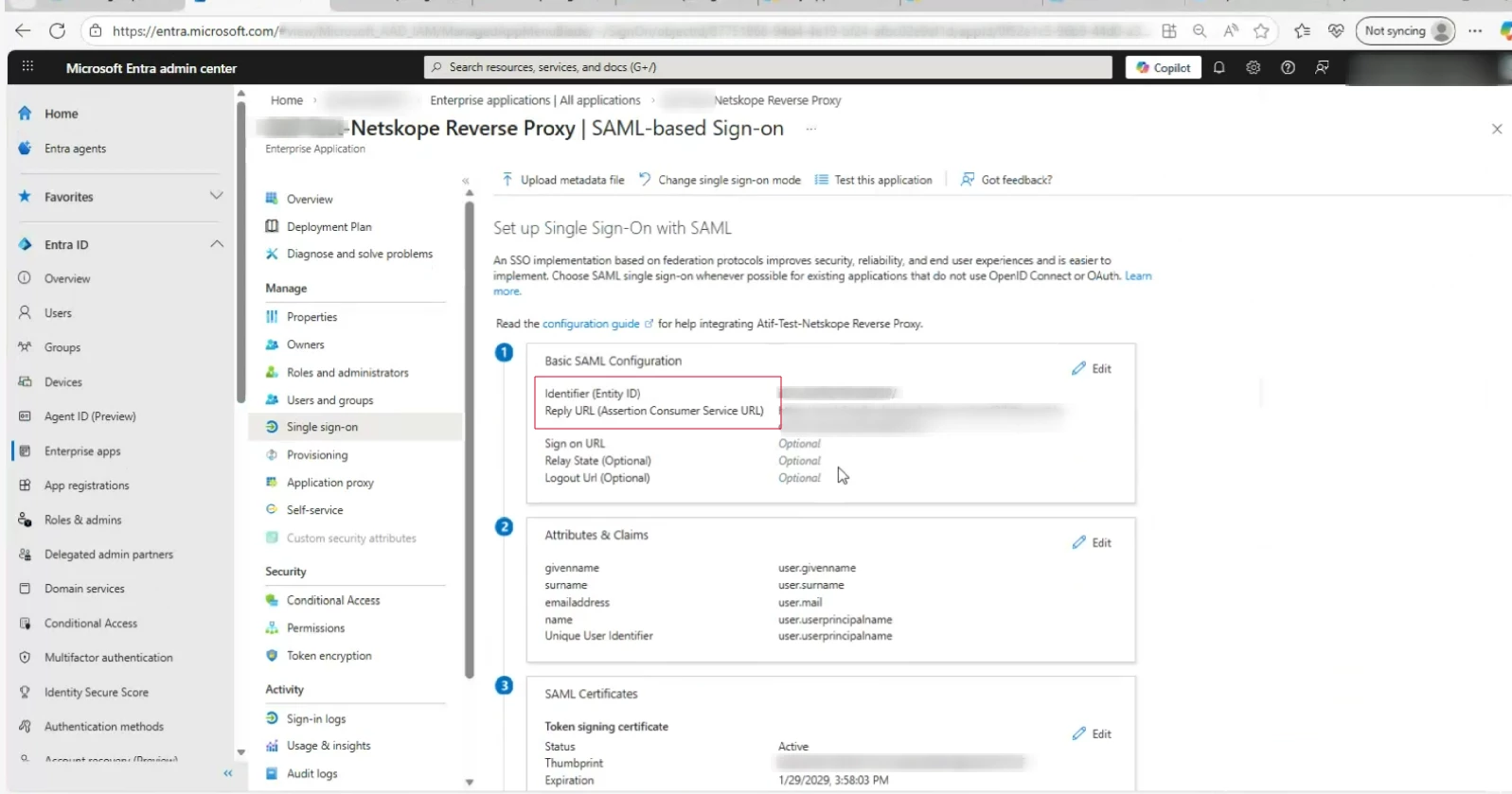
-
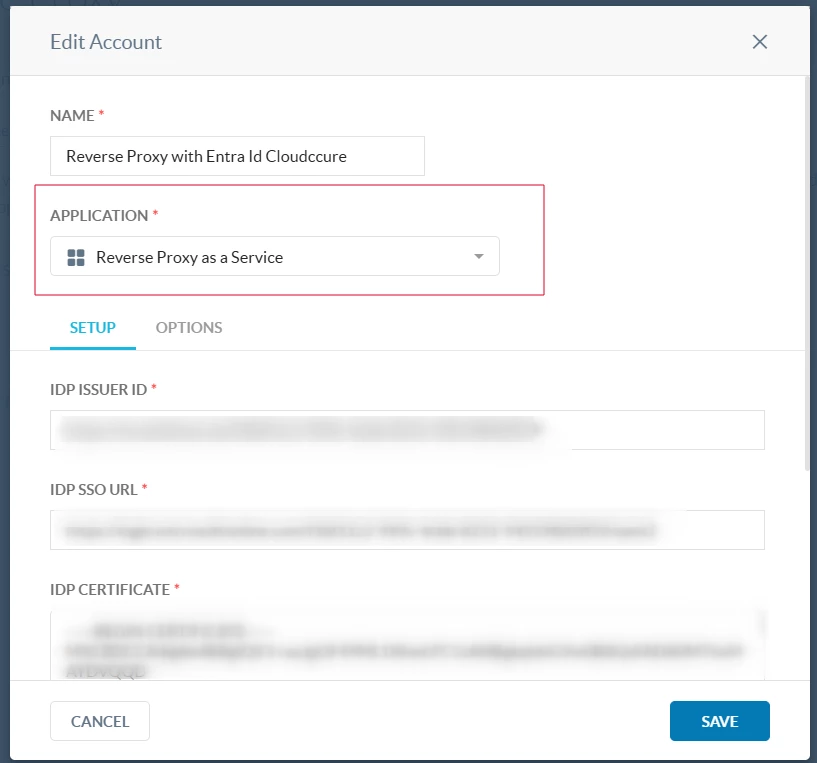
Configured SAML Reverse Proxy on Netskope and selected “Reverse Proxy as a Service” as the application type
-
Shared the required URLs with the Entra application and completed Reverse Proxy configuration
-
Reverse Proxy redirection is working as expected
-
Created a DLP policy to block upload, download, and post actions for source code
-
DLP policy is enforced successfully when traffic goes through Reverse Proxy for Cloud apps
Observed Behavior
-
From a managed device (with Netskope Client installed):
-
Direct access to Outlook (https://outlook.office.com or https://outlook.com) bypasses Reverse Proxy
-
Accessing Outlook via MyApps → RaaS Application → Outlook routes traffic through Reverse Proxy
(URL observed:https://outlook.office.com.rproxy.goskope.com) -
DLP policies are enforced only on the
*.rproxy.goskope.comURL
-
-
From an unmanaged device:
-
Reverse Proxy works as expected and all configured policies are applied only access via MyApps → RaaS Application → Cloud apps E.g. Outlook
Questions
1) Reverse Proxy Access Flow
-
Is it expected behavior that users must first access the RaaS application from https://myapps.microsoft.com for Reverse Proxy to be applied?
-
Is Reverse Proxy designed to work only when access is initiated via the RaaS application, and not when users access cloud apps directly?
2) Use of Reverse Proxy on Managed Devices
-
Is it advisable or recommended to access cloud applications through Netskope Reverse Proxy from a managed device that already has the Netskope Client installed?
-
If yes, could you please explain why Reverse Proxy should be used instead of relying only on the Netskope Client for managed devices?
-
If no, please confirm whether the recommended design is:
-
Managed devices → Access cloud apps via Netskope Client
-
Unmanaged / BYOD devices → Access cloud apps via Reverse Proxy (RaaS)
-
guidance and assistance on this matter would be greatly appreciated.