




 Netskope Global Technical Success (GTS)
Application Firewall 2 – Policy Improvements and Controlling application
Netskope Cloud Version - 133
Objective
Discuss enhanced version of Netskope’s firewall engine - Application Firewall 2
Prerequisite
Netskope Cloud Firewall License
Context
Netskope introduced Application Firewall 2 – Policy Improvements and Controlling Applications in Release 133 Link. This knowledge base article outlines the key changes, the rationale behind these enhancements, and provides comprehensive A–Z details related to Application Firewall 2.
Details
What is Application Firewall 1?
Application Firewall 1 refers to the legacy method of creating custom Cloud Firewall applications. In this approach, customers with a Netskope Cloud Firewall license created firewall applications using App Definition
Path: Netskope Tenant UI >>> Settings >>> Security Cloud Platform >>> App Definition
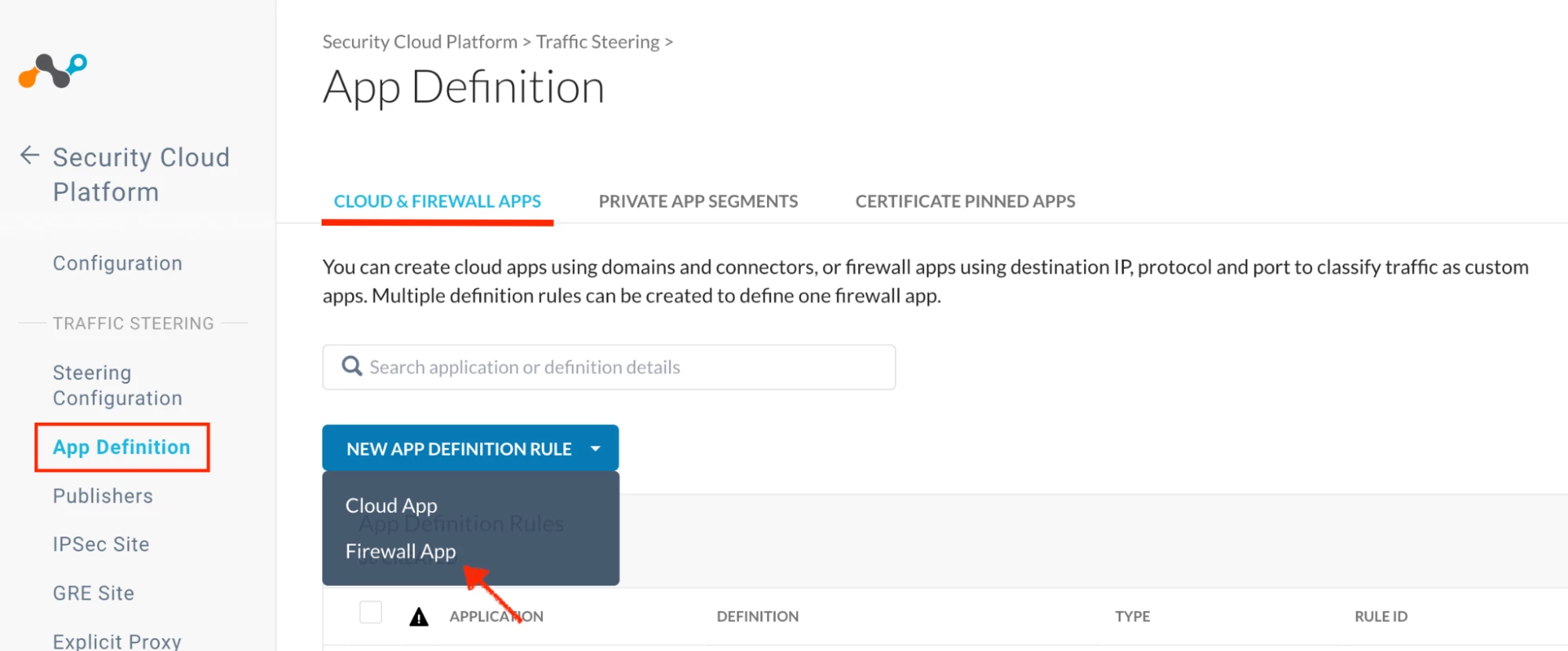
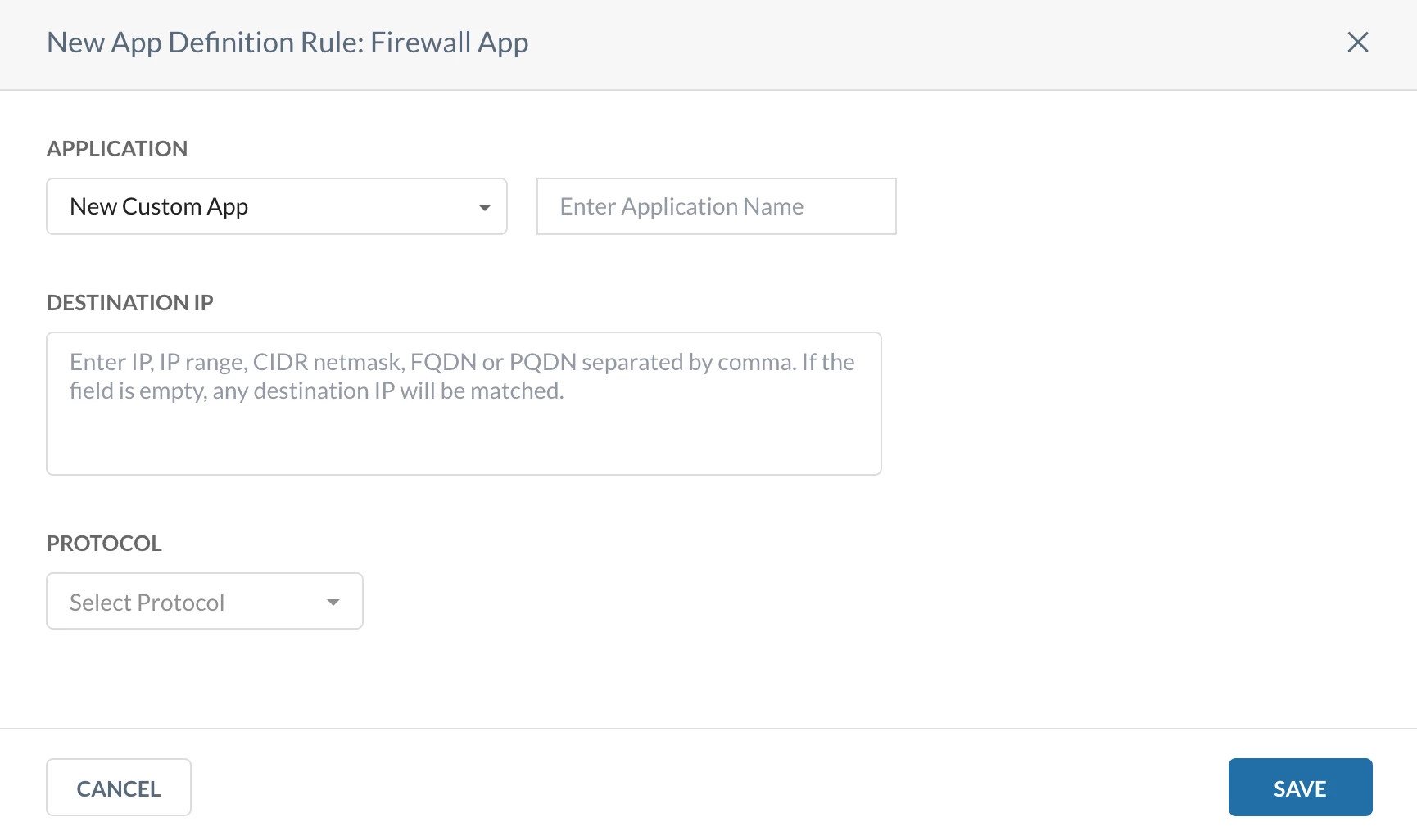


Challenges with Application Firewall 1
Application Firewall 1 had certain limitations in how firewall rules were defined and managed:
- Destination IP addresses and protocol/port definitions were not reusable.
- For each custom firewall application, customers had to independently define destination IPs and protocol/port details.
- If multiple applications used the same ports or protocols, customers still had to duplicate the same port-level configuration for each application.
- This resulted in policy sprawl, increased administrative effort, and higher chances of configuration inconsistency.
- This behavior differed from traditional next-generation firewalls such as Cisco, Palo Alto, and FortiGate, where:
- Ports and protocols are defined once as service objects
- IPs and domains are defined as address/destination objects
- These objects are reused across multiple firewall policies
What is Application Firewall 2?
Application Firewall 2 is an enhanced version of Netskope’s firewall engine that gives you more granular, real-time control over application traffic — closer to a traditional L4/L7 firewall, but cloud-native.
What is changing?
Two new reusable elements are introduced in Application Firewall 2:
- Service Objects → Define ports and protocols
- Destination Profiles → Define IP addresses, domains, and FQDNs
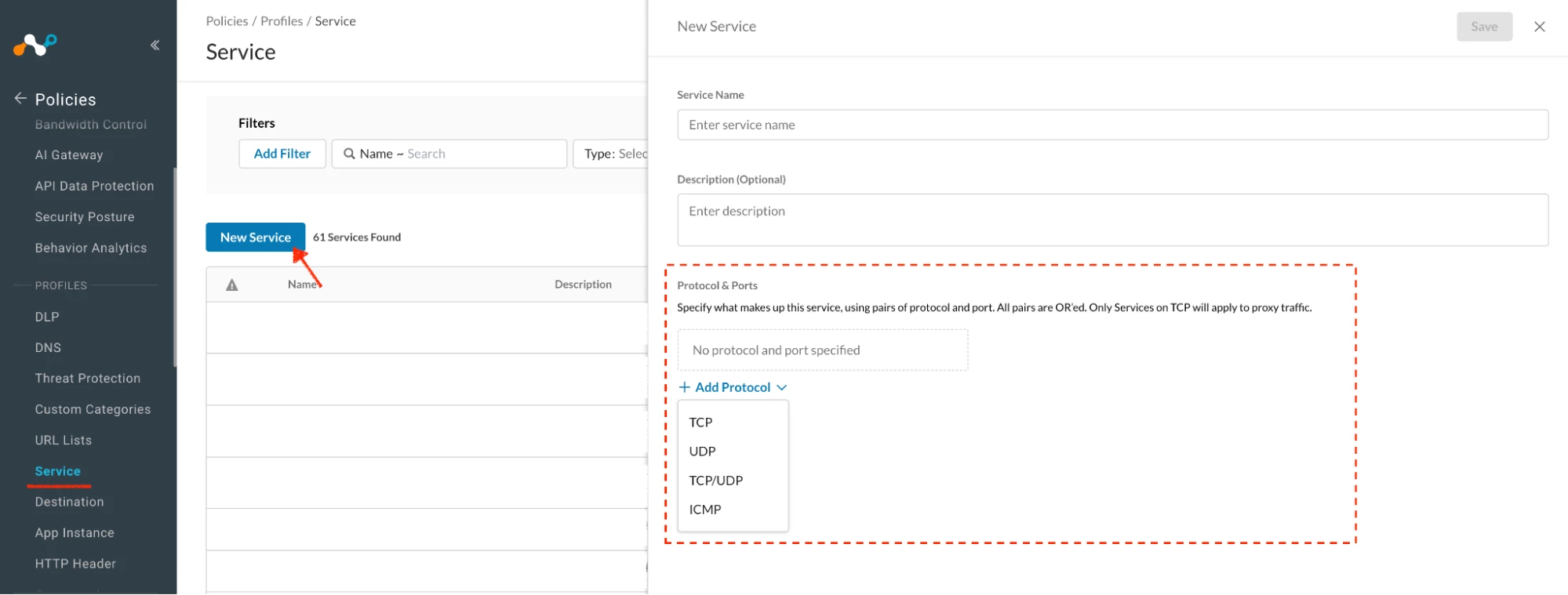
Service Objects Link
Used to define:
- Protocol (TCP / UDP)
- Port or port ranges
Example:
TCP 443
UDP 53
TCP 8000–9000
Note: NSProxy prioritizes Real-time Protection rules with service objects for non-standard port access.
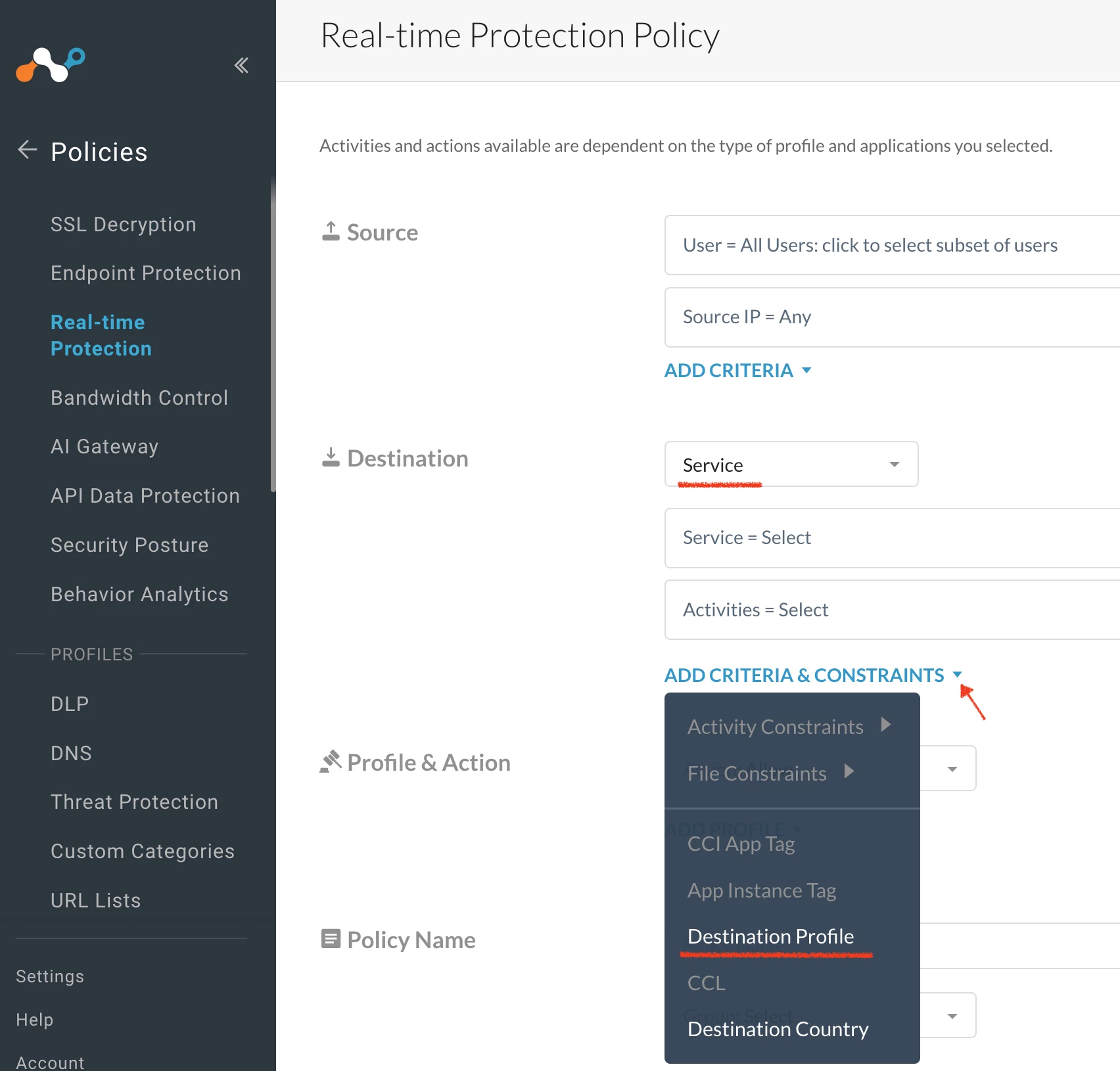
Path: Netskope Tenant UI >>> Policies >>> Profile - Service

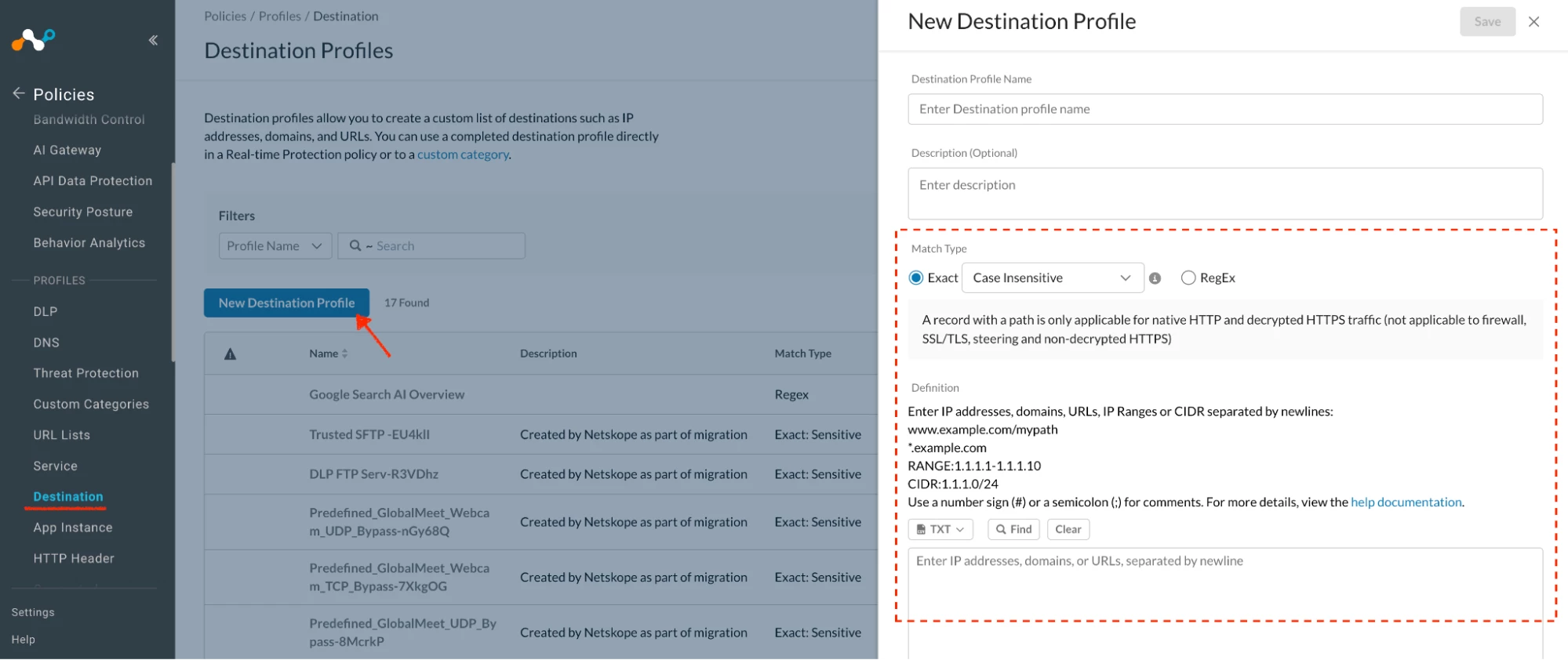
Destination Profiles Link
Used to define:
- IP addresses
- CIDR ranges
- Domains / FQDNs
Example:
192.168.1.0/24
api.example.com
*.googleapis.com
Note: These are reusable building blocks, just like traditional firewalls.
Path: Netskope Tenant UI >>> Policies >>> Profile - Destination

Realtime Protection Policy - Firewall Policy
Sample

Author Notes
What happens to existing Custom Applications?
Currently supported custom applications will be migrated to service objects and destination profiles
What that means:
- Existing custom apps will not break
- Netskope automatically converts them into
Service Objects → define ports & protocols
Destination Profiles → define IPs, domains, FQDNs
This migration:
- Preserves current behavior
- Enables more granular control
- Aligns policies with Firewall 2 architecture
- Customers don’t need to recreate apps from scratch.
Terms and Conditions
- All documented information undergoes testing and verification to ensure accuracy.
- In the future, it is possible that the application's functionality may be altered. If any such changes are brought to our attention, we will promptly update the documentation to reflect them.
Notes
- This article is authored by Netskope Global Technical Success (GTS).
- For any further inquiries related to this article, please contact Netskope GTS by submitting a support case with 'Case Type – How To Questions'.



