




 Netskope Global Technical Success (GTS)
Facebook - How to Block Facebook Video Streaming
Netskope Cloud Version - 132
Objective
This document aims to provide an understanding of how to block Facebook video streaming
Prerequisite
Netskope SWG or NG-SWG license is required
Context
One of the common use cases related to Facebook is when a customer allows access to Facebook for a specific department for business purposes but wants to restrict video streaming.
Do You Know?
- Netskope acknowledges Facebook as a Cloud Application and provides a pre-defined cloud app connector.
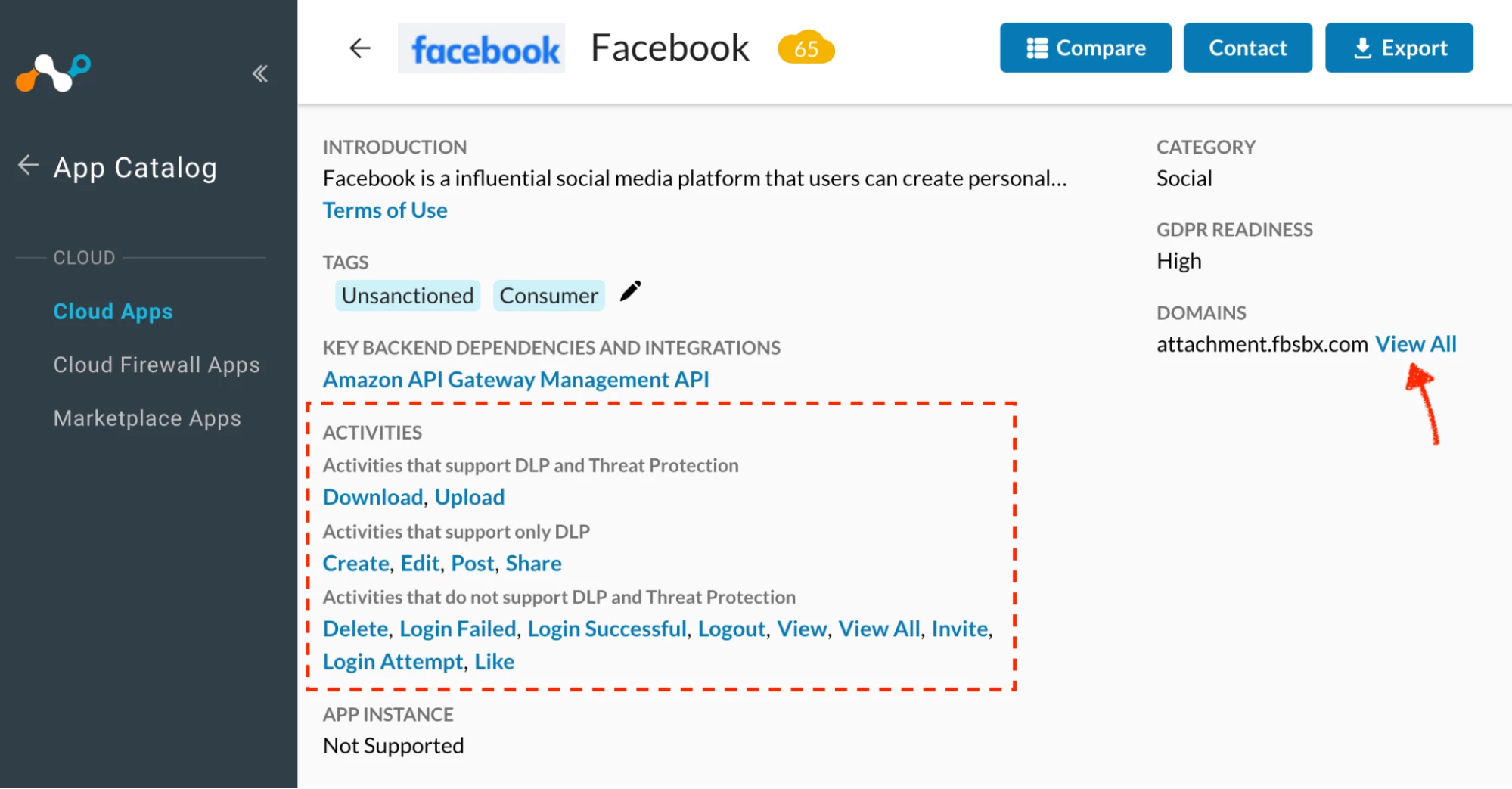
- As of Dec 10, 2025 with Netskope’s Facebook predefined connector, customers can exercise control over the following activities:
Image i

- Traffic destined to the below domains will be counted under Netskope’s pre-defined Cloud App Connector for Facebook
Image ii
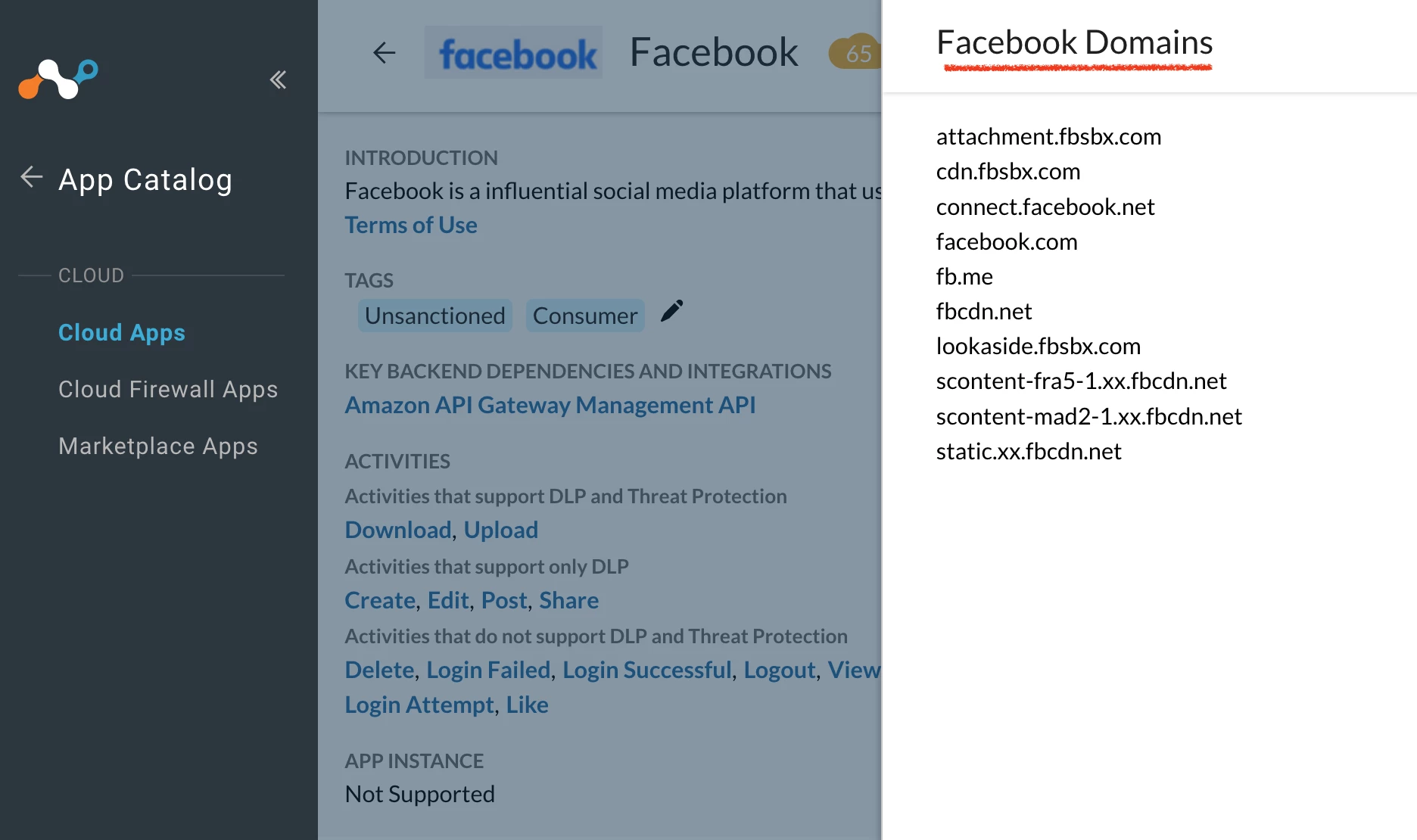

- If you look closely at the domain list, you will notice that Facebook uses its own CDN
- Facebook uses its CDN for faster content delivery -
Profile pictures
Post photos
Story thumbnails
Stickers, emojis
Reels
Story videos
Video thumbnails
JavaScript bundles
CSS
Fonts
Icons
Details
- As discussed in the previous section about the critical role CDNs play in Facebook’s architecture, let’s now understand how a video loads and what logic can be used to identify and apply controls on Facebook’s streaming videos.
Image iii
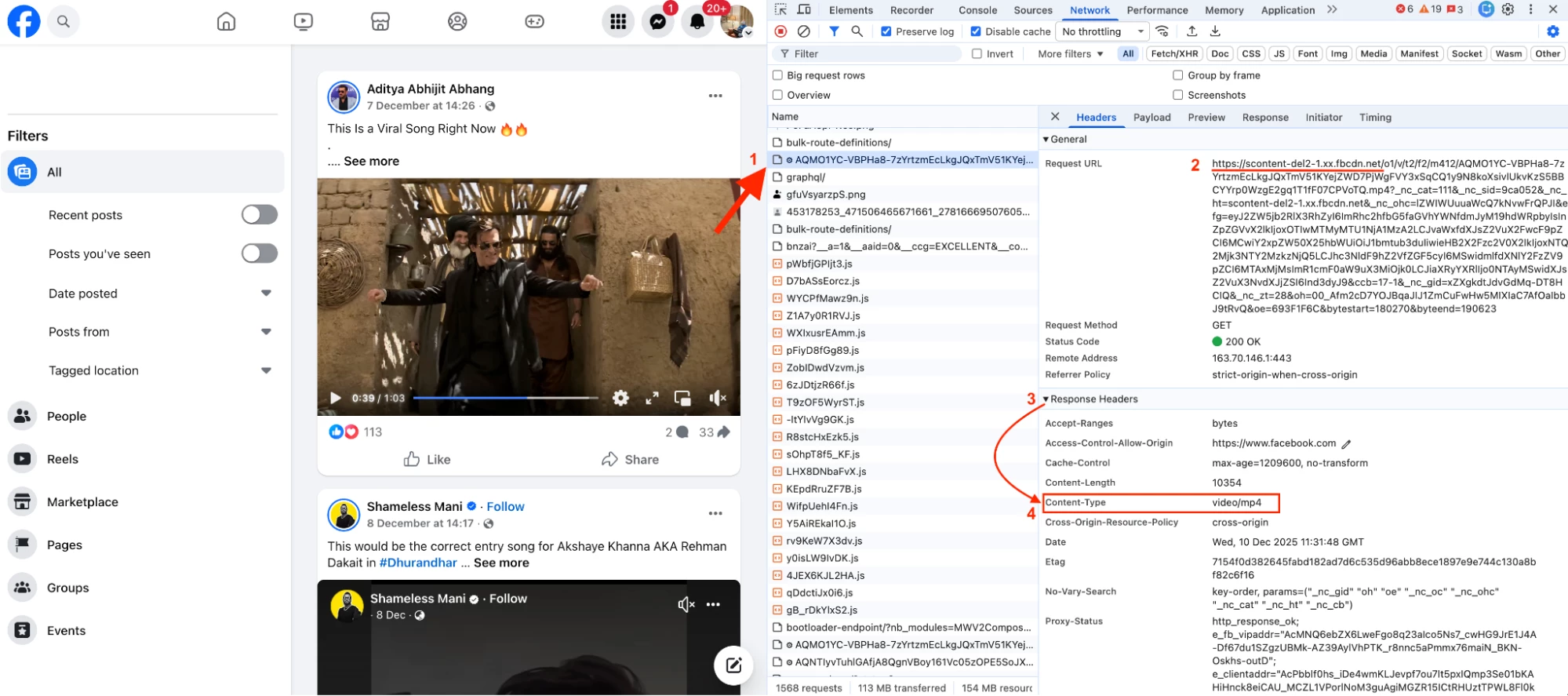

- In the above snapshot, a video is playing on the left. The Request URL is https://scontent-del2-1.xx.fbcdn.net and in the Response you can see that the
Content-Type video/mp4. This confirms that Facebook delivers video content in MP4 format. - Therefore, to address the original use case, blocking video content allows us to effectively control Facebook’s video streaming functionality.
Configuration
Step 1: Create a HTTP Header Profile
Path: Netskope Tenant UI >>> Policies >>> Profiles - - - HTTP Header >>> New HTTP Header Profile
Image iv
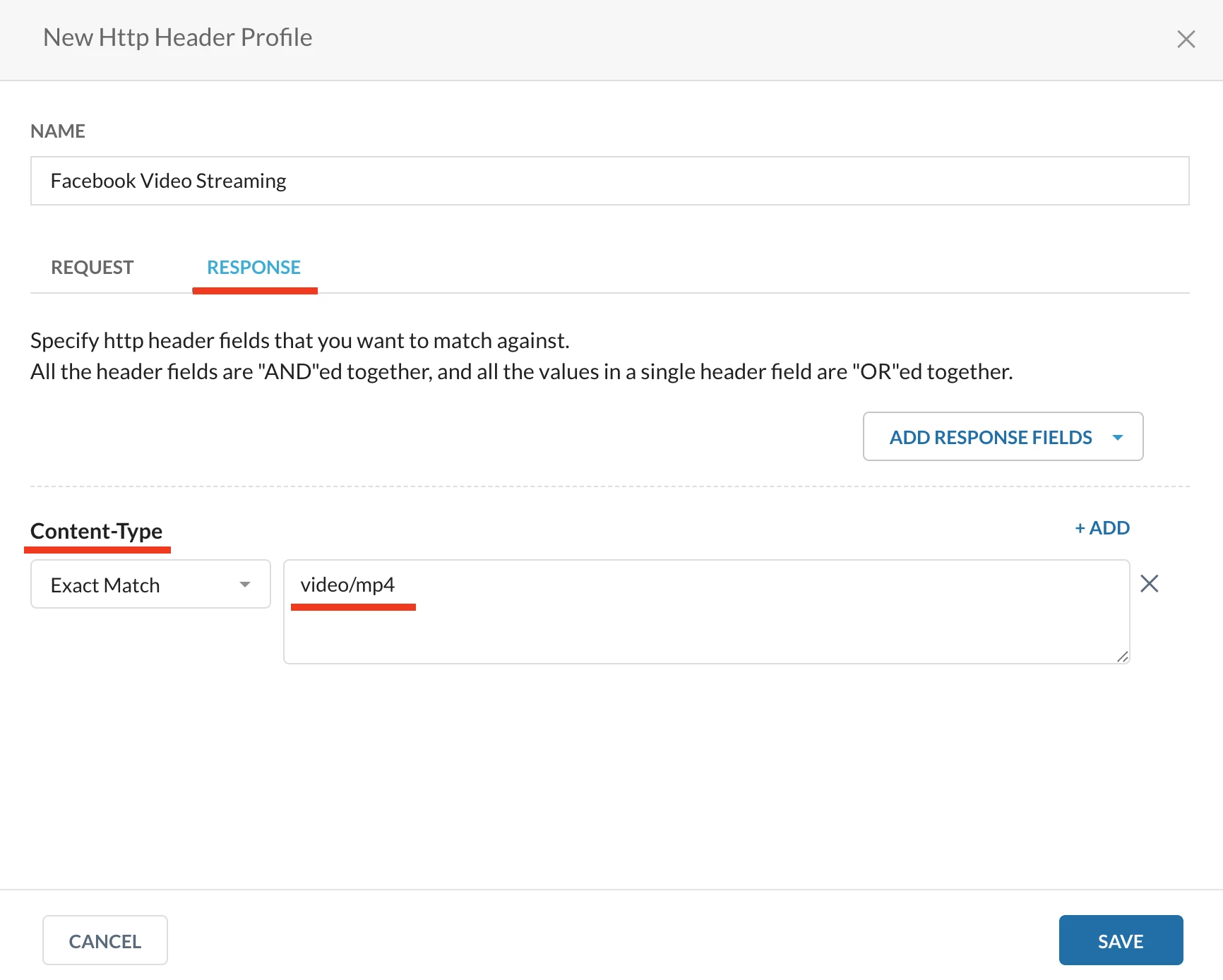

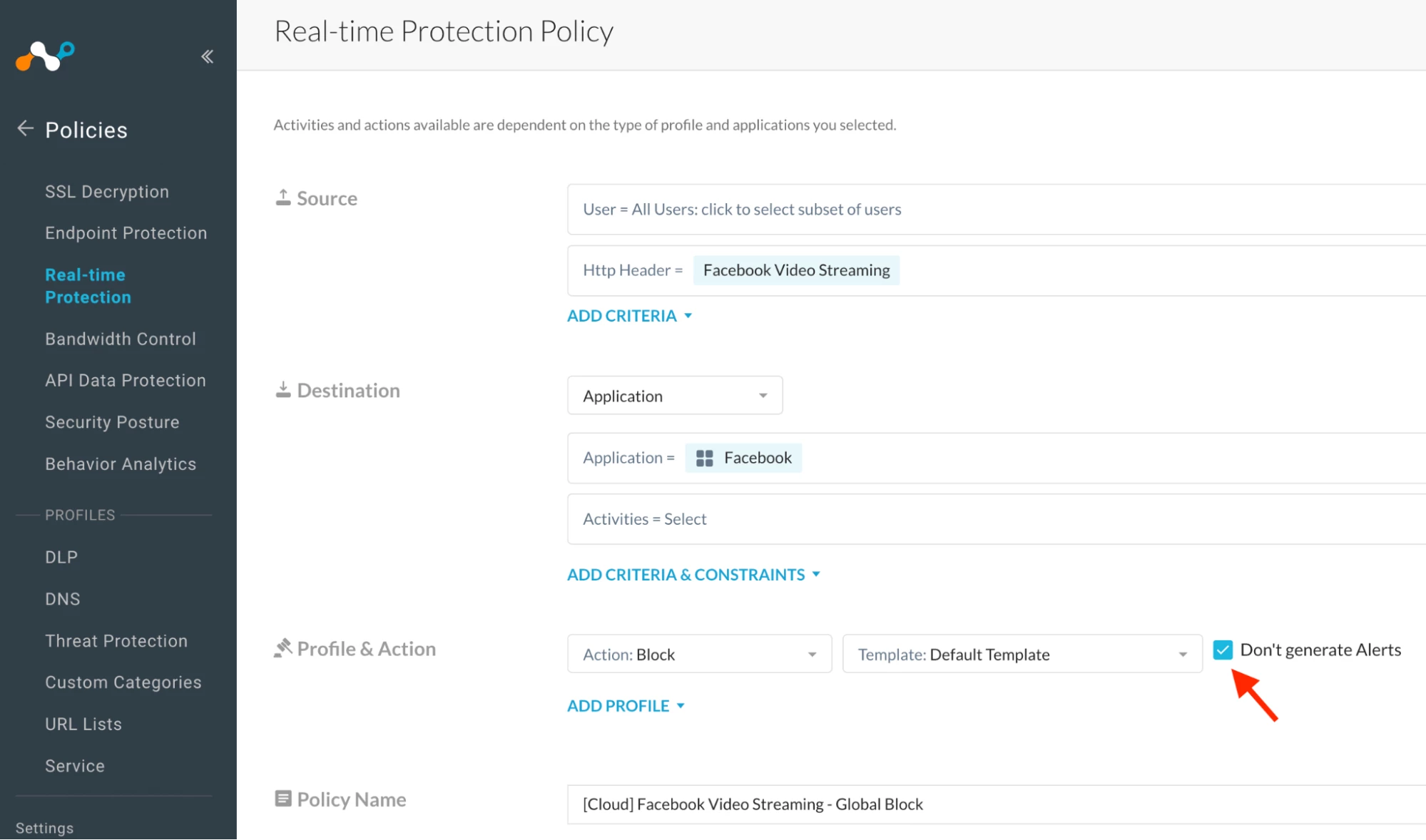
Step 2: Create a Realtime Protection Policy
Path: Netskope Tenant UI >>> Policies >>> Realtime Protection Policy >>> New Policy
Image v

Verification
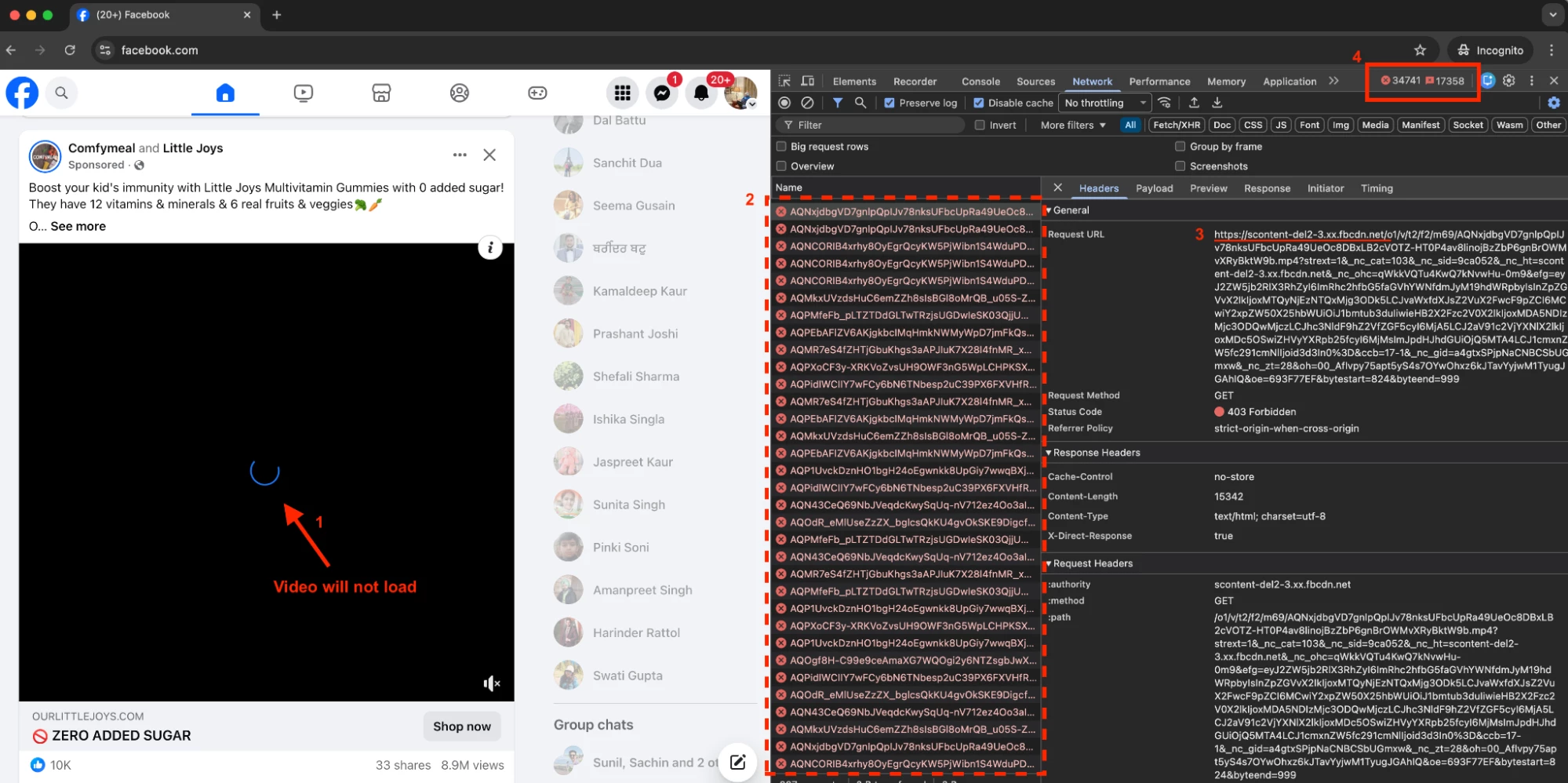
- Refer to Image vi
1 - The video will stop loading.
2 - Facebook will continue attempting to load the video through different CDN servers, but each attempt will receive a 403 response.
Examples:
https://scontent-del2-3.xx.fbcdn.net
https://scontent-del3-3.xx.fbcdn.net
https://scontent-del3-1.xx.fbcdn.net
4 - Facebook will keep retrying across multiple CDN endpoints, and the request counters will continue to increase. This is why it is recommended to enable ‘Don’t generate Alerts’ (Ref Image v).
Image vi

Author Notes
- During my lab recreate, I observed that Facebook’s video-streaming content type was consistently
mp4. However, it is possible that Facebook may use other video file formats as well. In such cases, the HTTP header conditions will need to be updated accordingly. - Note: With the above solution, Facebook video streaming will be blocked—and this includes blocking Status videos/reels as well.
Terms and Conditions
- All documented information undergoes testing and verification to ensure accuracy.
- In the future, it is possible that the application's functionality may be altered by the vendor. If any such changes are brought to our attention, we will promptly update the documentation to reflect them.
Notes
- This article is authored by Netskope Global Technical Success (GTS).
- For any further inquiries related to this article, please contact Netskope GTS by submitting a support case with 'Case Type – How To Questions'.



