




Netskope Global Technical Success (GTS)
YouTube – Allow Embedded Videos While Blocking Direct Youtube Access
Netskope Cloud Version - 134
Objective
Blocking access to YouTube.com while allowing embedded YouTube videos on a 3rd party website.
Prerequisite
Netskope Next-Gen SWG license
Context
There is a common use case where customers enforce a real-time blocking policy on streaming media, including YouTube, but still want to allow access to embedded YouTube videos on a 3rd party website.
Do You Know?
- Netskope acknowledges Youtube as a Cloud Application and provides a pre-defined cloud app connector.
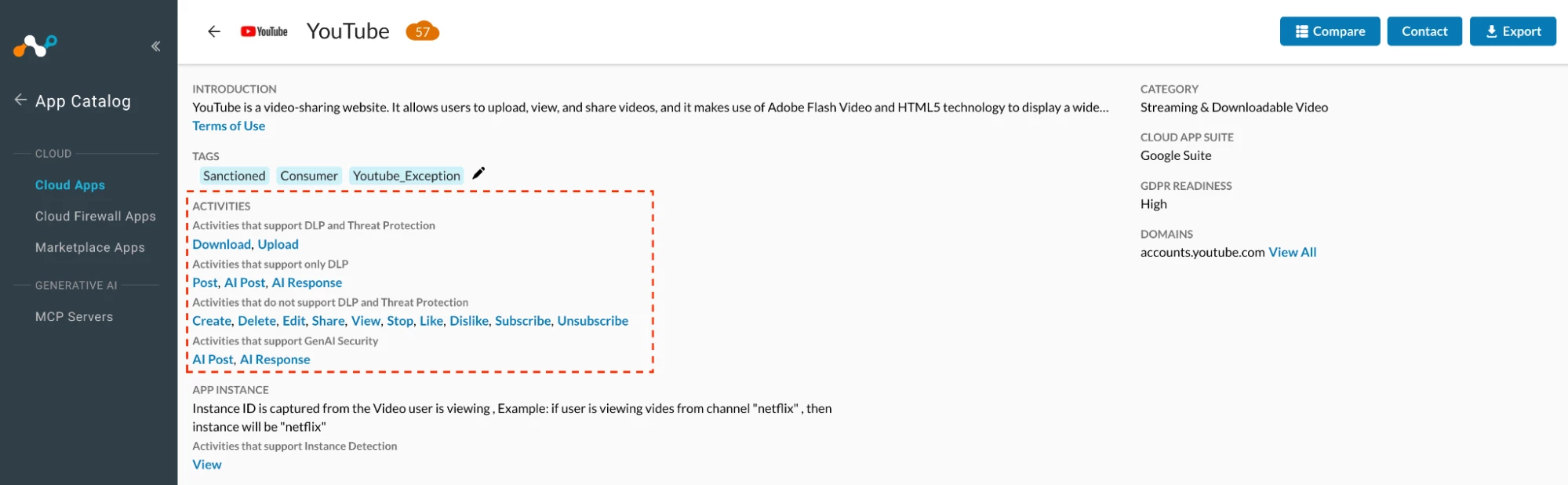
- As of Feb 17, 2026 with Netskope’s Youtube predefined connector, customers can exercise control over the following activities -

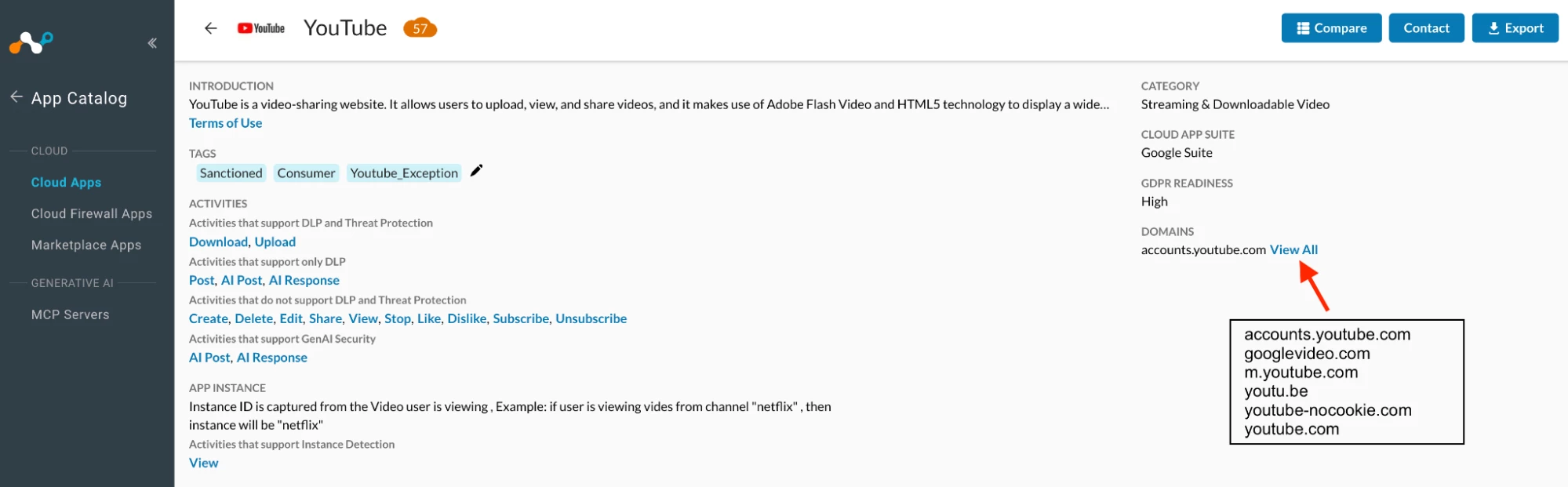
- Domains mapped under Youtube predefined connector

Author Notes
- As an administrator, you need to understand how the YouTube video is embedded, as there are multiple ways to embed it.
- To identify a solution for this use-case, you must clearly understand how the YouTube video is being played when accessed outside of YouTube.
Details
- Let’s assume there is a customer who wants to allow embedded YouTube videos on Zerodha’s website.
- Link - https://support.zerodha.com/category/account-opening/resident-individual/ri-online/articles/what-documents-do-i-need-to-open-an-account
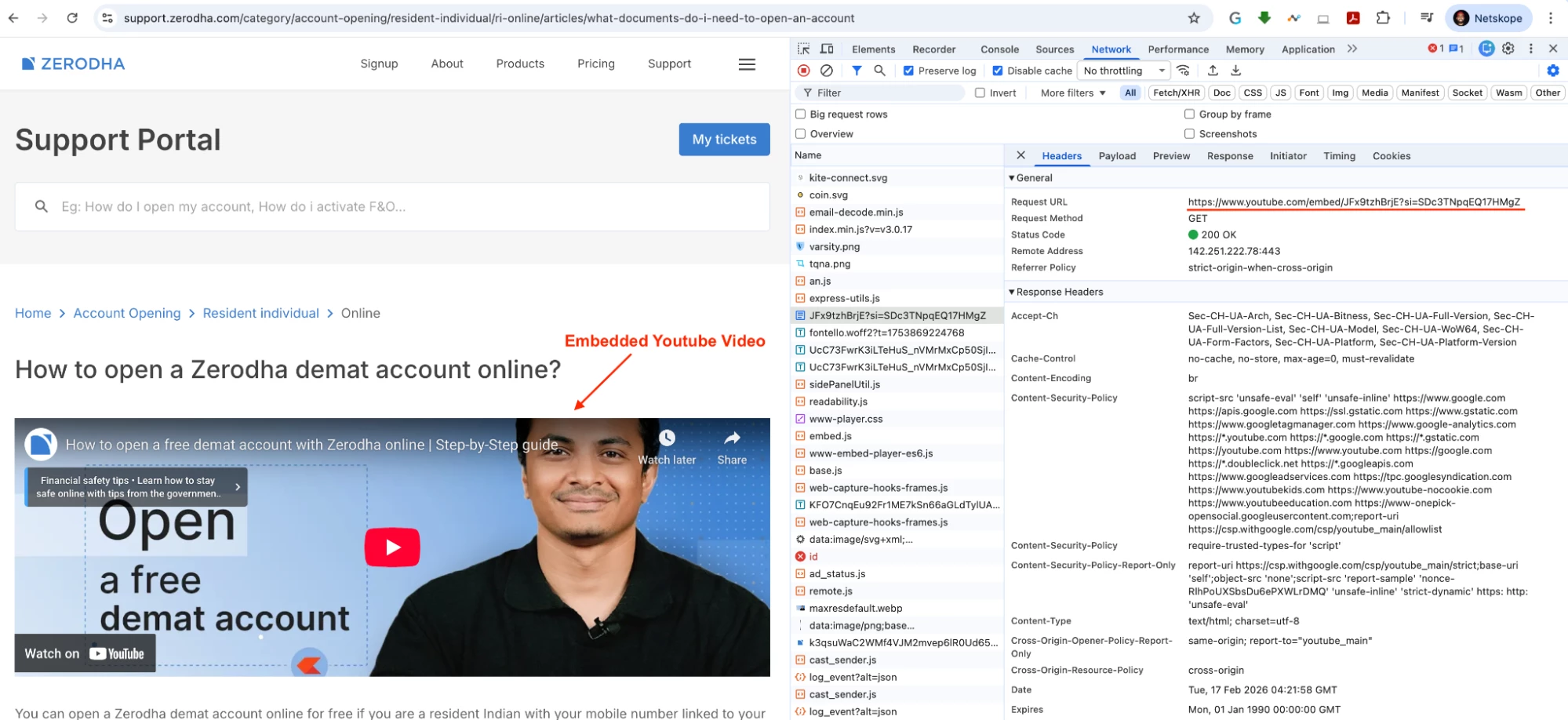

- Embed URL - https://www.youtube.com/embed/JFx9tzhBrjE?si=SDc3TNpqEQ17HMgZ
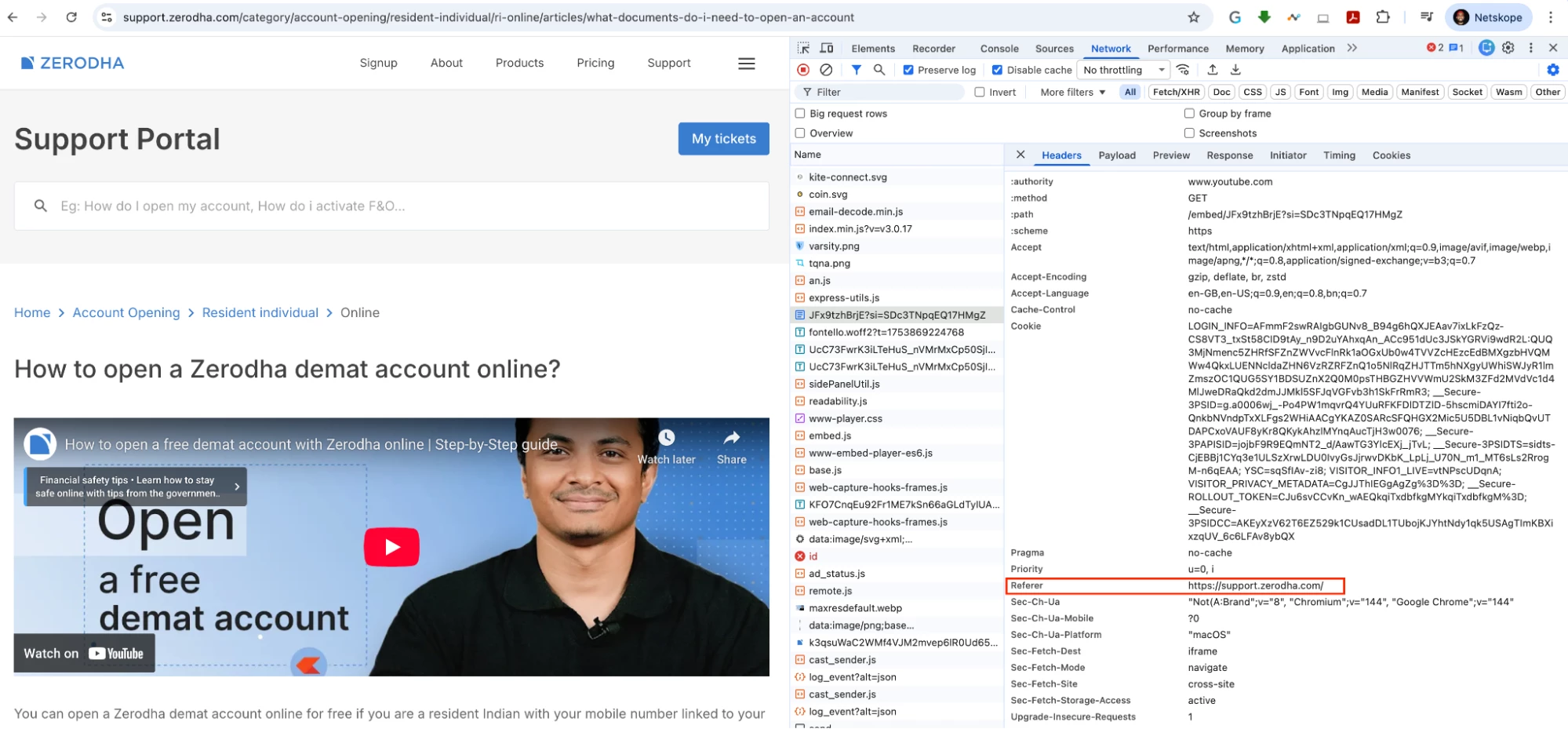

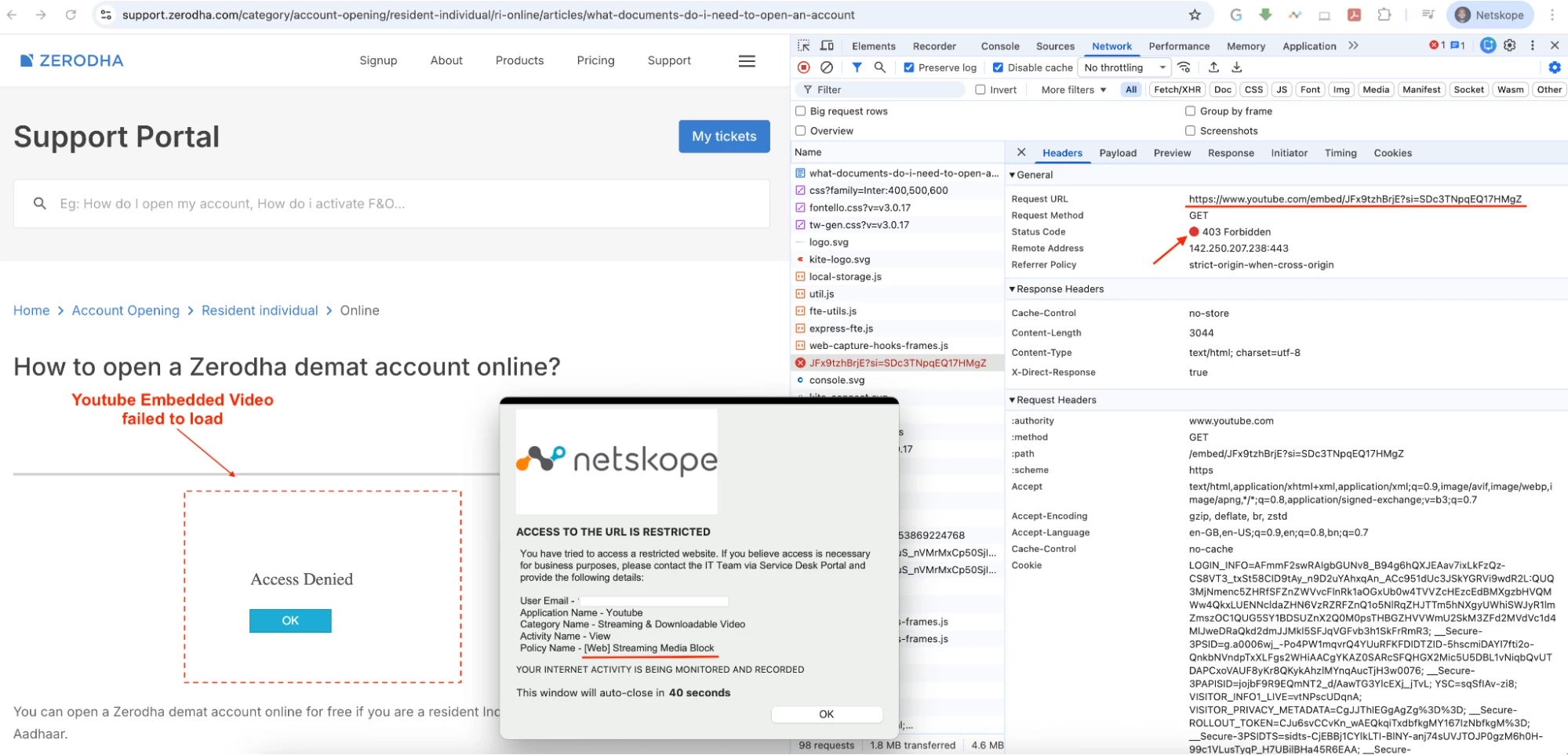
- The key factor here is the Referer header.
- In the above example, the Referer is https://support.zerodha.com/
- If you track the subsequent transaction destined for YouTube, you’ll see that the traffic is being redirected to different YouTube domains/URLs, and the Referer header has changed.
- In the below transaction the embedded URL become the referrer - https://www.youtube.com/embed/JFx9tzhBrjE?si=SDc3TNpqEQ17HMgZ
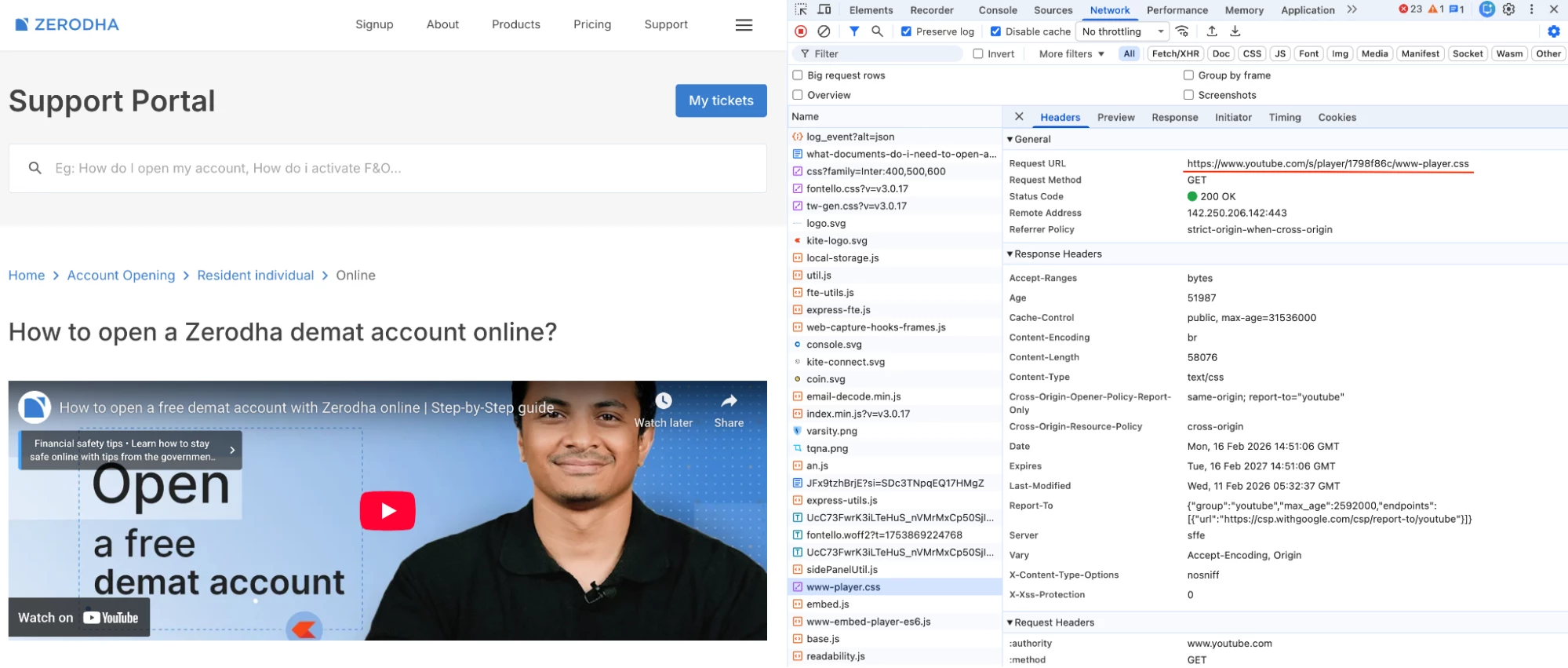

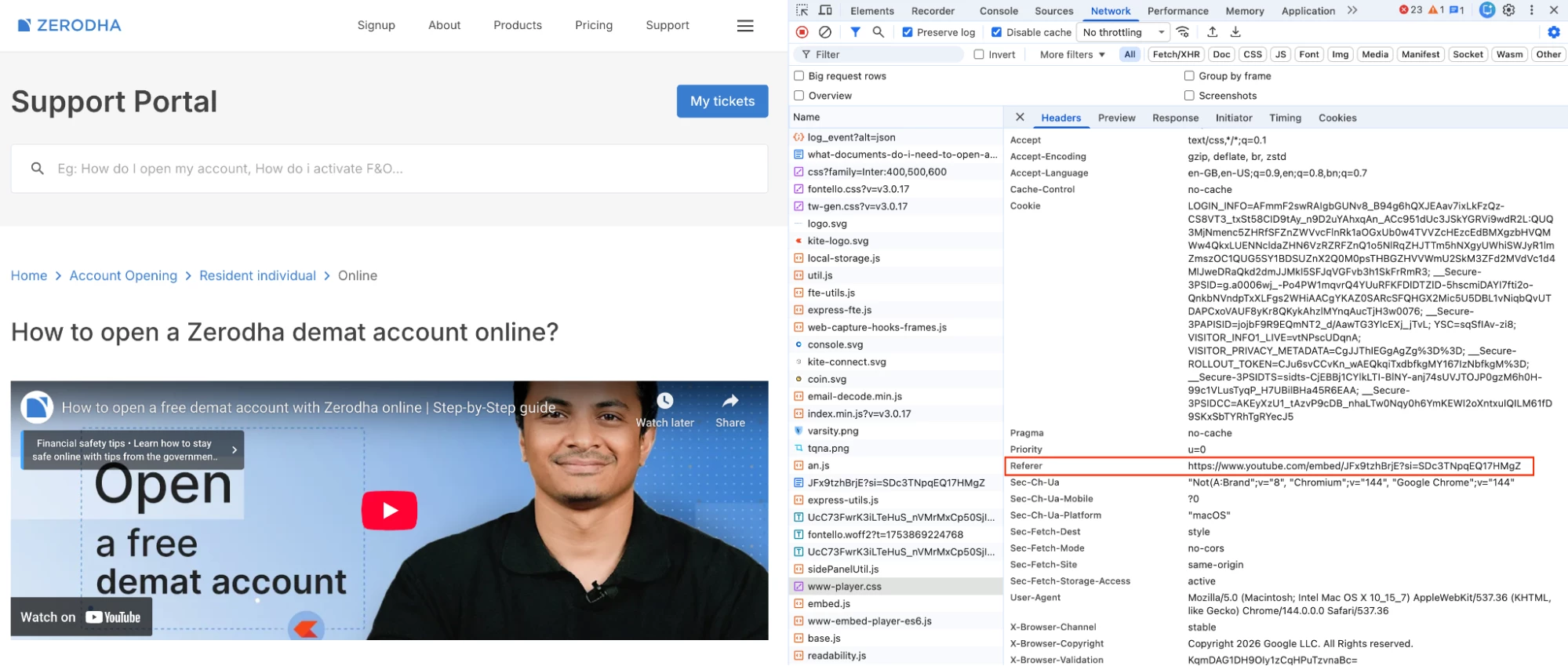

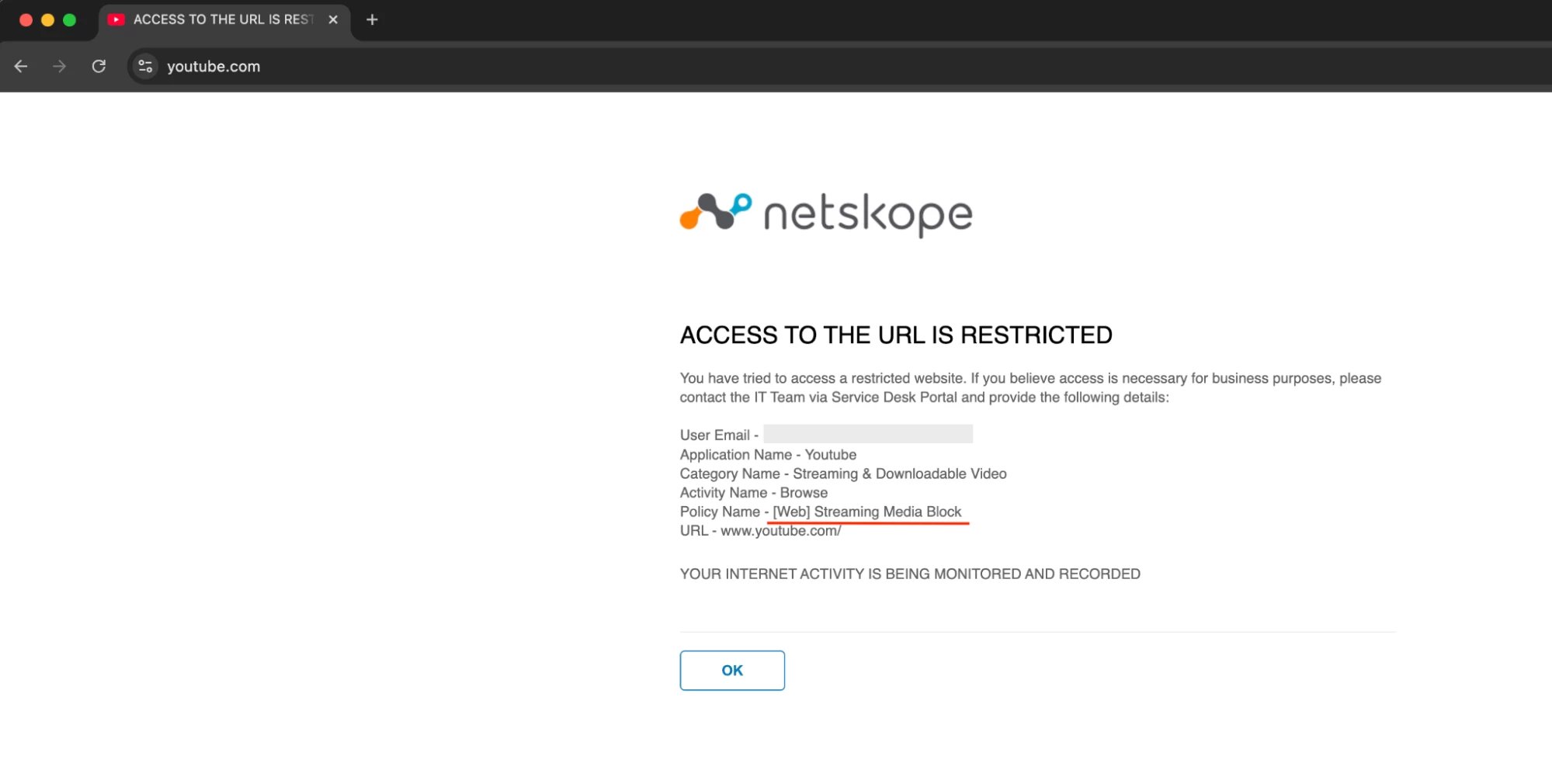
- Now, let’s apply a real-time policy to block Streaming Media and then validate the results.

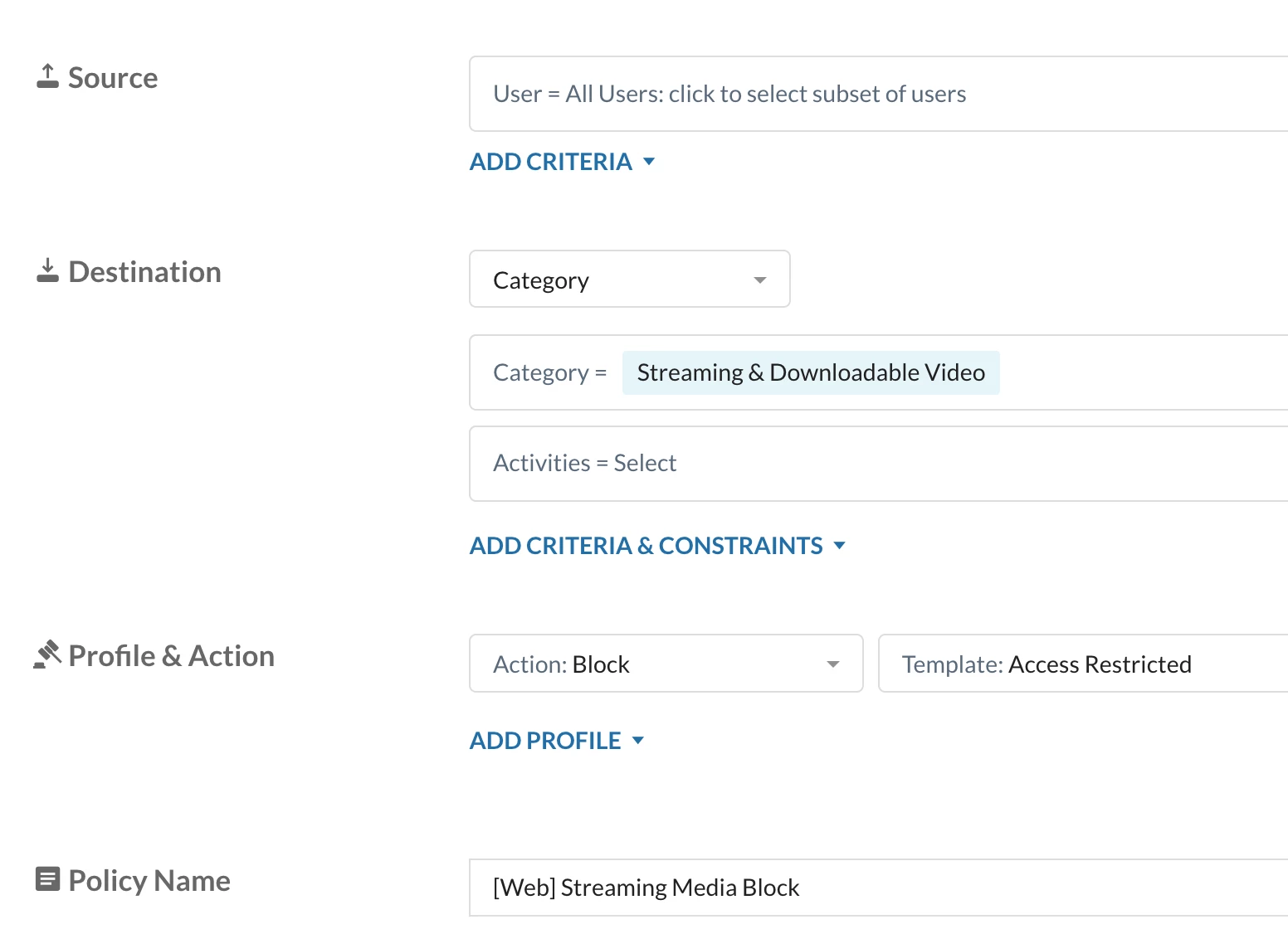
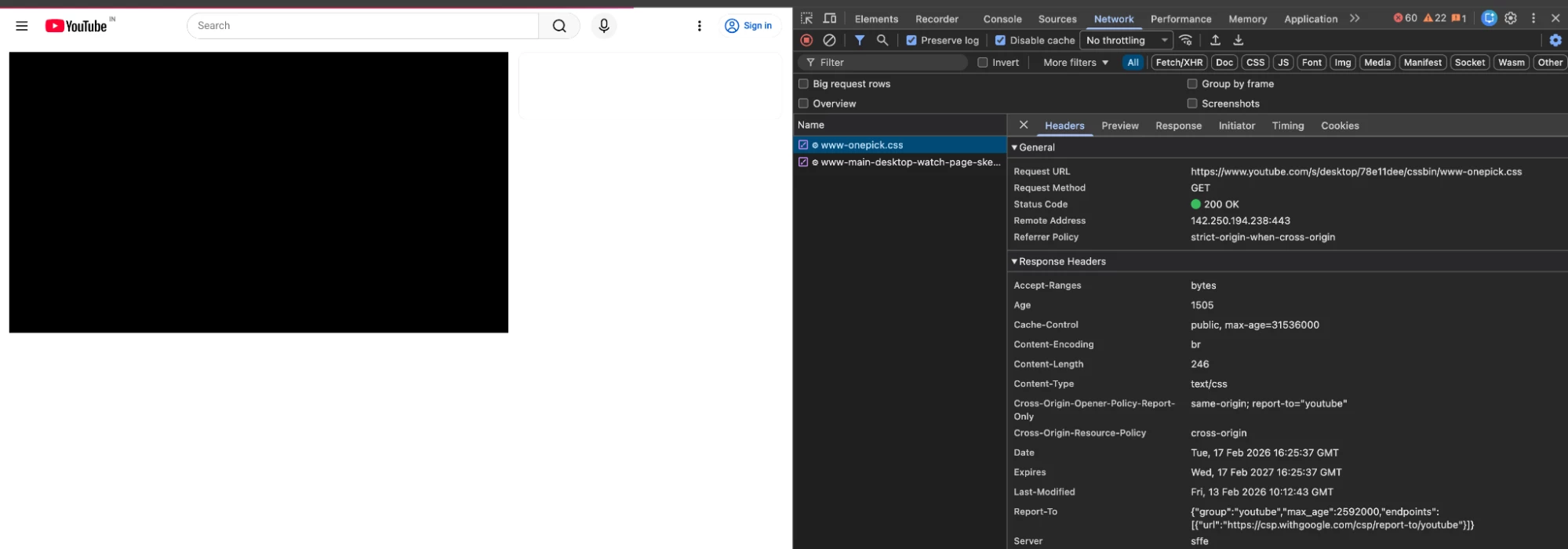
- Youtube Embedded video failed to load
- Direct Youtube Access is also blocked


Configuration
Lets go with the configuration to Allow the Youtube Embedded Video and Block Youtube Access
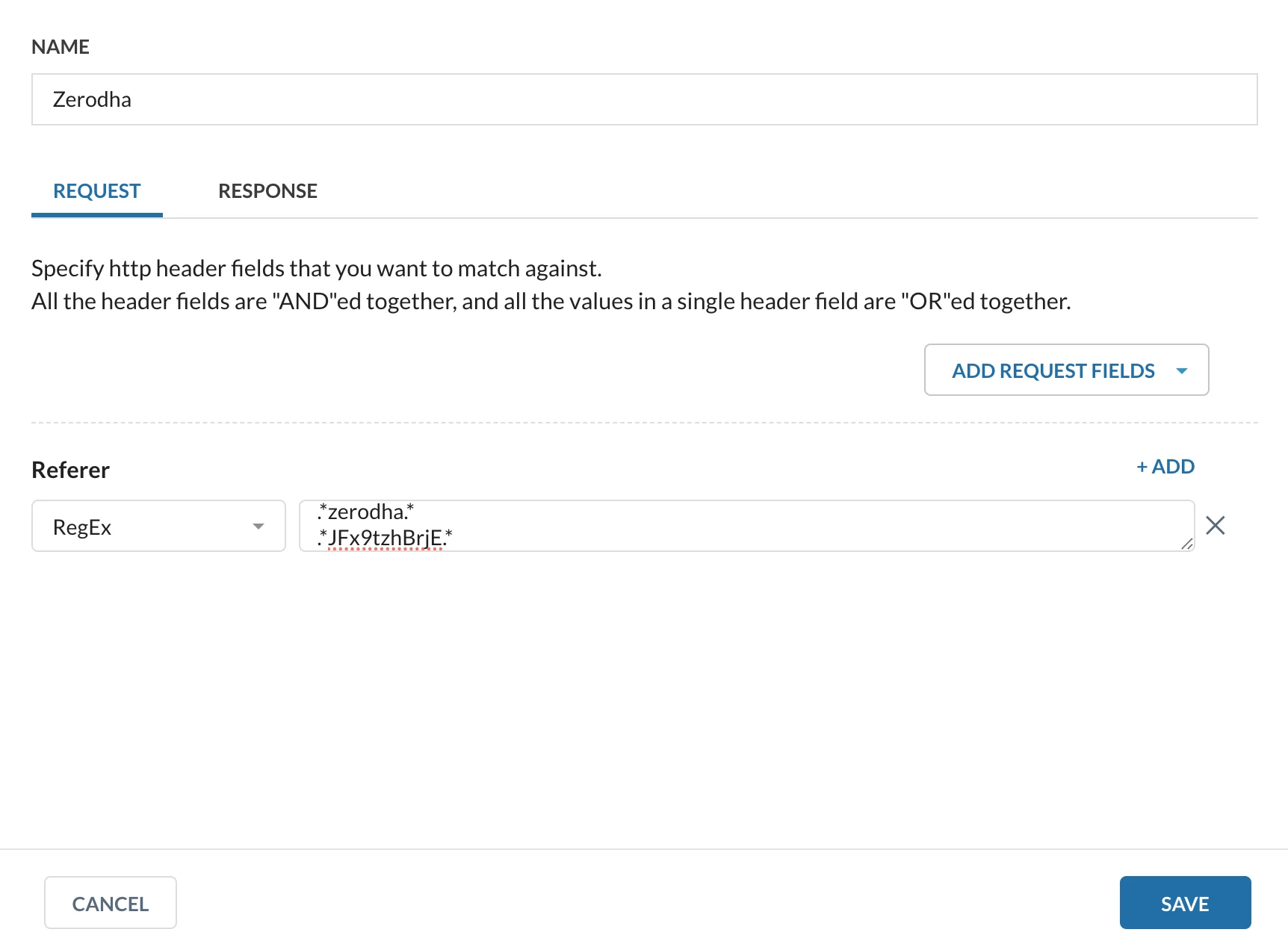
- Create a HTTP Header Profile
Path: Netskope Tenant UI >>> Policies >>> Profiles - - - HTTP Header
.*zerodha.*
.*JFx9tzhBrjE.*

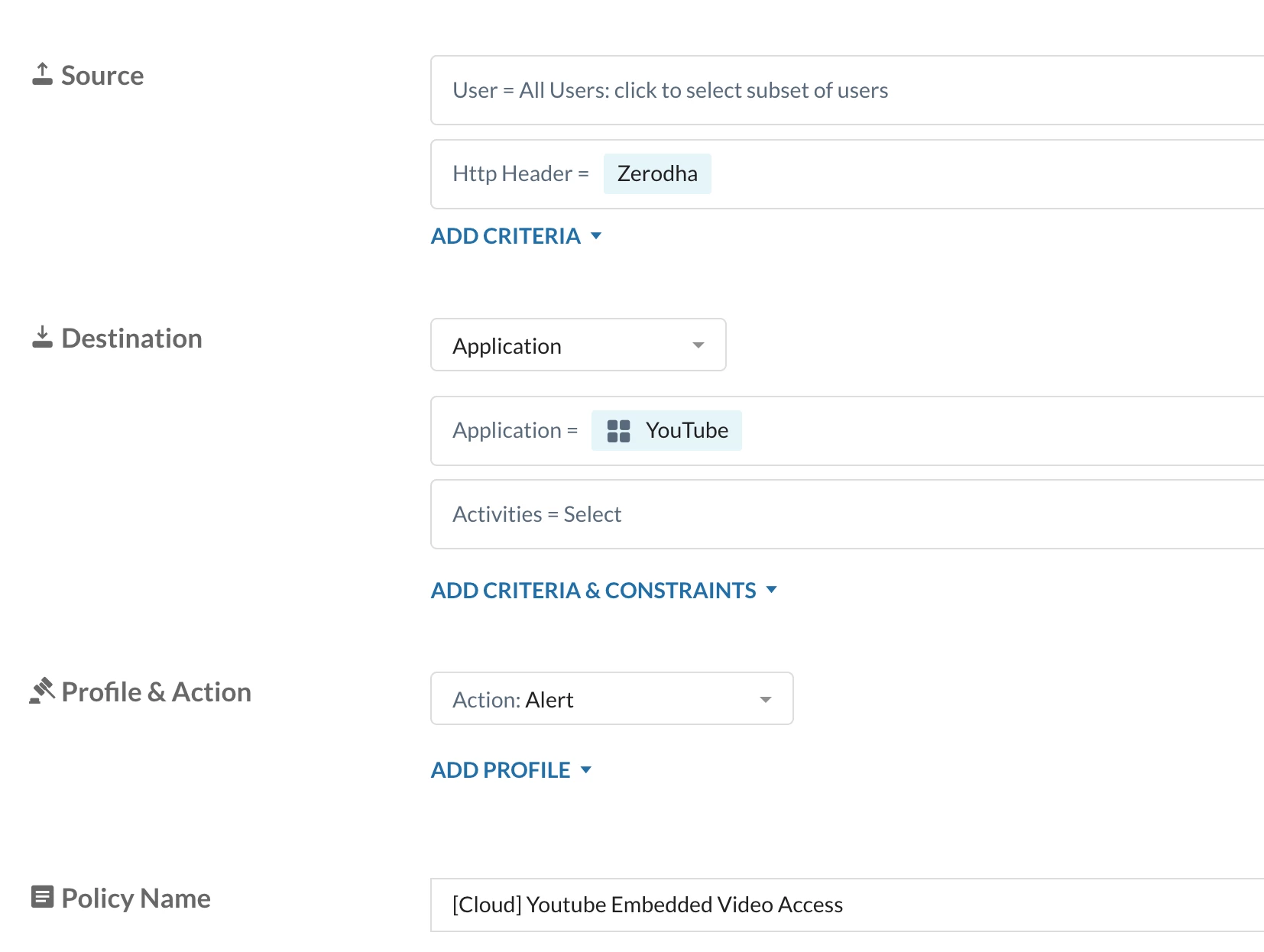
- Create a Realtime protection policy
Path: Netskope Tenant UI >>> Policies >>> Real-time Protection >>> New Policy
1st Policy

2nd Policy
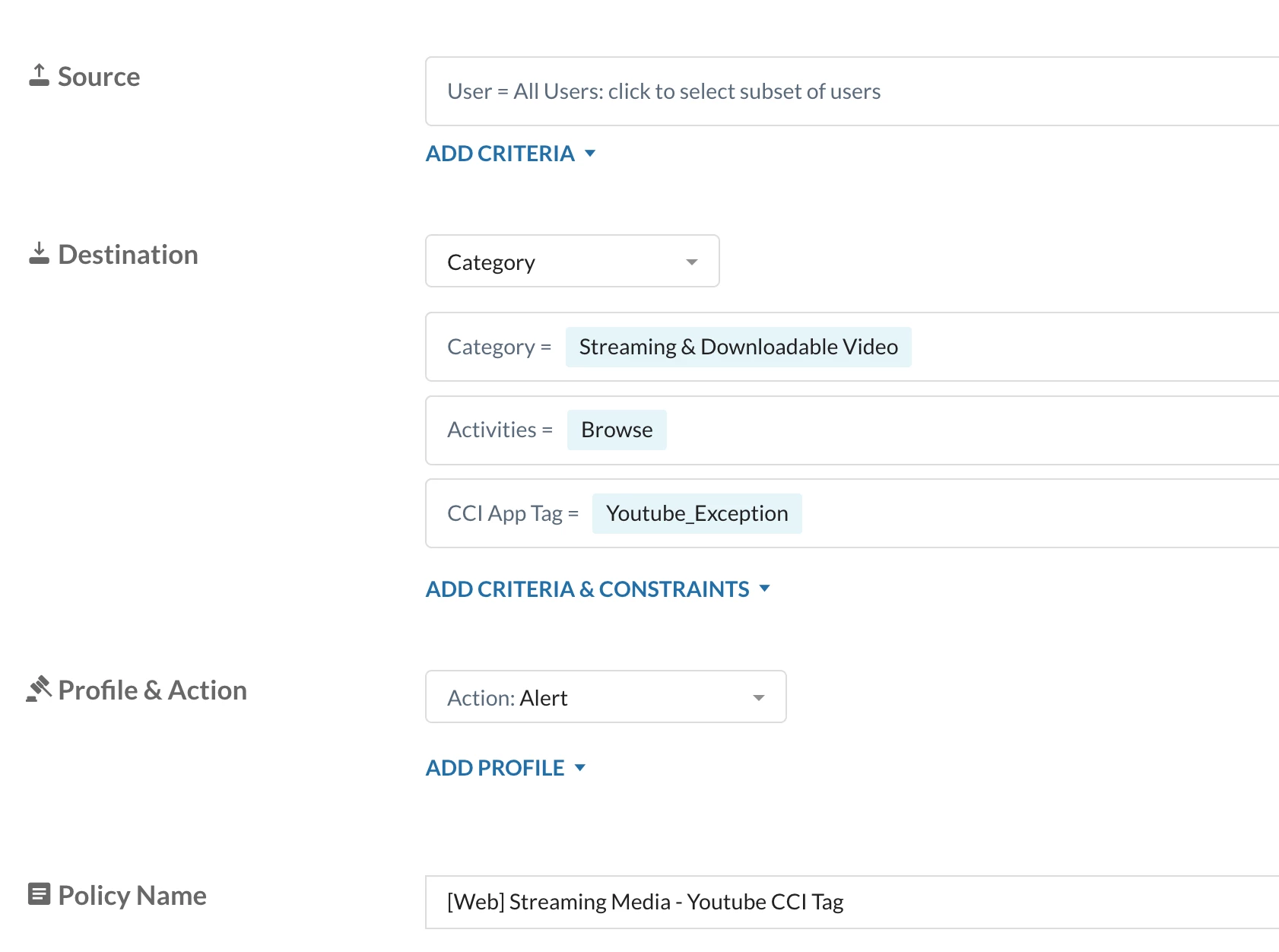

How to create a Custom CCI Tag?
Review Step 2 from Configuration Section -
- Policy Order
1.1 - Youtube HTTP Header Allow Policy for Zerodha Embedded Videos
1.2 - Activity - Browse allow for Youtube domains
1.3 - Global Block Policy for Streaming Media web category


Verification
- With the above configuration, when the end user will try accessing YouTube, the front page loads because the “Browse” activity is allowed in 1.2. However, the video will not play because the “View” activity is triggered when the video loads, and rule 1.3 blocks all activities, including “View.”
- Additionally, there will be multiple Netskope User Notifications since several YouTube transactions are blocked simultaneously. To address this, the customer can mute user notifications if they prefer.
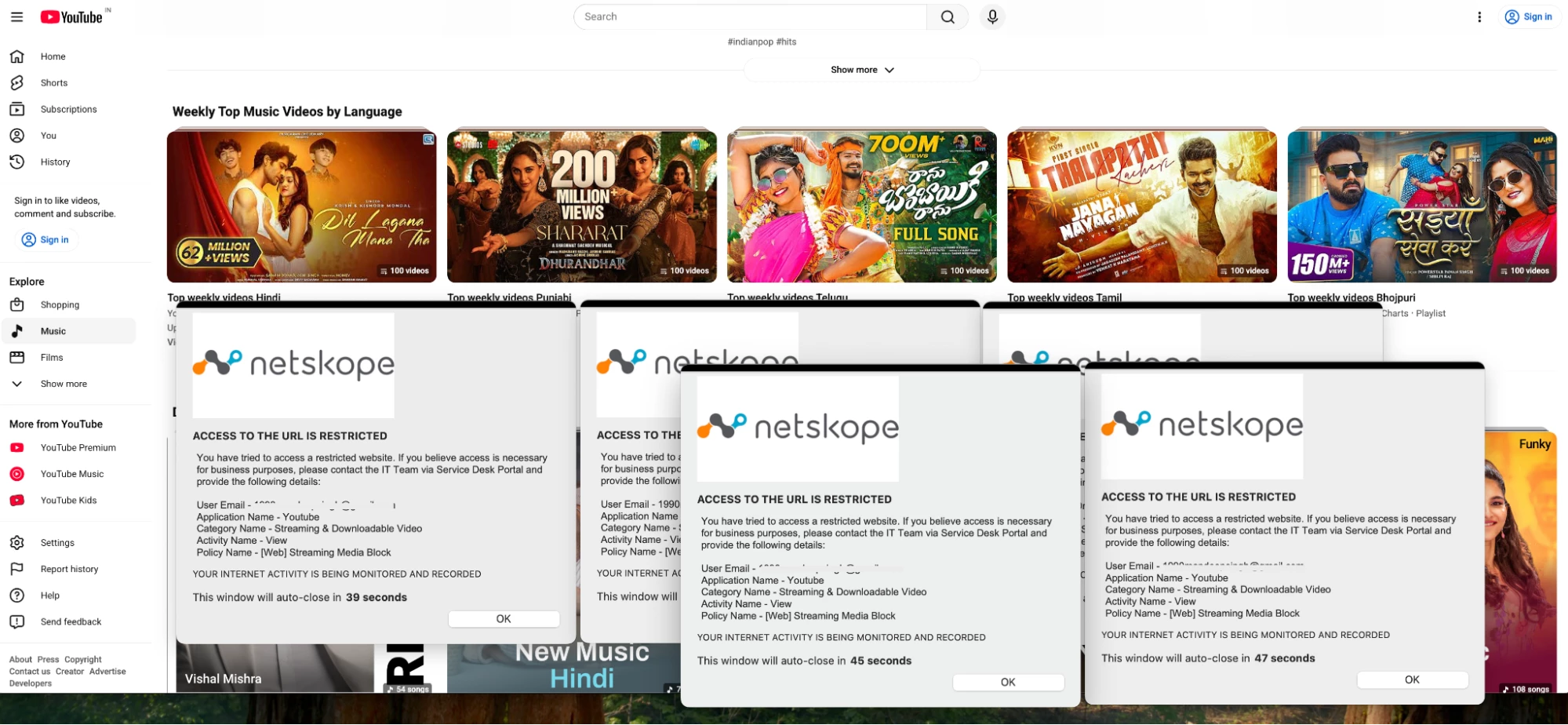


Note - User Notification format used above Link
- The embedded Youtube video will run as expected
Author Notes
- This use case may look simple, but it is not straightforward.
- You may need to revisit the HTTP Header Profile configuration multiple times. The key objective is to identify the Referer behind the YouTube transactions.
- The best approach is to review the HAR capture on a transaction-by-transaction basis.
- Carefully analyze the YouTube transactions and identify the associated referer for each one. This method provides better visibility and helps ensure accurate identification of the relevant Referer values.
- The referer may be static or dynamic. I personally recommend using a regex-based referer match instead of an exact match, as it provides greater flexibility and better coverage.
Terms and Conditions
- All documented information undergoes testing and verification to ensure accuracy.
- In the future, it is possible that the application's functionality may be altered by the vendor. If any such changes are brought to our attention, we will promptly update the documentation to reflect them.
Notes
- This article is authored by Netskope Global Technical Success (GTS).
- For any further inquiries related to this article, please contact Netskope GTS by submitting a support case with 'Case Type – How To Questions'.
What to Read Next? | |
| All about - ‘Youtube’ | |
| All about - ‘WhatsApp’ | |
| Netskope & Gen AI | |



