



Netskope Global Technical Success (GTS)
KB - How to export App Catalog page data using REST APIv2
CCI REST API v2 - Netskope
Netskope Cloud Version - 138
Objective
The Netskope App Catalog (earlier known as Cloud Confidence Index - CCI) page in the admin console provides a comprehensive catalog of cloud applications rated by security posture. While the UI is excellent for browsing, administrators frequently need to bulk export app data for policy planning, compliance audits, risk assessments, or integration with external tools such as SIEMs, CMDBs, and GRC platforms.
This guide covers every available CCI REST API v2 endpoint, with ready-to-run cURL and Python examples, pagination strategies, and real-world use cases to help you get the most from your Netskope investment.
Prerequisites
Before using the API, ensure the following are in place:
- Netskope tenant admin access.
- REST API v2 token with CCI read permissions.
- An API client such as Postman, Insomnia, cURL, or a scripting language (Python, Bash, etc.).
- Basic familiarity with REST APIs and JSON.
Generating an API Token
- Log in to the Netskope admin console.
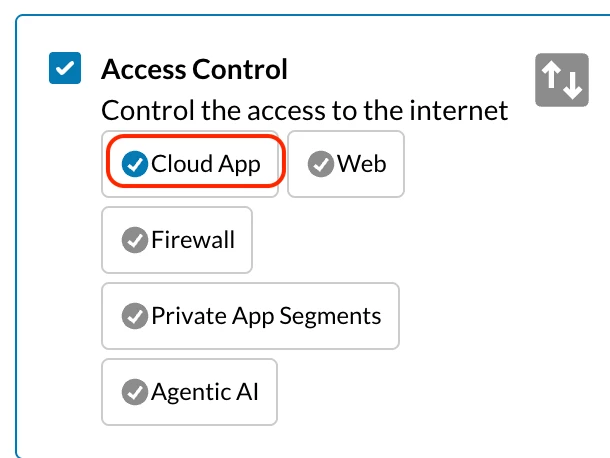
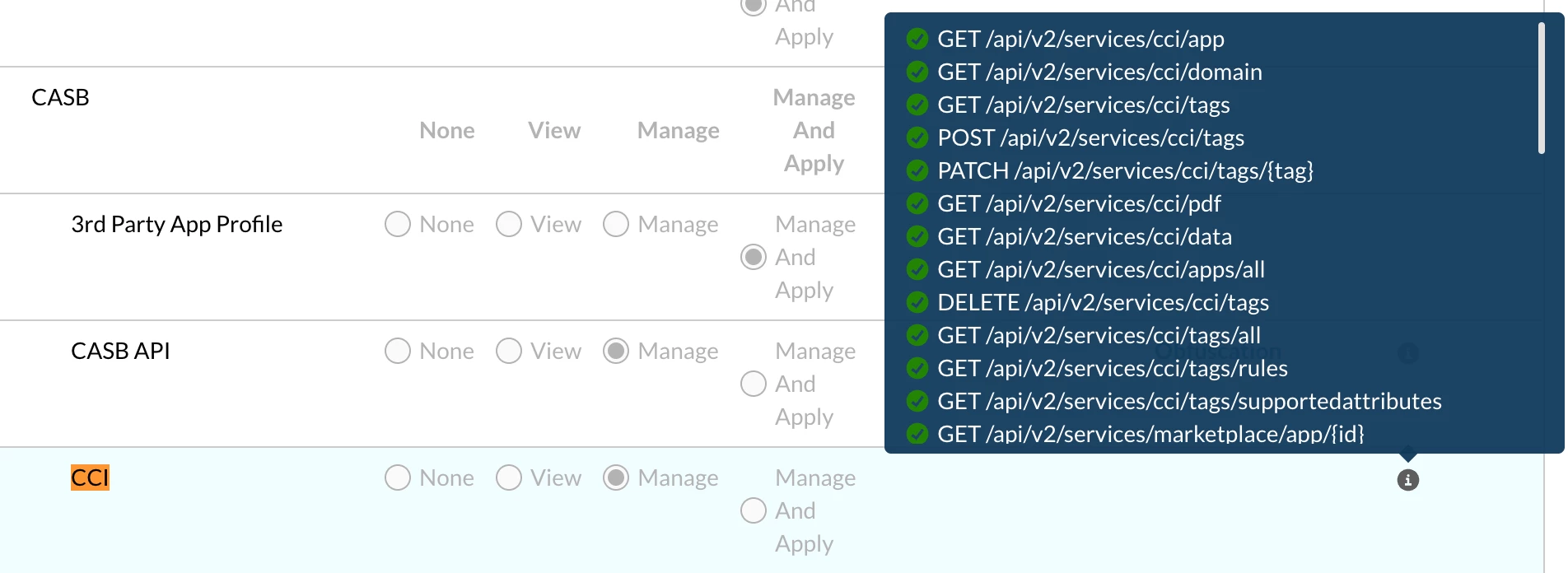
- Create a role with CCI permissions set to Manage to use CCI APIv2 endpoints
Path: Settings → Administration → Administrators & Roles → Roles
- Navigate to Settings → Administration → Service Account.
- Click New Token and assign CCI read permissions.
- Copy and store the token securely — treat it like a password. (Bearer token - in API Client)
Base URL
All endpoints use the following format:
| https://<your-tenant>.goskope.com/api/v2/services/cci/<endpoint> |
Common Request Headers
| Header Key | Value |
|---|---|
| Netskope-Api-Token | <your-api-token> |
| Content-Type | application/json |
| Accept | application/json |
Web Application APIs
| Endpoint 1 /cci/app — Search & Filter Apps by Category |
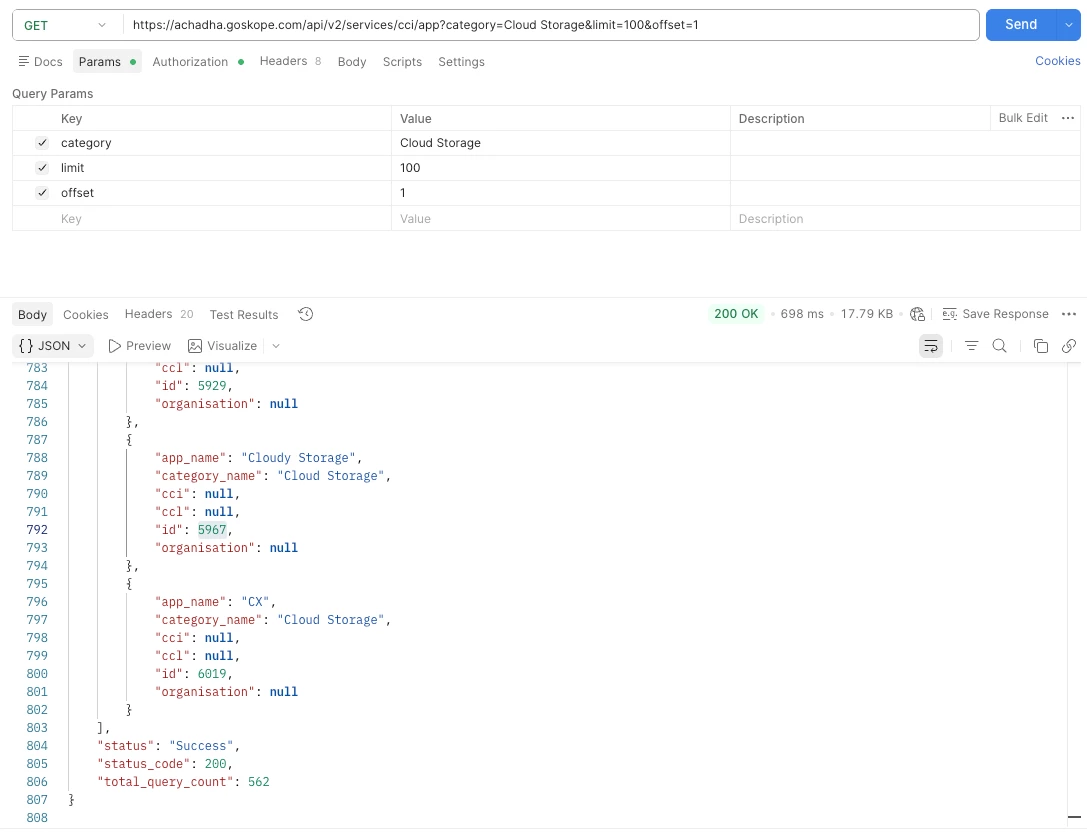
The most commonly used endpoint returns apps filtered by category with full CCI scoring details and it supports pagination as well.
| Method | POST |
| URL | https://<tenant>.goskope.com/api/v2/services/cci/app?category=cloud storage |
| Auth | Netskope-Api-Token header |
| Body | JSON: { "category": "Cloud Storage", "limit": 100, "offset": 0 } |
Request Body Parameters
| Parameter | Type | Description |
|---|---|---|
| category | string | Filter by app category (e.g., Cloud Storage, Collaboration, CRM) |
| limit | integer | Number of records returned per page. Defaults to 100, increase this value to retrieve more records in a single call. |
| offset | integer | Starting record position for pagination (0 = first page) |
| ℹ️ Note: For applookup, either domain / domainname / tag/ tagname / apps / ids / category / ccl / connector / updated / discovered parameter is mandatory. |
Example Response
cURL Example
| curl -X POST "https://<tenant>.goskope.com/api/v2/services/cci/app" \ |
| -H "Netskope-Api-Token: <your-token>" \ |
| -H "Content-Type: application/json" \ |
| -d '{"category": "Cloud Storage", "limit": 100, "offset": 0}' |
Use Cases
- Export all apps in a specific category before creating real-time blocks or allow policies.
- Identify all Poor or Low confidence apps within a category for risk remediation.
- Generate category-specific reports for compliance teams.
| Endpoint 2 /cci/app?ids= — Get Specific Apps by ID |
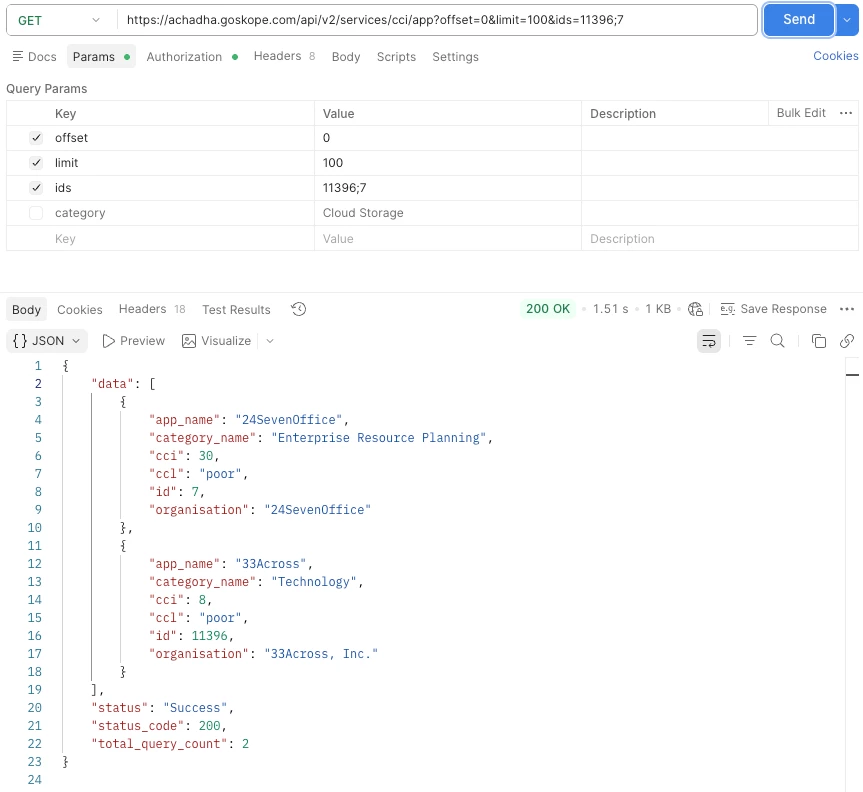
Retrieve detailed CCI data for specific apps when you already know their app IDs.
| Method | GET |
| URL | https://<tenant>.goskope.com/api/v2/services/cci/app?offset=0&limit=100&ids=11396;7 |
| Note | App IDs are separated by semicolons (;) |
| ℹ️ Note: App IDs can be obtained from SkopeIT activity logs, previous API calls, or the CCI app catalog. |
Use Cases
- Look up CCI scores for a known set of apps detected in SkopeIT logs.
- Validate app risk levels before adding them to an allow policy.
Example Response
| Endpoint 3 /cci/app/getapps — Paginated App List with Custom Fields |
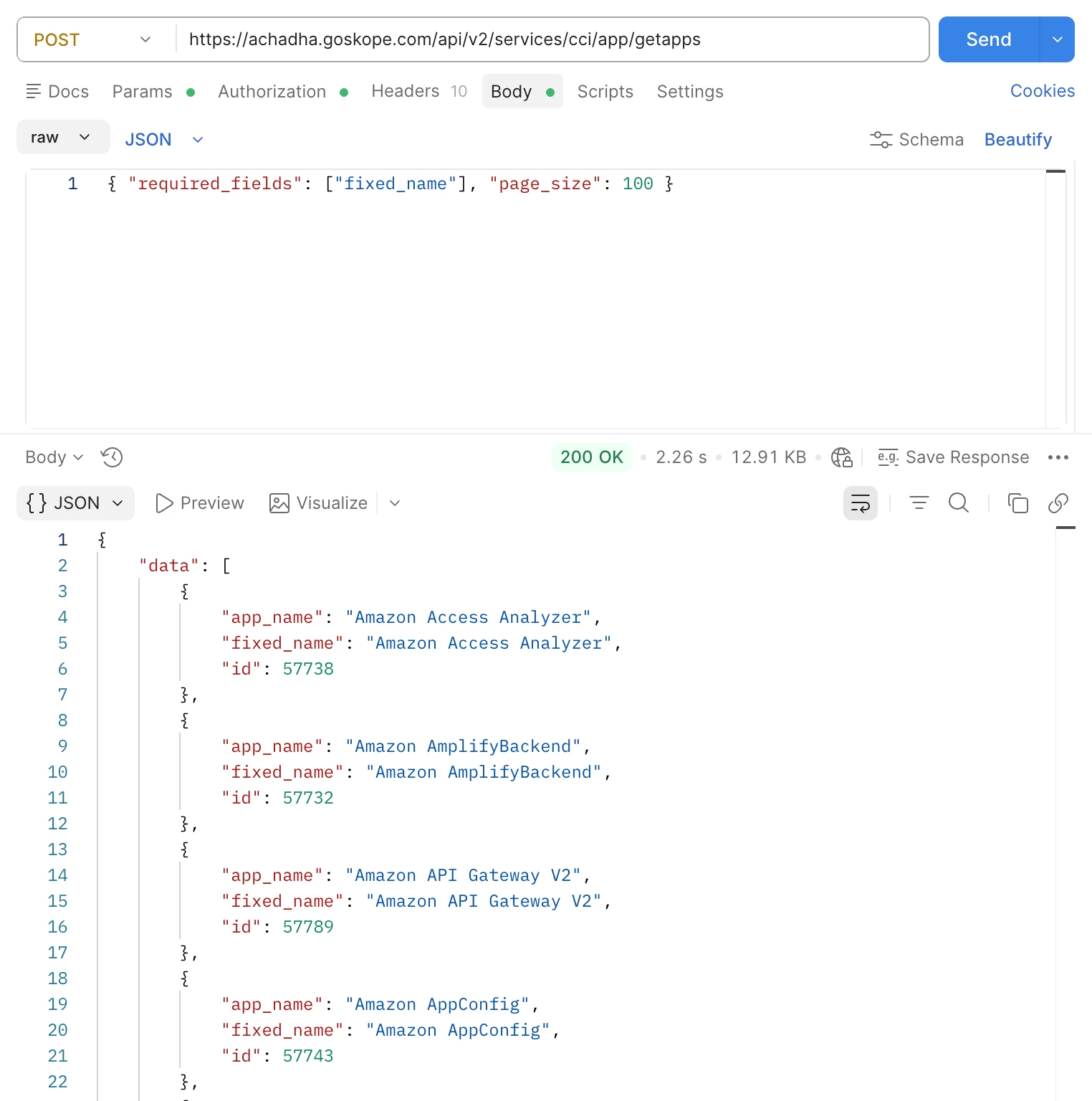
Returns the app list with support for custom return fields including fixed_name — the immutable application identifier used for stable integrations.
| Method | POST |
| URL | https://<tenant>.goskope.com/api/v2/services/cci/app/getapps |
| Body | { "required_fields": ["fixed_name"], "page_size": 100 } |
| 💡 Pro Tip: fixed_name is essentially an alias for application_name used in newer API designs and cache layers. Fixed_name is immutable. Always use fixed_name for automation and SIEM/SOAR integrations. |
Use Cases
- Build a mapping table of app_id to fixed_name for stable SIEM and SOAR integrations.
- Export the complete app catalog with immutable identifiers for CMDB (Configuration Management Database) sync.
Example Response
| Endpoint 4 /cci/apps/all — Full App Catalog (Flat List) |
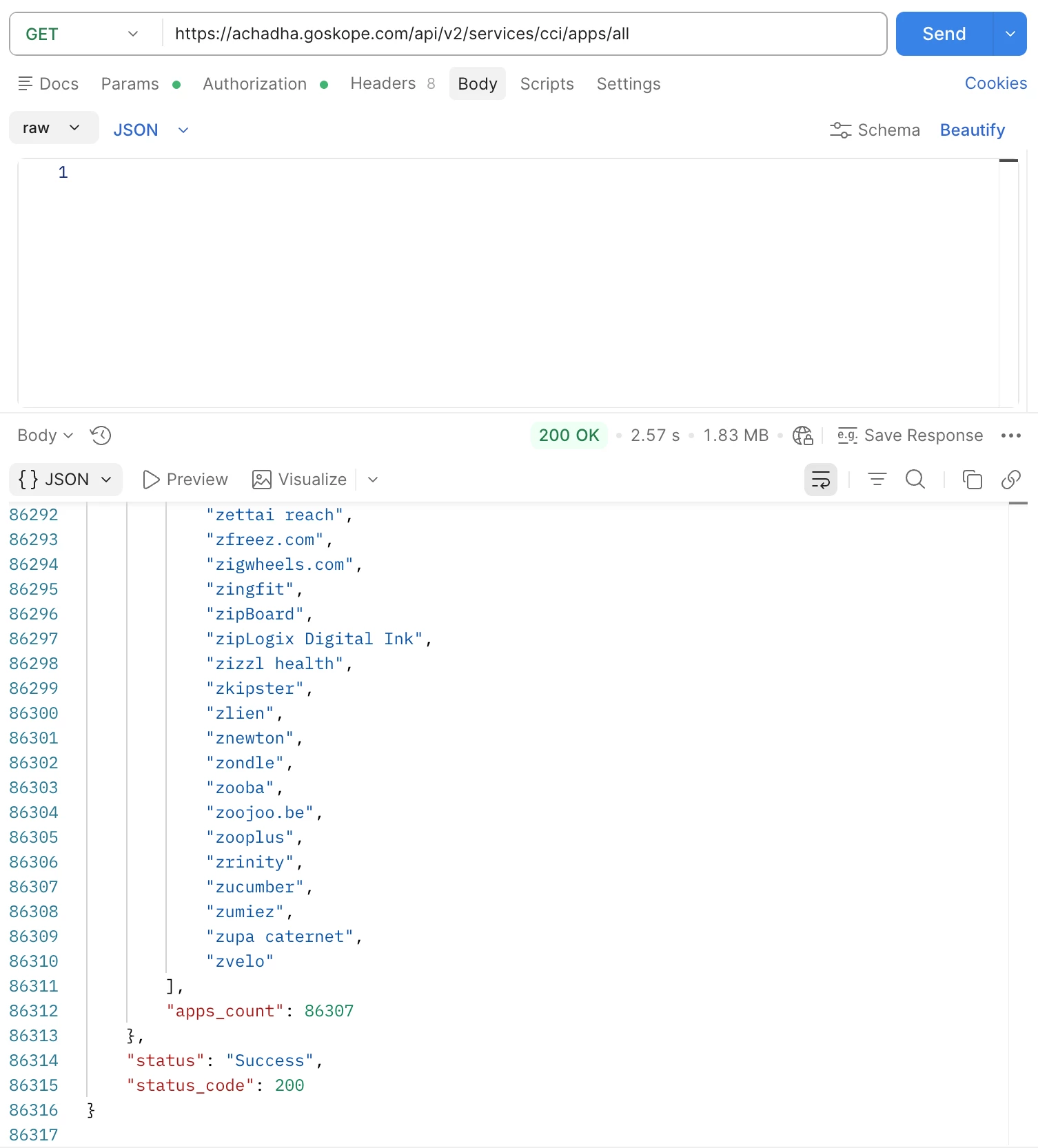
Returns the entire app catalog as a flat list of app names. No filtering is supported. Returns 80,000+ entries in a single call.
| Method | GET |
| URL | https://<tenant>.goskope.com/api/v2/services/cci/apps/all |
| Returns | Flat list of app names + total count |
| ⚠️ Important: This endpoint returns 80,000+ apps with no filtering and no pagination control. For filtered queries, always use POST /cci/app with a category filter in the request body. |
Use Cases
- One-time full catalog dump for data warehouse ingestion.
- Autocomplete or search index for internal tooling.
Example Response
| Endpoint 5 /cci/apps/all?appmetadata=1 — Full Catalog with Metadata |
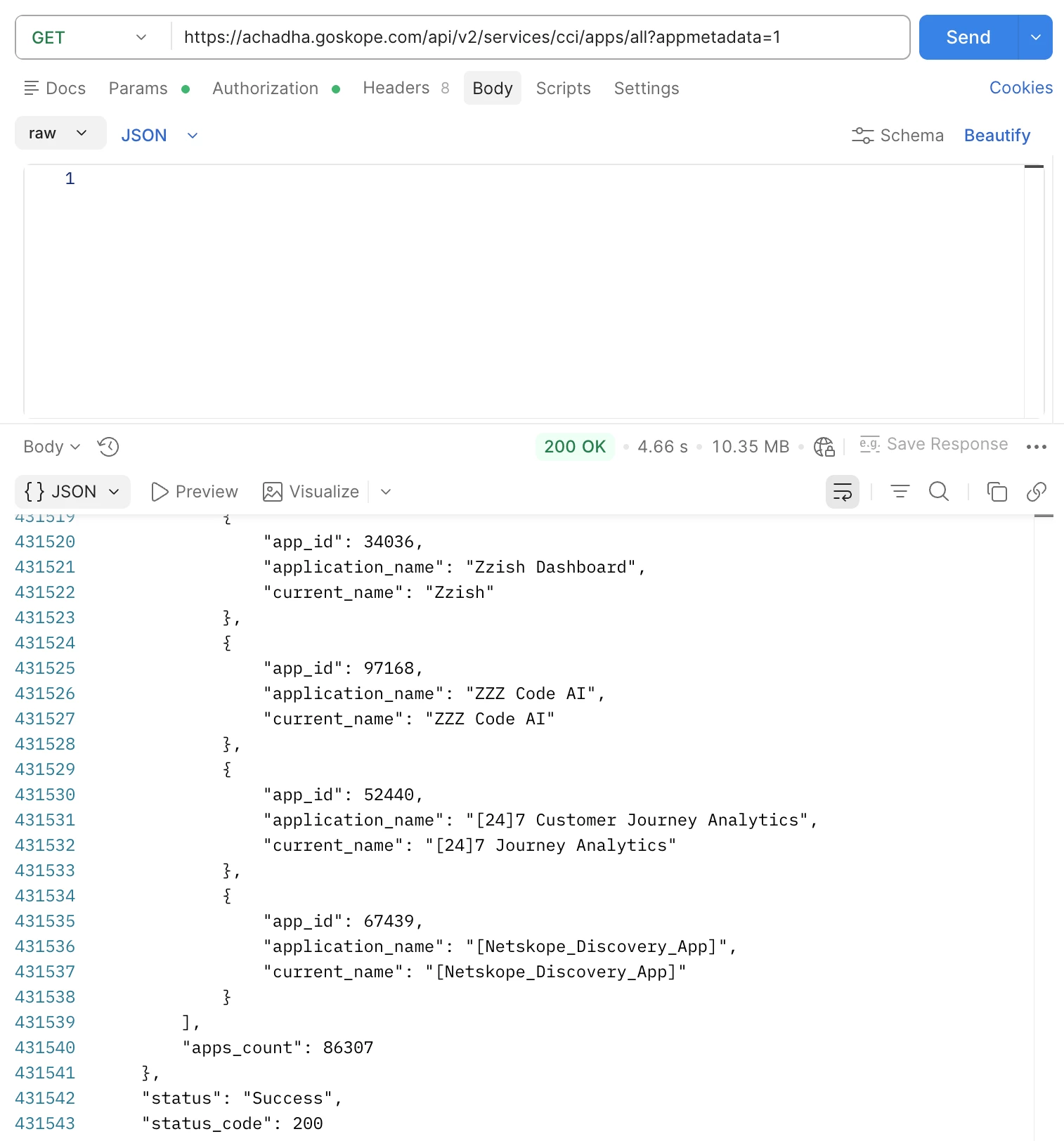
Enhanced version of /apps/all. Returns app_id, application_name (immutable), and current_name (display name) for every app in the catalog.
| Method | GET |
| URL | https://<tenant>.goskope.com/api/v2/services/cci/apps/all?appmetadata=1 |
| Returns | app_id, application_name, current_name for all apps |
| 💡 Pro Tip: application_name is the original immutable name (e.g., "Twitter"), while current_name or app_name is the display name shown in the UI (e.g., "X (formerly Twitter)"). This distinction is critical for reliable automations. |
Use Cases
- Build a master lookup table mapping app_id to application_name and current_name.
- Audit app name changes over time.
- Populate external CMDB (Configuration Management Database) or GRC (Governance, Risk, and Compliance) tools with the complete Netskope app catalog.
Example Response
App Suite APIs
App Suites are Netskope groupings of related applications under a vendor umbrella. For example, Google Suite includes Gmail, Drive, and Docs, Microsoft Office365 includes Exchange, OneDrive, and Teams.
| Endpoint 6 /cci/data?appsuite=1 — List All App Suites |
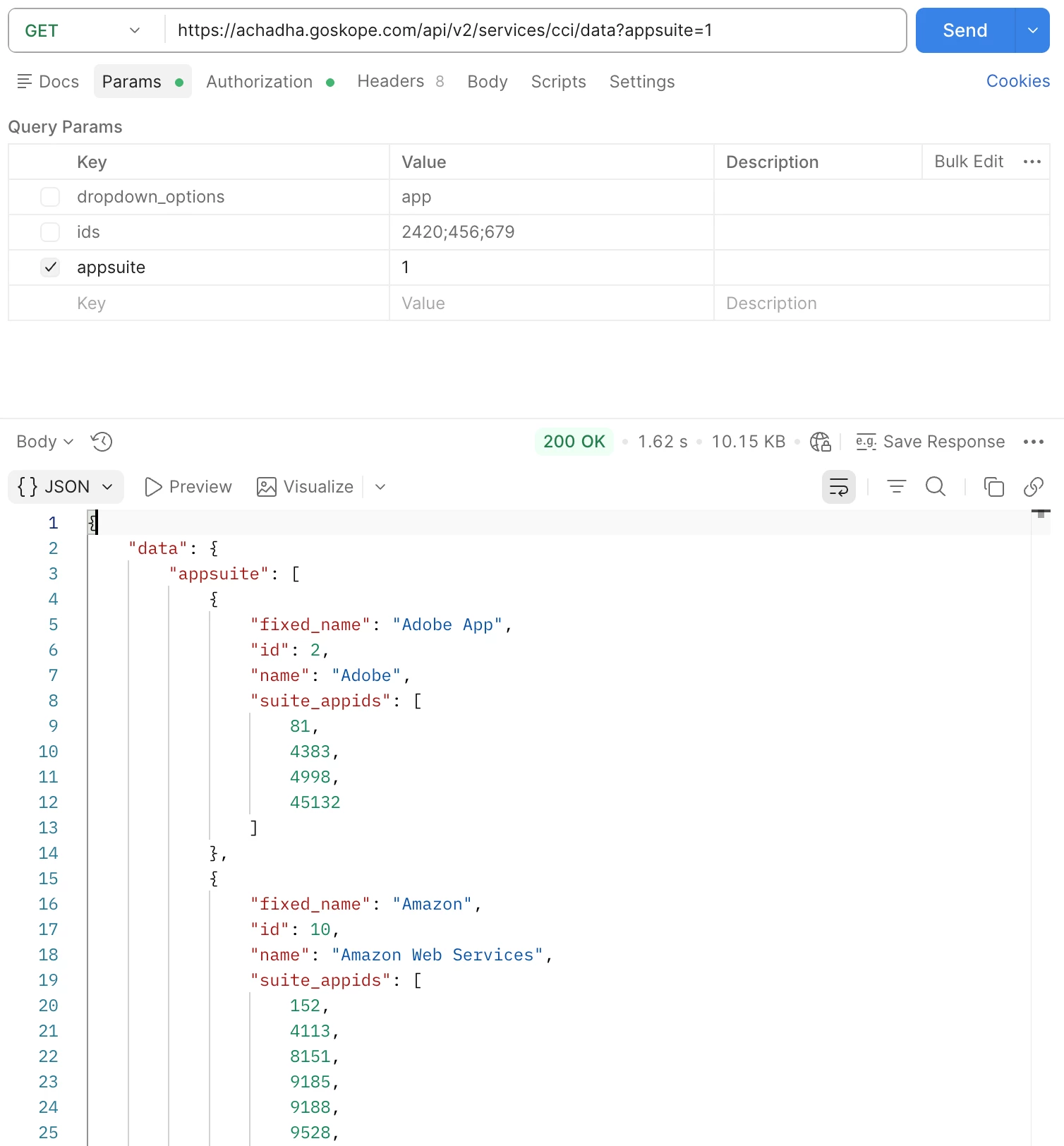
Returns all built-in App Suites with their associated application IDs.
| Method | GET |
| URL | https://<tenant>.goskope.com/api/v2/services/cci/data?appsuite=1 |
| Returns | Suite ID, name(current_name), fixed_name, and list of member app IDs |
Use Cases
- Discover which sub-applications belong to a vendor suite before creating granular policies.
- Map suite-level policies to individual app IDs for fine-grained control.
- Audit which vendor suites are available for SSL bypass configuration.
Example Response
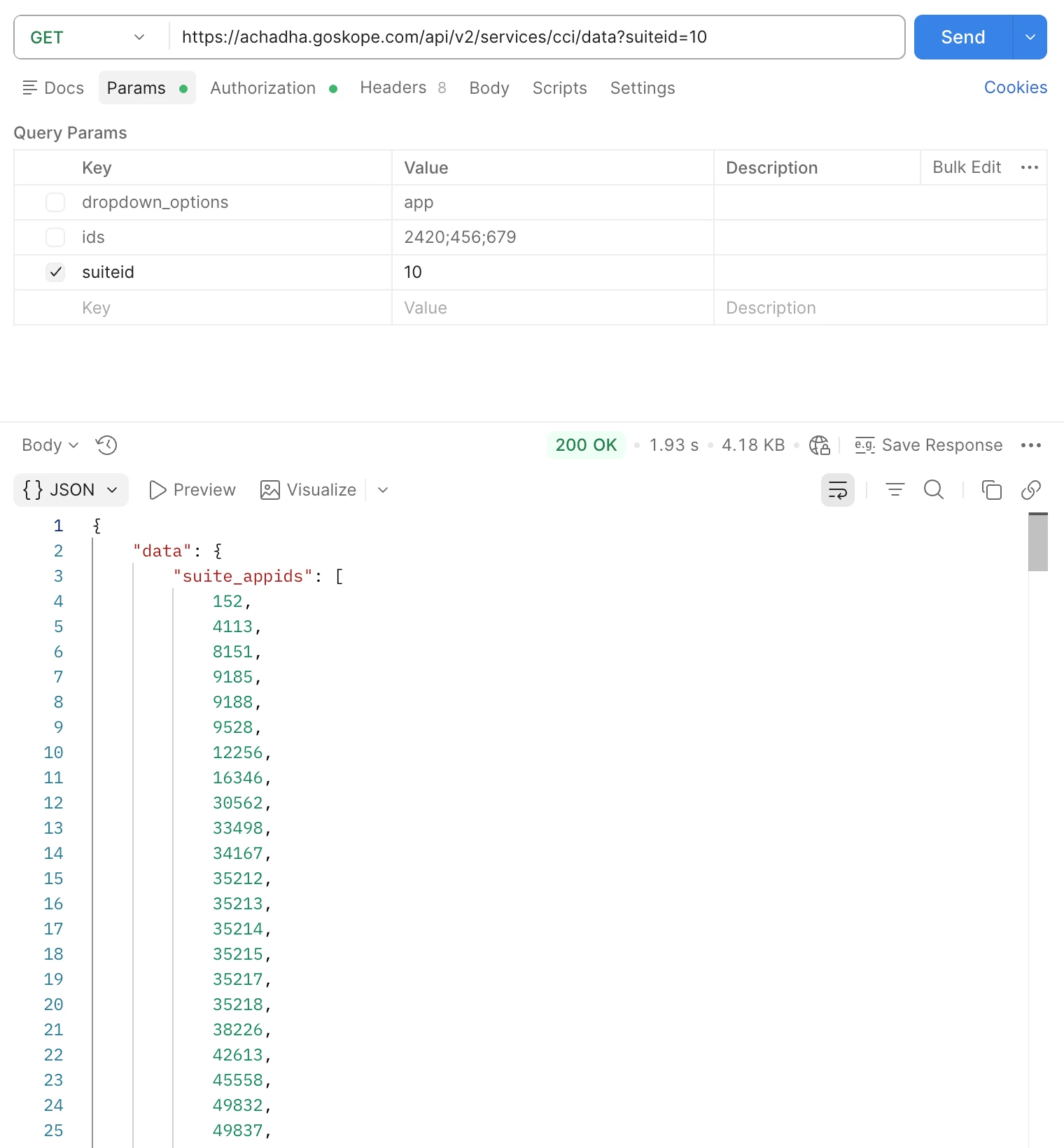
| Endpoint 7 /cci/data?suiteid=<id> — Get Apps in a Specific Suite |
Returns the list of application IDs belonging to a specific App Suite.
Use the suite ID returned by Endpoint 6.
| Method | GET |
| URL | https://<tenant>.goskope.com/api/v2/services/cci/data?suiteid=10 |
| Returns | List of app IDs (suite_appids) in the specified suite |
| 💡 Pro Tip: Combine this endpoint with POST cci/app/getapps?ids= to resolve app IDs into full details including CCI scores, category, and organisation. 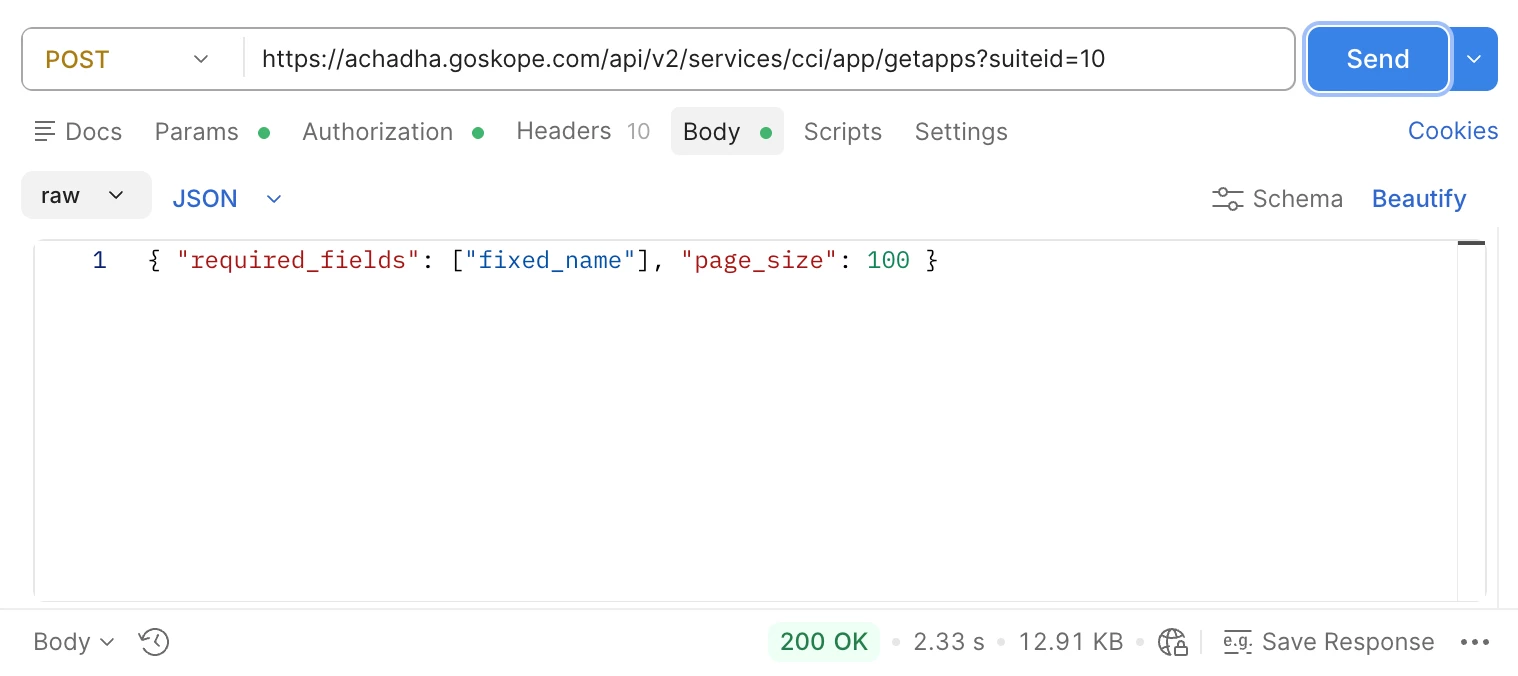
|
Use Cases
- Get all AWS service app IDs to build a comprehensive allow policy for your cloud provider.
- Identify which apps within a vendor suite have low CCI scores before approving the suite.
Example Response
CCI Tags API
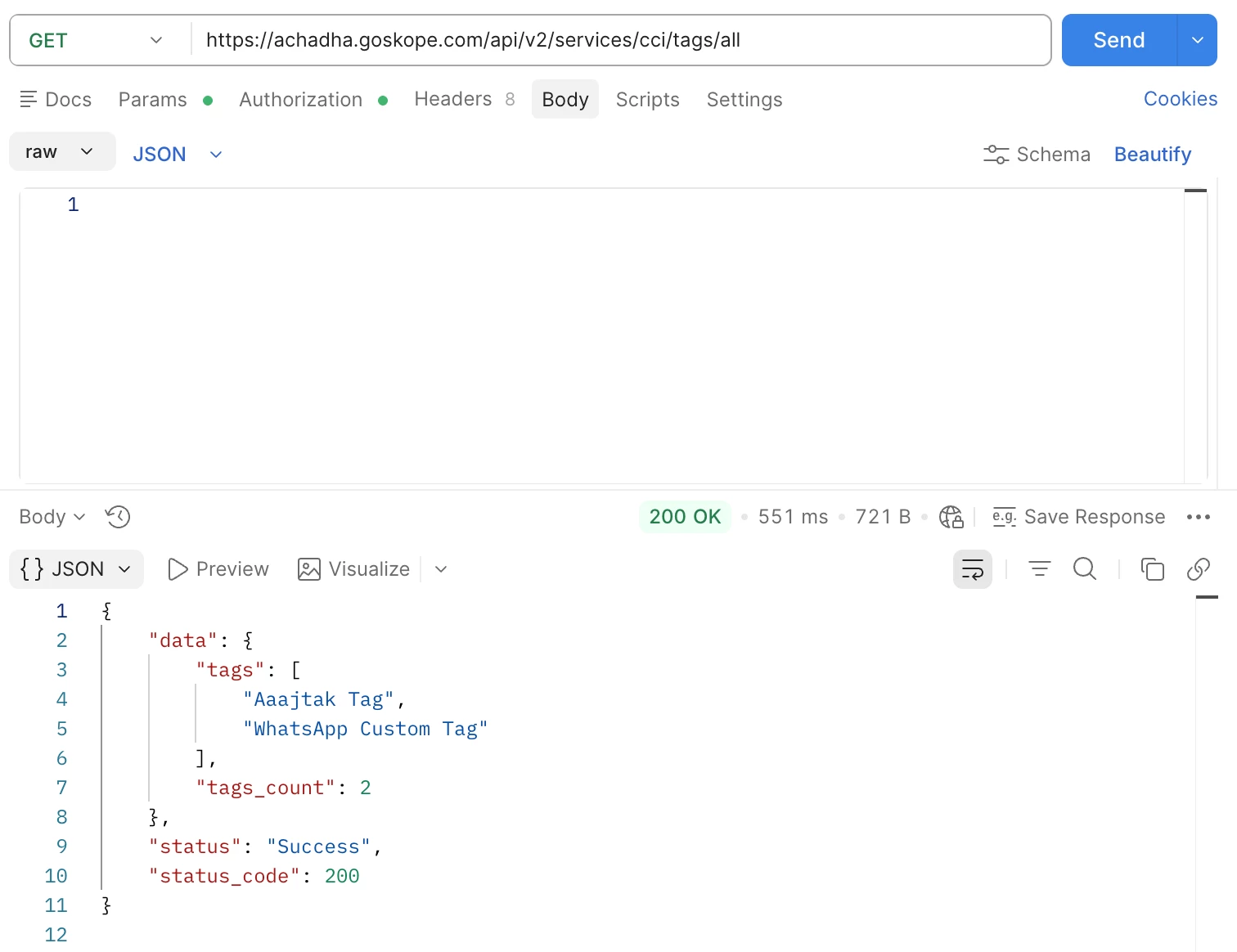
| Endpoint 8 /cci/tags/all — List All CCI Tags |
Returns all custom tags created in the tenant for app classification. Useful for governance audits and reporting dashboards.
| Method | GET |
| URL | https://<tenant>.goskope.com/api/v2/services/cci/tags/all |
| Returns | Array of tag names and total tag count |
Use Cases
- Audit which custom tags exist in the tenant.
- Validate tag naming conventions as part of governance workflows.
- Feed tag data into reporting dashboards.
Example Respons
Firewall Application APIs
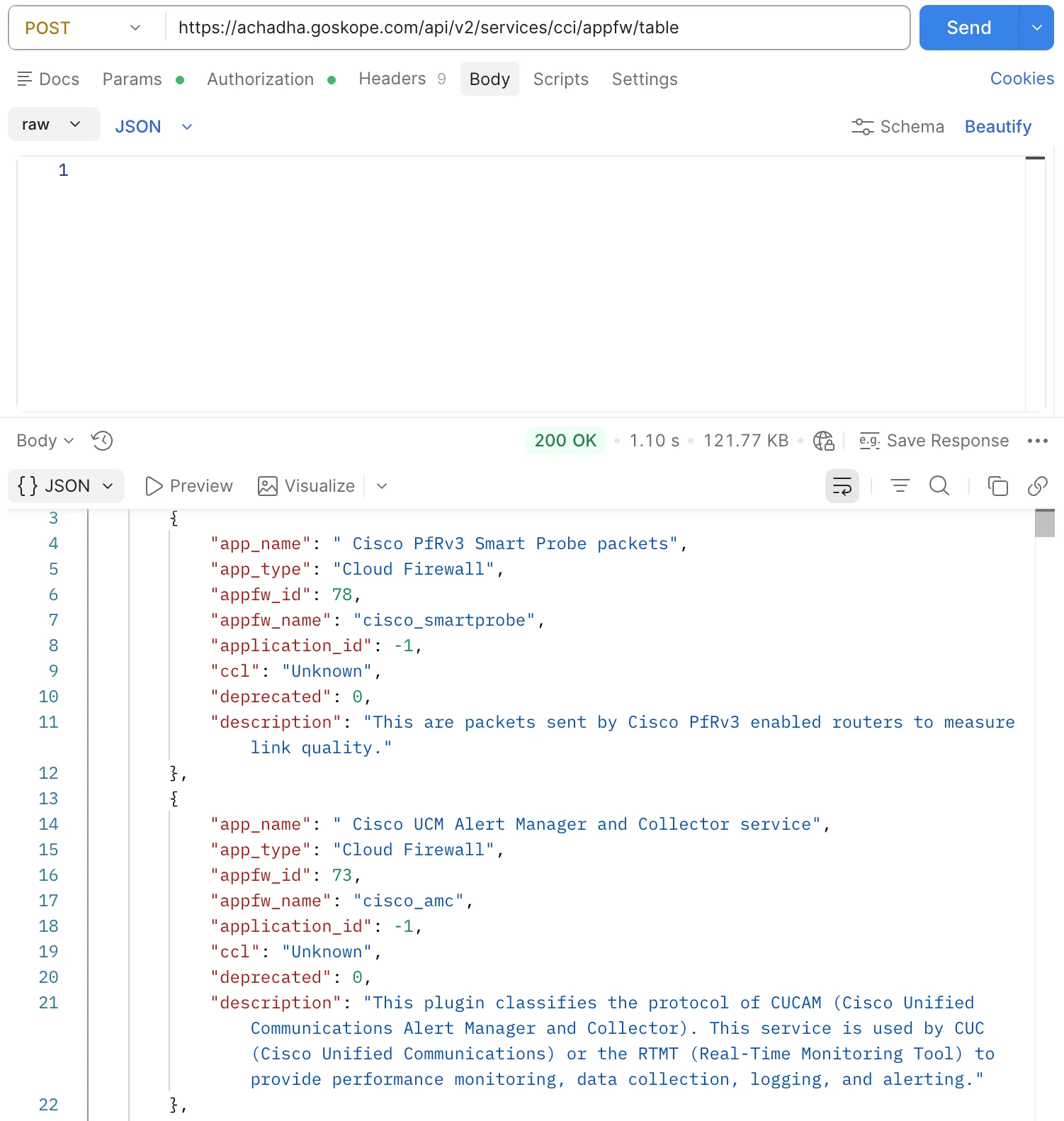
| Endpoint 9 /cci/appfw/table — List Firewall Applications |
Returns Cloud Firewall and Hybrid applications with full details. Supports pagination and filtering by app type and status.
| Method | POST |
| URL | https://<tenant>.goskope.com/api/v2/services/cci/appfw/table |
| Max Limit | 300 records per page |
Request Body Parameters
| Parameter | Values | Description |
|---|---|---|
| app_type | cloud firewall, all | all returns both Hybrid and pure Firewall apps |
| app_status | active, deprecated, all | Filter by app lifecycle status |
| limit | 1–300 | Records per page (max 300) |
| offset | 0, 1, 2... | Page number (not record count — see Pagination section) |
| ⚠️ Important: For this endpoint, offset is a PAGE NUMBER, not a record offset. offset: 0 with limit: 300 returns records 1-300. offset: 1 returns records 301-600. This differs from other CCI endpoints. |
Key Response Fields
| Field | Description |
|---|---|
| app_name | Display name of the application |
| appfw_name | Immutable identifier for the firewall app — use this for automation |
| app_type | Hybrid = also in web catalog; Cloud Firewall = firewall-only |
| application_id | Web app ID for Hybrid apps; -1 for Firewall-only apps |
| ccl | Cloud confidence level (poor, low, medium, high, excellent) |
| deprecated | 0 = active, 1 = deprecated |
Use Cases
- Export all firewall application signatures for network policy review.
- Identify hybrid apps controllable via both inline and firewall policies.
- Audit deprecated firewall app signatures before cleanup.
- Cross-reference firewall apps with web app CCI scores using application_id.
Example Response
Pagination Guide
Different endpoints use slightly different pagination behaviour. Understanding the difference is critical to avoiding incomplete data exports.
| Endpoint | Pagination Type | Notes |
|---|---|---|
| POST /cci/app | Record offset | offset = record number; loop until offset >= total_query_count |
| POST /cci/app/getapps | Record offset | Uses page_size parameter |
| POST /cci/appfw/table | PAGE NUMBER | offset = page number; loop until (offset+1)*limit >= totalQueryCount |
| GET /cci/apps/all | None | Returns entire catalog in one call (80,000+ records) |
| GET /cci/data?appsuite=1 | None | Returns all suites in one call |
Record-Offset Pagination (POST /cci/app)
| Page 1: { 'limit': 100, 'offset': 0 } → Records 1–100 |
| Page 2: { 'limit': 100, 'offset': 100 } → Records 101–200 |
| Page 3: { 'limit': 100, 'offset': 200 } → Records 201–300 |
| Continue until offset >= total_query_count |
Page-Number Pagination (POST /cci/appfw/table)
| Page 1: { 'limit': 300, 'offset': 0 } → Records 1–300 |
| Page 2: { 'limit': 300, 'offset': 1 } → Records 301–600 |
| Page 3: { 'limit': 300, 'offset': 2 } → Records 601–900 |
| Continue until (offset+1)*limit >= totalQueryCount |
Common Pitfalls
| Mistake | Impact | Fix |
|---|---|---|
| Using GET /cci/apps/all instead of POST /cci/app | Returns 80K+ unfiltered apps | Use POST /cci/app with category filter in JSON body |
| Using GET instead of POST on /cci/app | Filters ignored | Always use POST with JSON body for filtered queries |
| Passing filters as URL query params | Not supported for all endpoints | Filters must go inside the JSON request body |
| Not paginating | Only first 100 results | Loop with offset until offset >= total_query_count |
| Confusing offset behaviour on /appfw/table | Wrong page of results | /cci/app = record offset; /appfw/table = page number |
| Using app_name or current_name as a stable key in automations | Breaks when apps rename | Use fixed_name or application_name for all automations |
| Setting limit > 300 on /appfw/table | Ignored or errors returned | Maximum limit is 300 for the firewall endpoint |
Quick Reference — All Endpoints
| # | Endpoint | Method | Filters | Pagination | Returns |
|---|---|---|---|---|---|
| 1 | /cci/app | POST | Category, CCL | Record offset | Apps with full CCI details |
| 2 | /cci/app?ids= | GET | Specific IDs | Record offset | Apps by ID with CCI details |
| 3 | /cci/app/apps?ids= | POST | Specific IDs | Record offset | Apps by ID with CCI details |
| 4 | /cci/app/getapps | POST | Custom fields | Record offset | Apps with fixed_name support |
| 5 | /cci/apps/all | GET | None | None | All app names (flat list) |
| 6 | /cci/apps/all?appmetadata=1 | GET | None | None | All apps: app_id + both names |
| 7 | /cci/data?appsuite=1 | GET | None | None | All suites + member app IDs |
| 8 | /cci/data?suiteid=<id> | GET | Suite ID | None | App IDs in a specific suite |
| 9 | /cci/tags/all | GET | None | None | All custom CCI tags |
| 10 | /cci/appfw/table | POST | Type, status | Page number | Firewall app signatures |
| ℹ️ Note: |
Terms and Conditions
- All documented information undergoes testing and verification to ensure accuracy.
- In the future, If any such platform changes are brought to our attention, we will promptly update the documentation to reflect them.
Notes
- This article is authored by Netskope Global Technical Success (GTS).
- For further inquiries, please contact Netskope GTS by submitting a support case with Case Type – How To Questions.
- Email outbound application APIs (Microsoft Office 365 Exchange, Google Gmail) are currently not available publically through REST API v2.
- The CCI REST API v2 endpoints can be used to build integrations with external SIEM, SOAR, CMDB, and GRC platforms by updating the endpoint and filter parameters as required.



