



Netskope AI SecOps can deliver Cases, User Risk, and AI Risk events to CrowdStrike Falcon Next-Gen SIEM (LogScale) in near real time through Outbound Webhooks and a Falcon HEC / HTTP Event Connector. This article walks through the full setup: creating the connector on the Falcon side, configuring the webhook on the Netskope side, and querying the parsed data once it lands.
What you will build
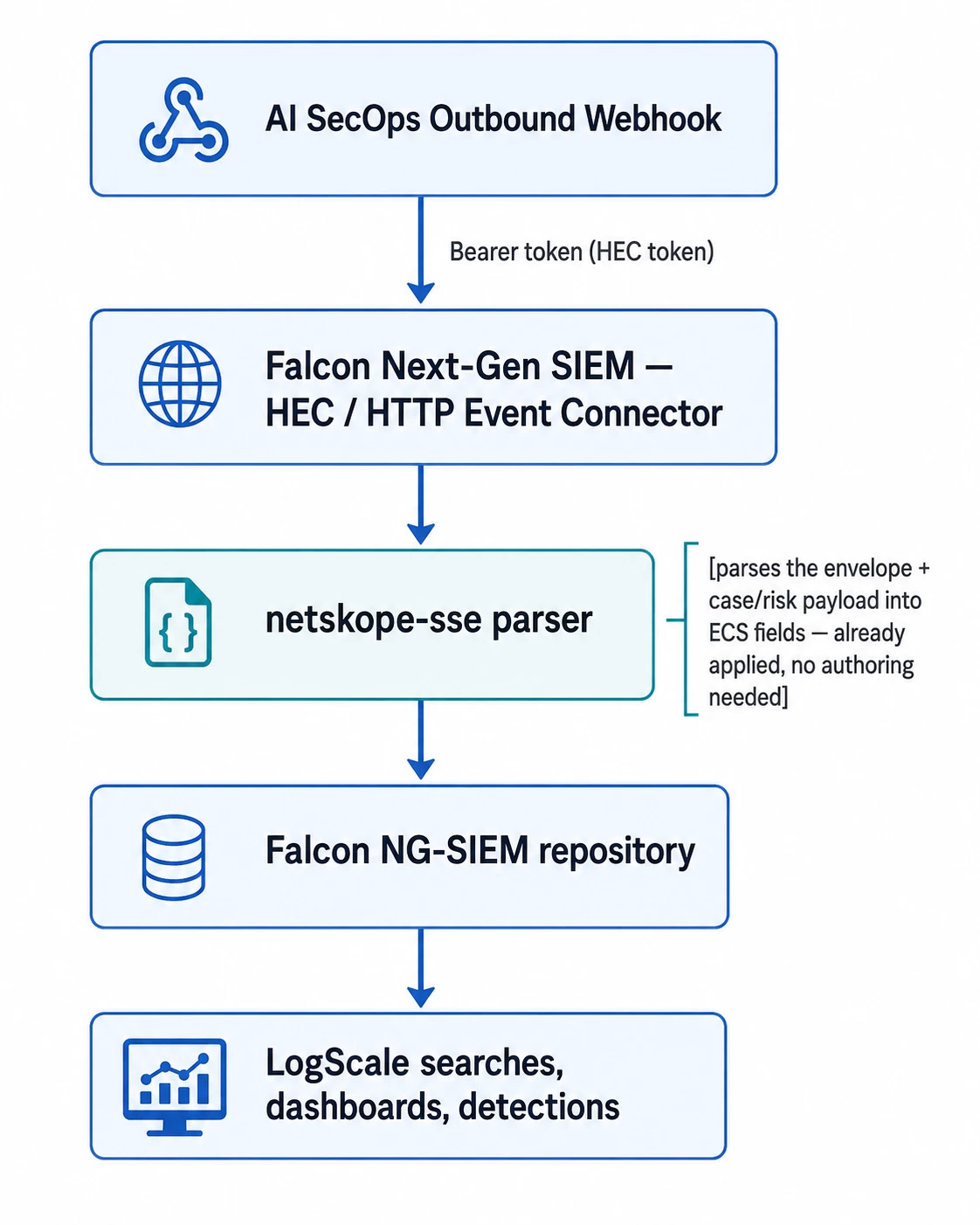
Events land already parsed: the netskope-sse parser — the same parser that normalizes Netskope's other SSE alert and event streams — recognizes the AI SecOps envelope shape and promotes the relevant fields to ECS at ingest time.
Prerequisites
- A Netskope tenant with AI SecOps enabled and admin access to configure Outbound Webhooks.
- A CrowdStrike Falcon Next-Gen SIEM tenant with permission to create Data Connectors.
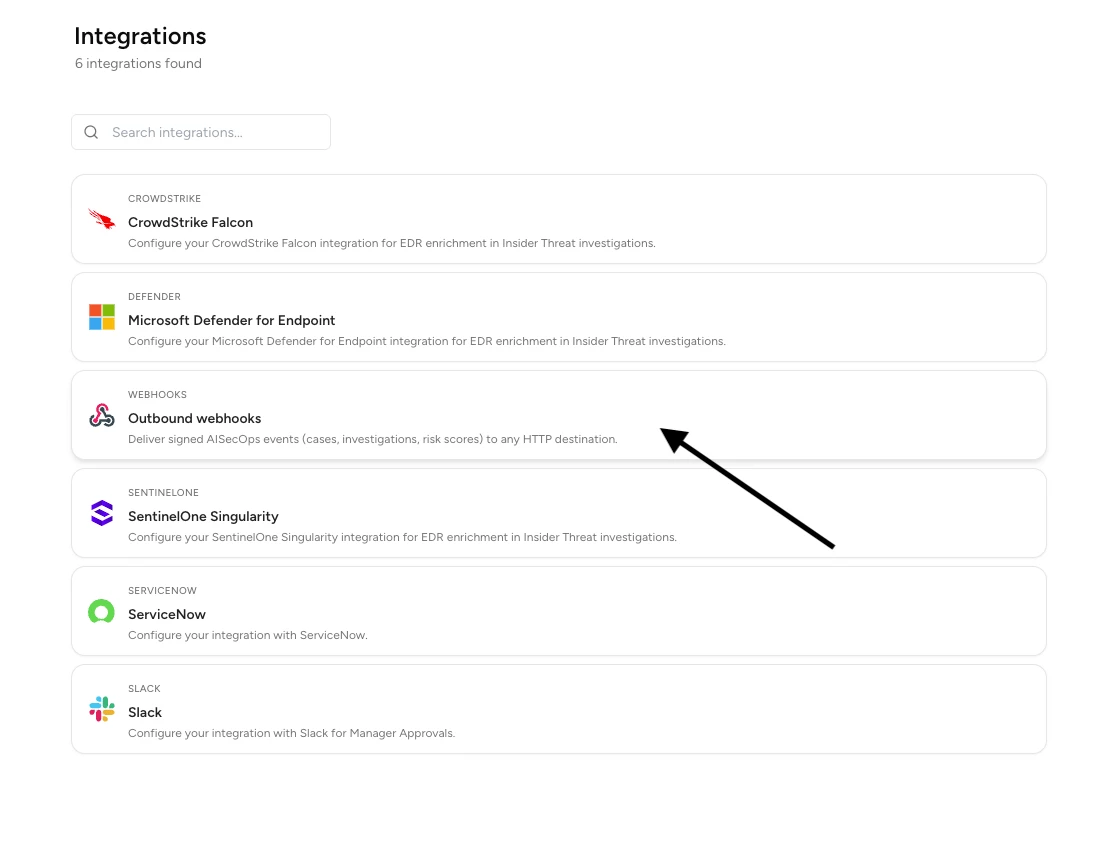
Step 1 — Select Outbound Webhooks in Netskope AI SecOps
In your Netskope tenant, go to AI SecOps → Configuration → Integrations. You'll set up the Falcon side first, then come back here to configure the webhook. Select the Outbound webhooks tile, alongside the CrowdStrike Falcon EDR-enrichment tile.
Step 2 — Create the HEC / HTTP Event Connector in Falcon Next-Gen SIEM
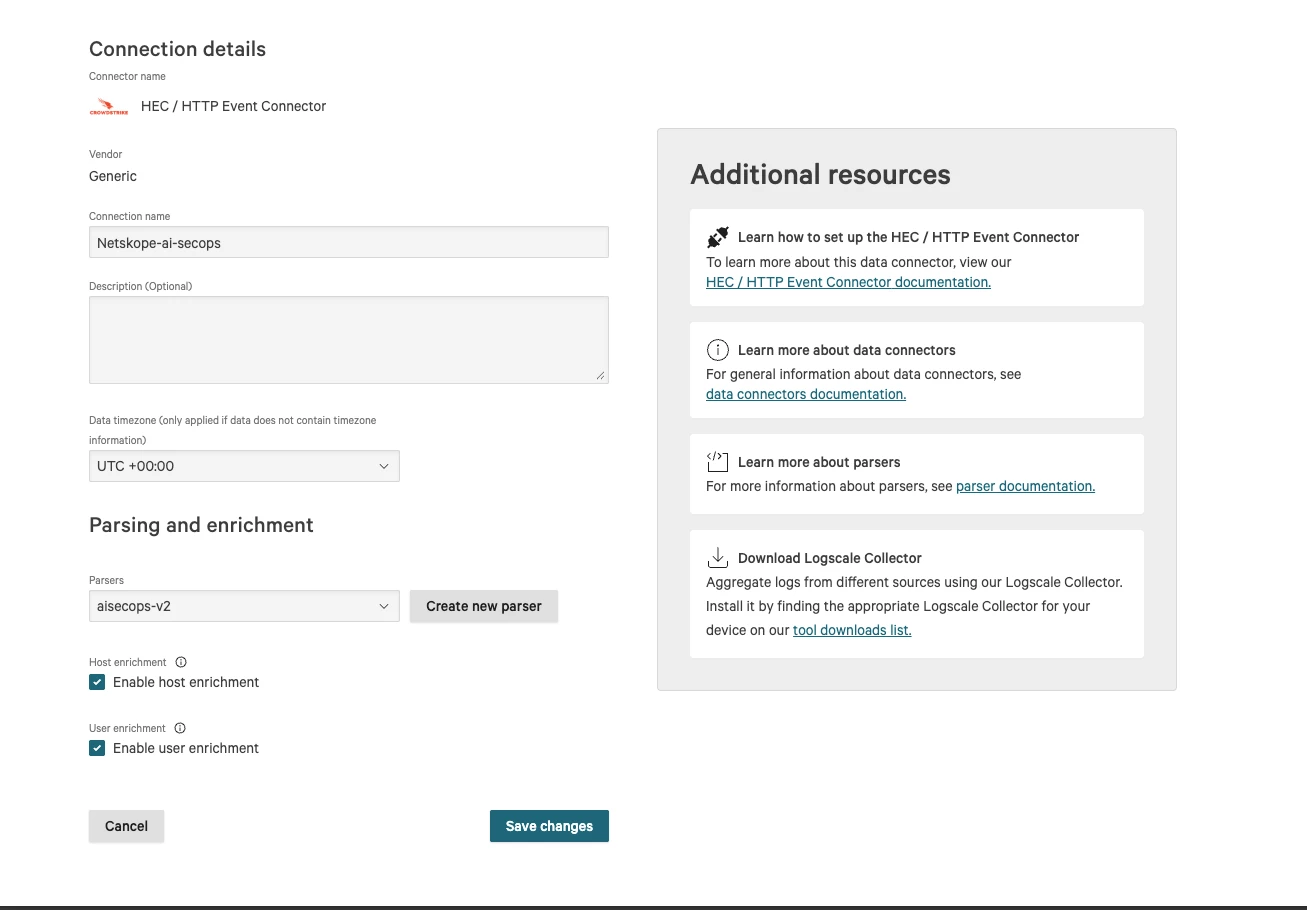
Set up the receiving end first — you'll need its API URL and key for the Netskope side. In the Falcon console, go to Next-Gen SIEM → Data connections and add a new HEC / HTTP Event Connector.
- Vendor: Generic
- Connection name: any label, for example Netskope-ai-secops
- Parsers: select netskope-sse
- Host enrichment / User enrichment: enable both if you want Falcon to enrich parsed host and user fields against its own asset/identity data
Save changes.
Step 3 — Generate the API key and copy the destination URL
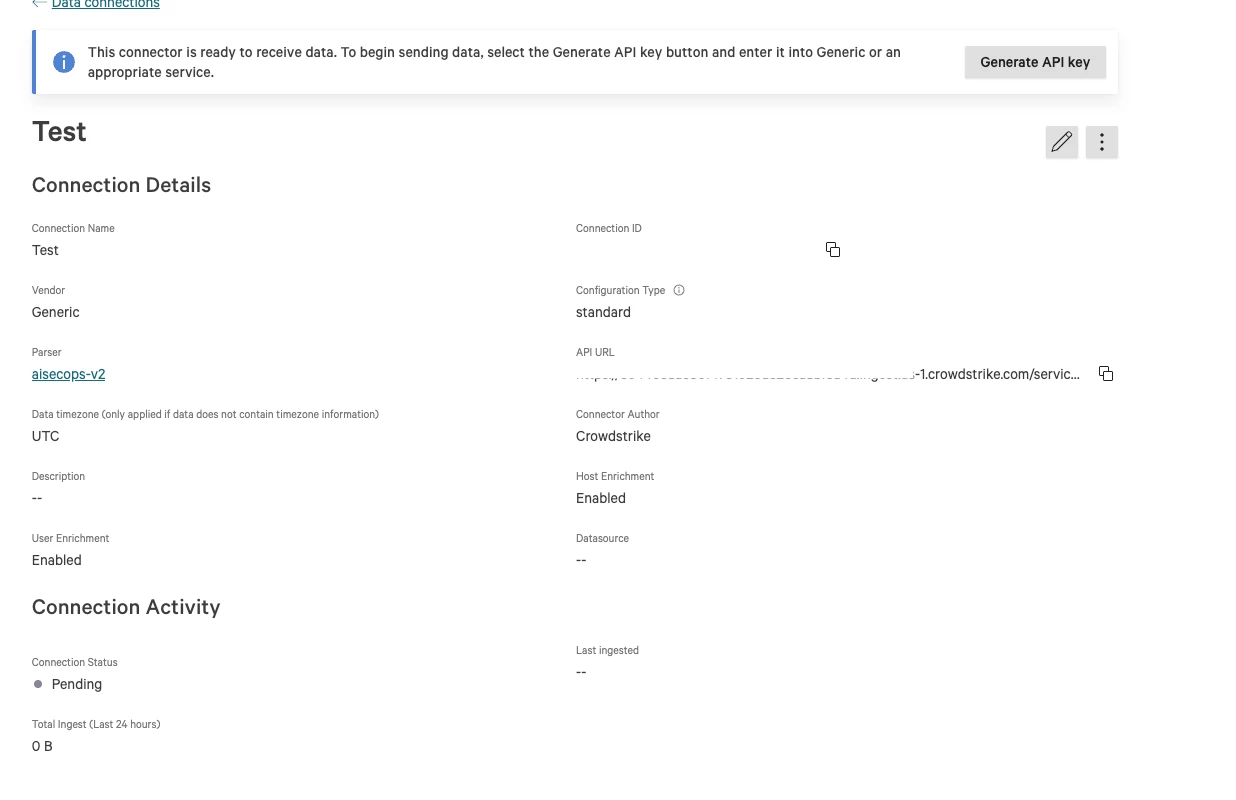
On the new connector's detail page, click Generate API key. Copy both the API key (this becomes the webhook's bearer token) and the API URL (this becomes the webhook's destination URL — you'll append /raw to it in the next step).
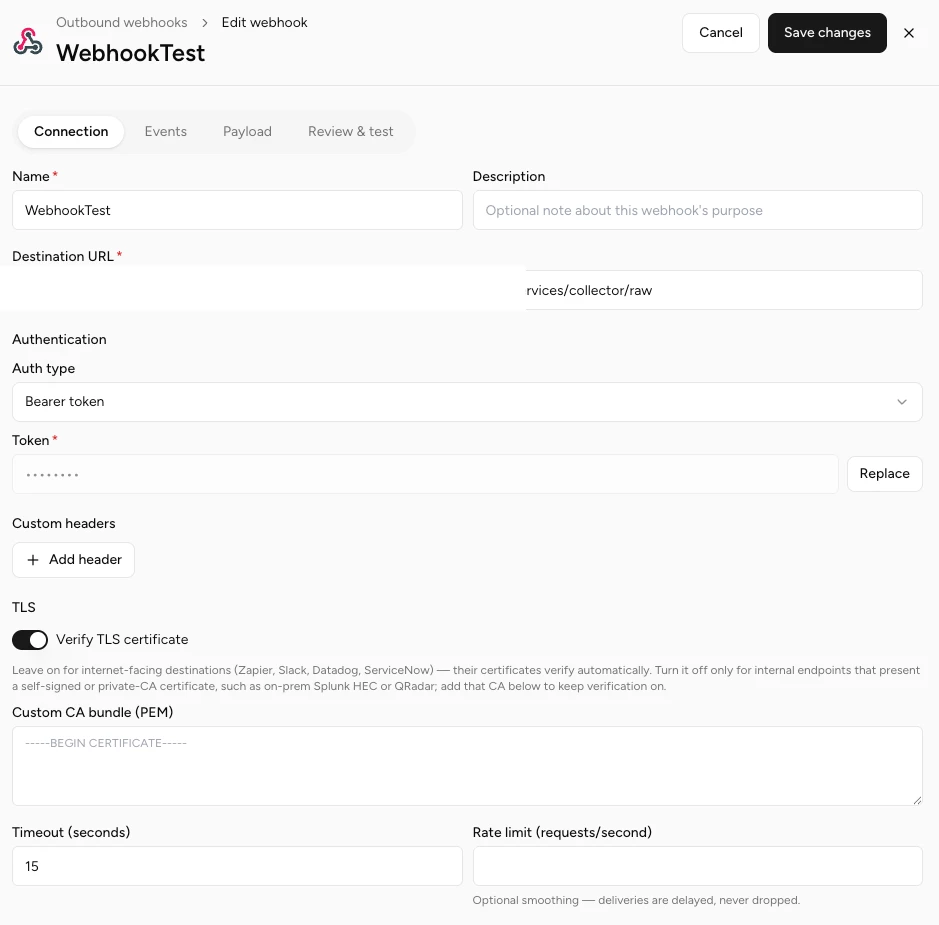
Step 4 — Configure the Connection tab of the Outbound Webhook
Back in Netskope AI SecOps, go to AI SecOps → Configuration → Integrations → Outbound webhooks and create a new webhook. On the Connection tab:
| Field | Value |
|---|---|
| Name | Any label, for example CrowdStrike Falcon NG-SIEM |
| Destination URL | The API URL from Step 3 — make sure to add /raw at the end, e.g. https://<your-connector-id>.ingest.<region>.crowdstrike.com/services/collector/raw |
| Auth type | Bearer token |
| Token | The API key from Step 3 |
| Verify TLS certificate | On — Falcon's ingest endpoints present publicly trusted certificates |
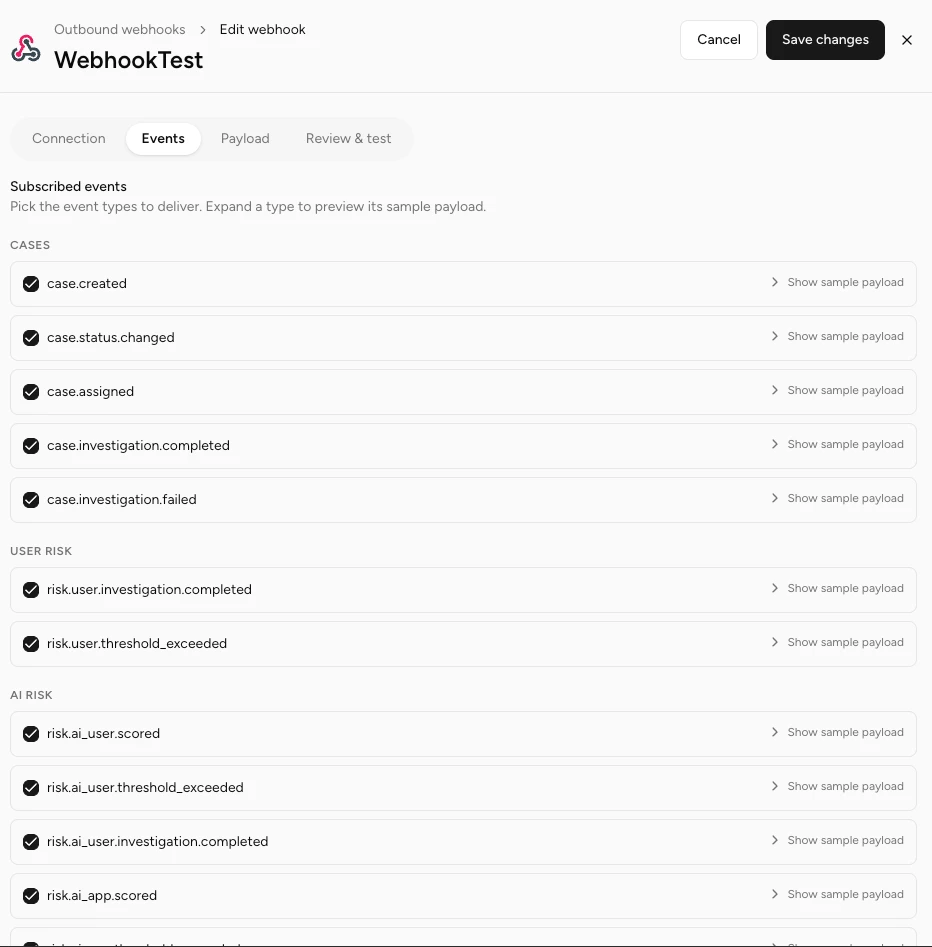
Step 5 — Select event types (Events tab)
Switch to the Events tab and choose which event types to deliver. All Cases, User Risk, and AI Risk event types can share this one webhook — netskope-sse parses all 16 into a consistent set of ECS fields.
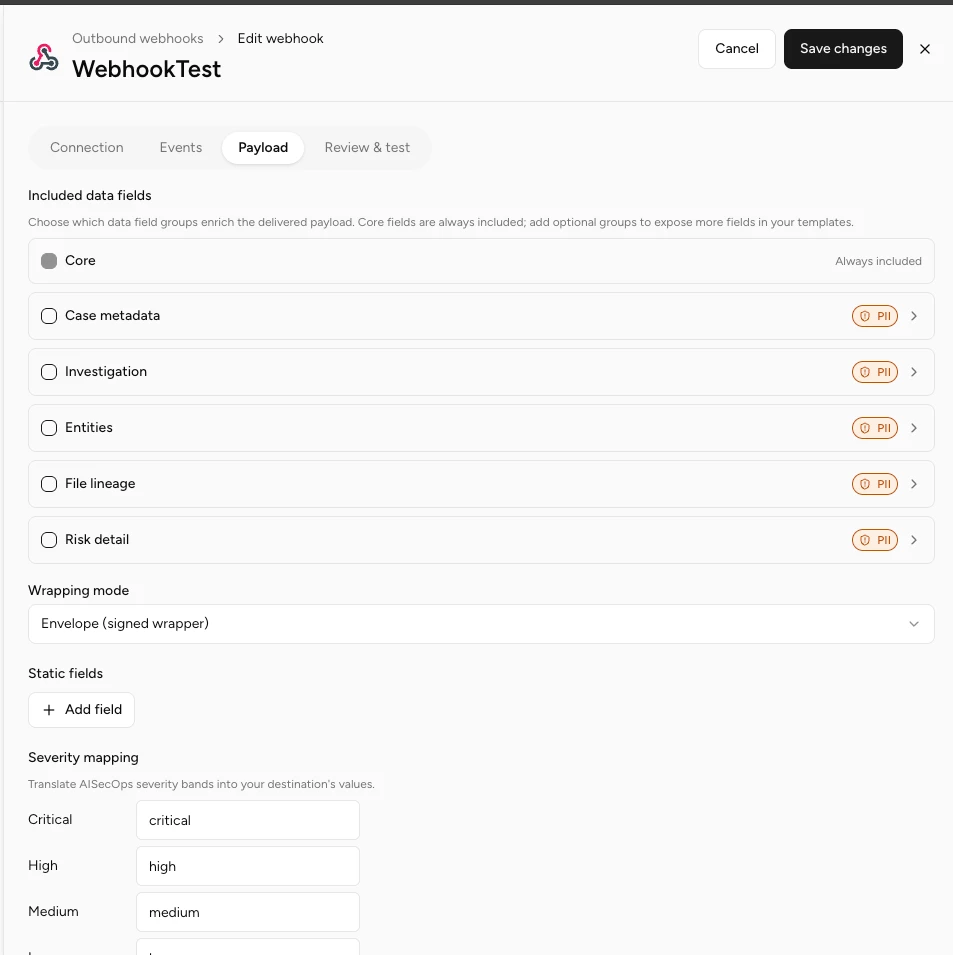
Step 6 — Configure the payload (Payload tab)
On the Payload tab:
| Field | Value |
|---|---|
| Included data fields | Core is always included; add the optional groups (Case metadata, Investigation, Entities, File lineage, Risk detail) you want delivered — note the PII markers and enable groups per your data-handling policy |
| Wrapping mode | Envelope (signed wrapper) — this is the shape the Falcon HEC connector and netskope-sse parser expect |
| Severity mapping | Keep the defaults unless your workflow needs different labels |
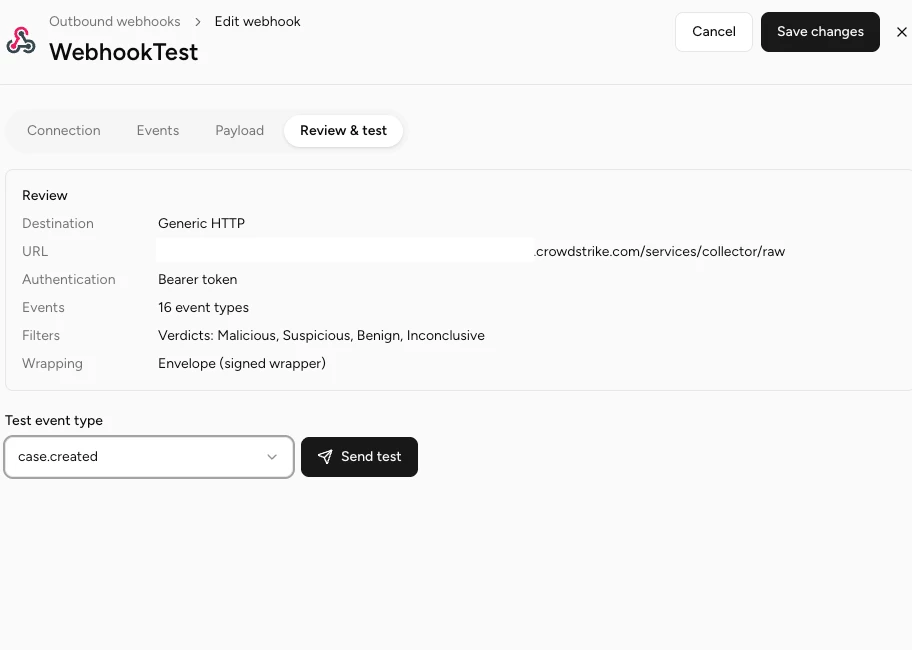
Step 7 — Review, save, and test
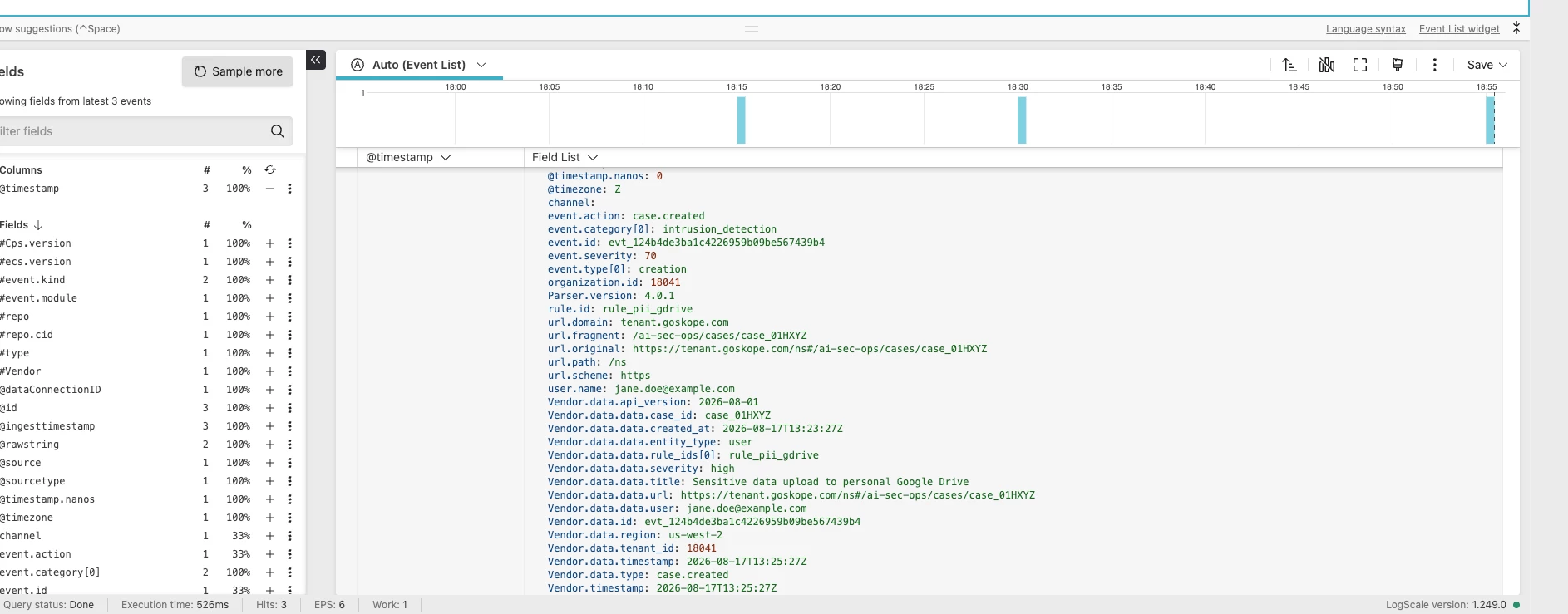
On Review & test, confirm the destination, auth type, event count, and wrapping mode, then save. Pick a real event type — for example case.created — from Test event type and click Send test. Prefer a real event type over a synthetic test event; it exercises the full field set instead of landing as a mostly empty row.
Step 8 — Verify in Falcon Next-Gen SIEM
In Falcon, open the repository tied to your connector and search for the test event. You should see the parsed ECS fields — event.action, event.category[0], event.severity, organization.id, rule.id, url.*, user.name — alongside the full raw payload preserved under Vendor.data.*.
Step 9 — Live events flow automatically
Once verified, no further action is needed. As soon as a case gets created (or a risk score changes) in Netskope AI SecOps, the same webhook pushes that event to Falcon Next-Gen SIEM in near real time.
How the data is structured
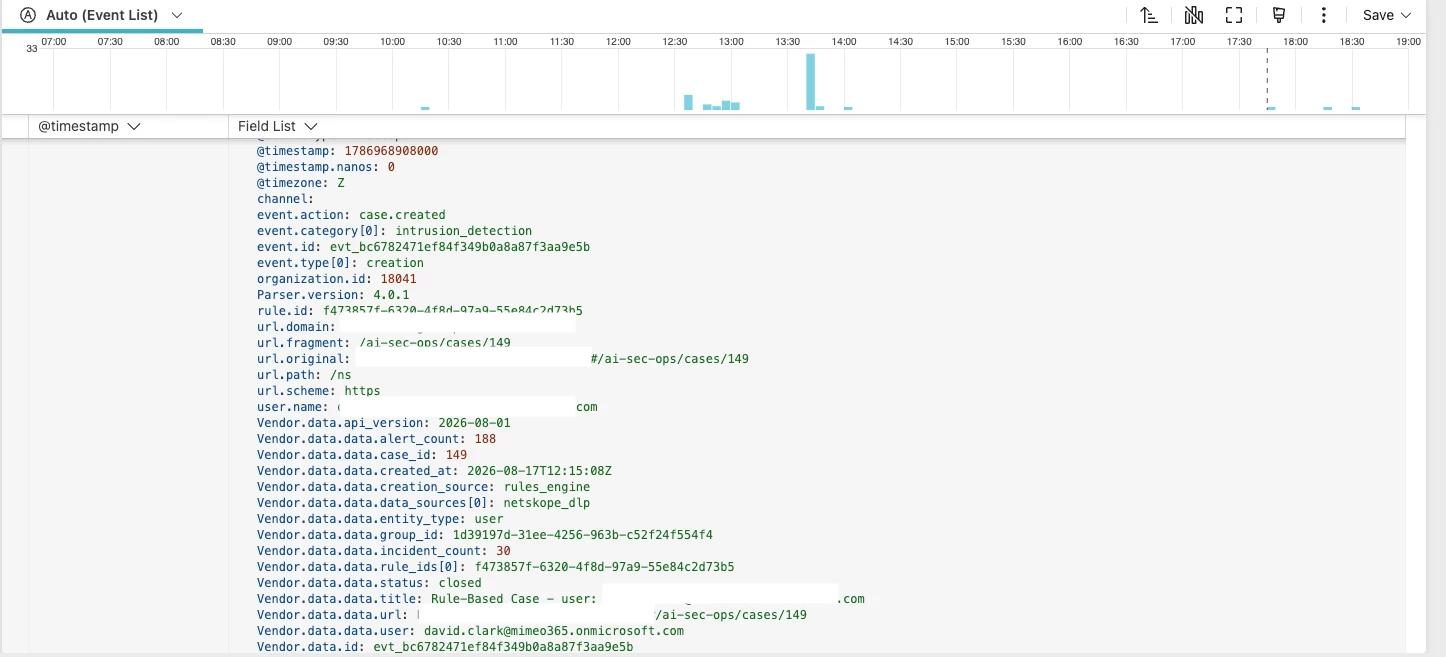
Each webhook delivery is parsed by netskope-sse parser directly at ingest — there's no separate query-time parsing step to build; it's already part of the shared package used for Netskope's other SSE event and alert streams.
Fields present on every AI SecOps event:
| Field | Source |
|---|---|
| event.id | envelope id |
| event.action | envelope type (e.g. case.created), lowercased |
| event.module | static "sse" |
| organization.id | envelope tenant_id |
| event.severity | severity / band, mapped critical/high/medium/low/informational → 90/70/50/30/10 |
| event.risk_score | risk_score or score, whichever the event carries |
| event.reason | summary, investigation error, or risk_note — whichever is present |
| rule.id | rule_ids[0] |
| service.name / service.id | app_name/app_id or mcp_server_name/mcp_server_id, whichever entity the event concerns |
| url.original / url.domain | the case or risk view deep link |
| user.name | user or user_name |
| client.user.id | user_id |
| Vendor.data.* / Vendor.data.data.* | full raw envelope and event payload, preserved for anything not promoted to ECS |
Event type → event.kind / event.category / event.type:
| Event type | event.kind | event.category | event.type |
|---|---|---|---|
| case.created | alert | intrusion_detection | creation |
| case.status.changed, case.assigned | event | intrusion_detection | change |
| case.investigation.completed | alert | intrusion_detection | info (outcome: success) |
| case.investigation.failed | alert | intrusion_detection | error (outcome: failure) |
| risk.user.threshold_exceeded, risk.ai_user.threshold_exceeded, risk.ai_app.threshold_exceeded, risk.ai_mcp.threshold_exceeded | alert | threat | indicator |
| risk.user.investigation.completed, risk.ai_user.investigation.completed, risk.ai_app.investigation.completed, risk.ai_mcp.investigation.completed | alert | threat | info |
| risk.ai_user.scored, risk.ai_app.scored, risk.ai_mcp.scored | event | threat | info |
Fields not present on a given event type are simply absent — filter on the fields you expect for that event type rather than assuming every column is populated.
Troubleshooting
| Symptom | Likely cause | Fix |
|---|---|---|
| Ingestion returns 401 or 403 | Wrong or expired API key | Regenerate the API key on the Falcon connector and update the webhook's Token field |
| Events arrive but land unparsed (only @rawstring, no event.* fields) | Wrong parser selected on the connector | Confirm the connector's Parsers field is set to netskope-sse, not a different/default parser |
| @rawstring is empty | Missing /raw suffix on the Destination URL | Destination URL must end in /services/collector/raw |



