



Netskope Global Technical Success (GTS)
Google Lens - Block Web Access
Netskope Cloud Version - 134
Objective
Google Lens - Block Web Access
Prerequisite
Netskope SWG or NG-SWG license is required
Context
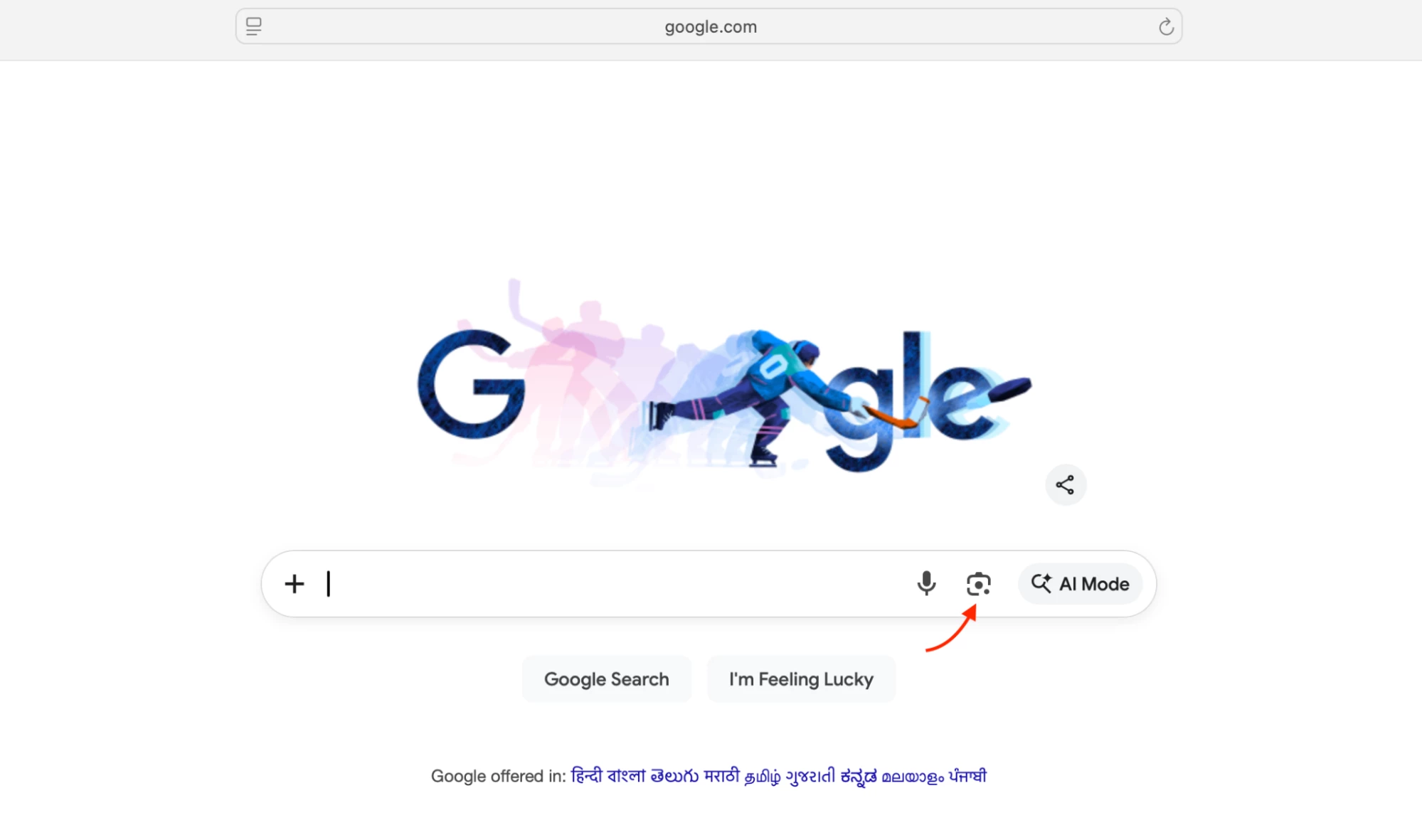
On Google Search, Google provides the Google Lens service. The business requirement is to block access to this service.

Configuration
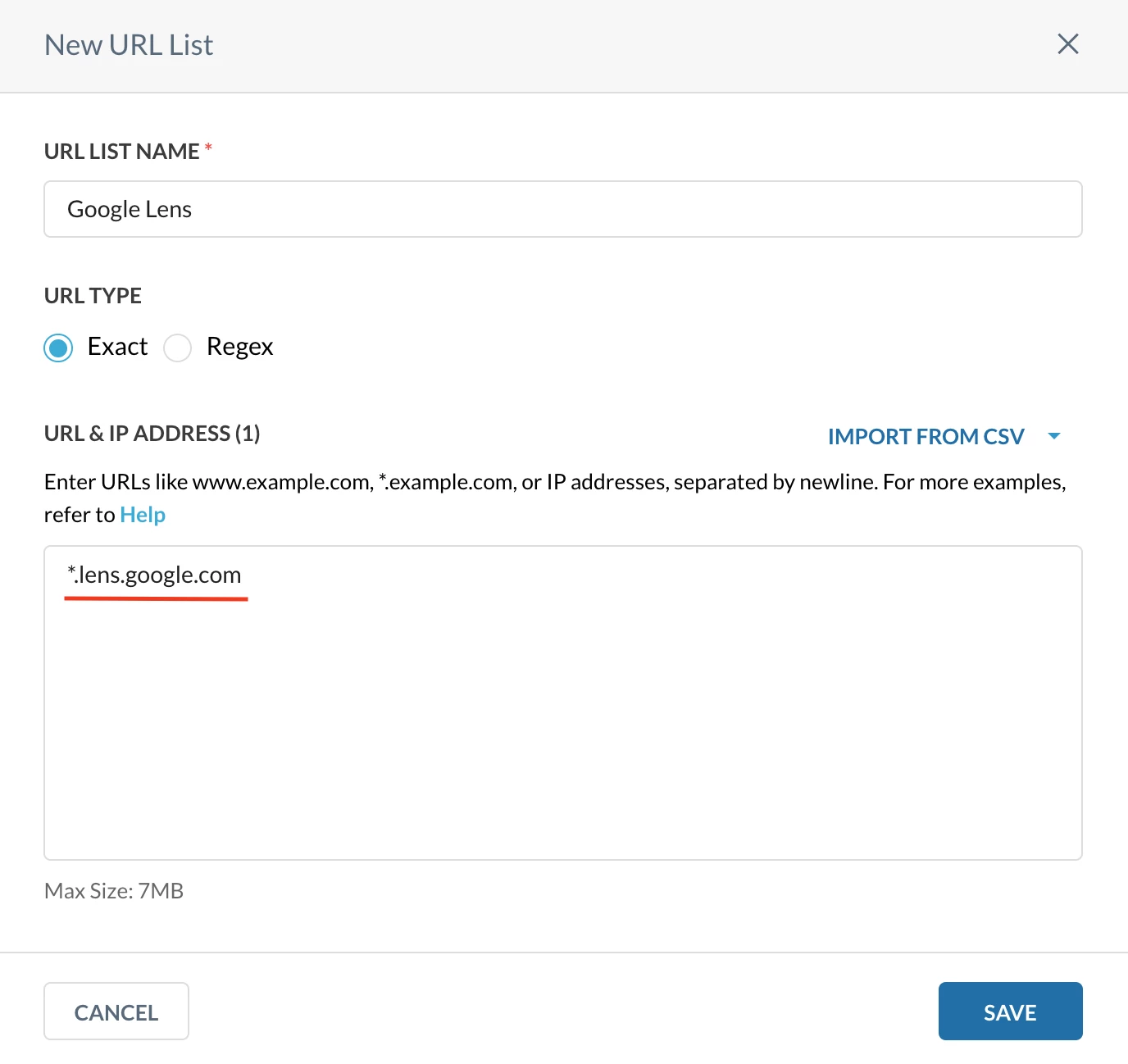
Step 1: Create a custom URL category
Path: Netskope Tenant UI >>> Policies >>> Profile - - - URL Lists
*.lens.google.com

Path: Netskope Tenant UI >>> Policies >>> Profile - - - Custom Categories
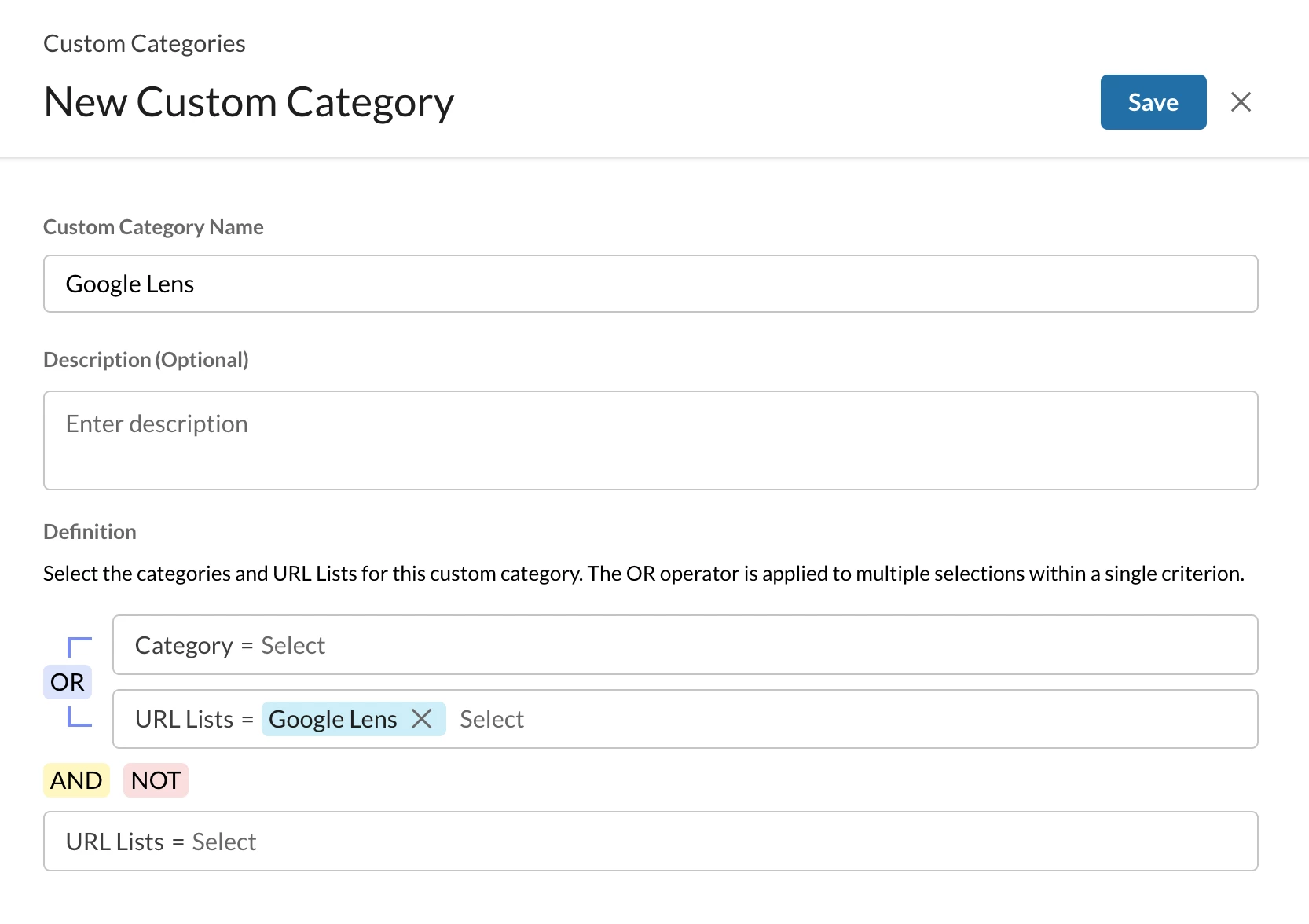

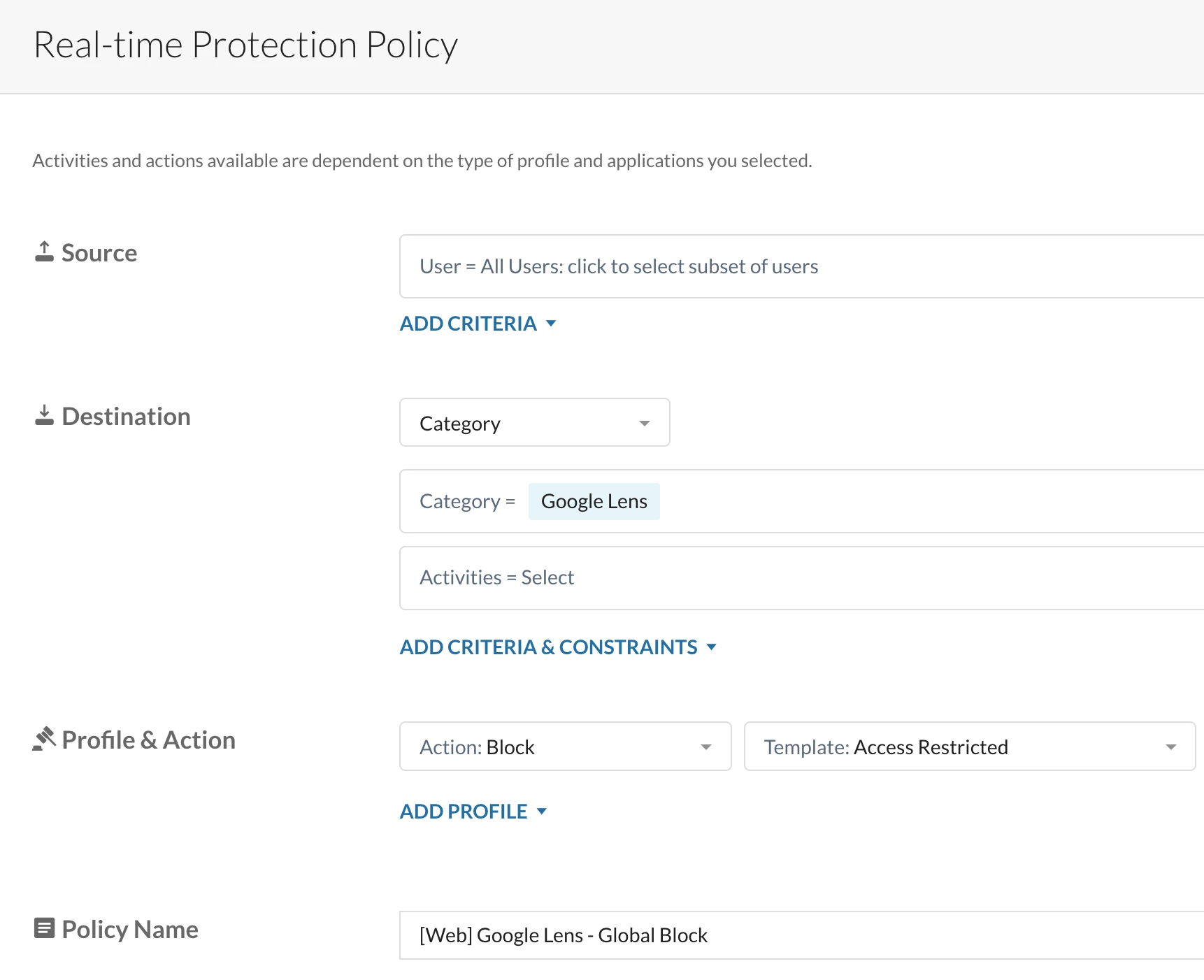
Step 2: Realtime protection policy
Path: Netskope Tenant UI >>> Policies >>> Real-time Protection >>> New Policy

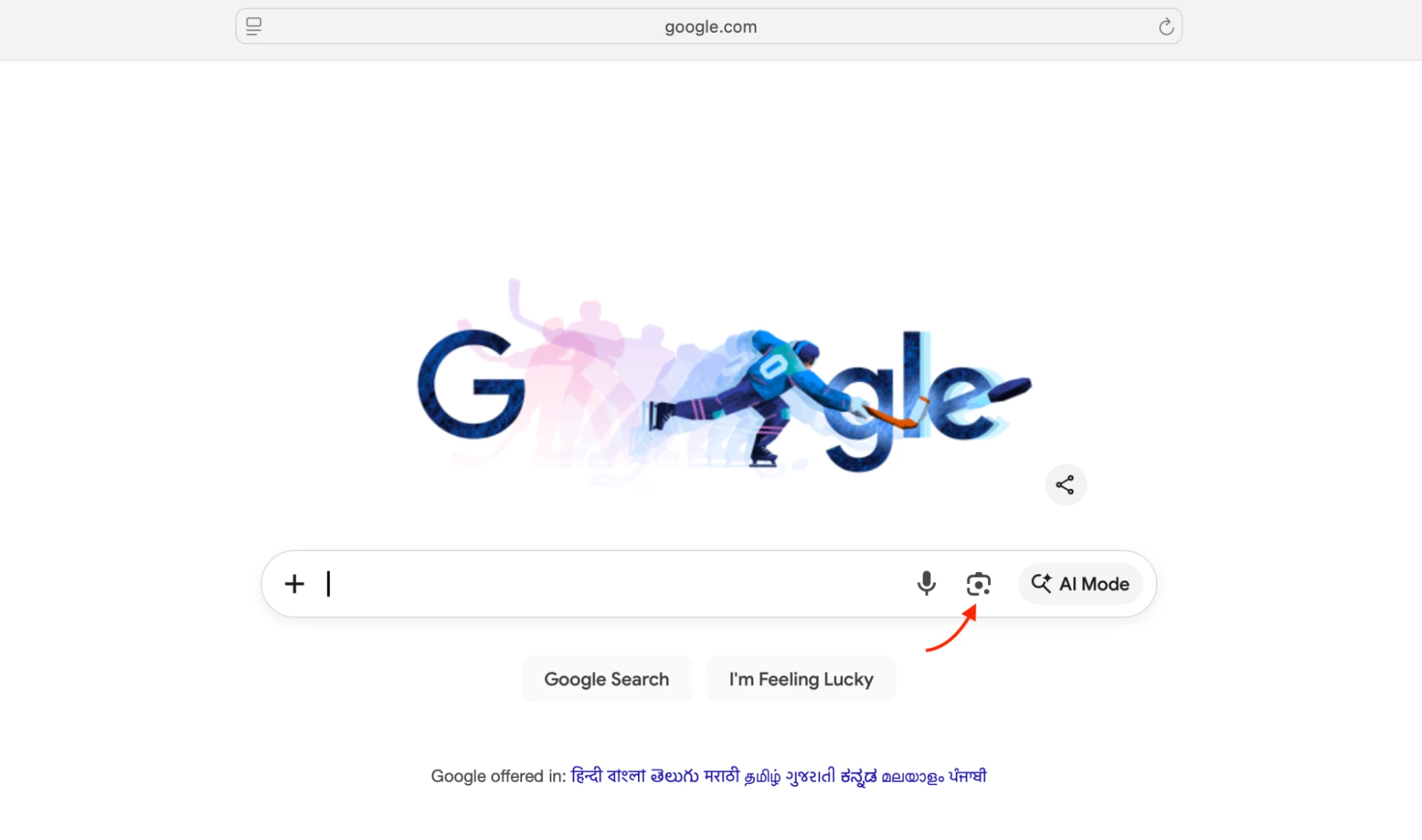
Verification
Access Google Lens
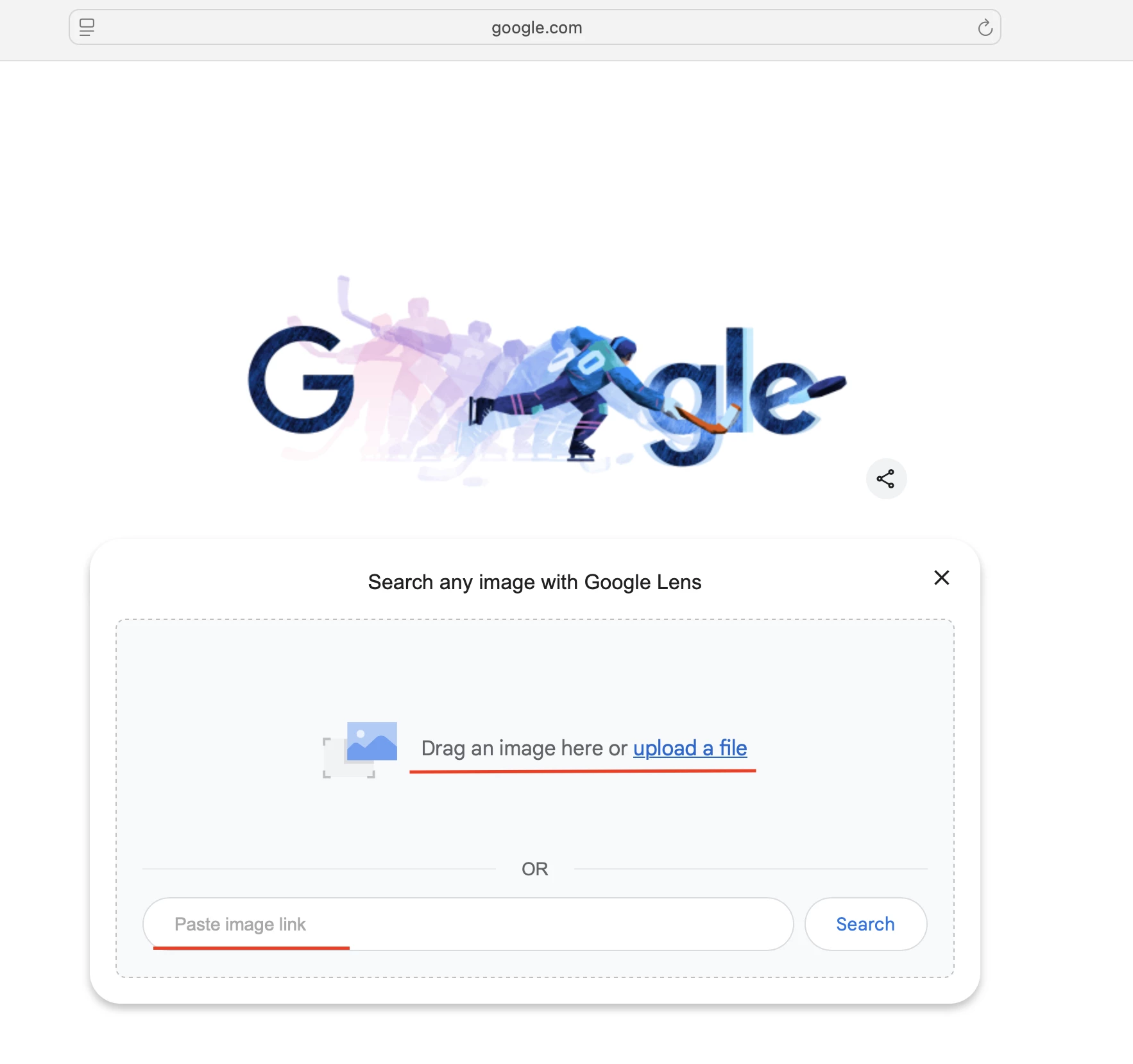
- Google Lens allows users to upload a file or provide a page link.
- The moment an end user attempts to use either of these features, the traffic will be blocked.
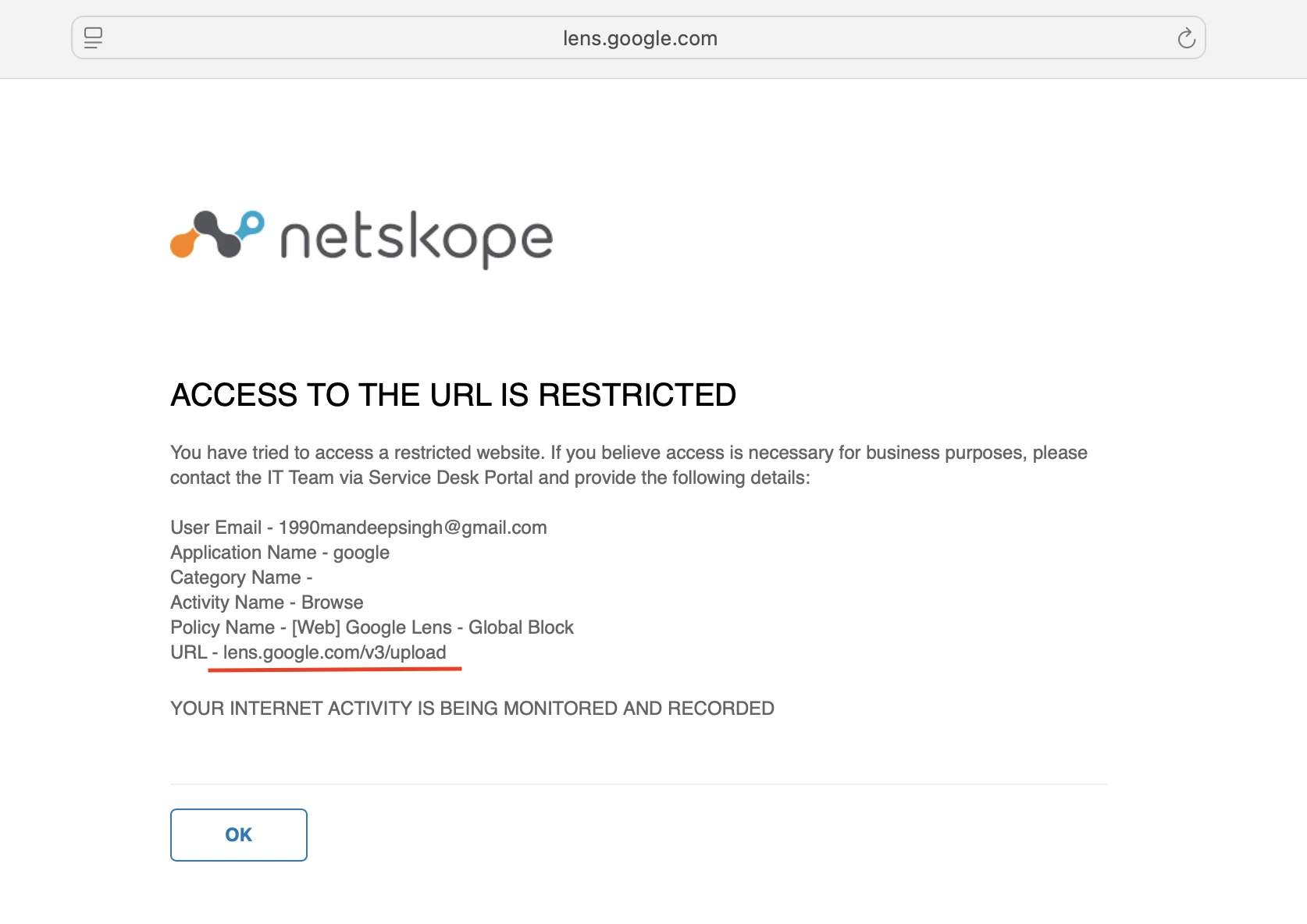

 Note - User Notification format used above Link
Author Notes
It is recommended to review the below KB articles as well
Terms and Conditions
- All documented information undergoes testing and verification to ensure accuracy.
- In the future, it is possible that the application's functionality may be altered by the vendor. If any such changes are brought to our attention, we will promptly update the documentation to reflect them.
Notes
- This article is authored by Netskope Global Technical Success (GTS).
- For any further inquiries related to this article, please contact Netskope GTS by submitting a support case with 'Case Type – How To Questions'.



