



Hello community! I wanted to share this use case you might find interesting.
Objective
Block the download and installation of unsanctioned Visual Studio Code extensions not approved by Security Administrators.
Did you know?
All Visual Studio Code extension download URLs share the same structure:
https://<publisher-name>.gallery.vsassets.io/<variable_path>/gallery/publisher/<publisher-name>/extension/<extension-name>/<version>/<variable_path>/Microsoft.VisualStudio.Services.VSIXPackage<optional_redirect_parameter>
We can leverage this URL structure to build a regex-based Destination Profile that blocks all extension download URLs from the VS Code Marketplace, while maintaining an allowlist of approved extensions.
Configuration
-
Create a new Destination Profile named VS Code Extension Blocklist, select RegEx as the Match Type, and paste the following regular expression:
.*\.vsassets\.io\/.*extensions?\/.*\.VSIXPackage(.*)?
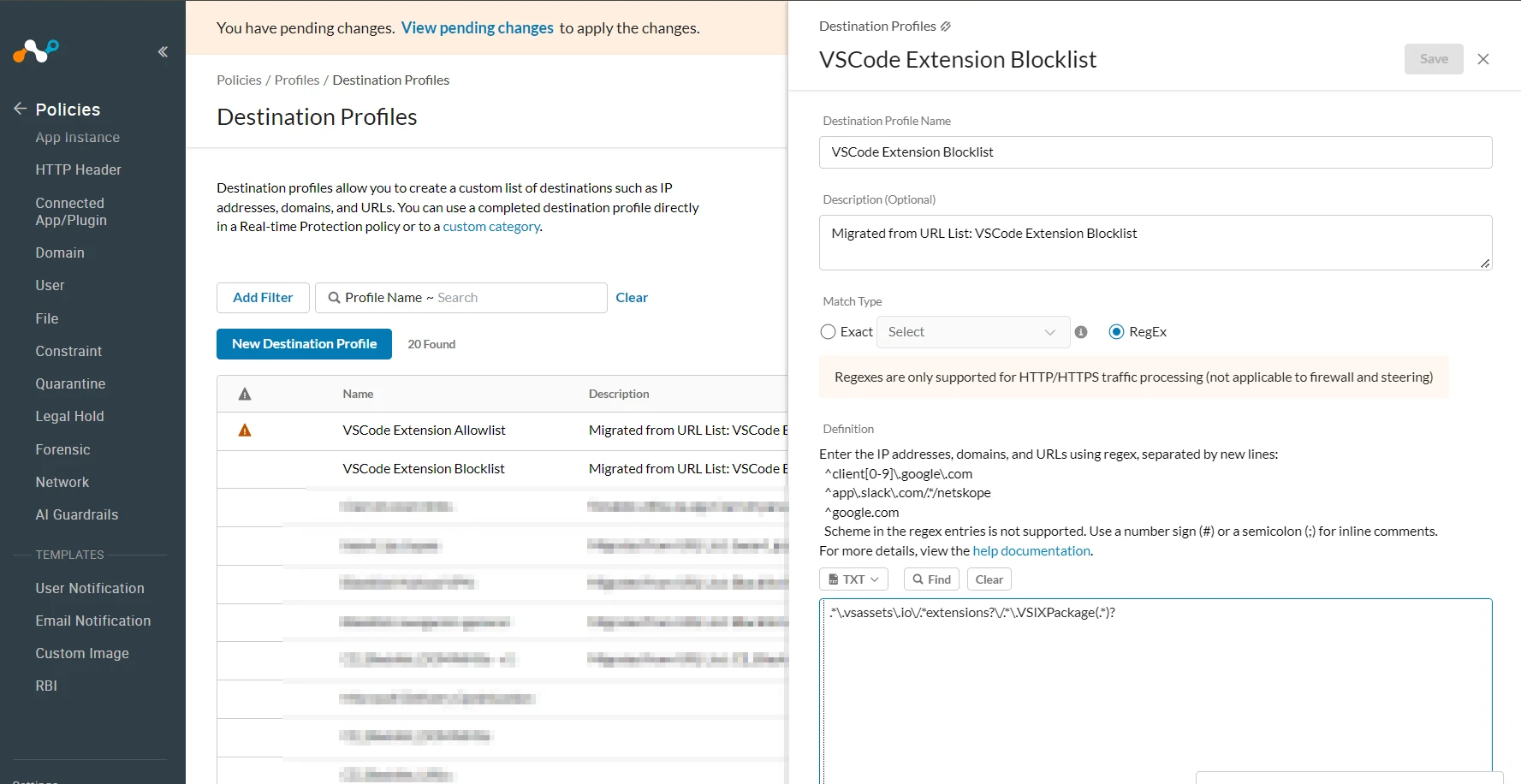
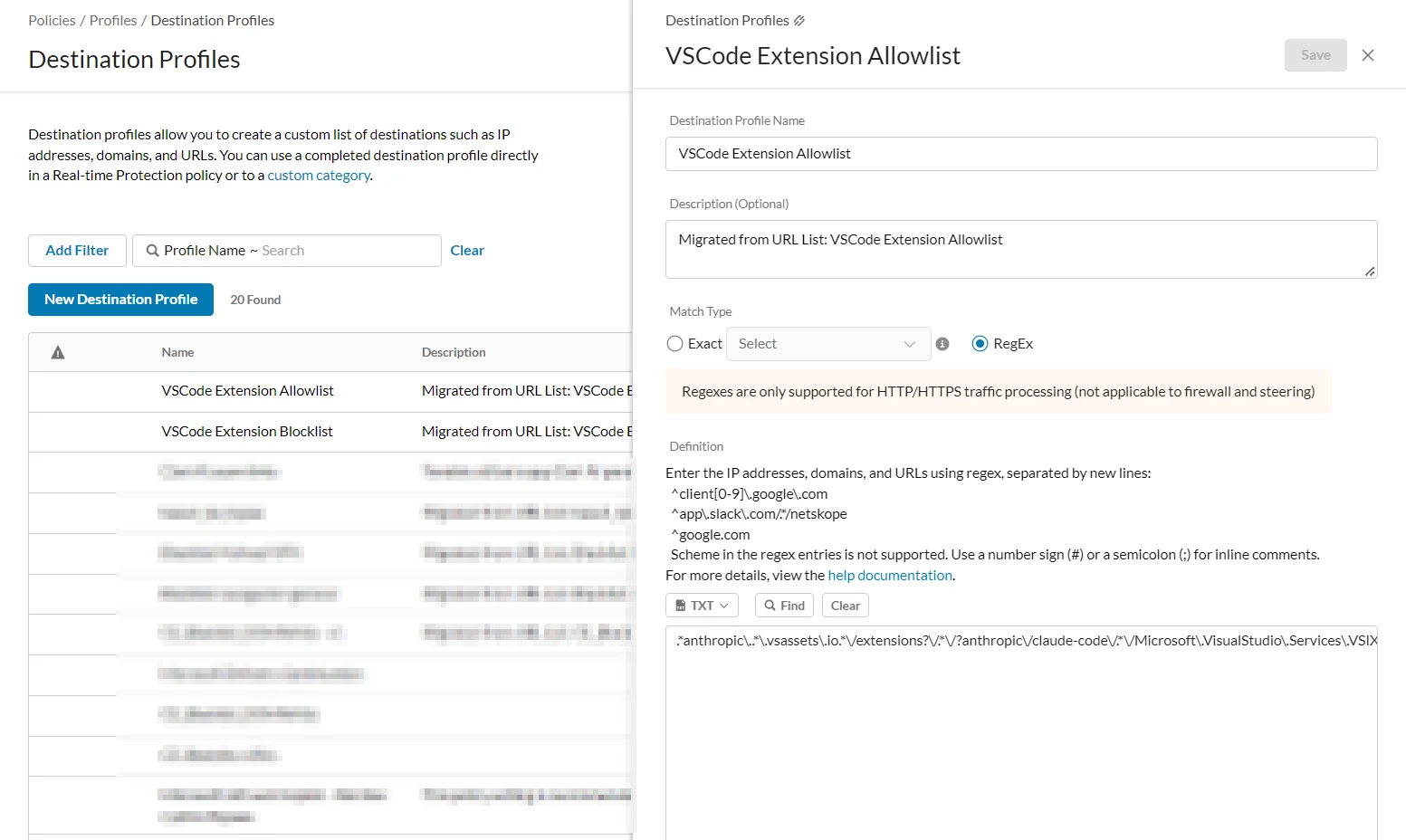
2. Create a new Destination Profile named VS Code Extension Allowlist, select RegEx as the Match Type, and insert a regular expression matching the URL of an approved extension.
Example:
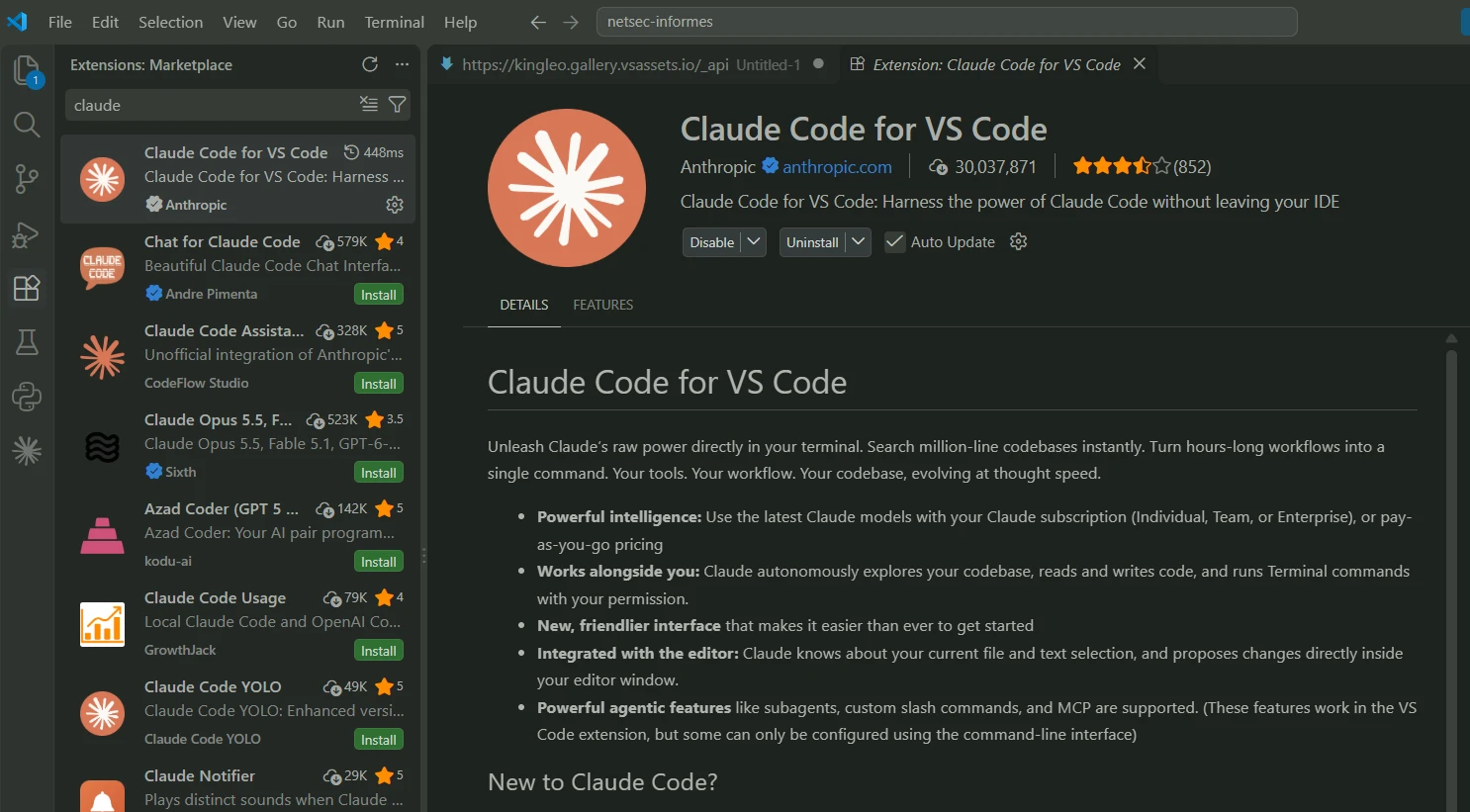
Open the Extension Marketplace in VS Code and search for the extension you want to allowlist (e.g., the official Claude extension).
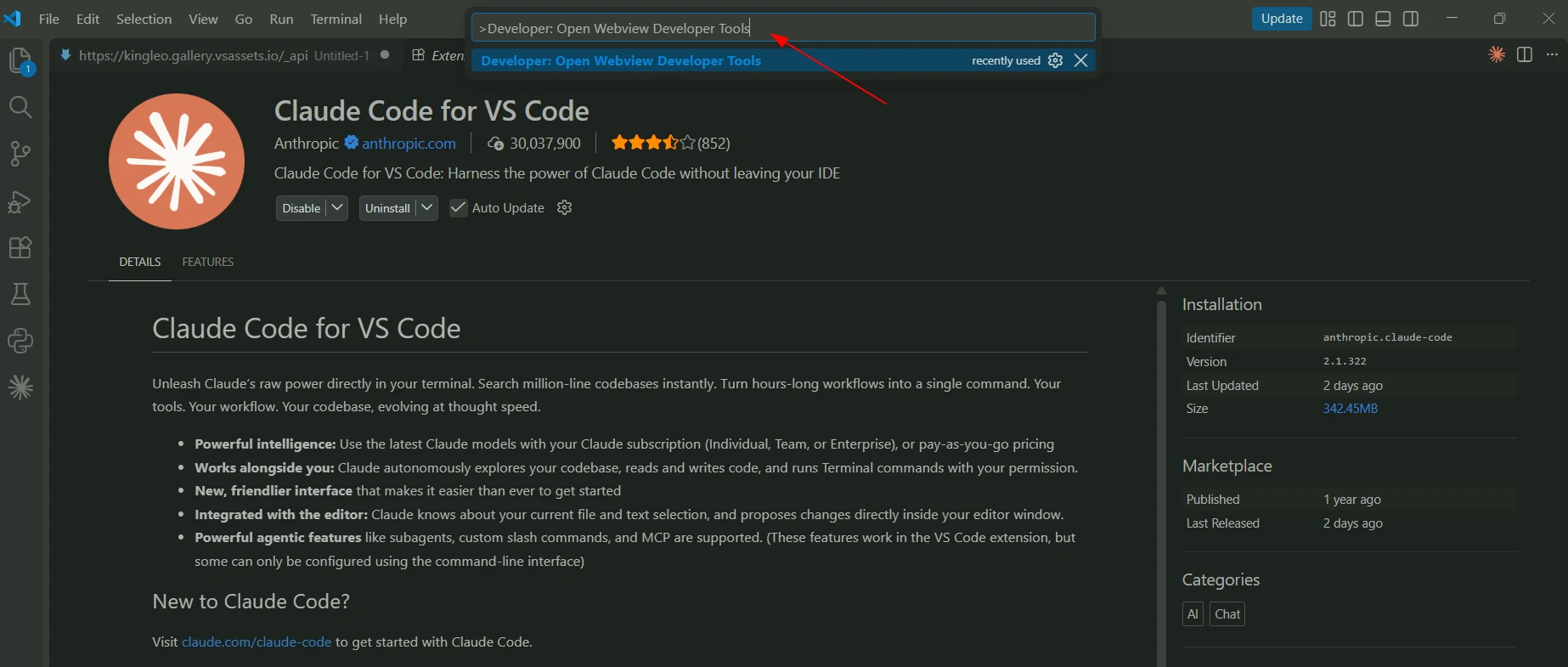
Open the Command Palette (Ctrl + Shift + P), run >Developer: Open Webview Developer Tools, and switch to the Network tab.
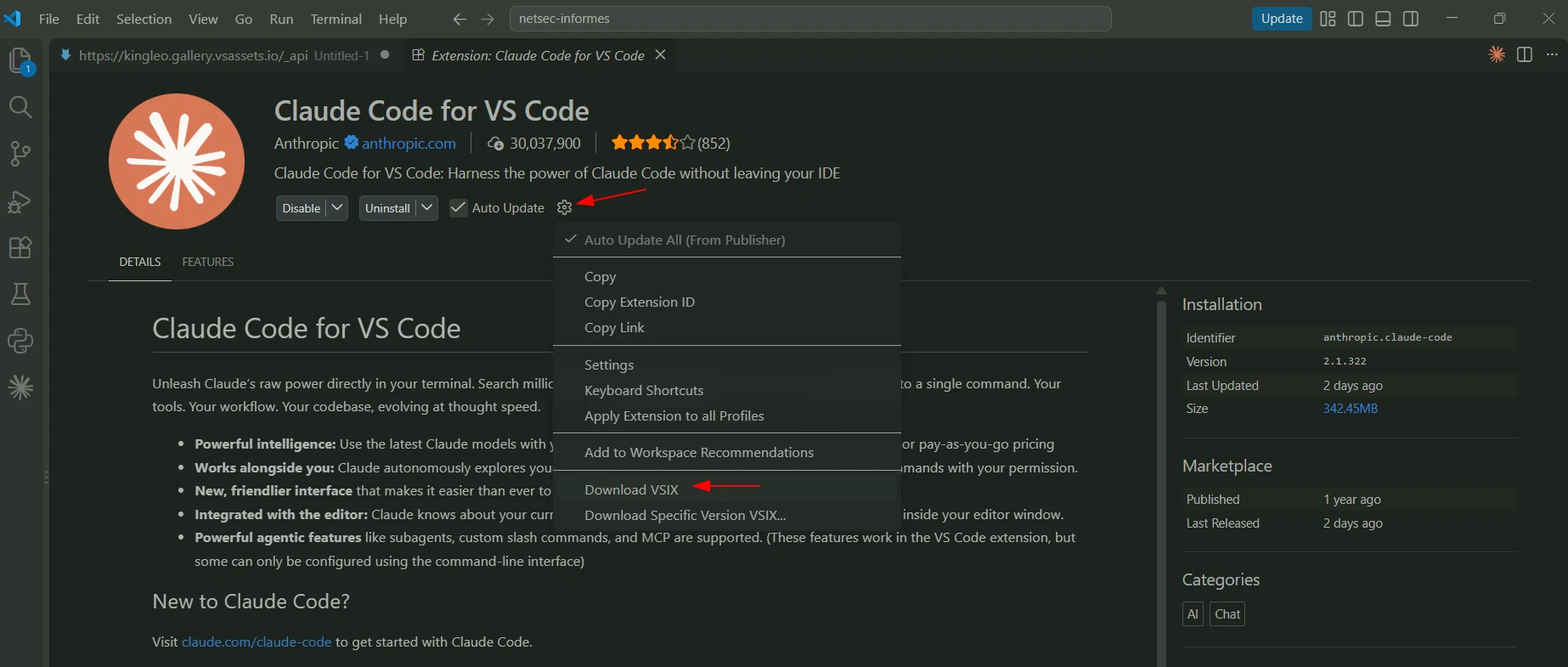
Next, on the extension page, click the gear icon next to the Install button, select Download VSIX, and choose a destination folder.
In the Developer Tools Network tab, locate the request matching the URL structure shown earlier:
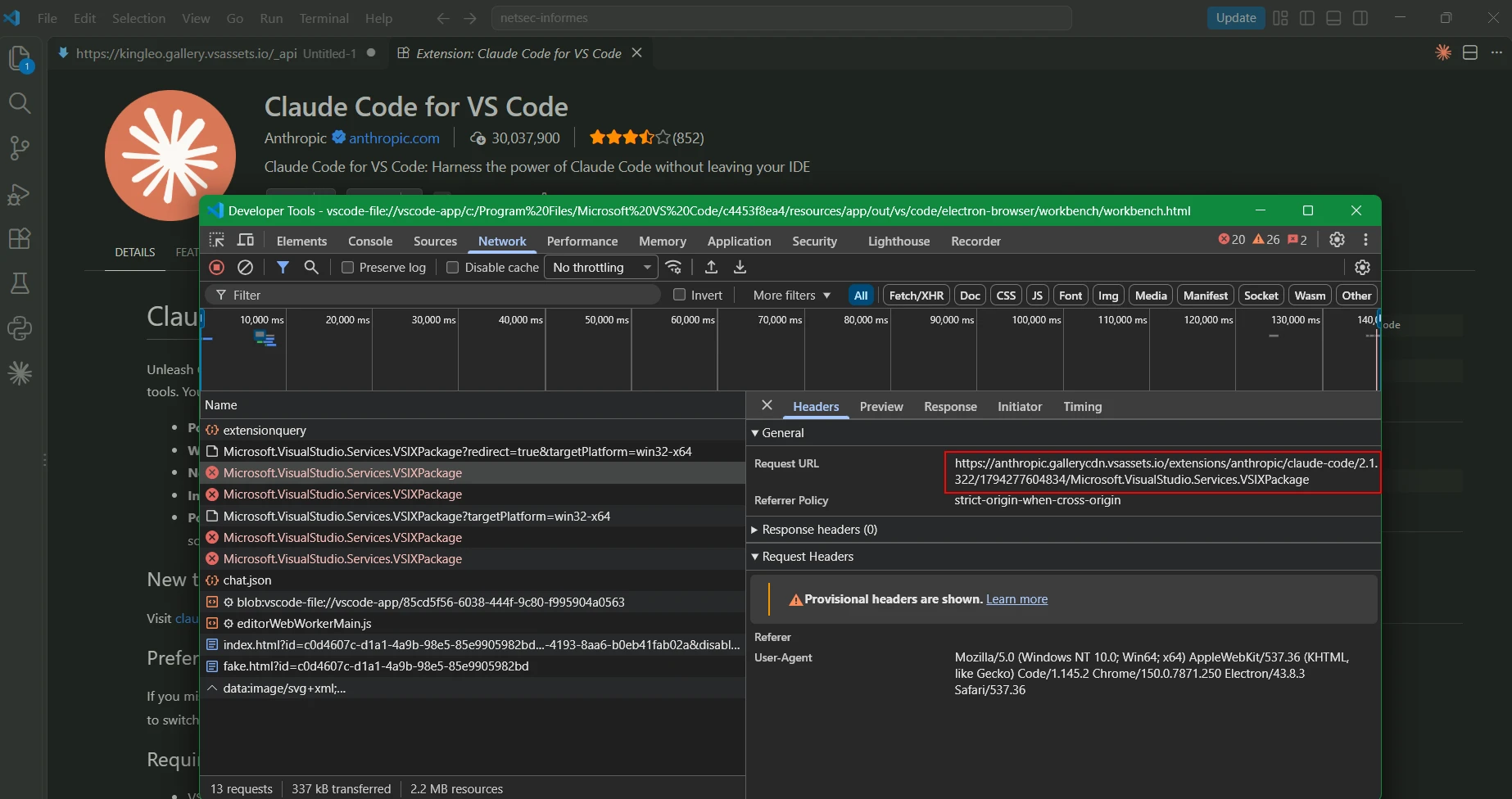
Note: in my case the download failed because my blocking policy is already enabled.
Copy the url:
From this URL, you can construct the regular expression needed to add the extension to your allowlist:
.*anthropic\..*\.vsassets\.io.*\/extensions?\/.*\/?anthropic\/claude-code\/.*\/Microsoft\.VisualStudio\.Services\.VSIXPackage(.*)?
Add it to the destination profile allowlist and apply changes.
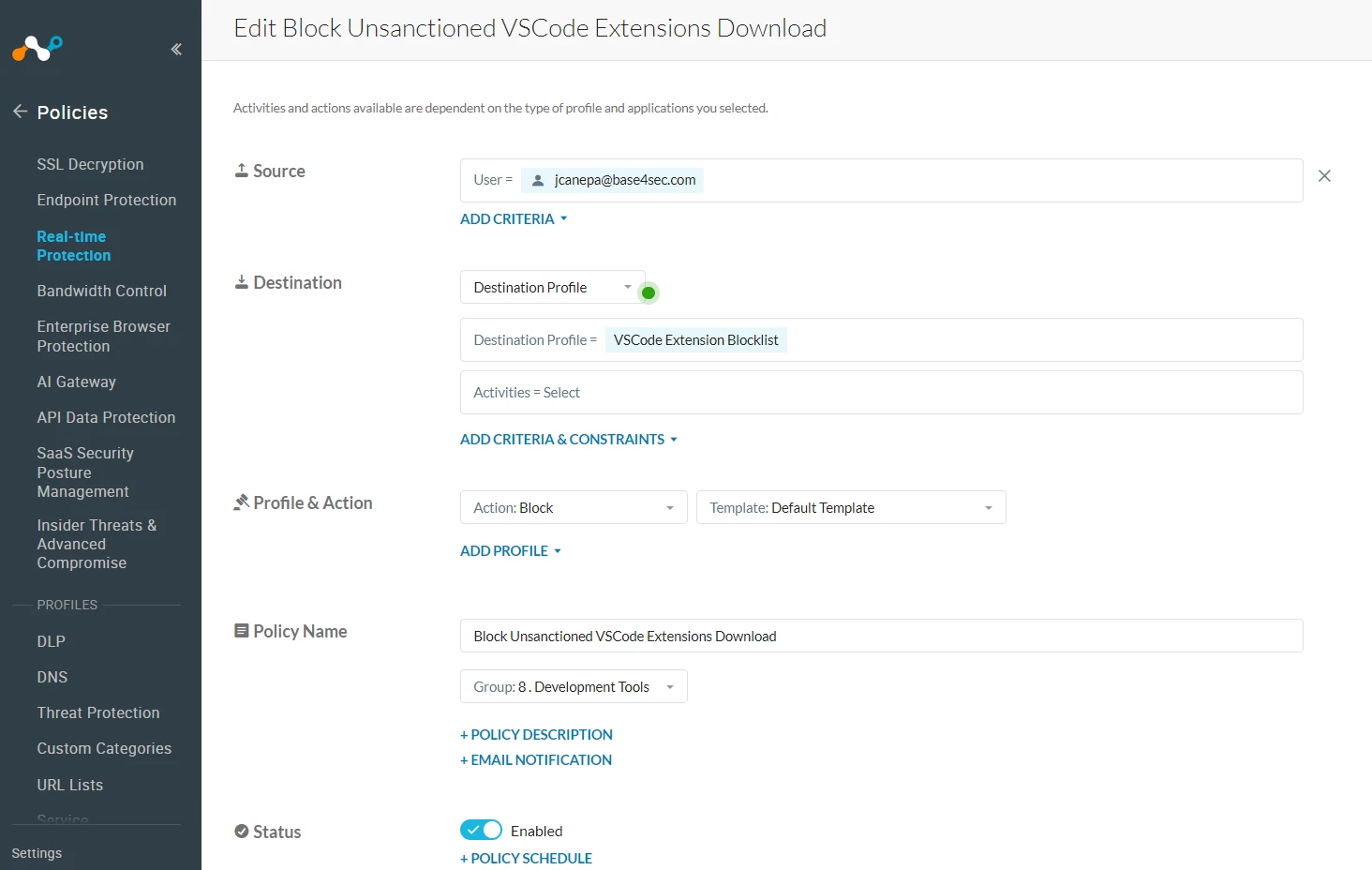
3. Create a new real-time policy with the following configuration:
Destination: Destination Profile → VS Code Extension Blocklist
Action: Block
Name: Block Unsanctioned VS Code Extensions Download
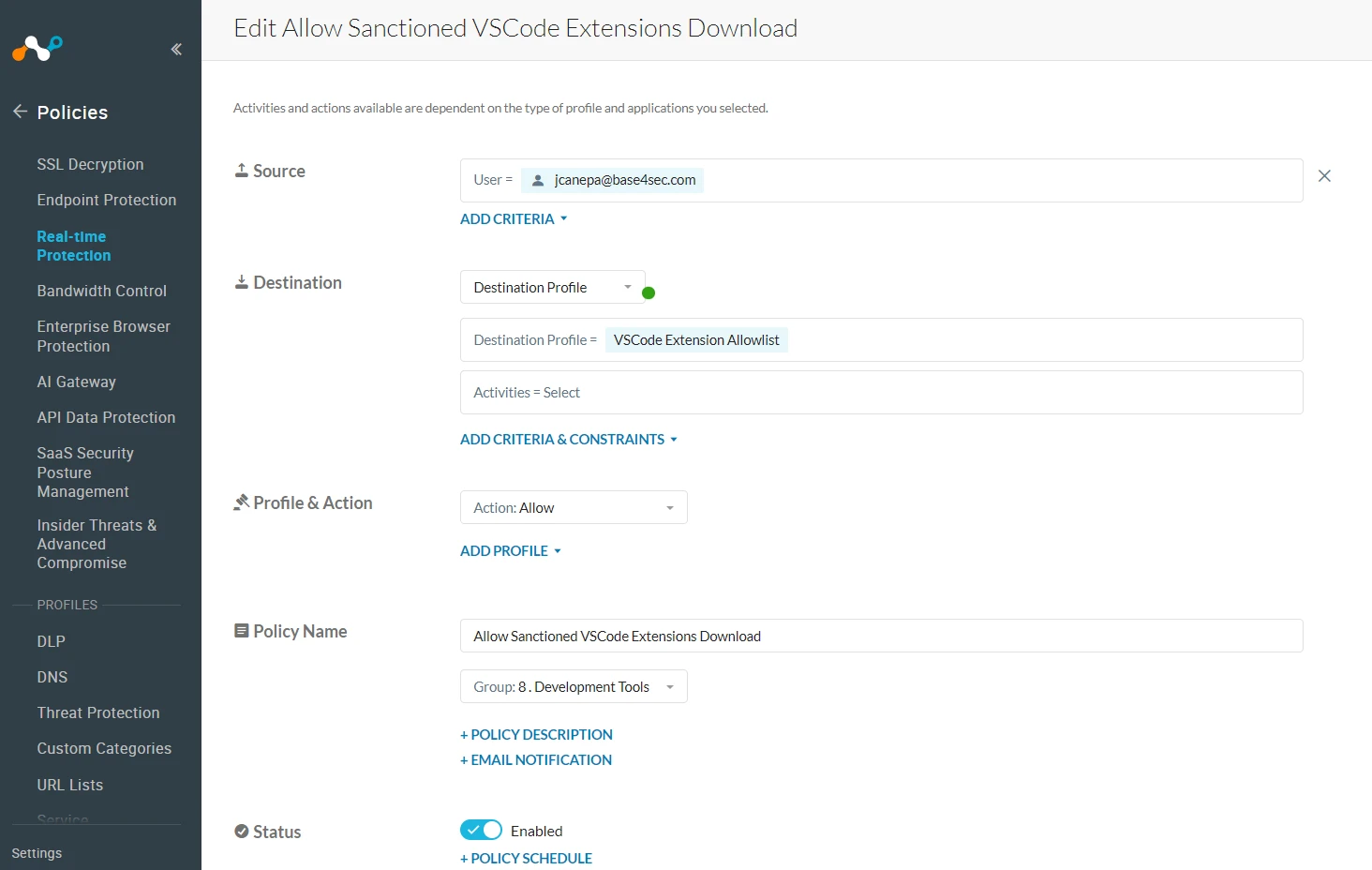
4. Above the blocking policy, create a new real-time policy with the following configuration:
Destination: Destination Profile → VS Code Extension Allowlist
Action: Allow
Name: Allow Sanctioned VS Code Extensions Download
Policy summary:

Demo
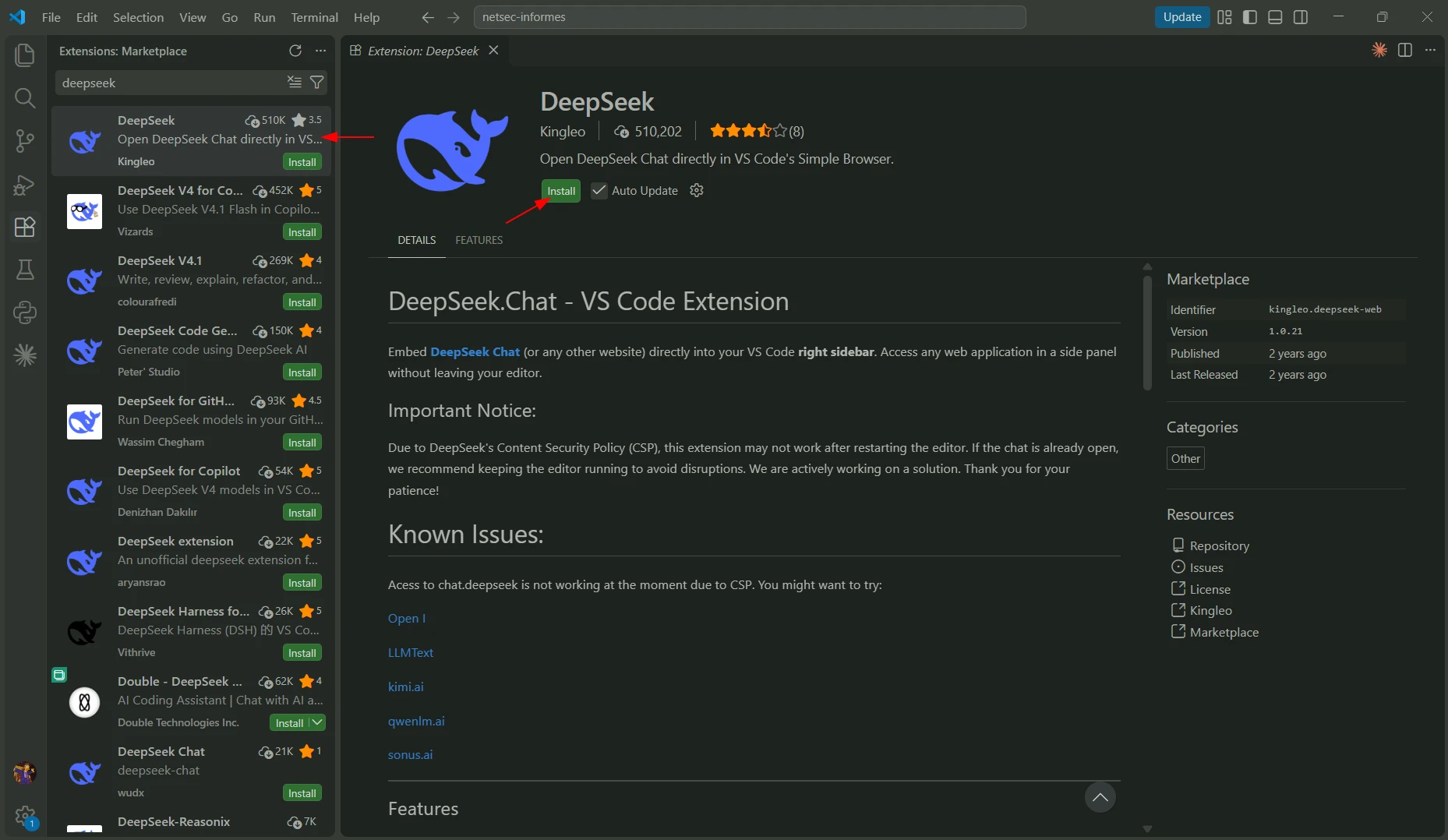
Scenario 1: Block unsactioned extension download
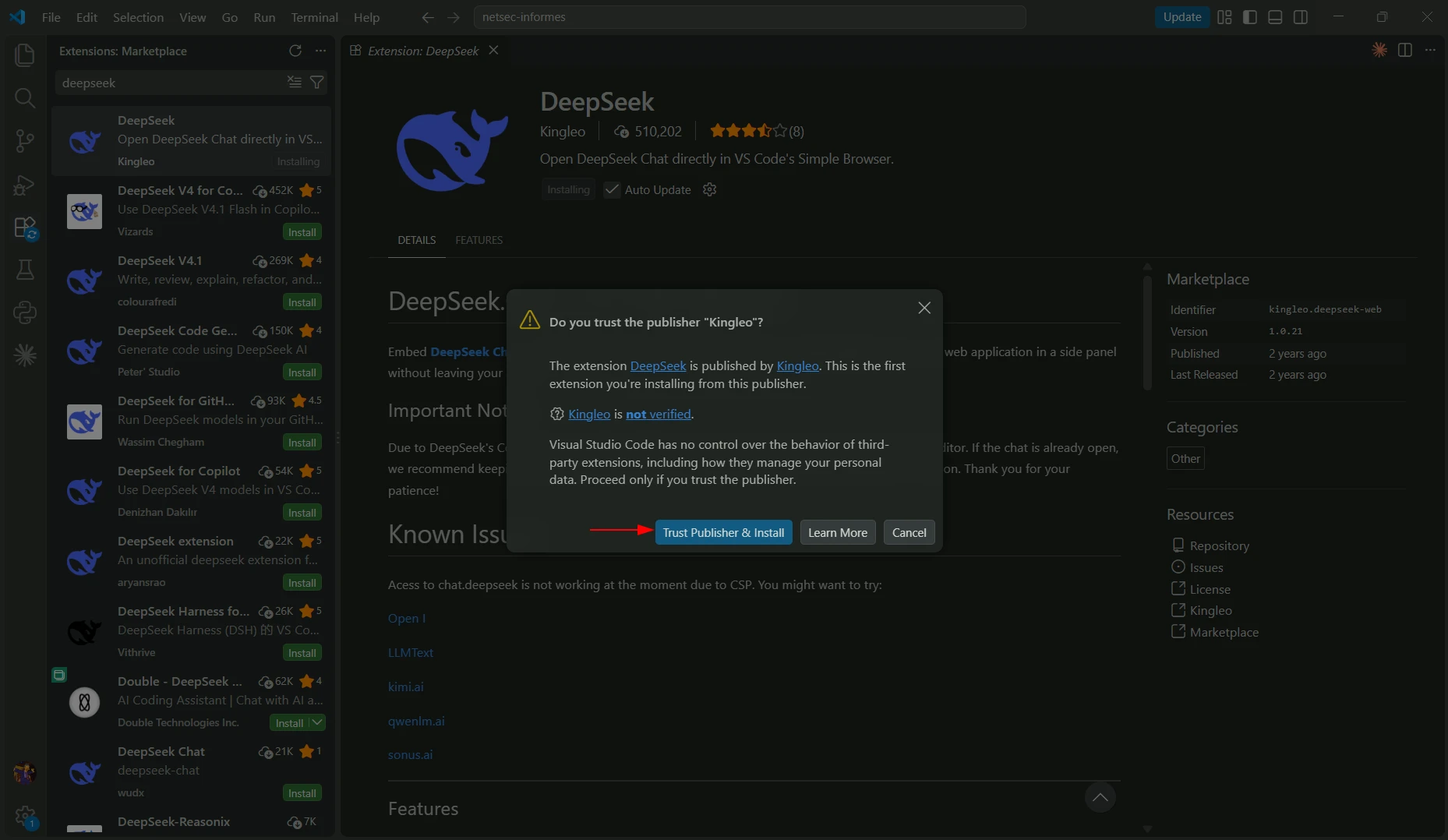
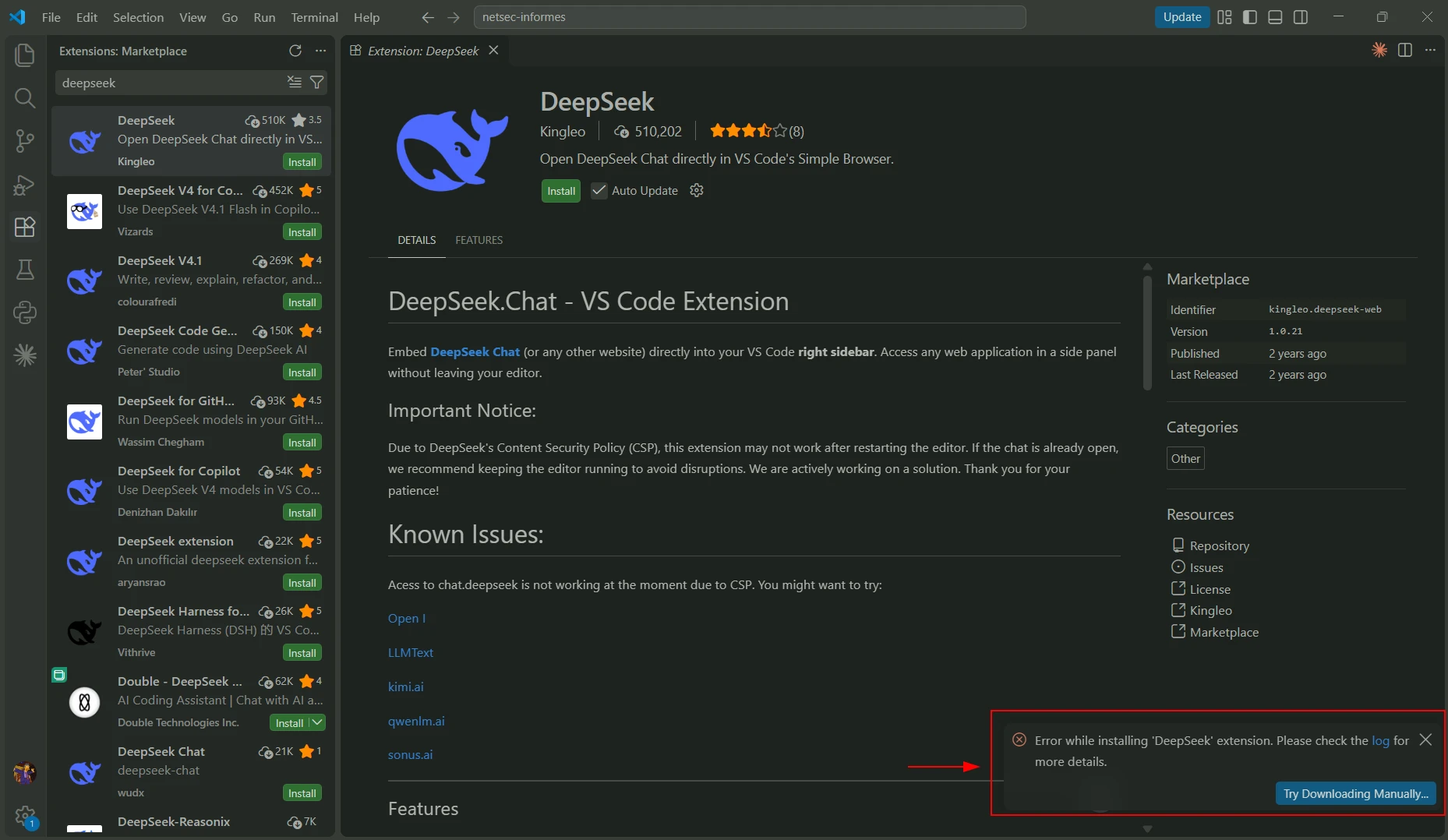
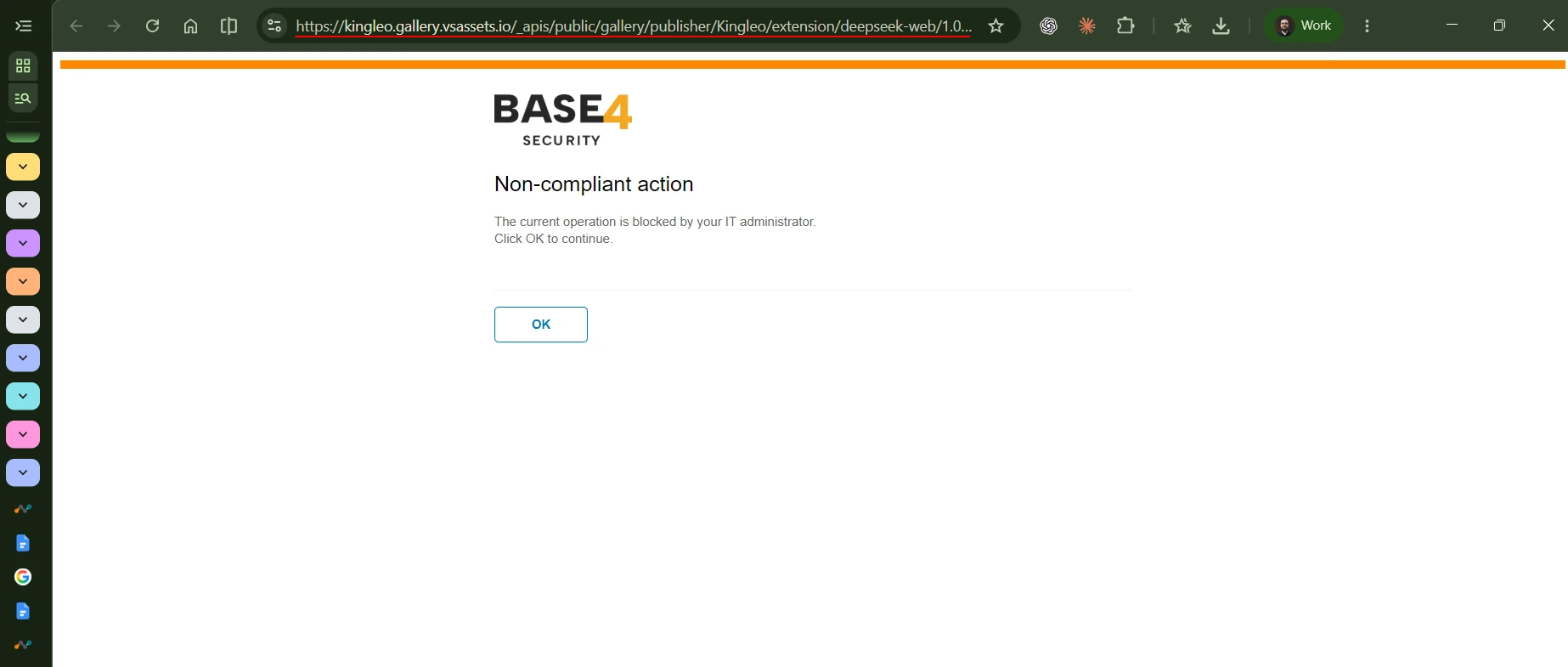
Scenario 2: Allow the download of a sanctioned extension
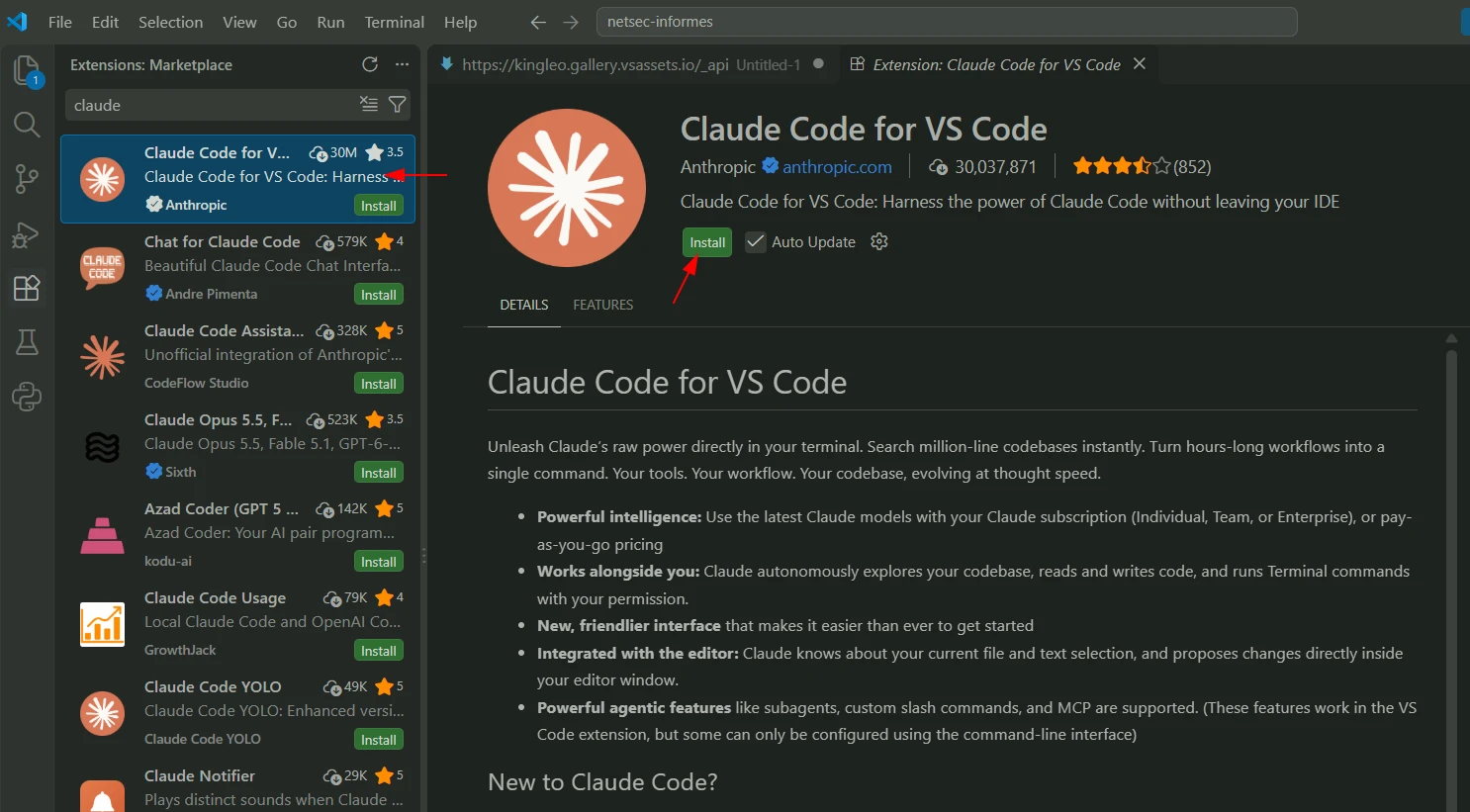
You can also test this by pasting the download URL directly into your browser to verify whether the request is blocked or the file downloads properly.
Note: This configuration should also apply to any Visual Studio Code fork that relies on Microsoft’s VS Code Marketplace and URL structure, such as Google Antigravity.