



This document outlines the migration steps from the Netskope CCP connector to the officially published Netskope Alerts and Events connector.
Migration to the officially published connector on the Microsoft content hub is mandatory for the Netskope connectors listed below.
Note: Ensure the Contributor role is assigned to the environment to make the necessary changes.
Steps for Migration
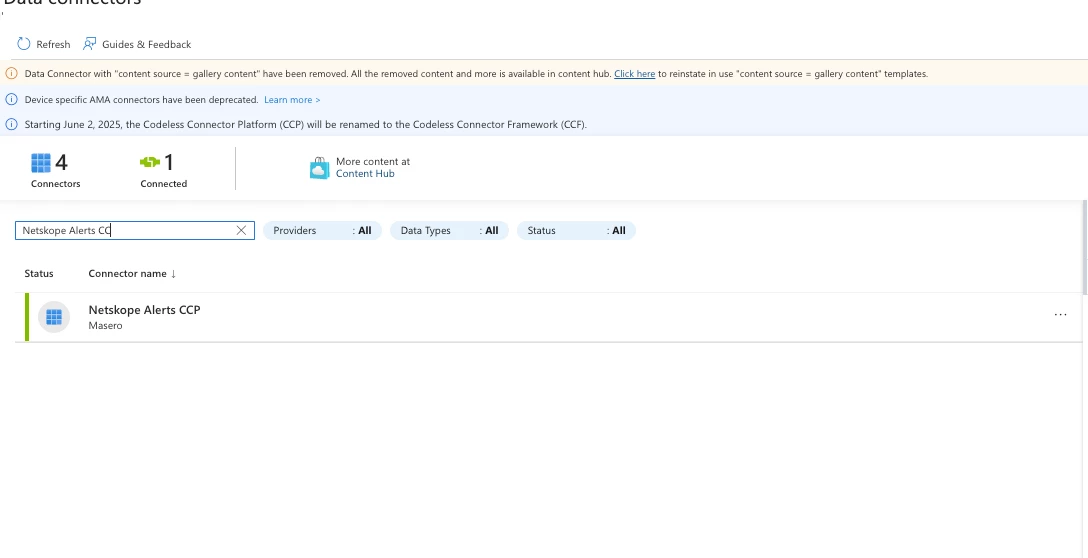
Disconnect Netskope CCP Connector
Disconnect the existing Netskope CCP connector.
Verify that the connector is disconnected before proceeding with the migration.
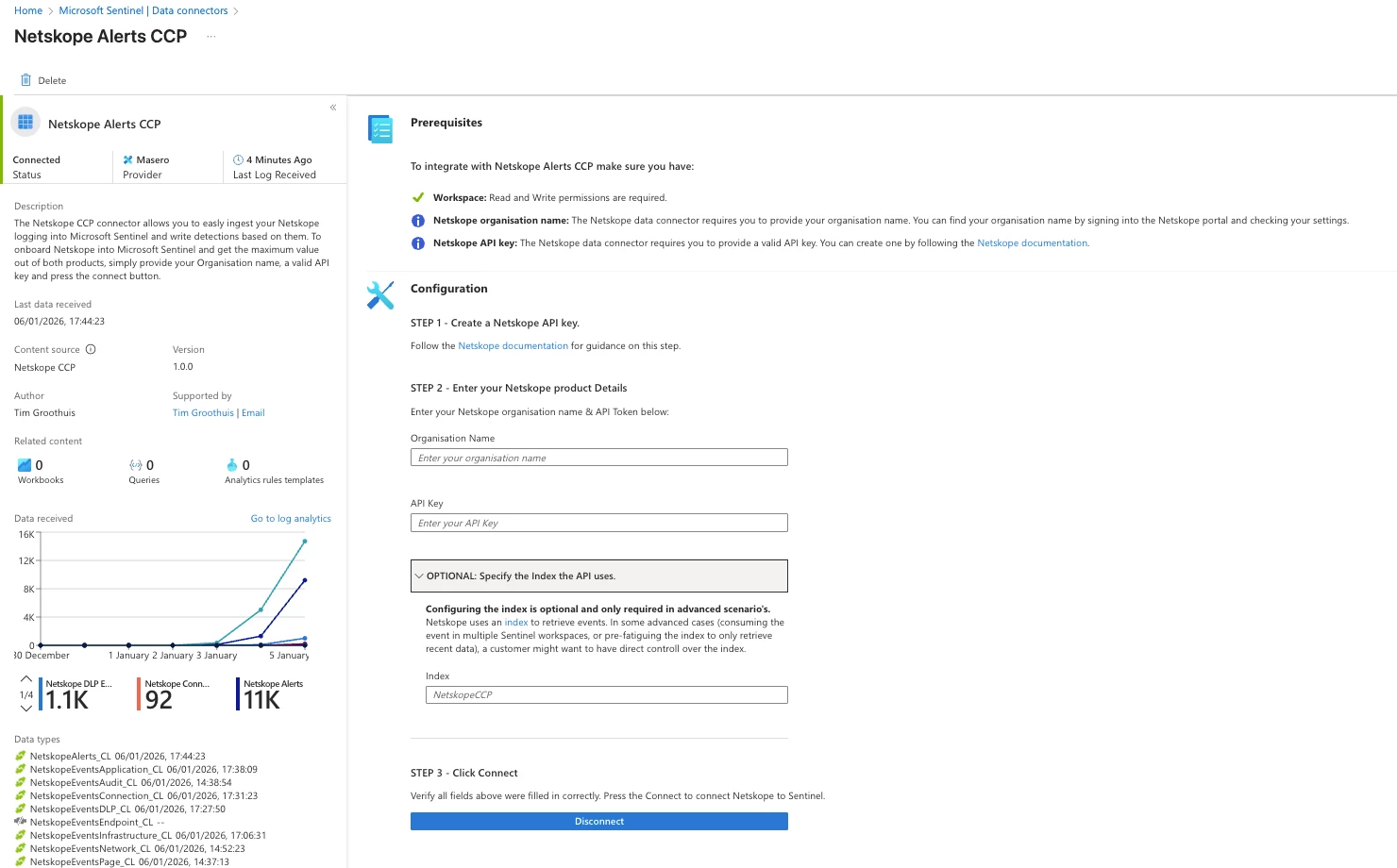
Download Netskope Connector from Content hub
Download the Netskope Connector from the Content hub in azure sentinel.
Note: Before configuring the new connector the current data must be migrated to the new schema. A script is provided to perform the schema migration.
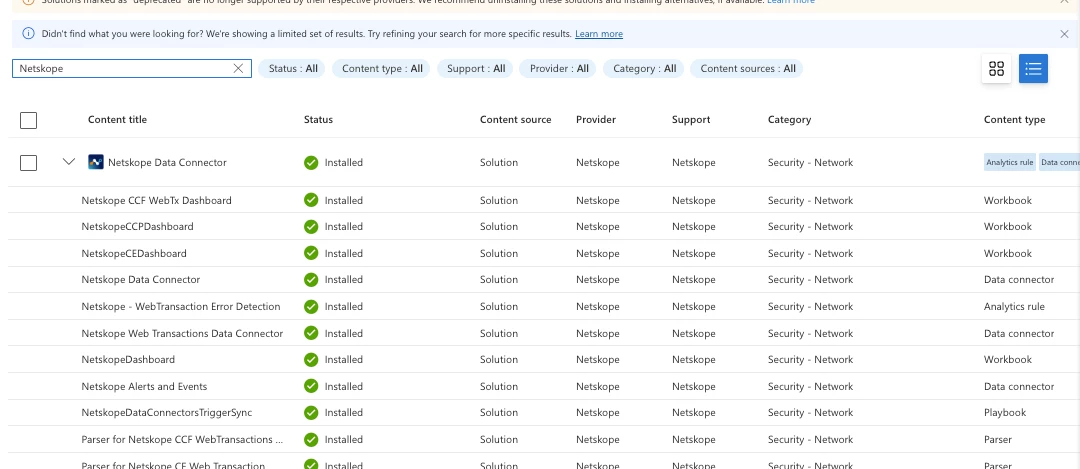
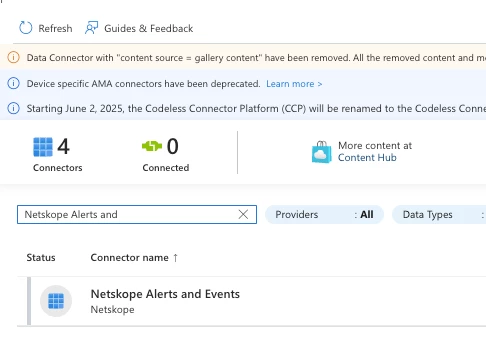
Table Schema Changes
You need to run the below script to perform the migration from the old schema to the new schema. All field schema changes for the different tables are already captured in the script below. Additionally please provide the subscription_id, resource_group_name, workspacename and dcr name associated with that particular Log Analytics workspace. Edit those fields in the script. Also, ensure you have the contributor role to make these changes.
<#

   .SYNOPSIS

   Below Script is used for Migration from NetskopeCCP connector to one published on content hub

   Updates Azure Monitor Tables and DCRs to:

   1. DELETE old integer fields (e.g., app_session_id)

   2. ADD new string fields (e.g., app_sessionid)

#>


# --- 1. CONFIGURATION ---

#Add the required configuration as per your environment

$subscriptionId    = "33711ee7-4eb5-4de5-b8ea-13be6a2453e7"

$resourceGroupName = "Test"

$workspaceName     = "FinalMigration01"

$dcrName           = "Microsoft-Sentinel-Netskope-014c1e5e-cd5"


#Define the Schema Operations per Table

$schemaOperations = @{

   "NetskopeAlerts_CL" = @{

       "delete" = @("app_session_id", "request_id", "dlp_parent_id", "dlp_incident_id", "connection_id", "browser_session_id", "transaction_id");

       "add"    = @("app_sessionid", "requestid", "dlp_parentid", "dlp_incidentid", "connectionid", "browser_sessionid", "transactionid")

   }

   "NetskopeEventsApplication_CL" = @{

       "delete" = @("app_session_id", "request_id", "dlp_parent_id", "dlp_incident_id", "connection_id", "browser_session_id", "transaction_id");

       "add"    = @("app_sessionid", "requestid", "dlp_parentid", "dlp_incidentid", "connectionid", "browser_sessionid", "transactionid")

   }

   "NetskopeEventsConnection_CL" = @{

       "delete" = @("app_session_id", "request_id", "connection_id", "browser_session_id", "transaction_id");

       "add"    = @("app_sessionid", "requestid", "connectionid", "browser_sessionid", "transactionid")

   }

   "NetskopeEventsDLP_CL" = @{

       "delete" = @("dlp_incident_id", "latest_incident_id", "dlp_parent_id", "connection_id", "app_session_id");

       "add"    = @("dlp_incidentid", "latest_incidentid", "dlp_parentid", "connectionid", "app_sessionid")

   }

   "NetskopeEventsEndpoint_CL" = @{

       "delete" = @("dlp_incident_id", "incident_id");

       "add"    = @("dlp_incidentid", "incidentid")

   }

   "NetskopeEventsPage_CL" = @{

       "delete" = @("app_session_id", "browser_session_id", "connection_id", "request_id", "transaction_id");

       "add"    = @("app_sessionid", "browser_sessionid", "connectionid", "requestid", "transactionid")

   }

}

Select-AzSubscription -SubscriptionId $subscriptionId


#Step 1: UPDATE LOG ANALYTICS TABLES ---

foreach ($tableName in $schemaOperations.Keys) {

   Write-Host "--- Processing Table: $tableName ---" -ForegroundColor Cyan


   $ops = $schemaOperations[$tableName]

   $fieldsToDelete = $ops["delete"]

   $fieldsToAdd    = $ops["add"]


   #Fetch existing table

   $tableUrl = "https://management.azure.com/subscriptions/$subscriptionId/resourceGroups/$resourceGroupName/providers/Microsoft.OperationalInsights/workspaces/$workspaceName/tables/$($tableName)?api-version=2022-10-01"


   try {

       $existingTable = az rest --method get --url $tableUrl | ConvertFrom-Json

   }

   catch {

       Write-Host "  Error: Table $tableName not found." -ForegroundColor Red

       continue

   }


   $newCols = @()

   $changesMade = $false


   #Rebuild Column List (Filtering out 'delete' fields)

   foreach($col in $existingTable.properties.schema.columns) {

       if ($fieldsToDelete -contains $col.name) {

           Write-Host "  [-] Dropping Column: $($col.name)" -ForegroundColor Magenta

           $changesMade = $true

       }

       else {

           $newCols += @{ name = $col.name; type = $col.type }

       }

   }


   #Append New Fields (Adding 'add' fields)

   foreach ($field in $fieldsToAdd) {

       # Check if field already exists to avoid duplicates

       $exists = $newCols | Where-Object { $_.name -eq $field }

       if (-not $exists) {

           $newCols += @{ name = $field; type = "string" }

           Write-Host "  [+] Adding Column:   $field (string)" -ForegroundColor Green

           $changesMade = $true

       }

   }


   #Submit Update

   if ($changesMade) {

       $body = @{ properties = @{ schema = @{ name = $tableName; columns = $newCols } } } | ConvertTo-Json -Depth 10 -Compress

       az rest --method put --url $tableUrl --body $body

       Write-Host "  Success: Table schema updated." -ForegroundColor Green

   }

   else {

       Write-Host "  No changes required for table." -ForegroundColor DarkGray

   }

}


#Step2: UPDATE DATA COLLECTION RULE (DCR) ---

Write-Host "`n--- Processing Data Collection Rule (DCR) ---" -ForegroundColor Cyan


$dcrUrl = "https://management.azure.com/subscriptions/$subscriptionId/resourceGroups/$resourceGroupName/providers/Microsoft.Insights/dataCollectionRules/$($dcrName)?api-version=2022-06-01"

$dcr = az rest --method get --url $dcrUrl | ConvertFrom-Json


$dcrUpdated = $false

$streams = $dcr.properties.streamDeclarations


foreach ($streamName in $streams.PSObject.Properties.Name) {

   #Match stream name to table key (e.g., "Custom-NetskopeAlerts" -> "NetskopeAlerts")

   $matchKey = $schemaOperations.Keys | Where-Object { $streamName -match $_.Replace("_CL", "") }


   if ($matchKey) {

       Write-Host "  Updating Stream: $streamName" -ForegroundColor Yellow

       $ops = $schemaOperations[$matchKey]

       $fieldsToDelete = $ops["delete"]

       $fieldsToAdd    = $ops["add"]


       $currentStreamCols = $streams.$streamName.columns

       $newStreamCols = @()


       #1 Filter out deleted fields

       foreach ($col in $currentStreamCols) {

           if ($fieldsToDelete -contains $col.name) {

               Write-Host "    [-] Removed from DCR: $($col.name)" -ForegroundColor Magenta

               $dcrUpdated = $true

           }

           else {

               $newStreamCols += $col

           }

       }


       #2 Add new fields

       foreach ($field in $fieldsToAdd) {

           $exists = $newStreamCols | Where-Object { $_.name -eq $field }

           if (-not $exists) {

               $newStreamCols += @{ name = $field; type = "string" }

               Write-Host "    [+] Added to DCR:     $field" -ForegroundColor Green

               $dcrUpdated = $true

           }

       }


       #Apply changes to stream object

       $streams.$streamName.columns = $newStreamCols

   }

}


if ($dcrUpdated) {

   #Cleanup Read-Only Properties

   $propsToRemove = @("immutableId", "id", "etag", "systemData")

   foreach ($prop in $propsToRemove) {

       if ($dcr.properties.PSObject.Properties.Match($prop)) { $dcr.properties.PSObject.Properties.Remove($prop) }

       if ($dcr.PSObject.Properties.Match($prop)) { $dcr.PSObject.Properties.Remove($prop) }

   }


   $dcrBody = $dcr | ConvertTo-Json -Depth 20 -Compress

   az rest --method put --url $dcrUrl --body $dcrBody

   Write-Host "`nSuccess: DCR Updated." -ForegroundColor Green

}

else {

   Write-Host "`nNo changes required for DCR." -ForegroundColor Yellow

}
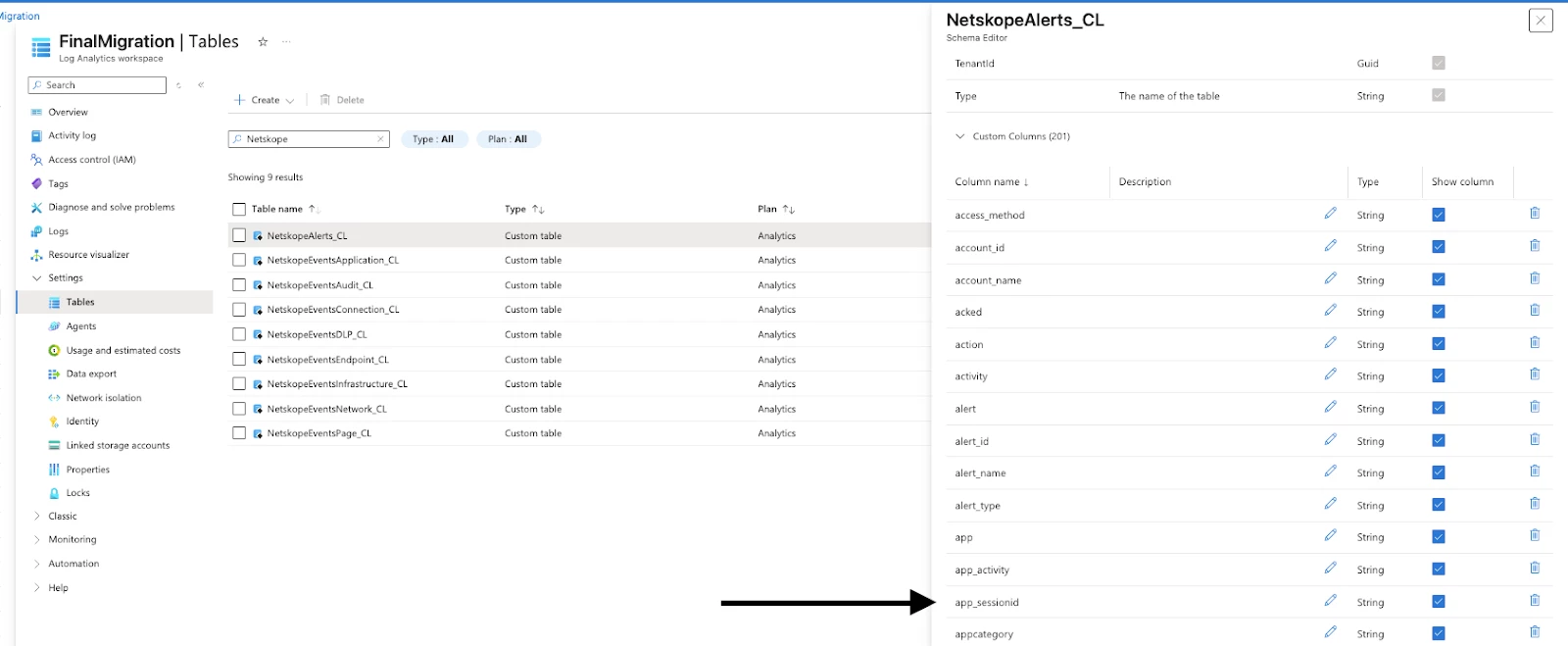
After the script has been run, confirmation of the schema changes can be made by looking into the following tables:
NetskopeAlerts_CL
NetskopeEventsApplication_CL
NetskopeEventsConnection_CL
NetskopeEventsDLP_CL
NetskopeEventsEndpoint_CL
NetskopeEventsPage_CL
The new fields will be reflected in the respective tables
Run the script specified in the article to set the index to the current time or from the time the connector was stopped: https://community.netskope.com/discussions-37/sending-alerts-and-events-to-microsoft-sentinel-using-the-codeless-connector-platform-6910
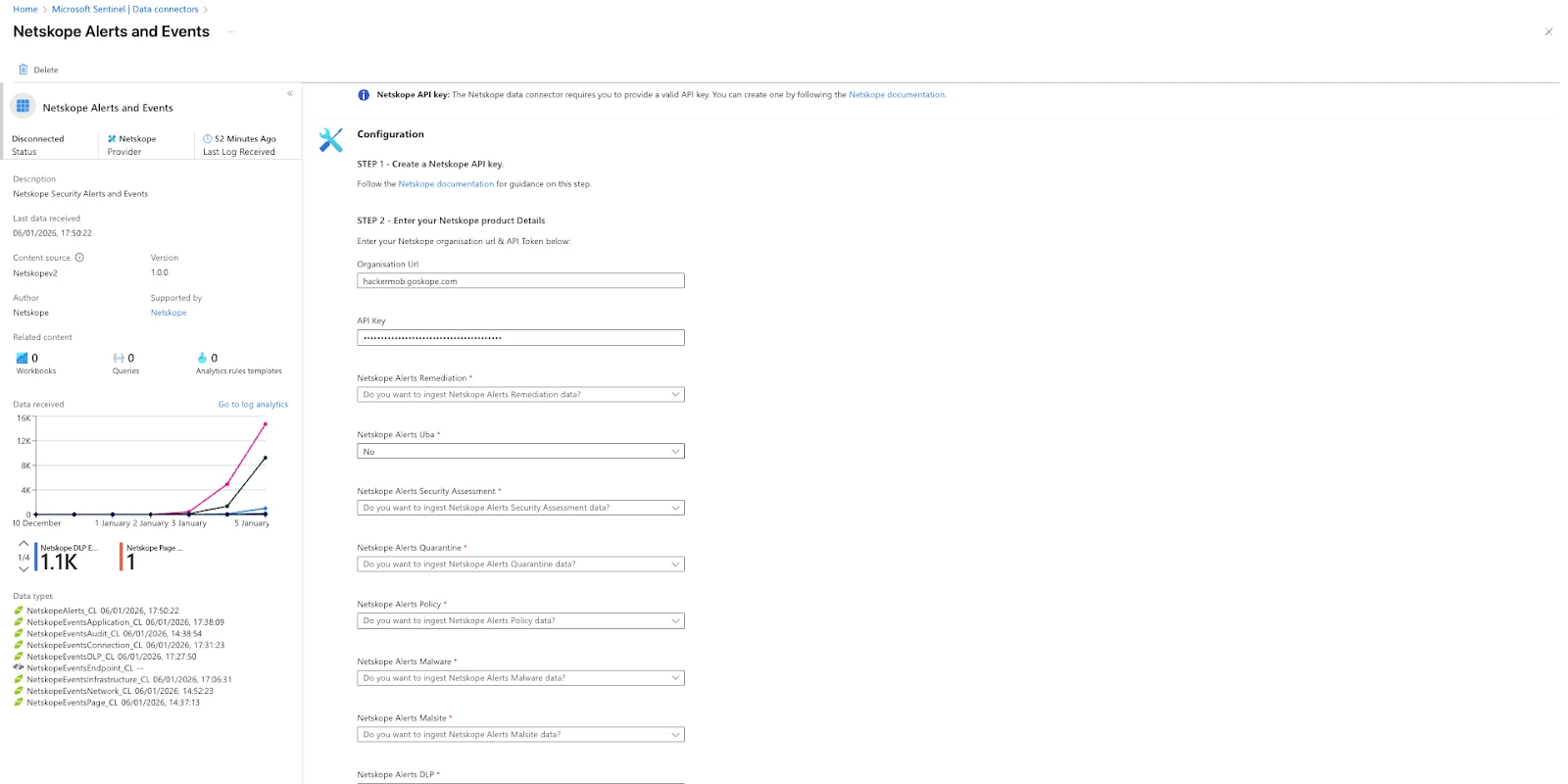
Connecting new Connector
Provide the required details for the new connector.
The specific alerts and events for ingestion can be specified. If no option is selected, the default is 'yes'.
If the script to set the index has been run, the Optional index field can be left empty.
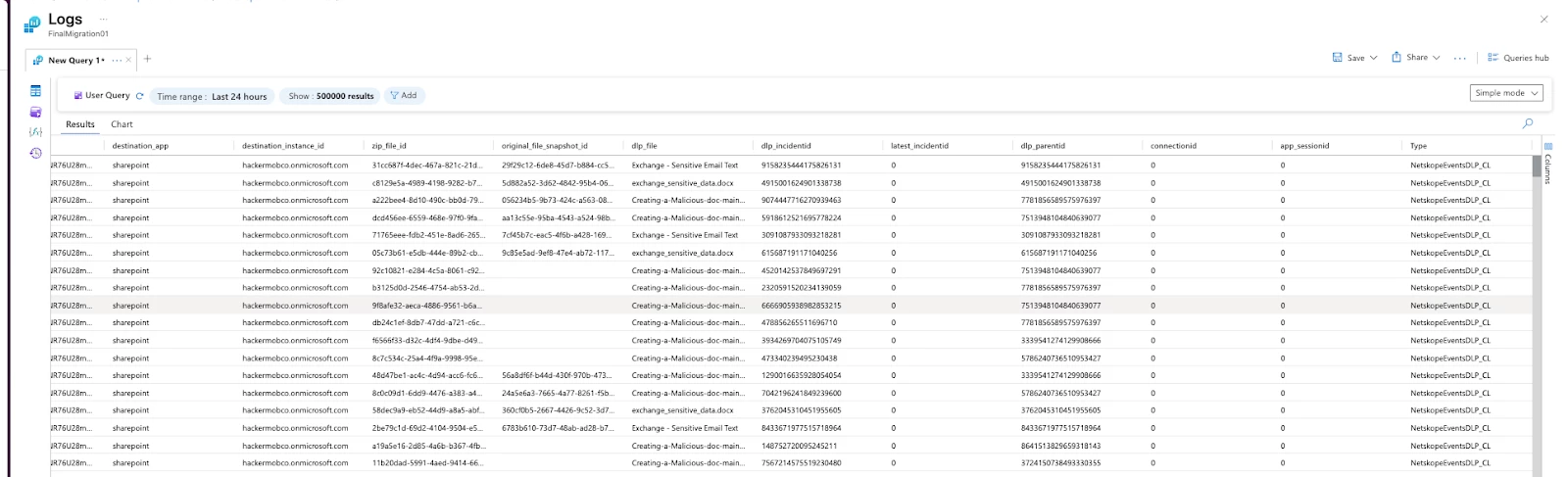
Data Ingestion
As soon as the new connector is connected, data ingestion will start within 5-15 minutes.
New fields will also begin populating with the new data.
Common issue observed
If you start seeing the below error after even running the schema migration script. There is still an issue with your schema. Rerun the script with the appropriate permissions
Error
Failed to create required resources for data connector Invalid output table schema {0}: The following columns which exist in the current schema do not exist in the new schema or have different types : {1}



