

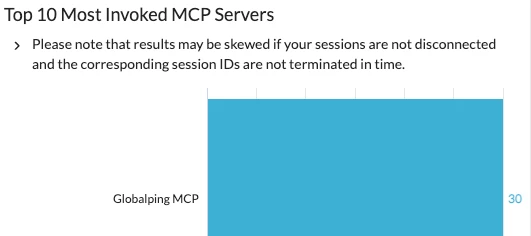


Please note that Netskope Agentic Broker is required for data to be generated and returned in this dashboard.
While enjoying the power of integrating Netskope’s rich security context directly into LLM workflows through Netskope Model Context Protocol (MCP) Server, you may have a question - how is the MCP Server being used in my environment? Our latest MCP Security Dashboard can answer this question very well.
The dashboard starts with a high-level overview of the overall MCP server usage, which helps you easily understand how MCP usage in your environment is trending over time and identify anomalous usage in particular time periods. Outdated protocol versions are observed? We recommend updating your MCP server protocol versions in time to mitigate vulnerability.
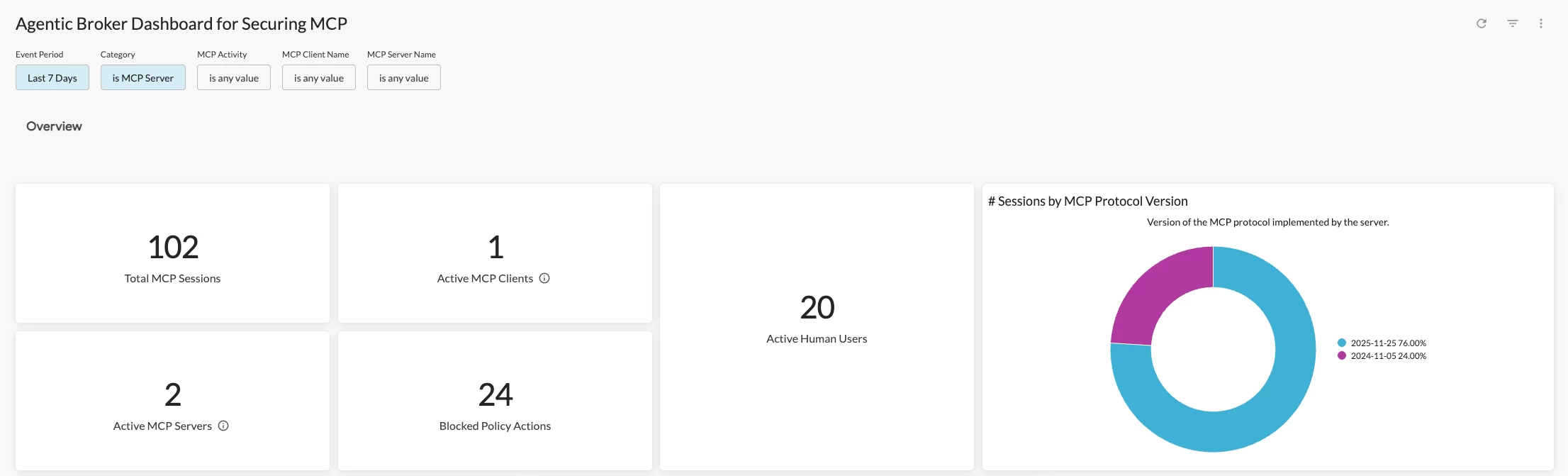
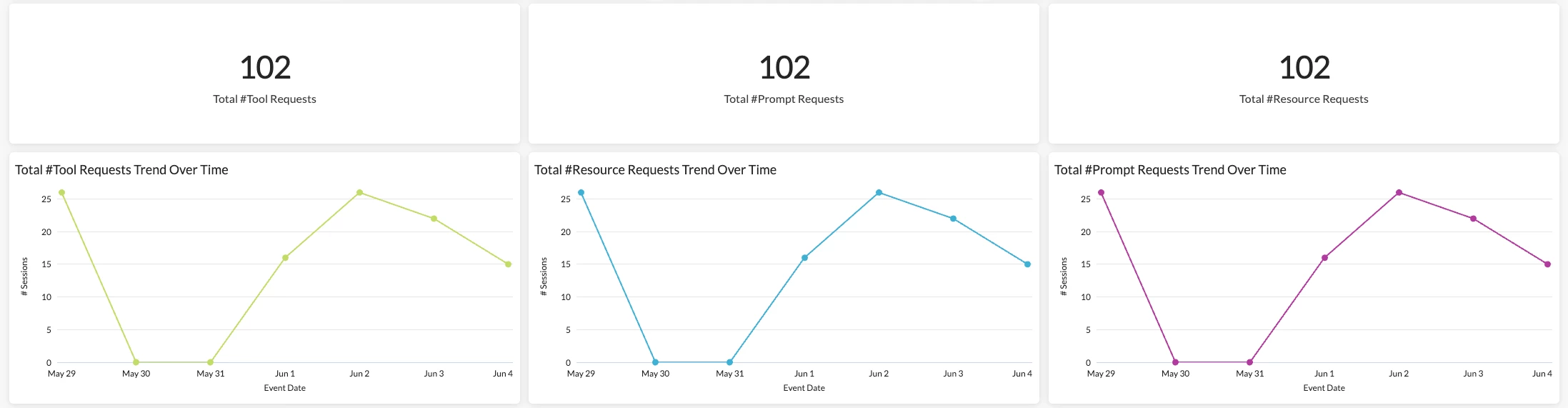
The section also provides an overview of different types of requests being used, which helps you better understand the MCP usage pattern in your environment.
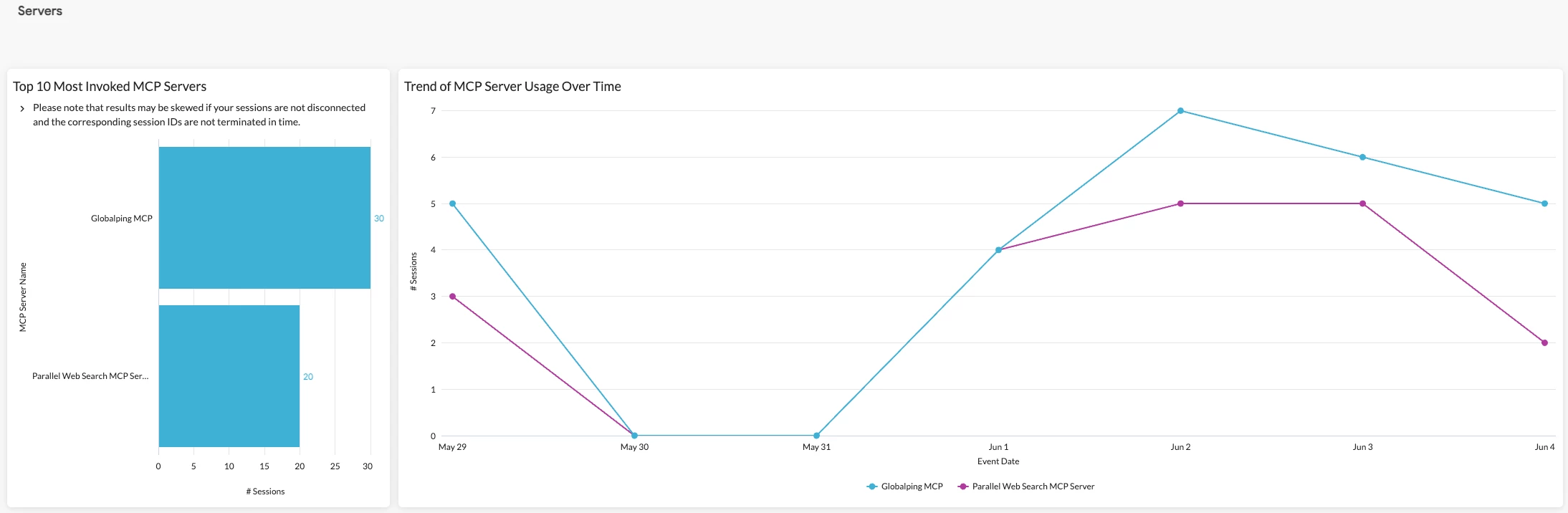
Next, the dashboard provides visibility into MCP servers detected, including top invoked servers, session count, and usage trend. These metrics help you easily uncover unsanctioned/unauthorized MCP servers being used (shadow AI) in your environment and configure policies strategically to control the usage.
Following MCP servers, the dashboard also provides visibility into MCP clients, which helps you understand what “connectors,” e.g., Claude Desktop, are being used to access MCP servers in your environment. See unsanctioned/unauthorized MCP clients being used (shadow AI)? We recommend fine tuning your policies, ensuring these clients are blocked to avoid data breach.
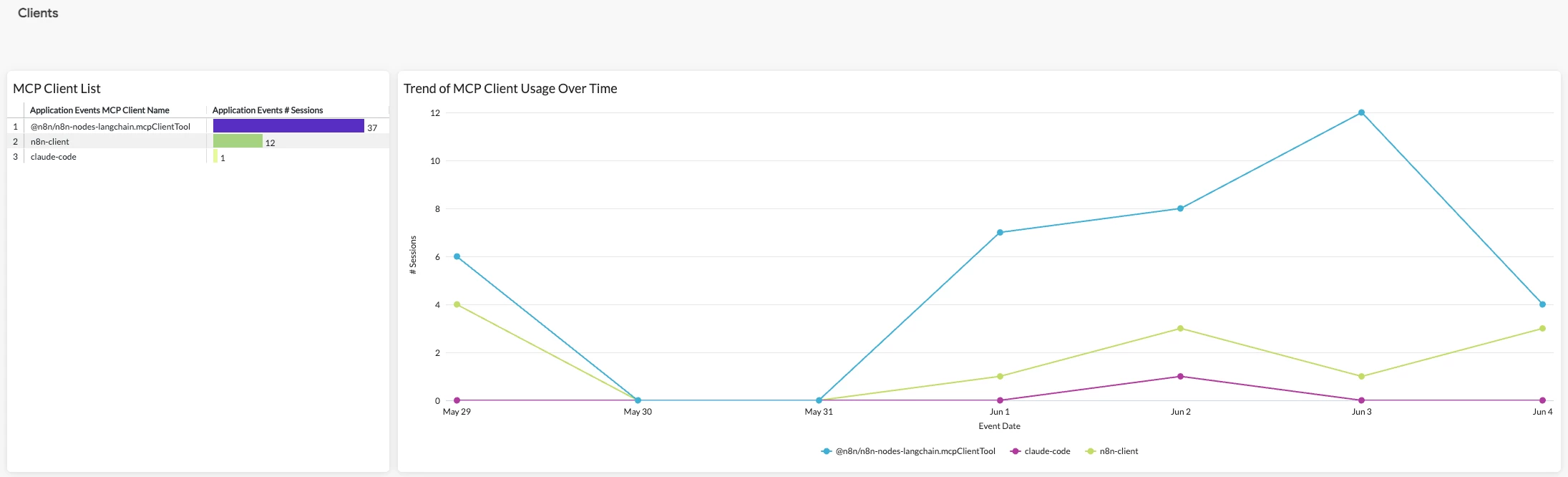
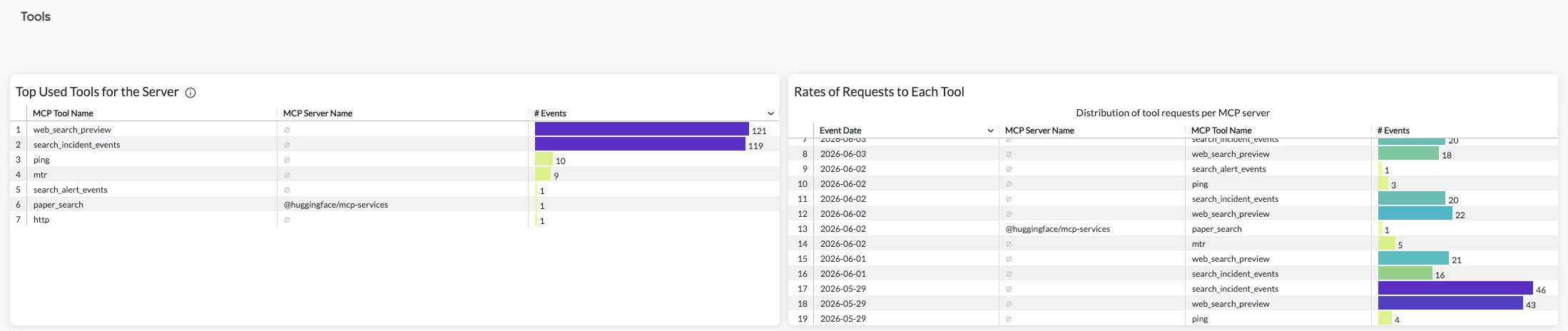
Eventually, the dashboard provides visibility into MCP tools detected, which helps you understand what “executable functions,” e.g., fetch, are being used heavily in your environment.
Please note that MCP server names are captured only in responses. For tools detected in request related activities, e.g. ""InitializeRequest," the corresponding MCP server names in this section will be null.
The dashboard is now available in Netskope Library. Feel free to view it in your own environment and share your feedback!
For a detailed walk-through of every widget in the dashboard, check out our release notes.



