

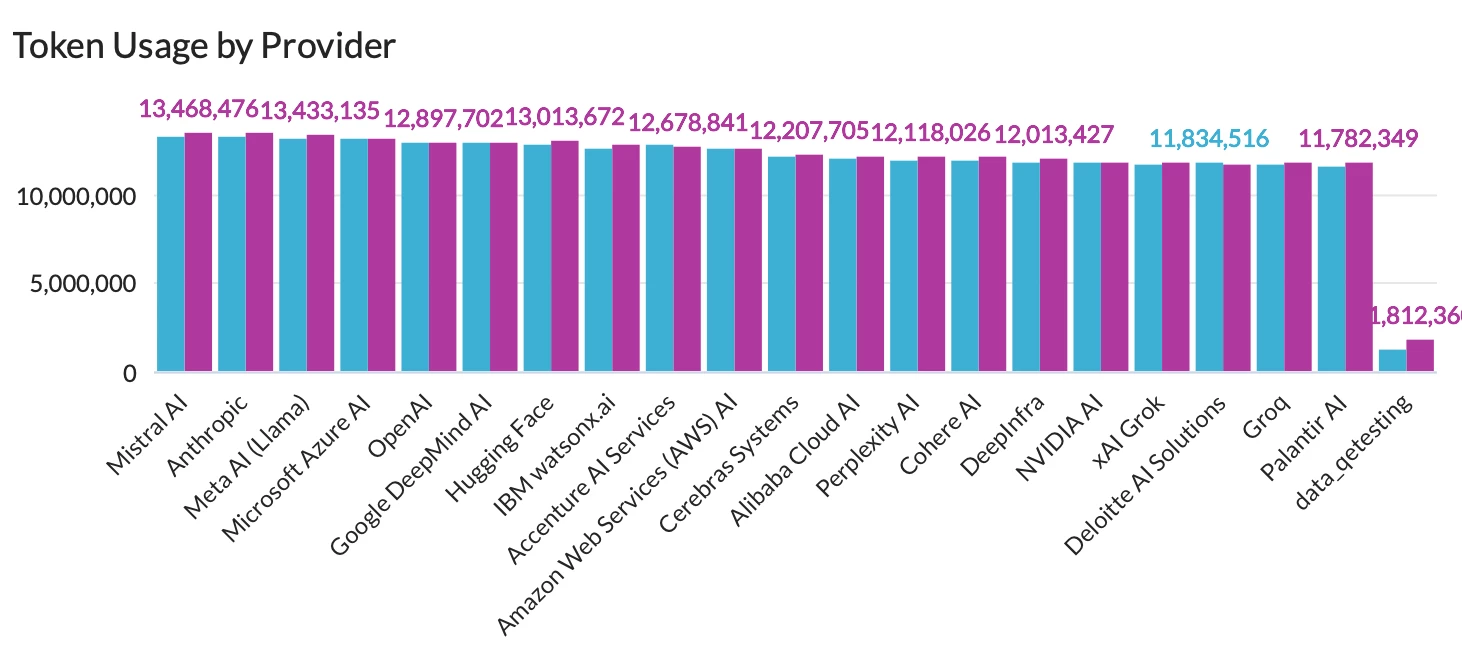


Please note that Netskope AI Gateway is required for data to be generated and returned in this dashboard.
As you build AI-powered applications, data risk shifts from human prompts to autonomous app-to-LLM API calls. Netskope One AI Gateway secures this modern ecosystem by providing the visibility and control required to scale your AI innovation securely.
Learn more about Netskope One AI Gateway.
In parallel, Netskope One Advanced Analytics allows you to drill into the traffic and understand how AI Gateway secures the critical API traffic fueling the AI-powered applications in your environment. With our latest AI Gateway Dashboard, you can get comprehensive visibility into API calls detected, token usage, policy actions, and gateway details.
The dashboard starts with a high-level overview of the API traffic detected, including count of API calls, count of tokens (prompt and response), count of rate-limited requests, count of gateways, and the overall trend of API calls. This section helps you gauge the API traffic volume in AI-powered applications and identify anomalous/unexpected traffic spikes.
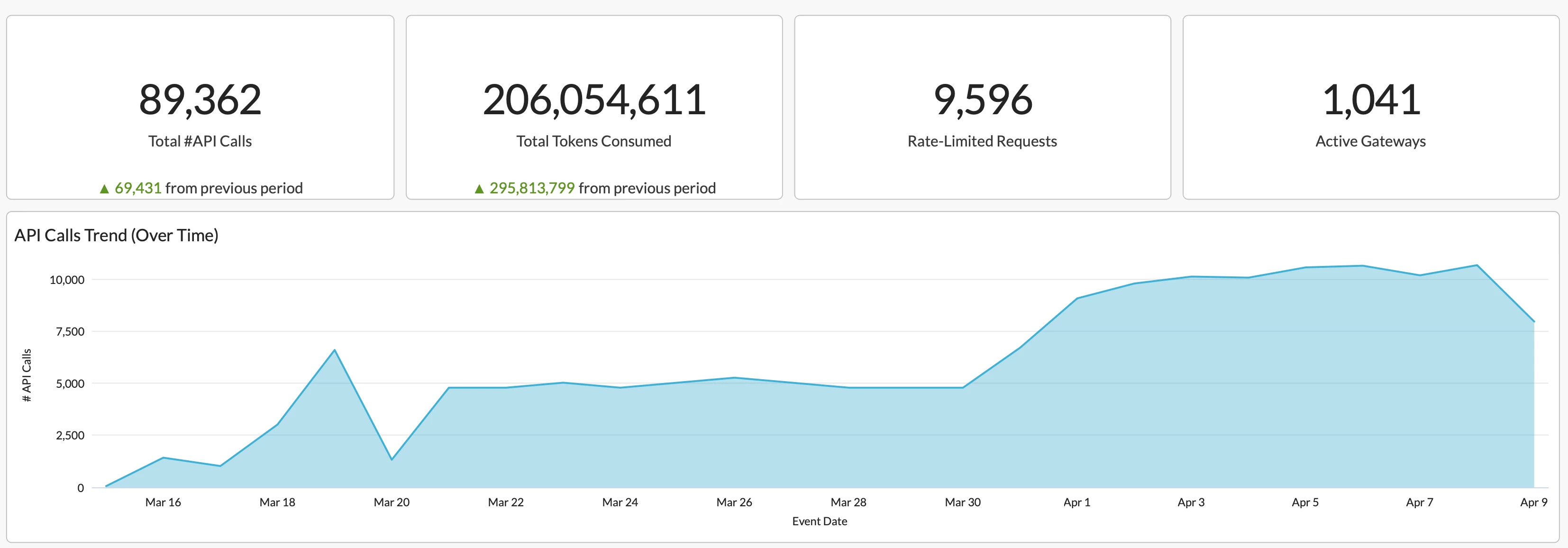
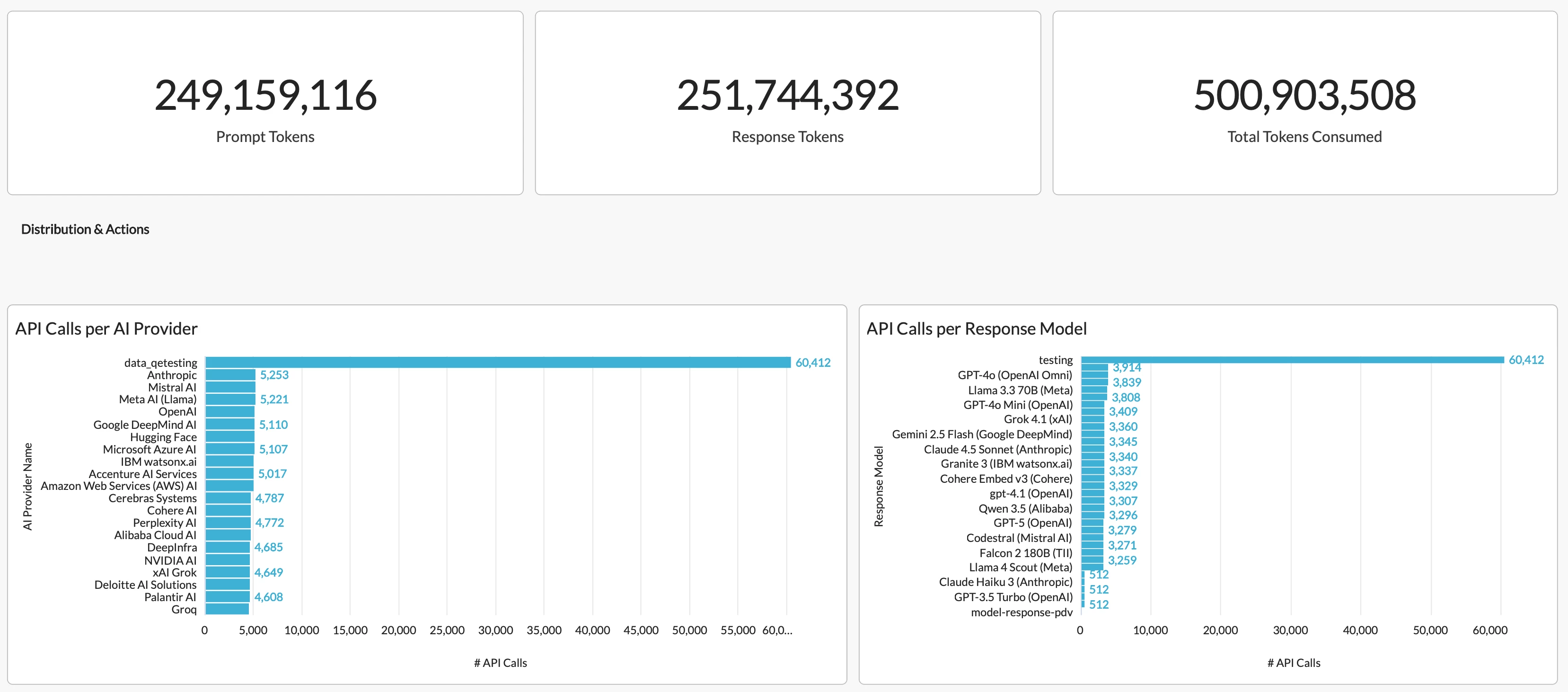
Next, the dashboard dives into the API traffic and provides detailed visibility into AI providers and response models, which helps you identify unexpected/unsanctioned AI providers and the corresponding LLMs being used.
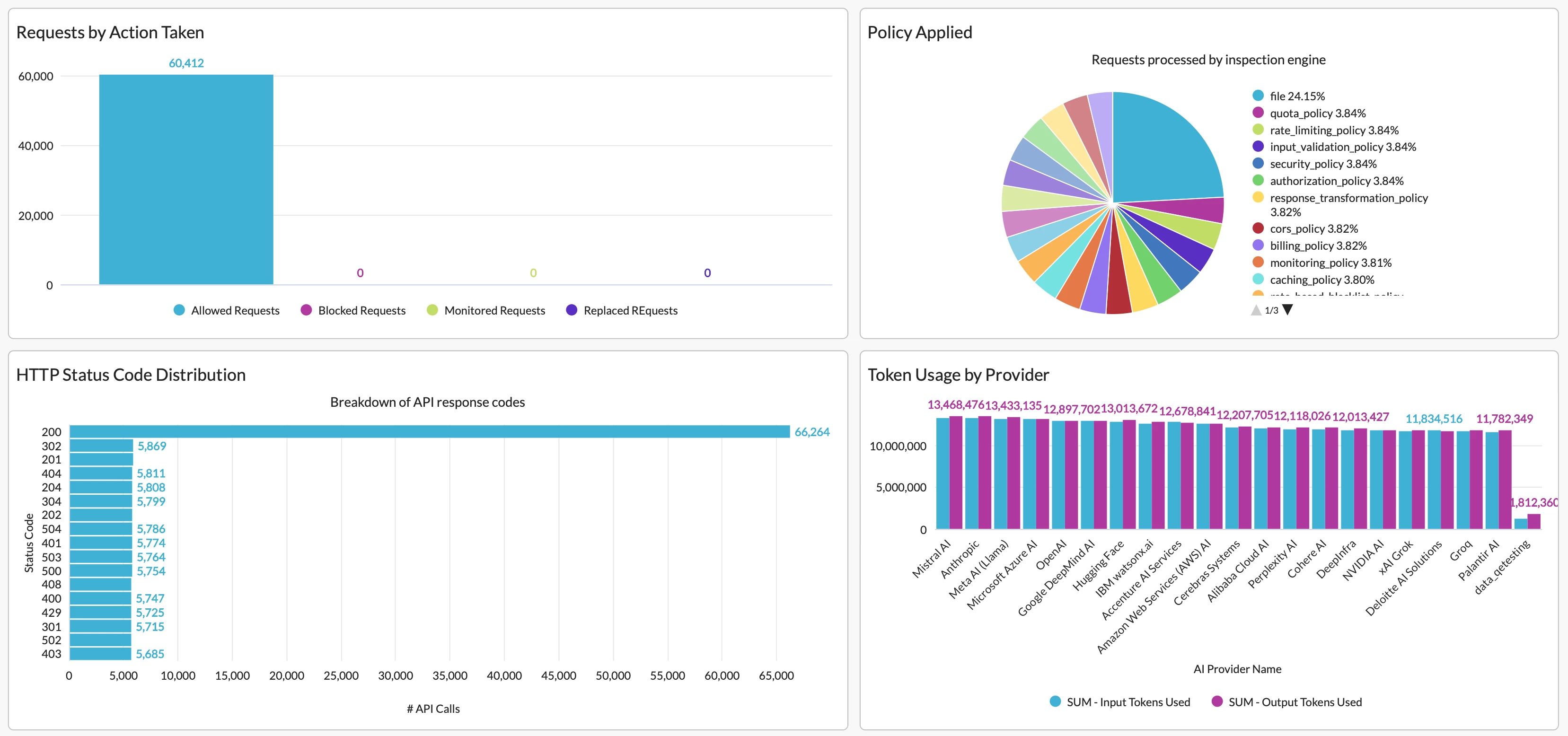
Visibility into policies triggered and actions taken is also included in this section, which helps you understand if your policies are taking appropriate control actions on risky API traffic in AI-powered apps. Meanwhile, visibility into HTTP status codes helps you monitor server responses and errors.
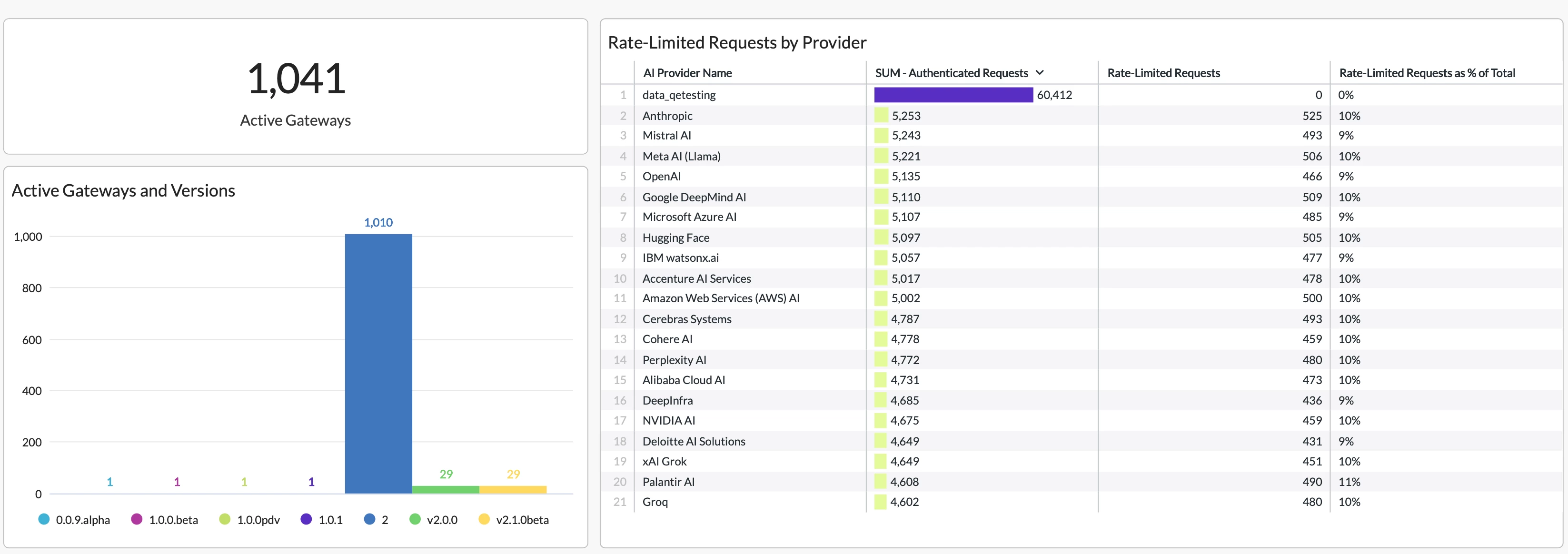
Eventually, the dashboard provides visibility into AI gateway versions, which helps you identify outdated or pre-released (beta/alpha) gateways and prioritize upgrade work. This section also shows the number and percentage of rate-limited requests detected. If a high number of rate-limited requests is observed, consider implementing exponential backoff, batching your requests, or upgrading your usage tier.
The dashboard is now available in Netskope Library. Feel free to view it in your own environment and share your feedback!
For a detailed walk-through of every widget in the dashboard, check out our release notes.



