





Hello Folks,
Below you can find a recap of the topics discussed during the April Advanced Analytics office hours and those sent in that we were not able to cover in the session. Feel free to comment and continue the discussion, as well as attend our future sessions that can be found from the Community Events Calendar!
Q: How can we improve our security posture and reduce risk exposure in the context of the mass adoption of AI tools?
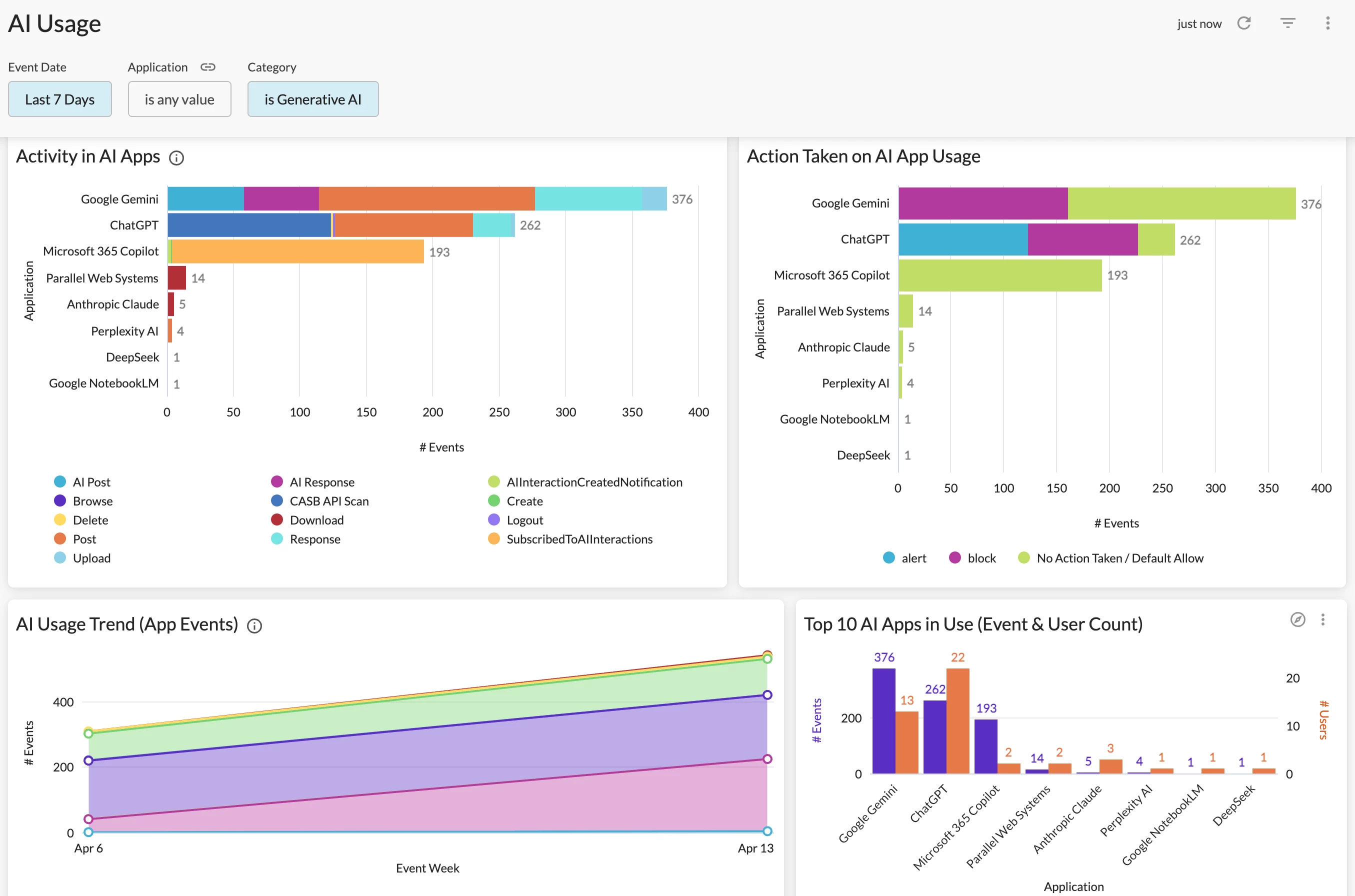
A: Advanced Analytics provides multiple dashboards helping you monitor and harness AI usage. A great primary starting point is the AI Usage Dashboard in Netskope Library is a great starting point. The dashboard provides comprehensive visibility into GenAI cloud app & site usage in your environment. Key metrics include AI app overview & usage trend, detailed user activities, instance awareness, policy actions, and web traffic generated in AI sites.
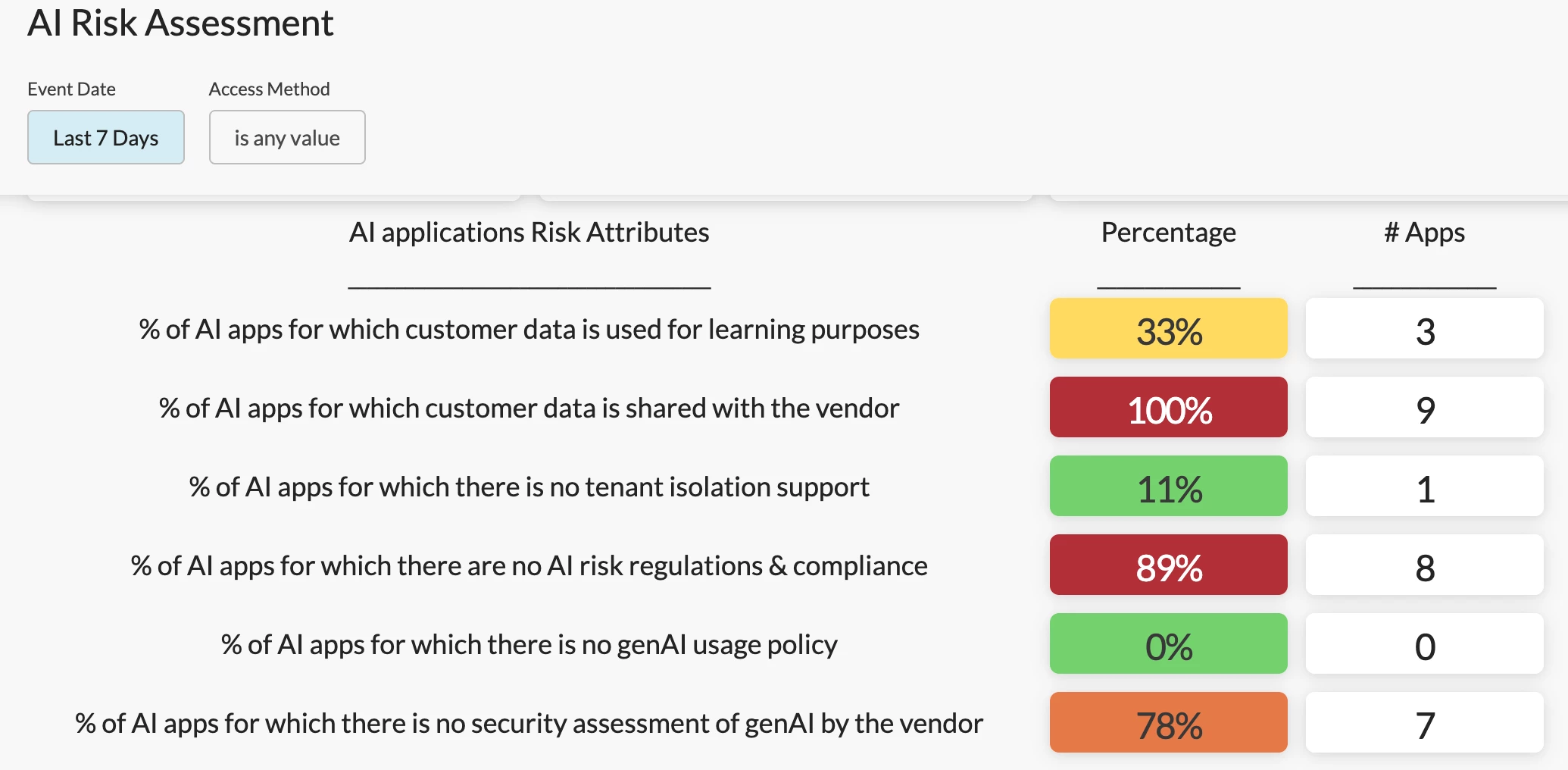
To gauge overall AI risk in your environment, the AI Risk Assessment Dashboard in Netskope Library is a great option. This dashboard helps you understand how “risky” your AI usage is based on our AI application risk attributes.
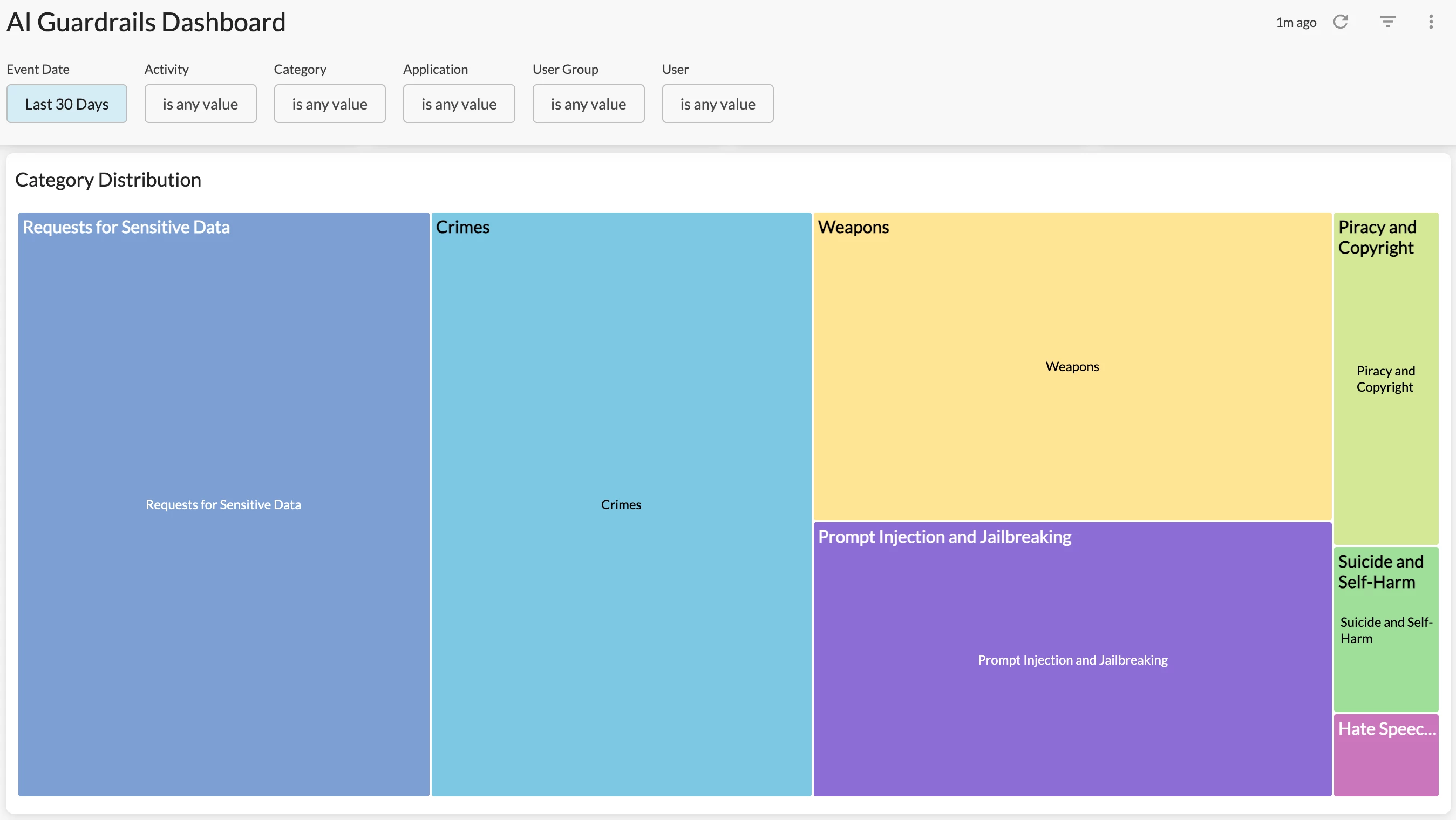
To dive into the prompts detected in AI usage, monitor sensitive/unsafe prompts input by users, and understand how your security policies are taking actions on these prompts, our latest AI Guardrails Dashboard can help.
Q: What are the recommended dashboards for data security/DLP related use cases?
A: If your use cases focus on measuring DLP policy effectiveness and identifying policies that need to be tuned, we recommend starting with the DLP Policies Dashboard in Netskope Library. The dashboard provides visibility into DLP policies triggered, alerts generated, users triggering the alerts, and actions taken by the policies.
If your use cases focus on investigating DLP incidents, the DLP Incidents Status Monitoring Dashboard in Netskope Library is a great starting point. The dashboard provides granular visibility into the DLP incidents in your environment, including incident status, incident resolution time, and policy details. Use this dashboard to investigate DLP incidents and monitor the incident response progress in your organization.
Looking to monitor data security in API protection? Stay tuned, our API Protection Dashboard will be released very soon.
Q: How to report on non-domain user activities like personal Google logins, webmail, etc.
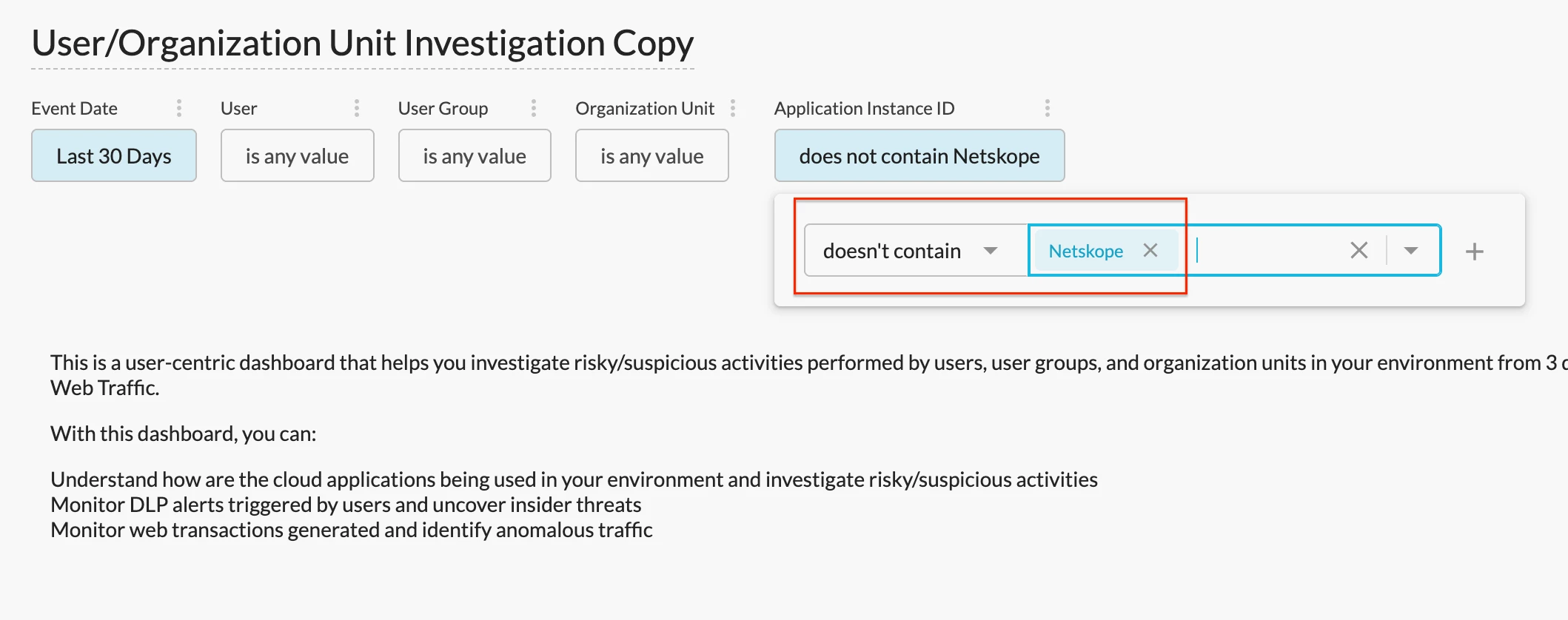
A: We recommend starting with the User/Organization Unit Investigation Dashboard since it provides rich visibility into user activities. To quickly identify non-domain user activities, you can set the “Application Instance ID” filter to “doesn’t contain [your company name].” This will filter out domain/corporate user activities and only keep non-domain/non-corporate user activities in the dashboard results.
Q: Which dashboard can be used to quickly identify threats warranting a deeper threat hunting?
A: We recommend using the CISO Dashboard in Netskope Library. This is a very high-level dashboard that helps you quickly identify security concerns in your environment including overall policy violations, threat alerts, DLP alerts, blocked traffic, & risky app usage. The period-over-period comparison allows you to easily monitor how these concerns are evolving month over month.
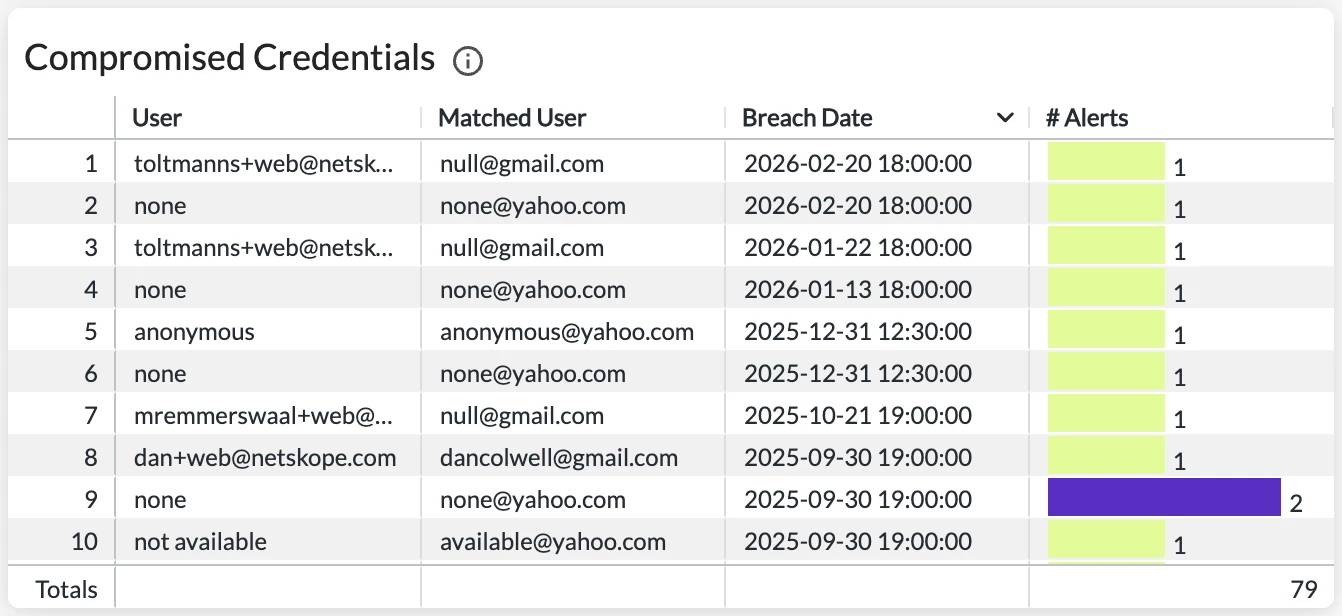
Q: What are the recommended dashboards to detect compromised credentials & suspicious user behaviors?
A: We recommend starting with the User Behavior Analytics (UBA) Dashboard in Netskope Library. The dashboard helps you monitor anomalous user behaviors in your environment by providing detailed visibility into different types of behavior analytics alerts, including compromised credentials.
Q: Looking for dashboards to identify cloud threats and insider threats.
A: The Threat Protection Dashboard in Netskope Library is a great starting point. This dashboard provides comprehensive visibility into cloud threats detected by your policies such as malware, malicious sites, & compromised credentials.
To identify insider threats, e.g. intentional risky behaviors, the Insider Threat Dashboard is a great option.
Resources Shared in the Session
Netskope Community - Advanced Analytics: https://community.netskope.com/p/advanced-analytics
Training Resources Post: https://community.netskope.com/dashboard-gallery-38/advanced-analytics-training-resources-5713?tid=5713&fid=38
AI Guardrails Dashboard: https://community.netskope.com/dashboard-gallery-38/ai-guardrails-dashboard-8643
User/Organization Unit Investigation Dashboard:
REST API v2 Reporting Endpoints for Advanced Analytics: https://docs.netskope.com/en/rest-api-v2-reporting-endpoints-for-advanced-analytics
Why is my filter not working: https://community.netskope.com/video-library-20/netskope-advanced-analytics-why-is-my-filter-not-working-5805



