



This article helps you better understand the functions of different time filter conditions in Advanced Analytics. Data shown in this article is generated on Feb 5, 2026.
Is in the last
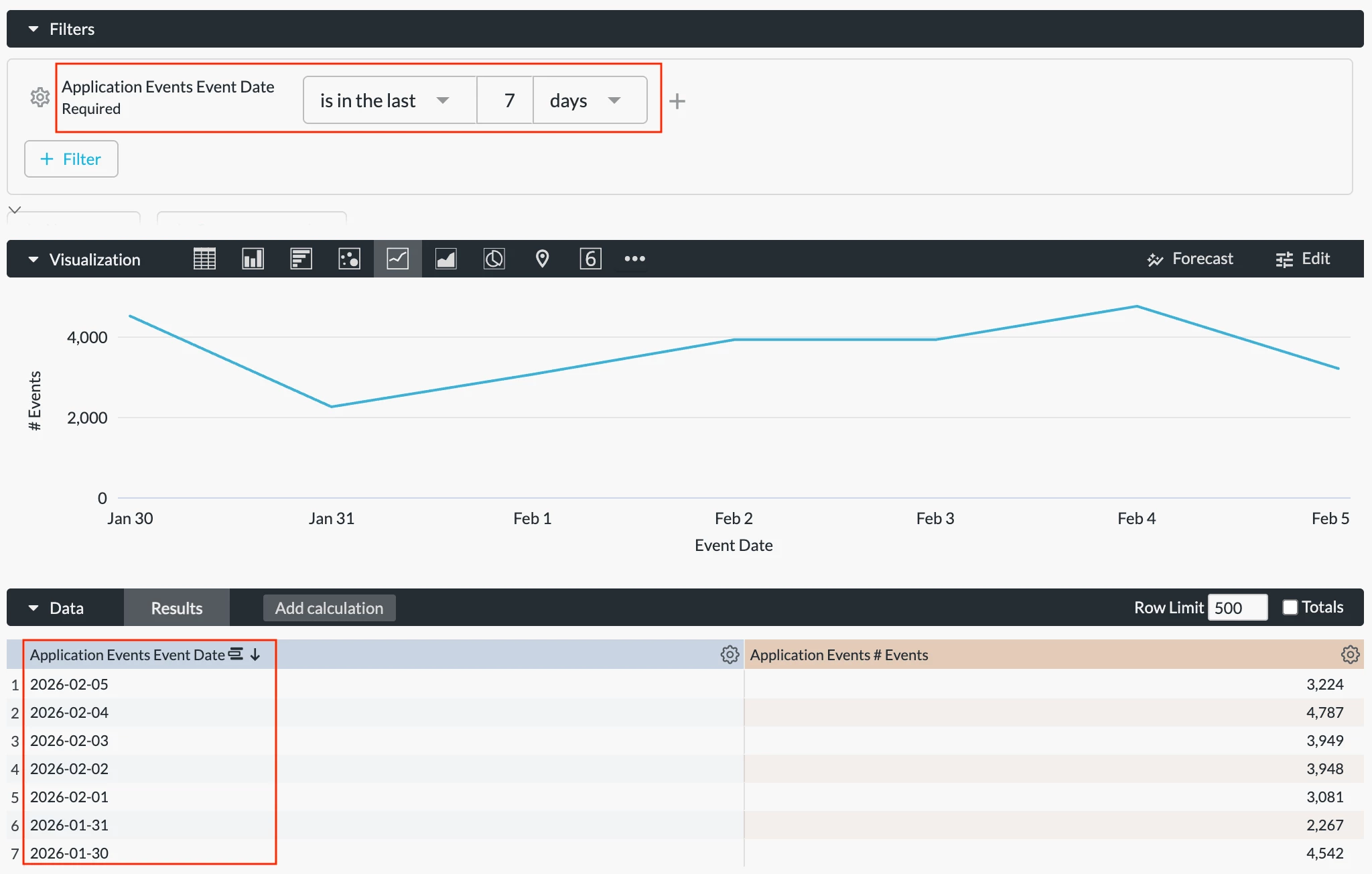
This condition sets relative dates to your data. For example, “is in the last 7 days” returns data from the last 7 days, including today.
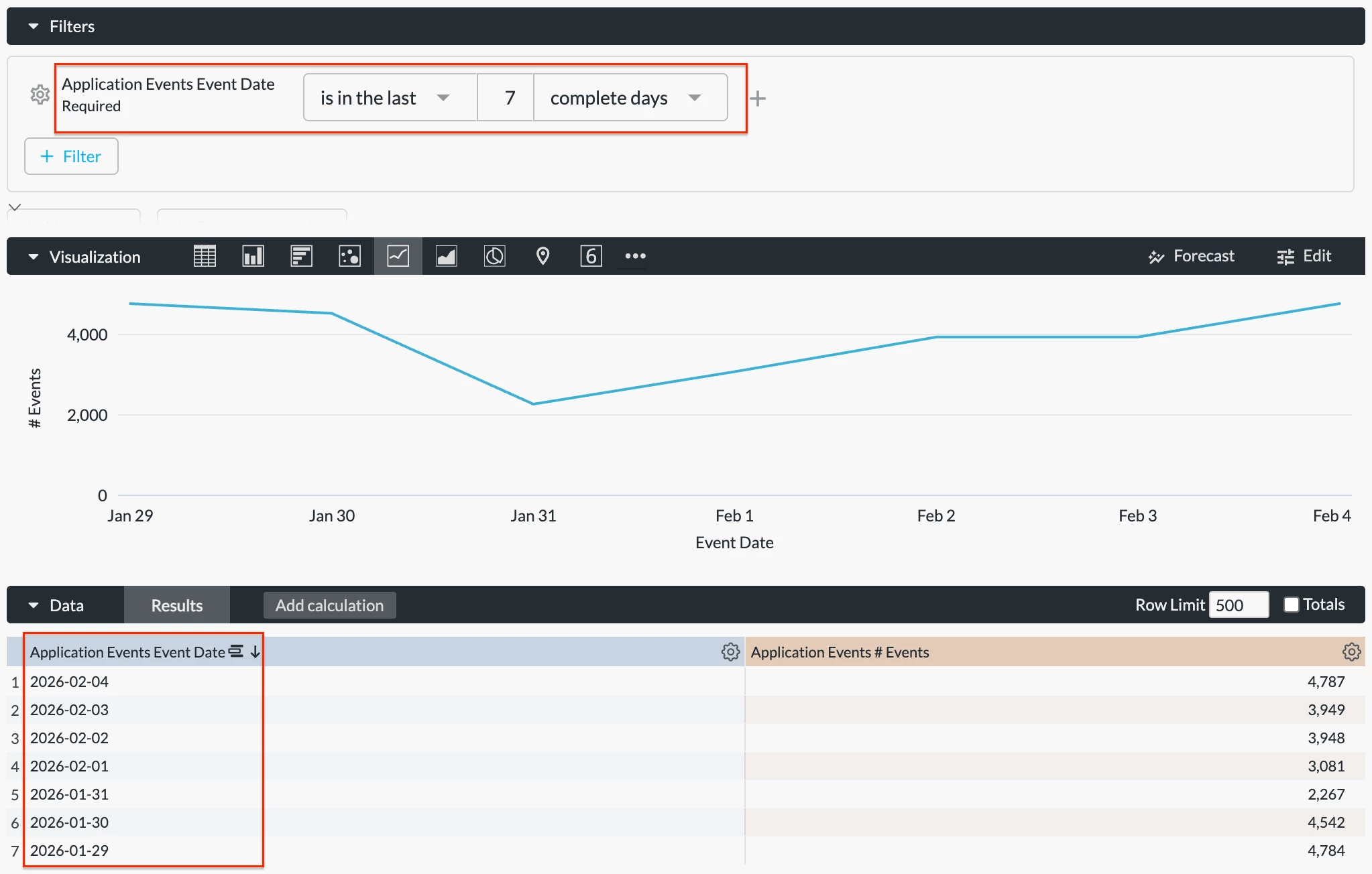
To exclude today’s data, select “is in the last 7 complete days” instead.
Please note that the results are controlled by your data retention period. Incomplete data will be returned if your retention period is shorter than the time filter period selected.
Is on the day
This condition sets an absolute date to your data. For example, “is on the day 2026/02/04” returns data on Feb 4, 2026, from 00:00 to 23:59.
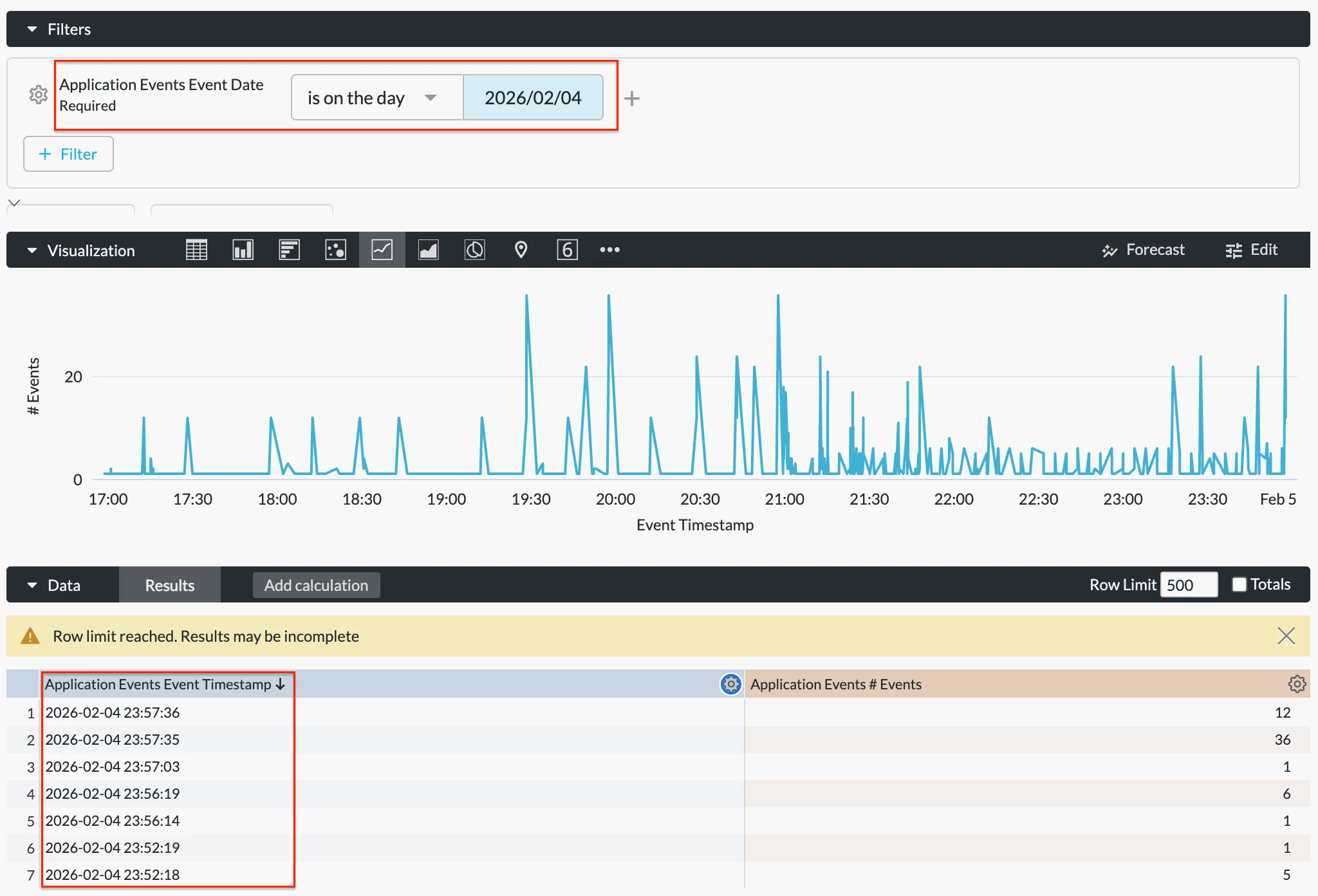
Please note that there is a 1-2 hours data ingestion delay in Advanced Analytics. If you input today’s date using this condition, data returned will be incomplete.
Is in range
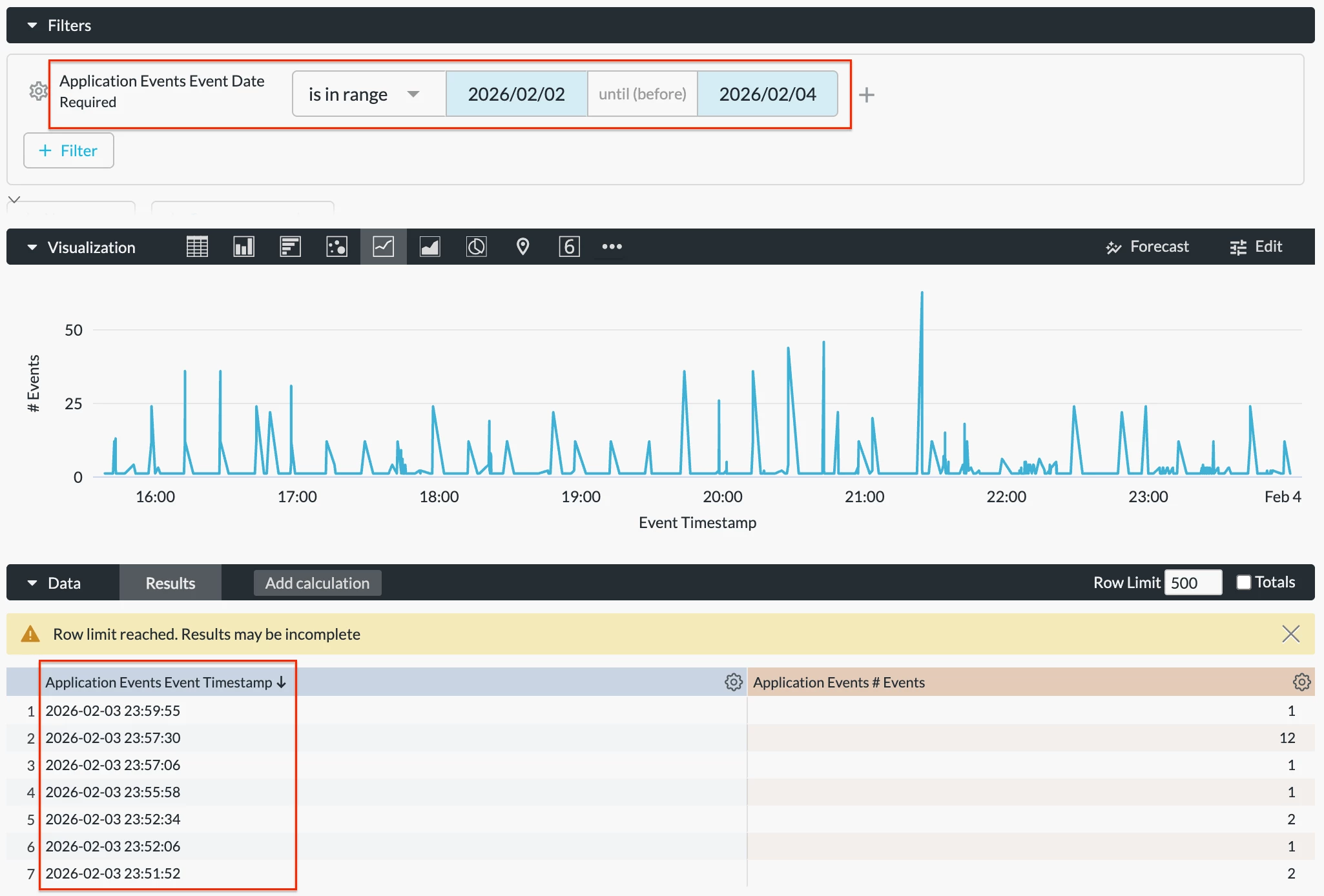
This condition sets an absolute range to your data. For example, “is in range 2026/02/02 until (before) 2026/02/04” returns data from 00:00 Feb 2, 2026 to 23:59 Feb 3, 2026. Please note that data on Feb 4 is not included.
Please also note that the results are controlled by your data retention period. Incomplete data will be returned if your retention period is shorter than the time filter period selected.
Is before
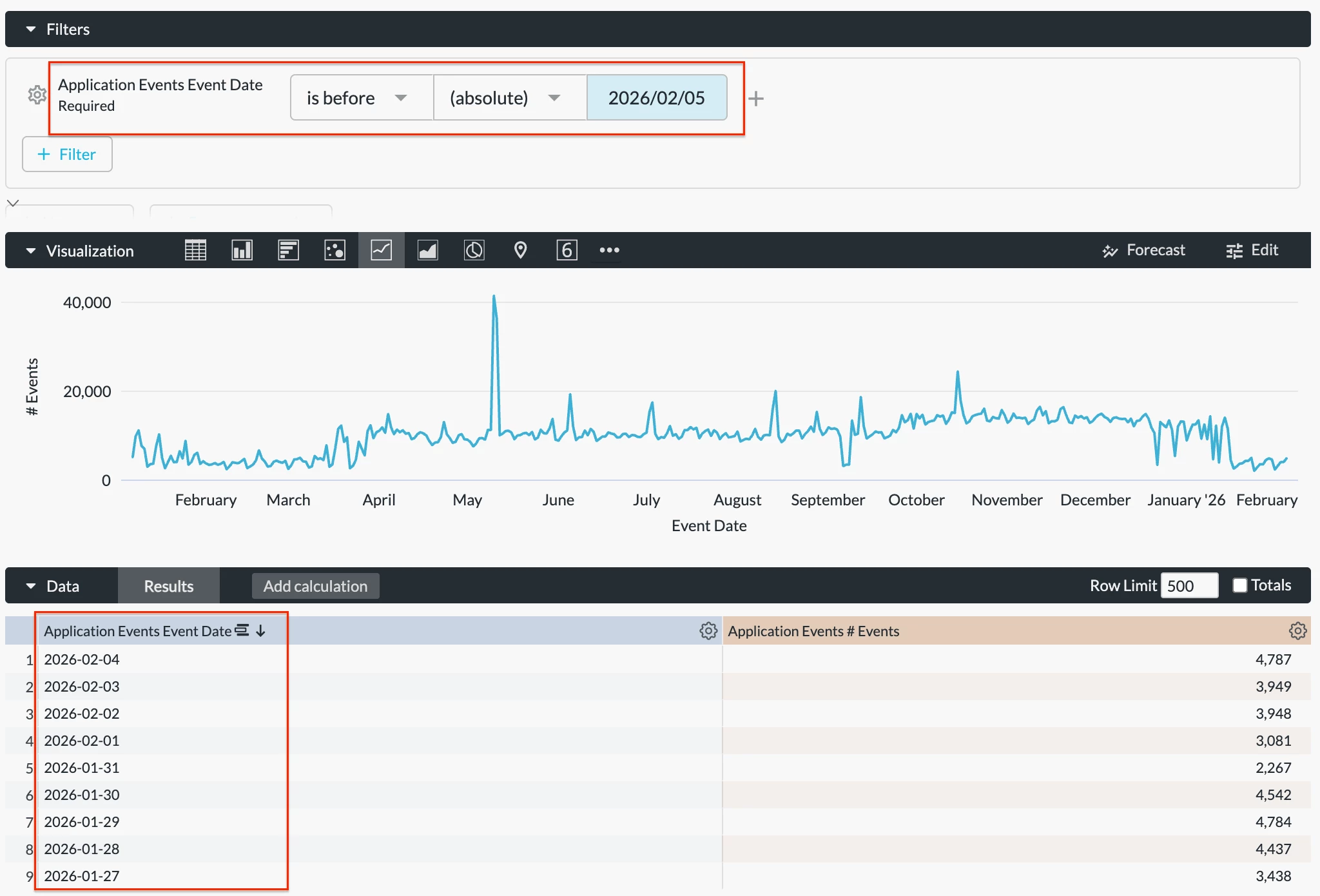
This condition sets a range to your data. There are two options for this condition: “absolute” and “relative.” For example, “is before (absolute) 2026/02/05” returns data before Feb 5, 2026.
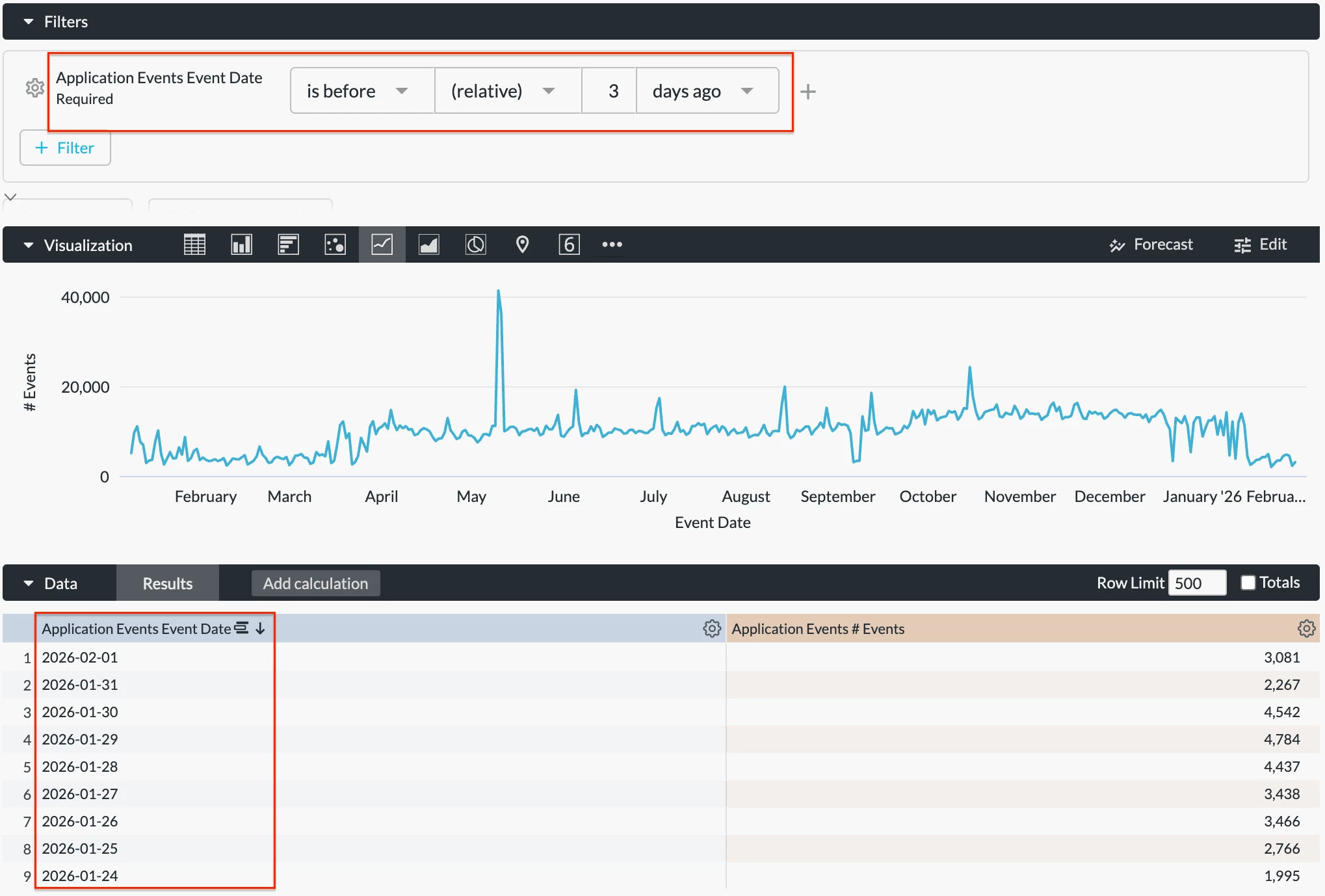
Meanwhile, “is before (relative) 3 days ago” returns data before the last 3 days.
Please note that the results are controlled by your data retention period. Incomplete data will be returned if your retention period is shorter than the time filter period selected.
Is on or after
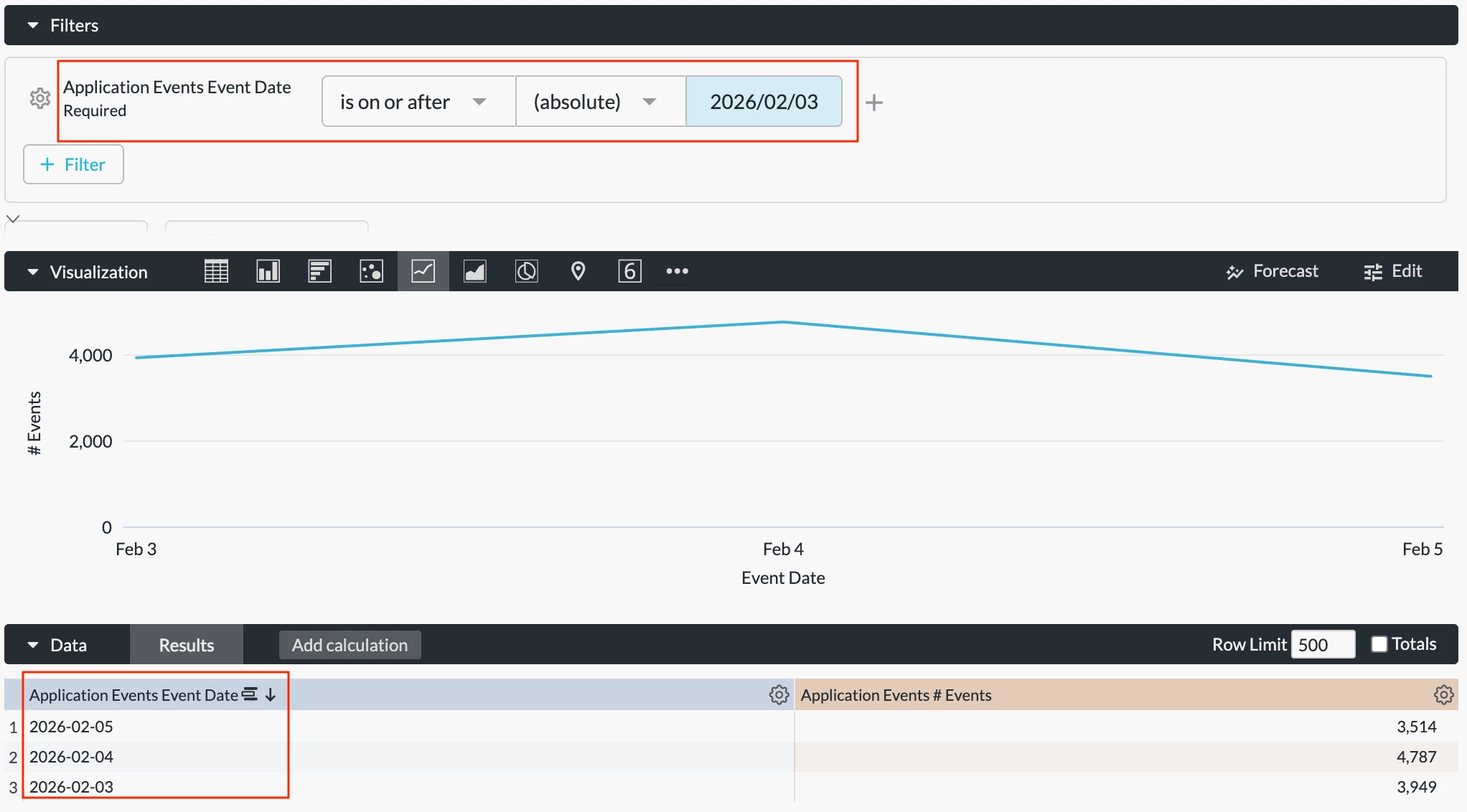
This condition sets a range to your data. There are also two options for this condition: “absolute” and “relative.” For example, “is on or after (absolute) 2026/02/03” returns data on and after Feb 3, 2026.
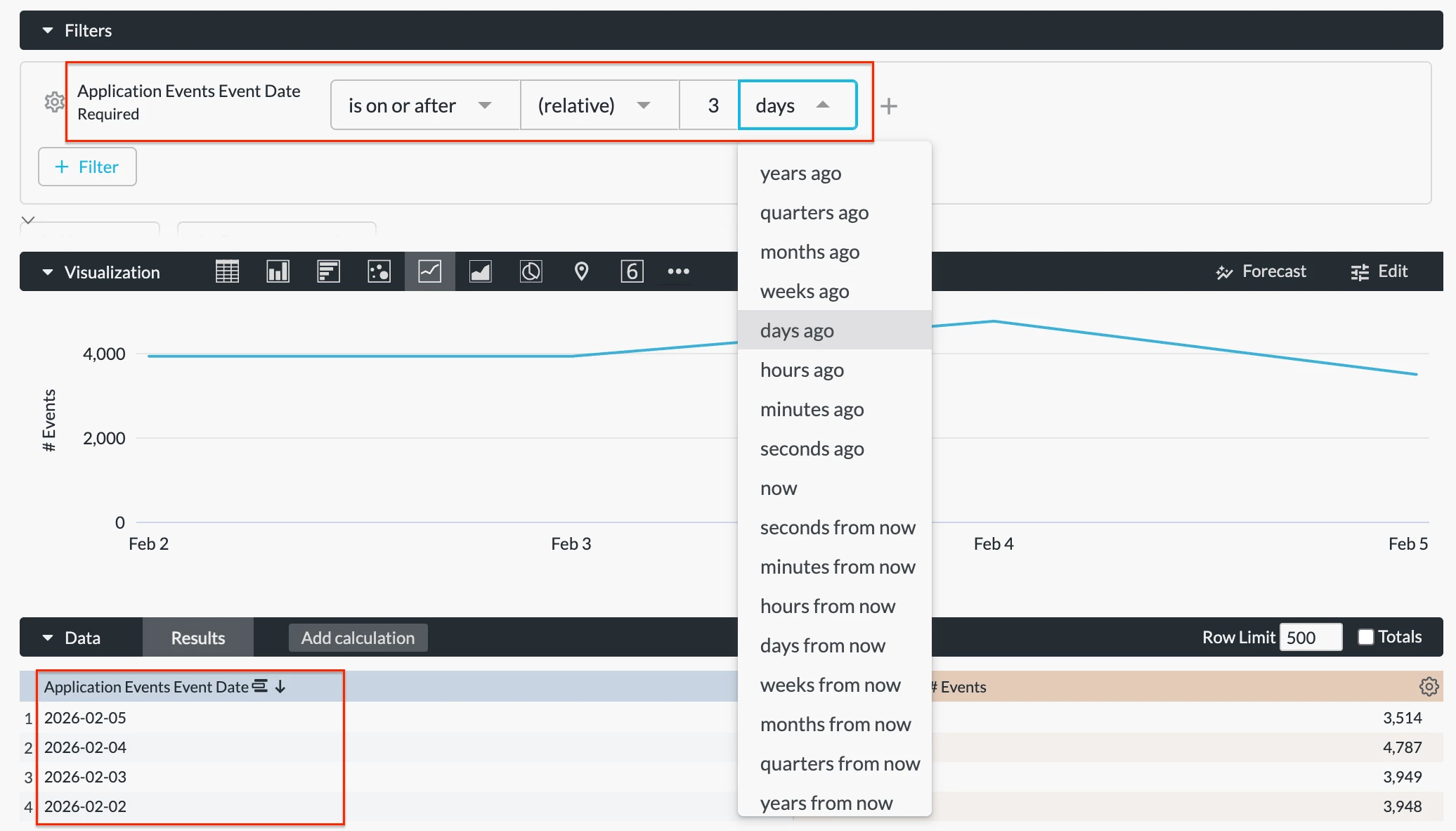
Meanwhile, “is on or after (relative) 3 days ago” returns data on and after date x-3, which is the same as “is in the last 4 days.” This is not a widely used condition.
Is in the year
This condition sets an absolute timeframe to your data. For example, “is in the year 2025” returns all data in the year 2025.
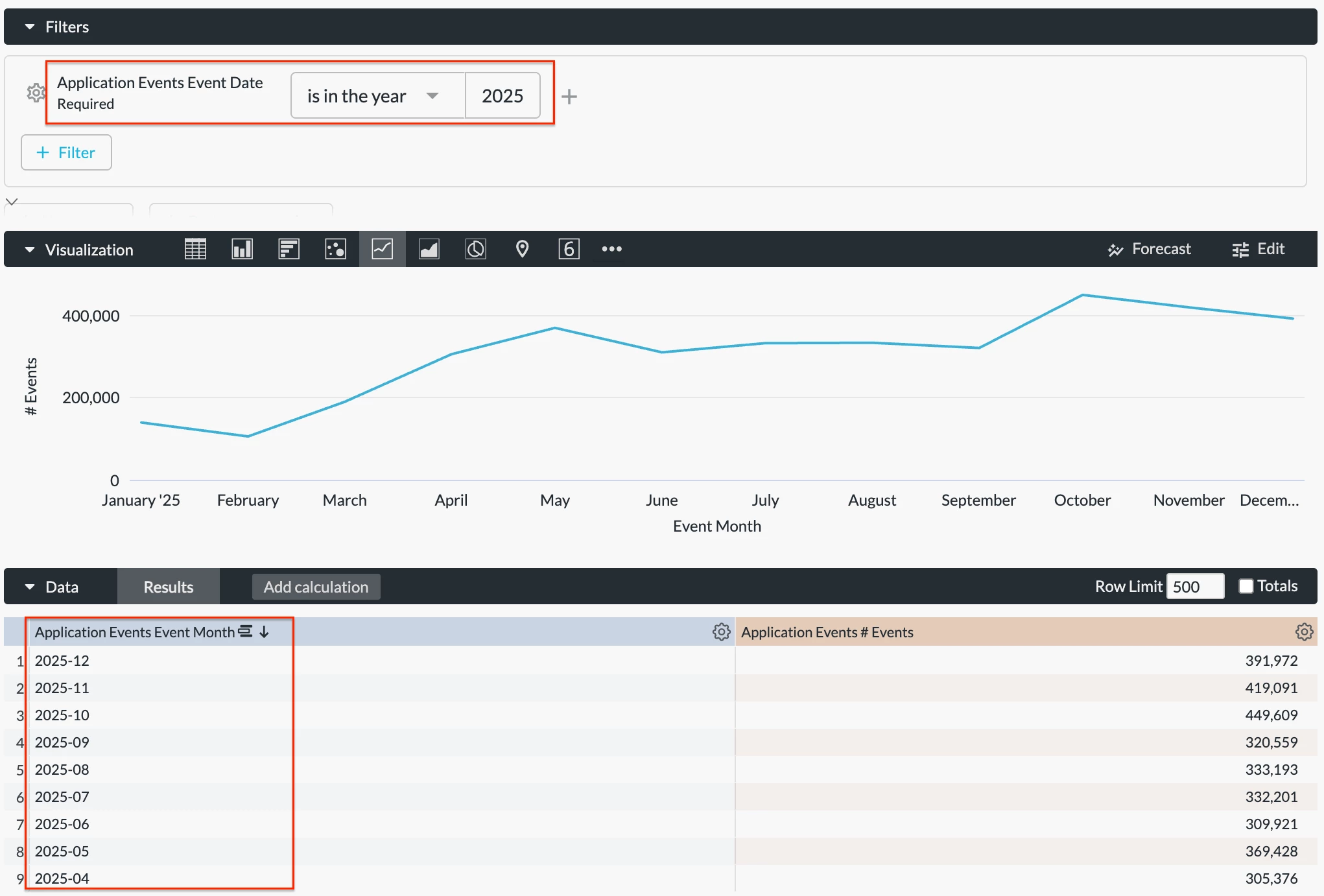
Please note that the results are controlled by your data retention period. Incomplete data will be returned if your retention period is shorter than the time filter period selected.
Is in the month
This condition sets an absolute timeframe to your data. For example, “is in the month February 2025” returns all data in Feb 2025.
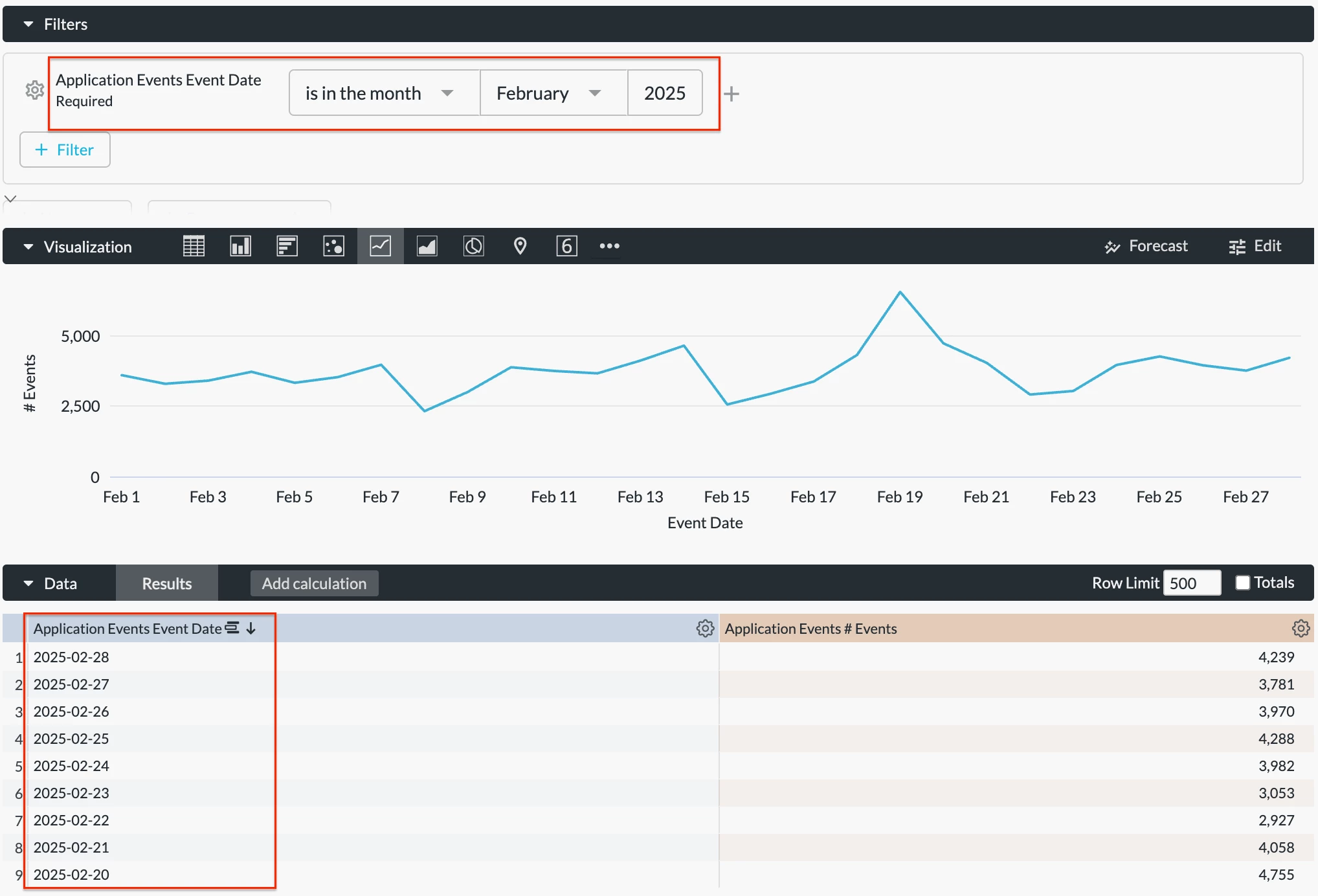
Please note that the results are controlled by your data retention period. Incomplete data will be returned if your retention period is shorter than the time filter period selected.
Is this
This condition applies the current timeframe to your data. For example, “is this month” returns all data in the current month.
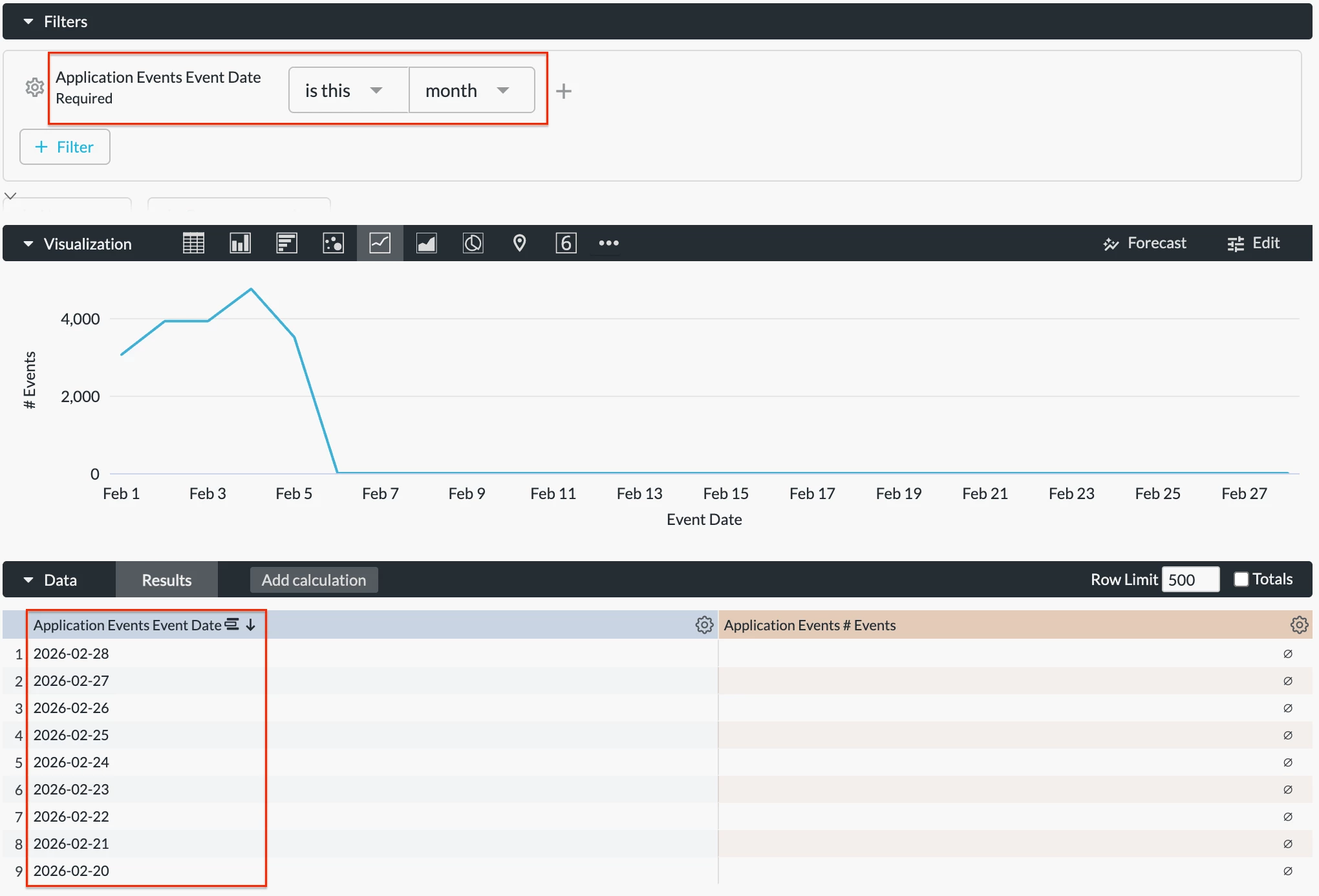
Please note that the results are controlled by your data retention period. Incomplete data will be returned if your retention period is shorter than the time filter period selected.
Is next
This condition is not applicable to Advanced Analytics since there is no visibility into future data.
Is previous
This condition sets an absolute timeframe to your data. For example, “is previous week” returns data from the previous complete week, which is the same as “is in the last 1 complete week.”
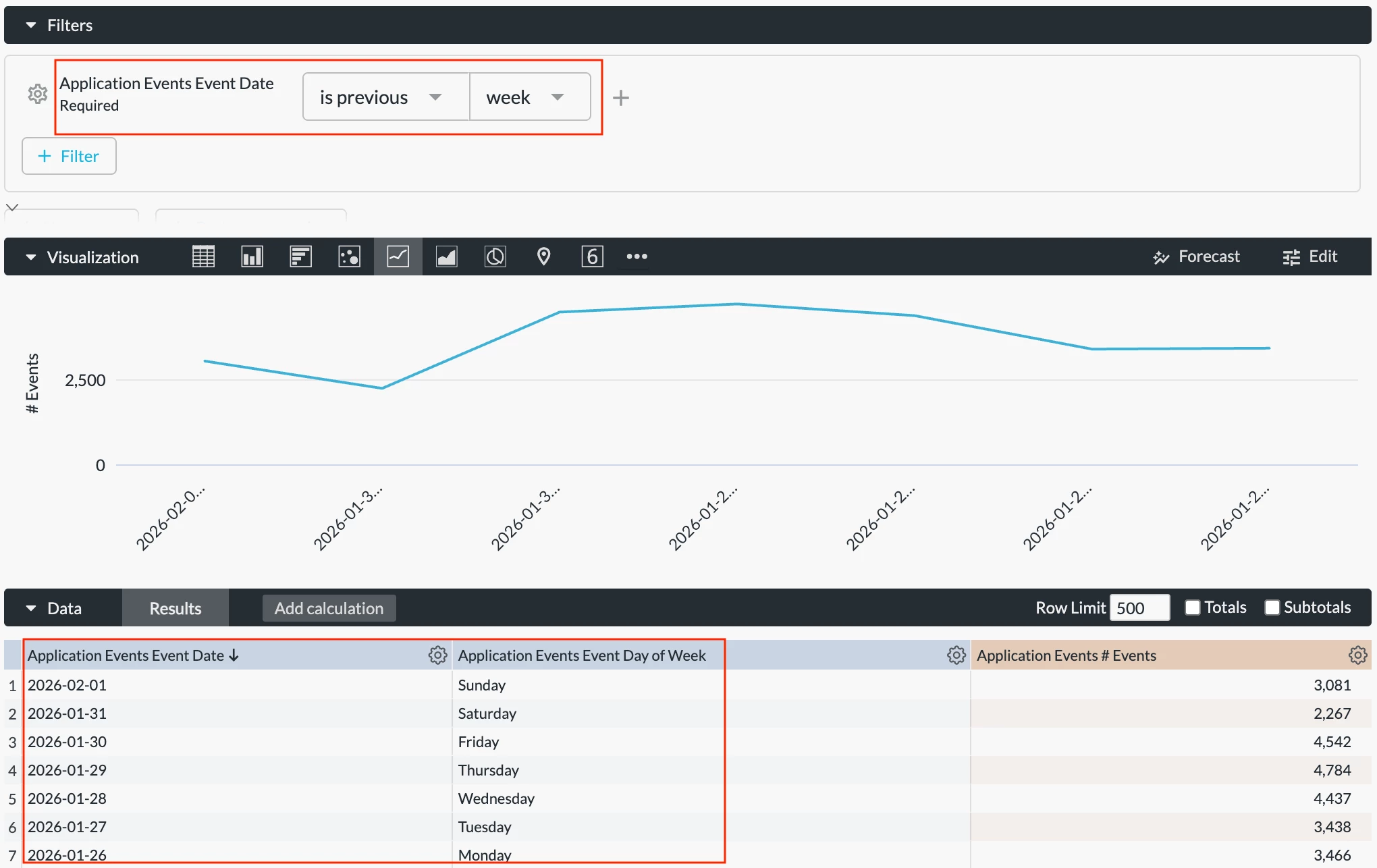
Please note that the results are controlled by your data retention period. Incomplete data will be returned if your retention period is shorter than the time filter period selected.
Is
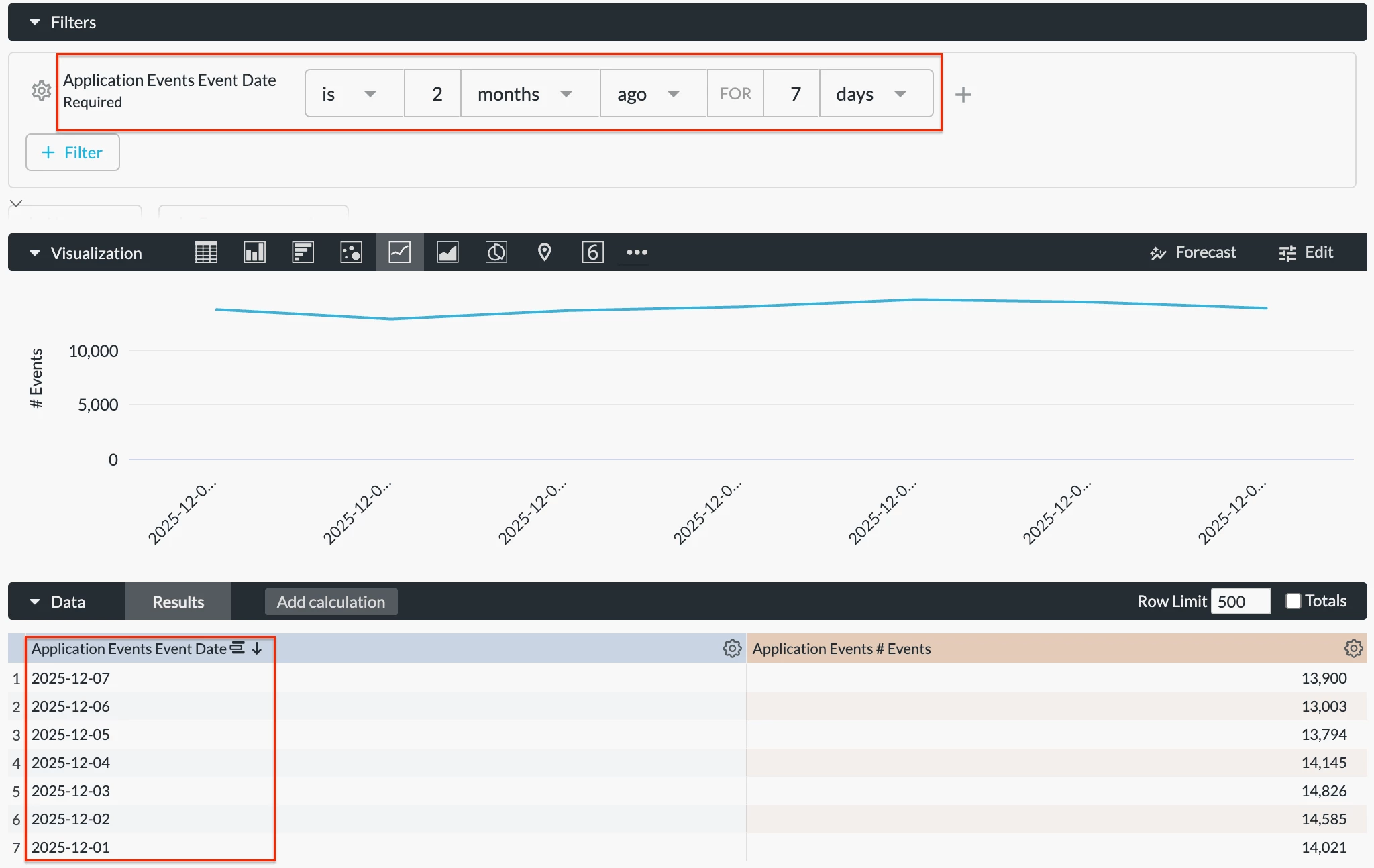
This condition sets an absolute timeframe to your data. For example, “is 2 months ago FOR 7 days” returns 7 days of data starting from 2 months ago. This is not a widely used condition.
Please note that the results are controlled by your data retention period. Incomplete data will be returned if your retention period is shorter than the time filter period selected.
Is null
This condition returns all events with event dates showing “null” data. In this case, event dates are not reported or captured correctly.
Is anytime
This condition returns all data captured within your data retention period.
Is not null
This condition returns all events with event dates not showing “null” data. In this case, event dates are reported and captured correctly.



