




Netskope Global Technical Success (GTS)
Google Search AI Overview - Block Web Access
Netskope Cloud Version - 133
Objective
Google Search AI Overview - Block Web Access
Prerequisite
Netskope SWG or NG-SWG license is required
Context
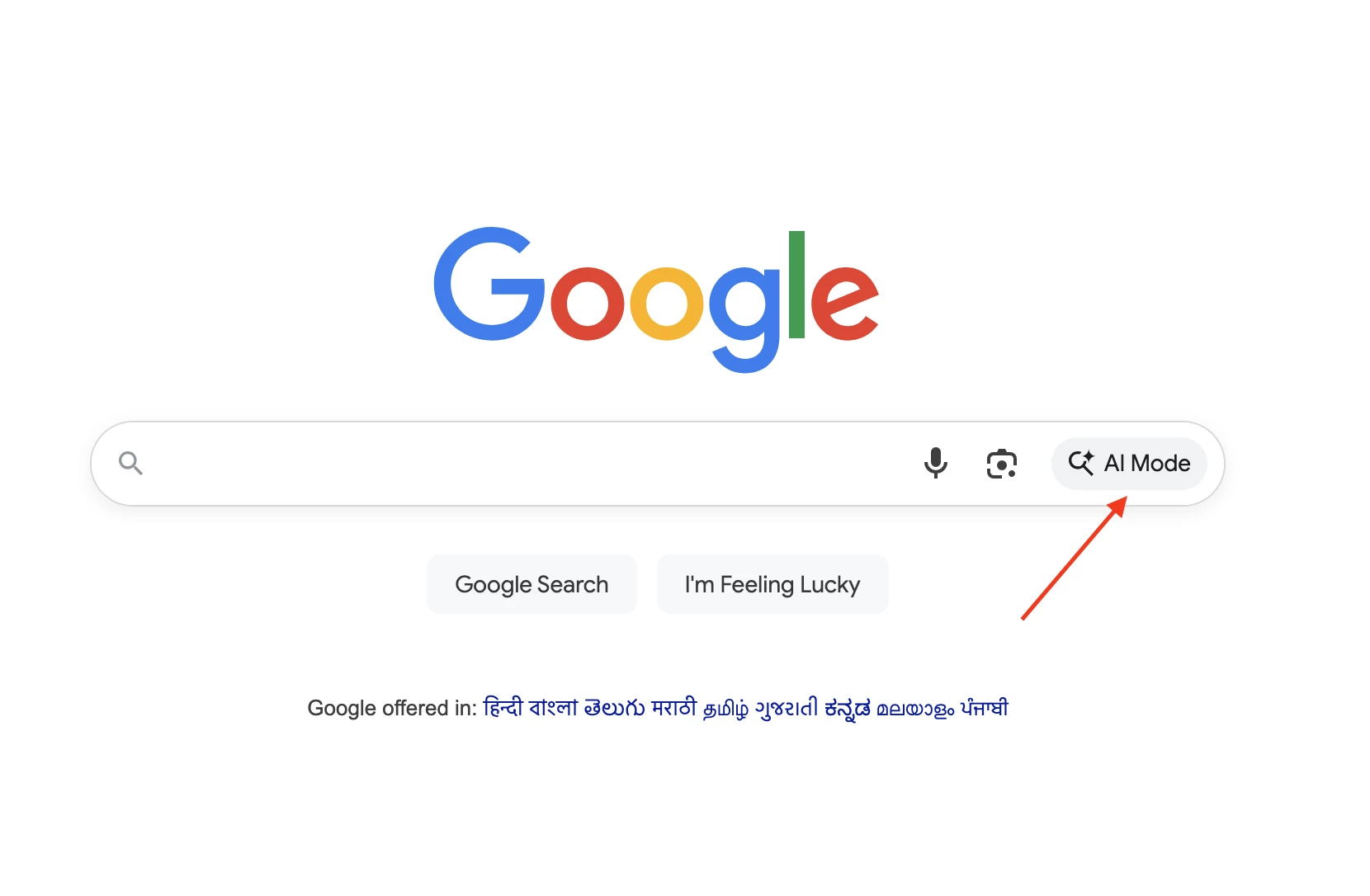
Consider a Microsoft Copilot customer wishing to disable Google AI Mode and AI Overview through Netskope. This article explains how to achieve this business use case.
 And
And

Author Notes
- To learn how to block Google Search AI Mode, review - Link
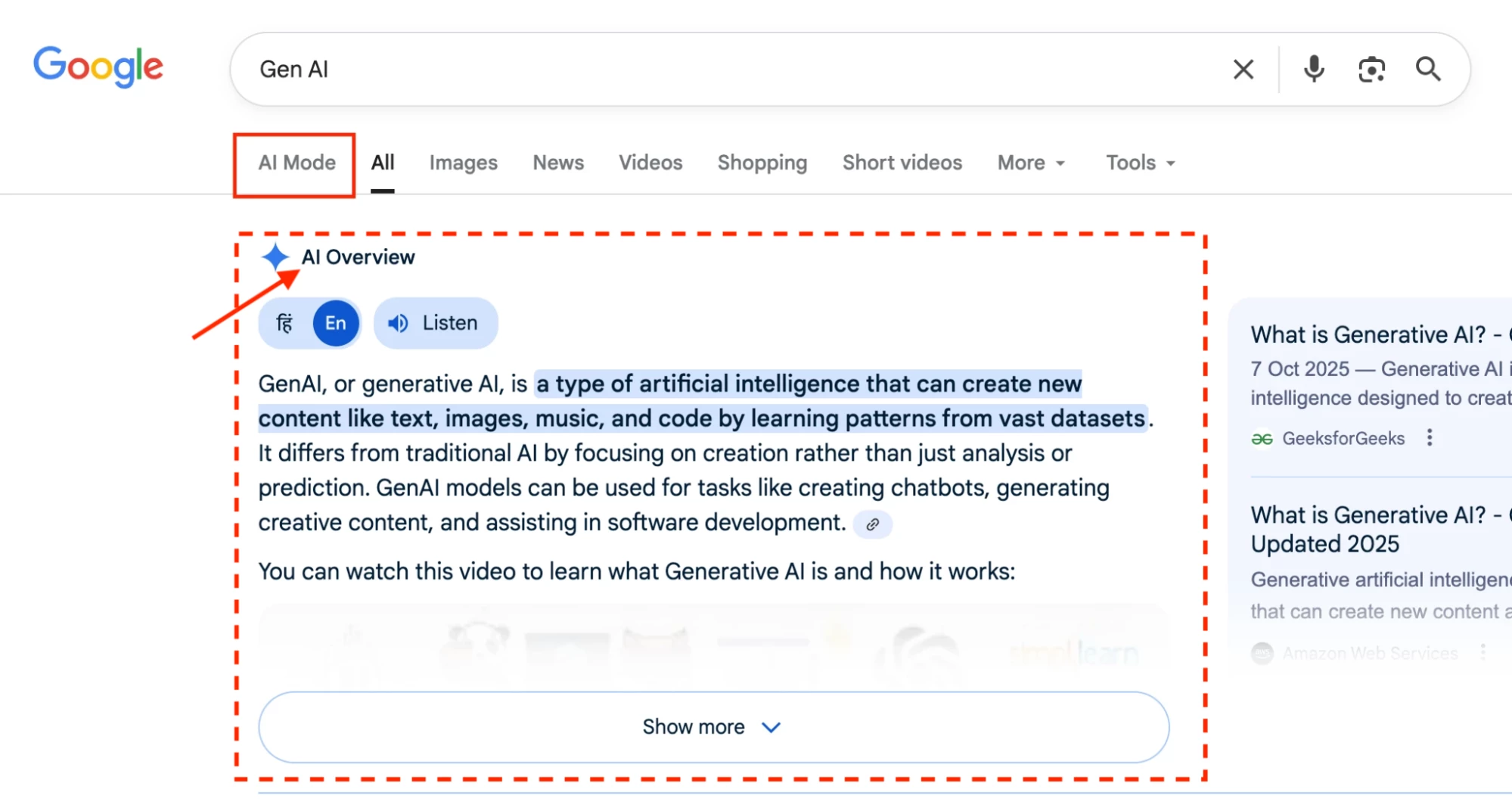
- To learn how to block Google Search AI Overview, continue reading
Do You Know?
- Google has its own AI chatbot — Google Gemini, and Netskope provides a predefined cloud app connector for it.
- Using this connector, customers can control the following activities within Google Gemini through Netskope.
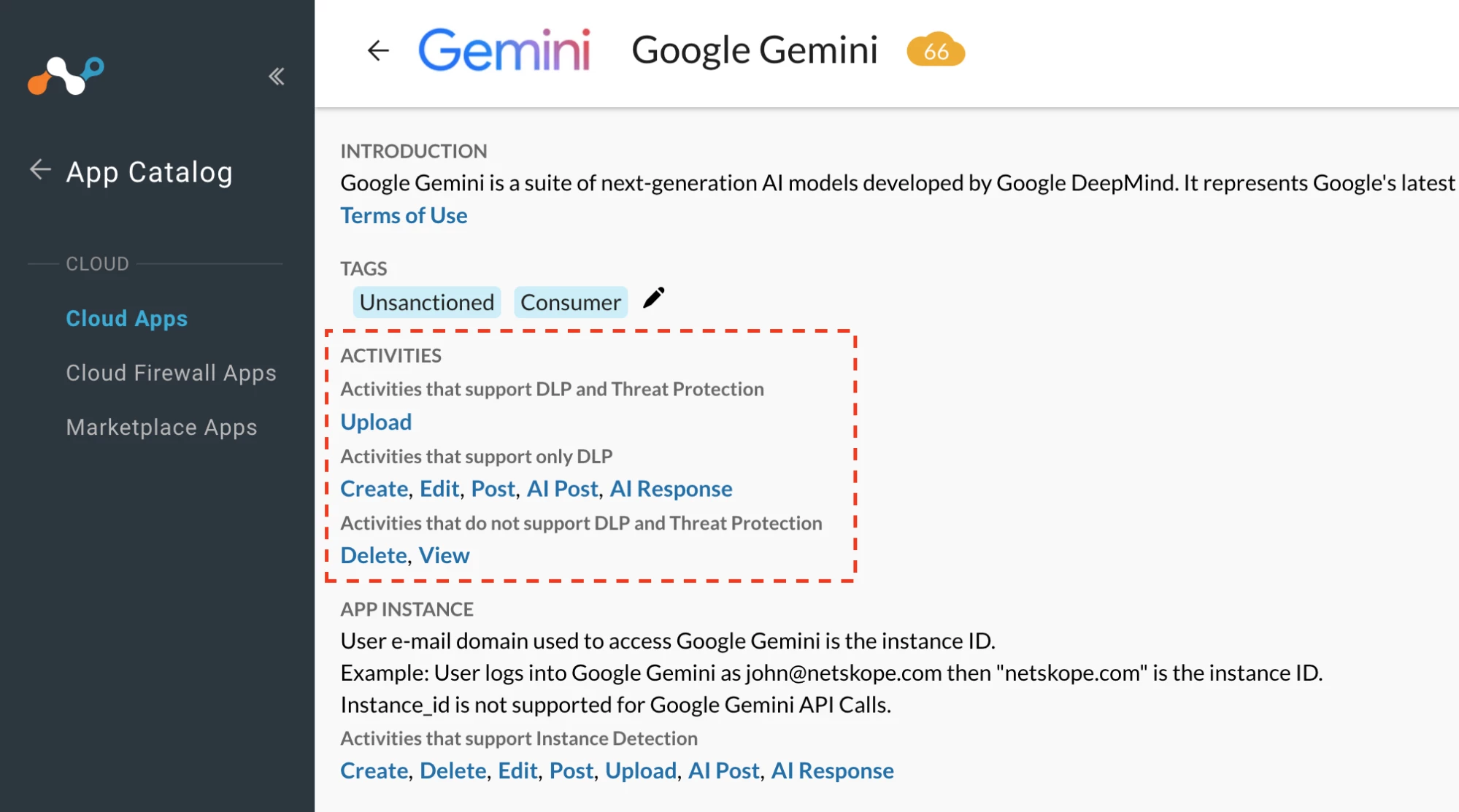
 Google search AI overview is different from gemini.google.com
- Google Search AI Overview was officially introduced and rolled out to the general public on May 14, 2024, during the Google I/O 2024 conference.
- In its early stages, AI Overview was known as SGE (Search Generative Experience)—Google’s framework for integrating generative AI directly into search results. SGE was later rebranded as AI Overview.
- The primary function of AI Overview is to load AI-generated summaries asynchronously, separate from the main search results, ensuring the page remains responsive and does not appear to “freeze” while the AI processes the query.
- When you perform a search on Google and the AI Overview is loaded, the browser makes an asynchronous request to https://www.google.com/async/folsrch
Ref.
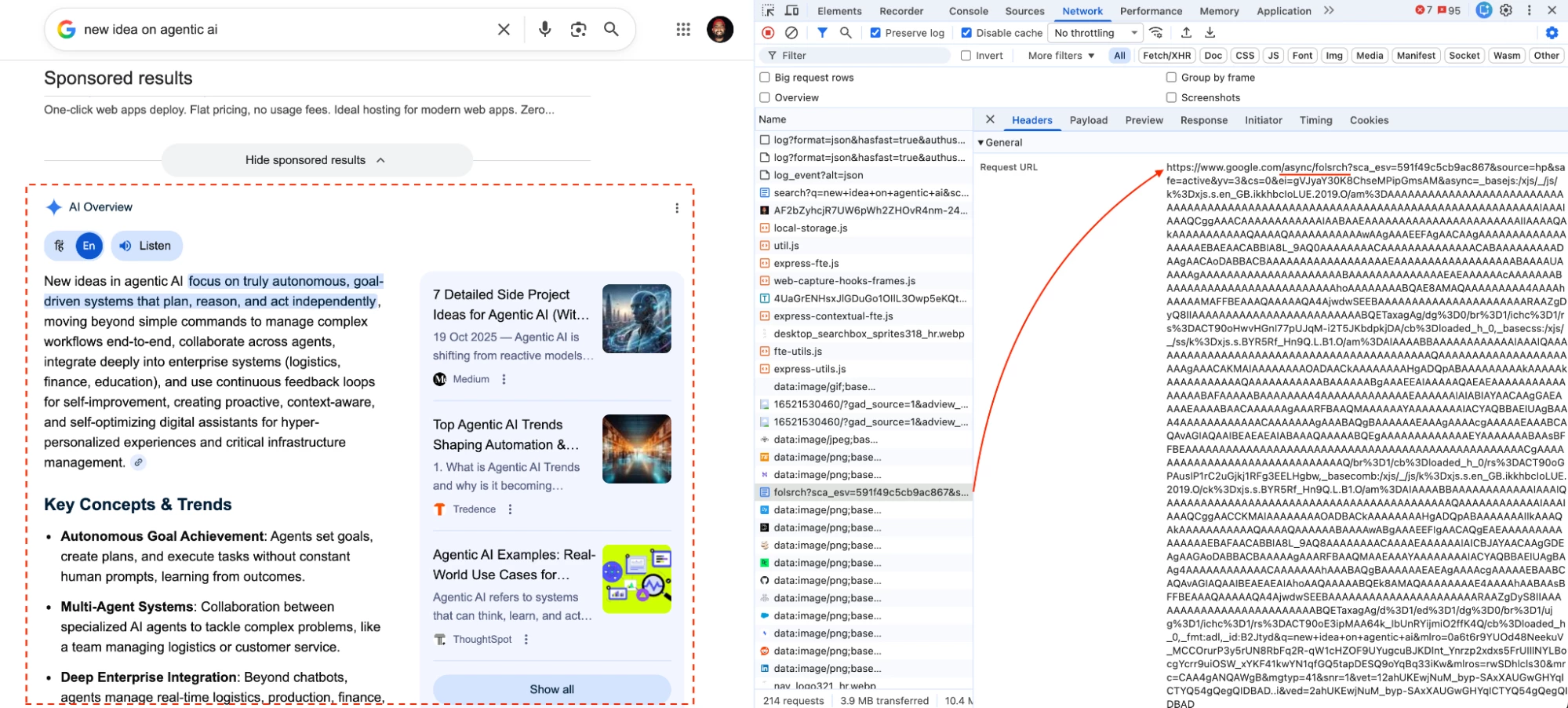
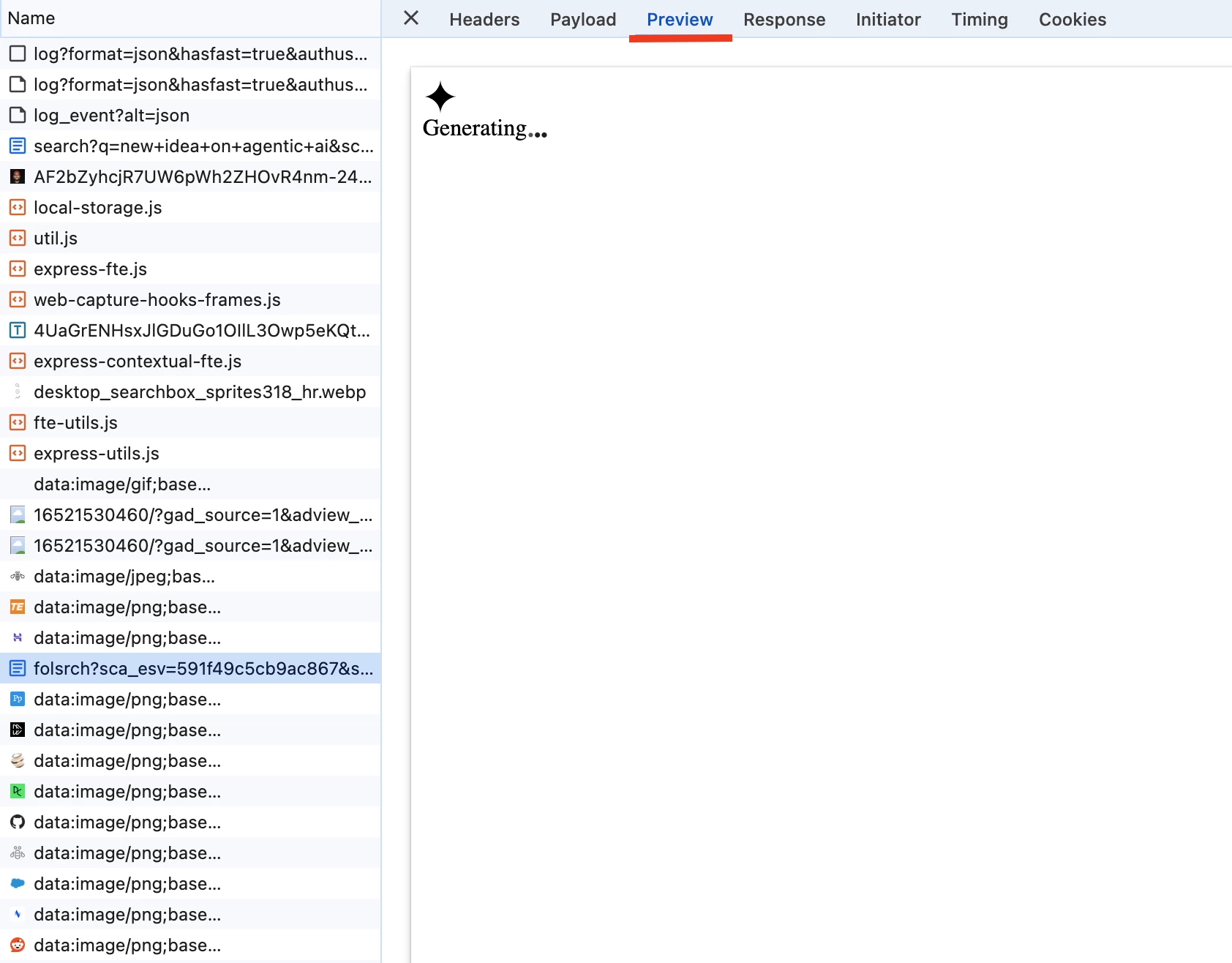
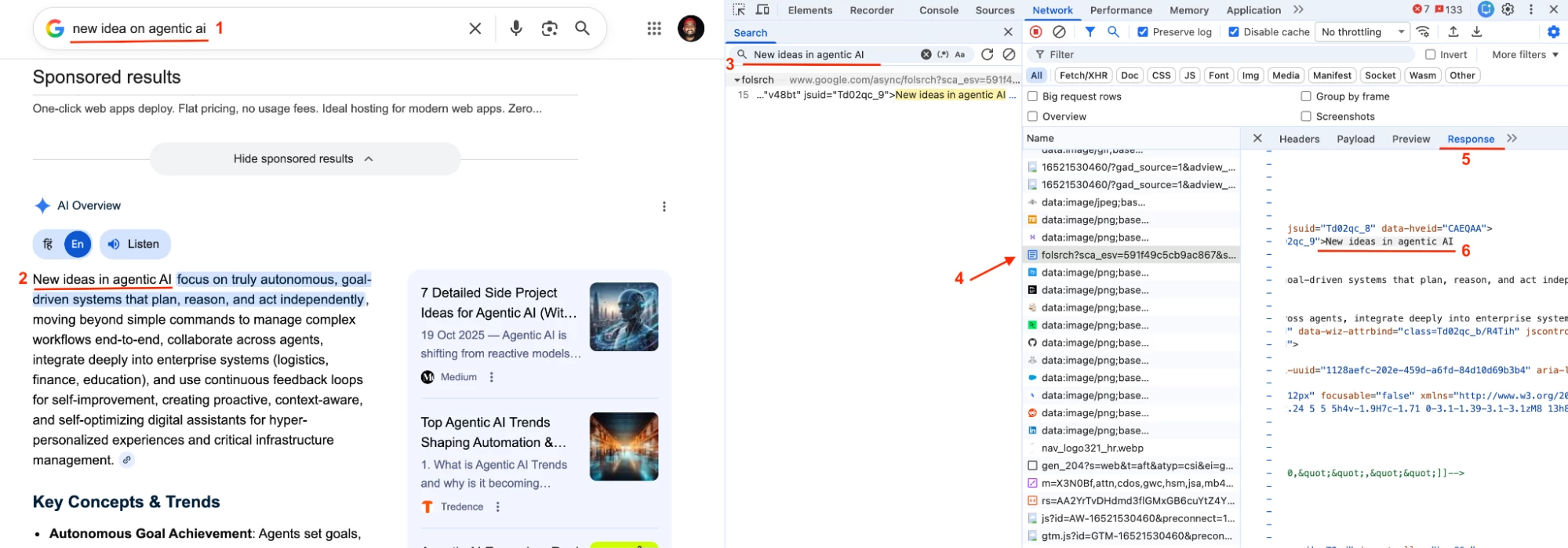


- To view the AI Overview response, you can double-click the https://www.google.com/async/folsrch transaction in the HAR file. This opens a new window displaying the content returned by that request, which primarily contains the AI Overview data.
- Now lets dig into https://www.google.com/async/folsrch
async: Asynchronous
folsrch: Follow-up Search
- Here ‘async’ is an internal endpoint used by Google Search to asynchronously fetch and ‘folsrch’ is to render AI Overviews.
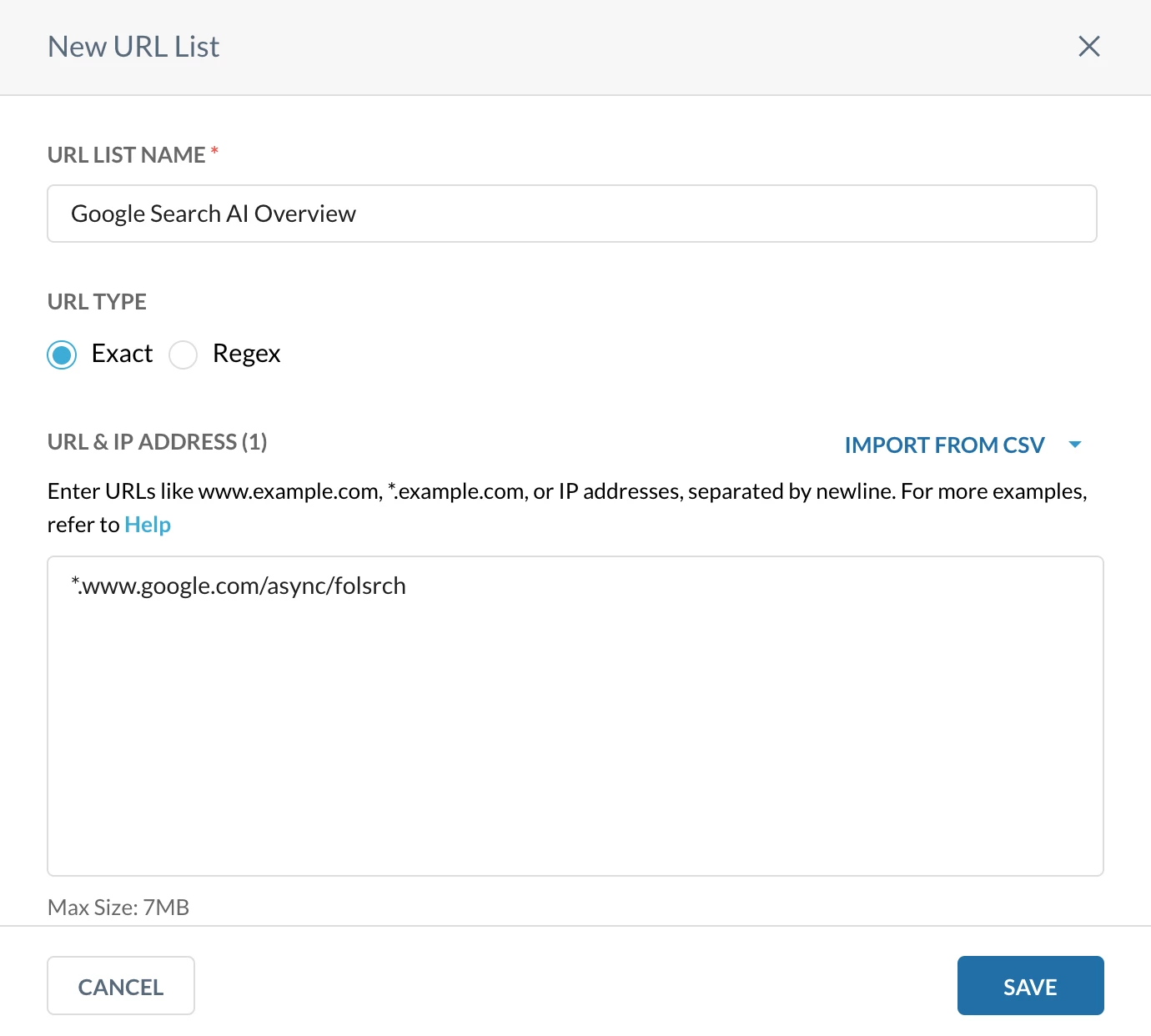
- So technically, to block Google Search AI Overview we need to restrict transaction destined to www.google.com/async/folsrch
Configuration
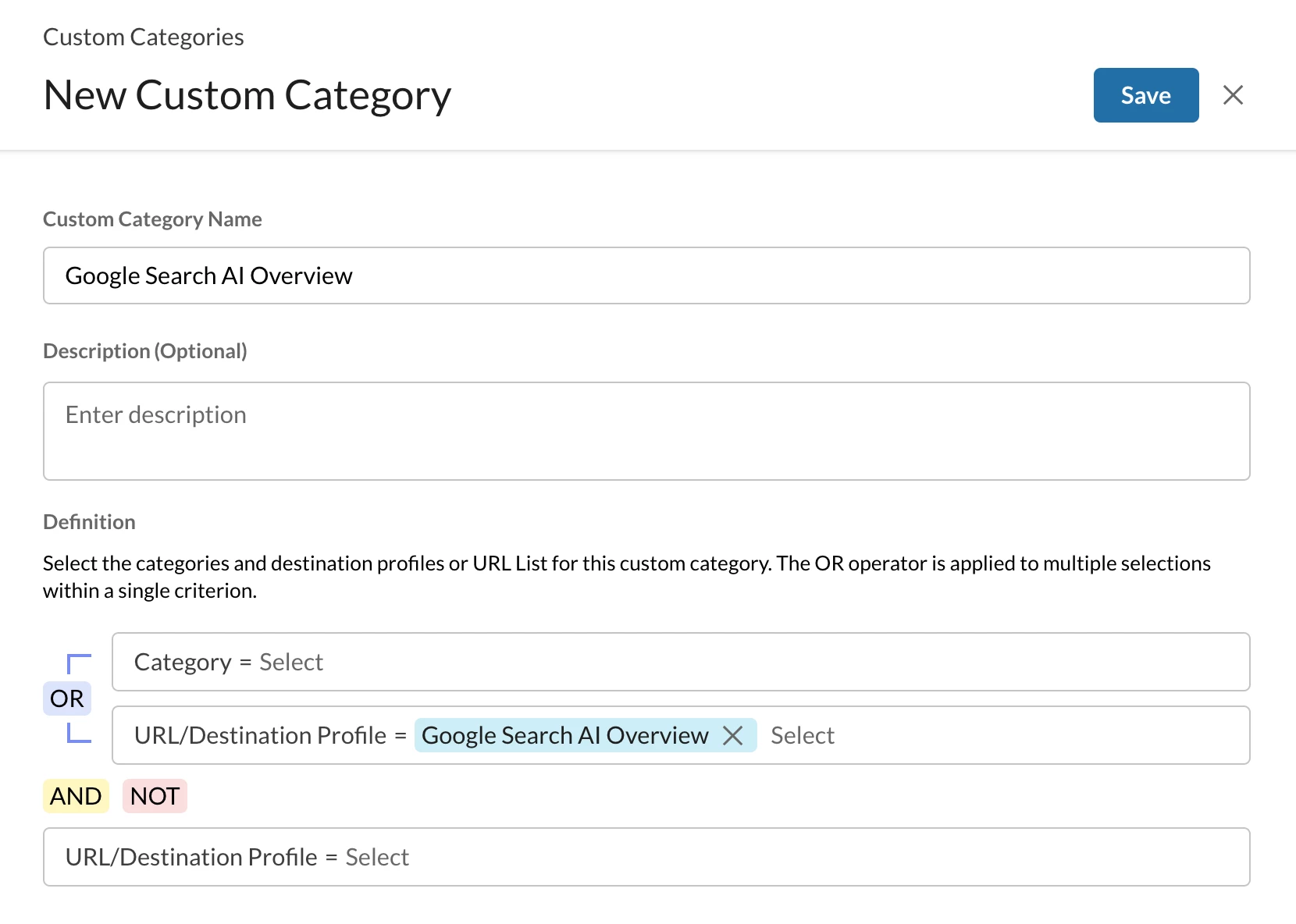
Step 1: Create a custom URL category
Path: Netskope Tenant UI >>> Policies >>> Profile - - - URL Lists

Path: Netskope Tenant UI >>> Policies >>> Profile - - - Custom Categories

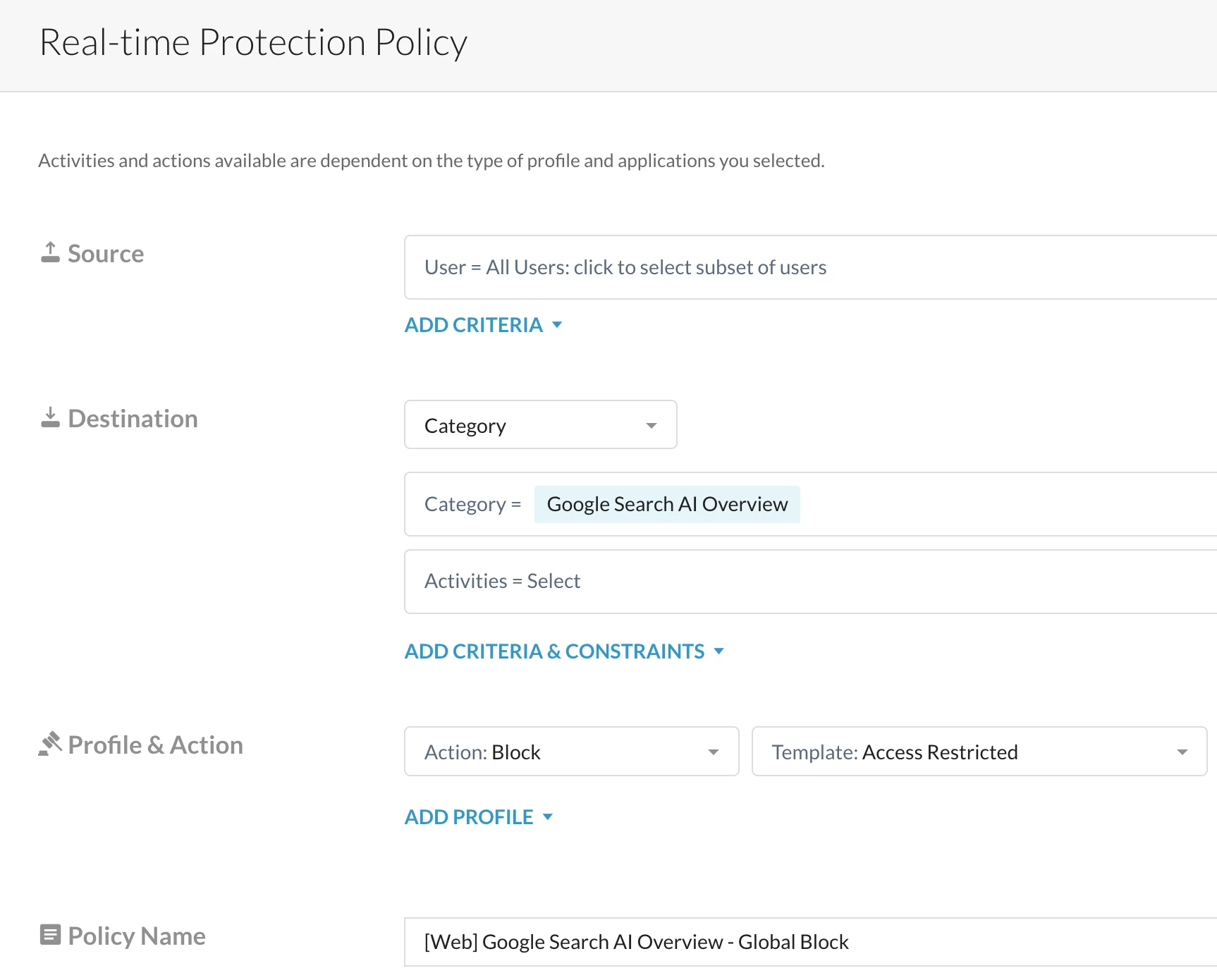
Step 2: Realtime protection policy
Path: Netskope Tenant UI >>> Policies >>> Real-time Protection >>> New Policy

Verification
Access Google Search AI Overview
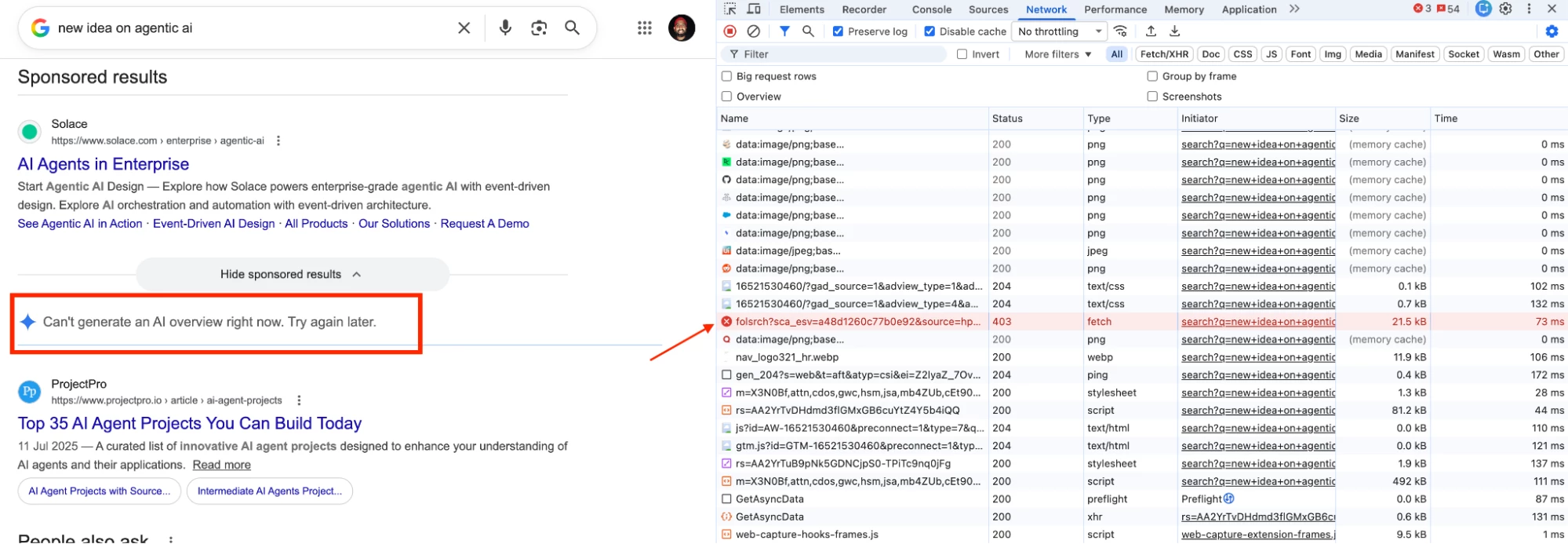
 Note - There will be no end-user notification here because we have blocked backend translation URL.
Author Notes
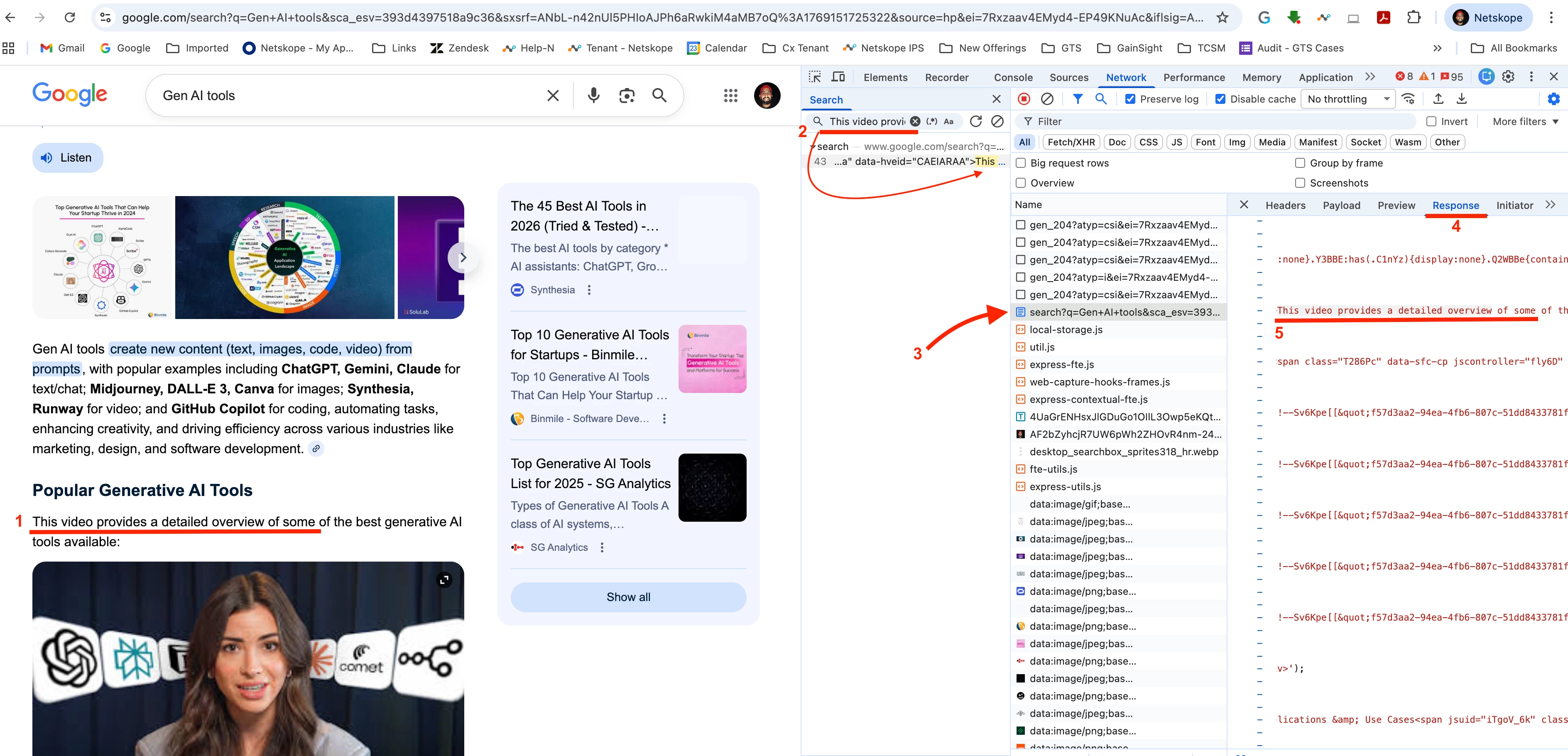
- The solution proposed in this article depends on async/folsrch. Google’s architecture has evolved to handle AI Overviews through multiple fallback mechanisms. If the primary asynchronous fetch fails or is blocked, the search results may still render the AI content via the main search response or alternate internal endpoints. Refer to the image below for reference. A Real-time Protection policy was configured to block www.google.com/async/folsrch. However, Google has changed the way AI Overview results are delivered as part of Google Search. Due to this change, controlling or restricting what Google displays within search results is not possible using Netskope’s current product design. While the configuration described above can still be applied, it does not guarantee 100% effectiveness. This limitation exists because of how Google Search architecture dynamically delivers content, rather than any issue with the Netskope configuration itself.
- Additionally, the Netskope Product Management team is working on a product enhancement to include Google Search AI Overview under the predefined web category Generative AI. Once implemented, controlling Google Search AI Overview will become easier.
- This article will be updated as new information becomes available.
Terms and Conditions
- All documented information undergoes testing and verification to ensure accuracy.
- In the future, it is possible that the application's functionality may be altered by the vendor. If any such changes are brought to our attention, we will promptly update the documentation to reflect them.
Notes
- This article is authored by Netskope Global Technical Success (GTS).
- For any further inquiries related to this article, please contact Netskope GTS by submitting a support case with 'Case Type – How To Questions'.



