




Netskope Global Technical Success (GTS)
Transforming Unsanctioned AI User Experience with Netskope HTTP Redirect
Netskope Cloud Version - 135
Introduction
Generative AI tools have become the new shadow IT. Every week, employees discover a new AI assistant, a new code companion, or a new productivity tool and they start using it with company data before IT Security has had a chance to assess it. The result is a familiar, painful cycle that most security teams know all too well.
This article walks through a real-world use case: how a customer used Netskope's HTTP Redirect capability to completely transform the way unsanctioned Generative AI access is handled turning a reactive, multi-team escalation into a seamless, self-service experience for end users.
Prerequisites
The HTTP Redirect feature must be enabled on your Netskope tenant before you can use it. To verify, navigate to a Real-time Protection policy and check the Action dropdown, if Redirect appears as an option, the feature is already active on your tenant.
If you do not see it, reach out to your Netskope account representative or open a support ticket to request activation.
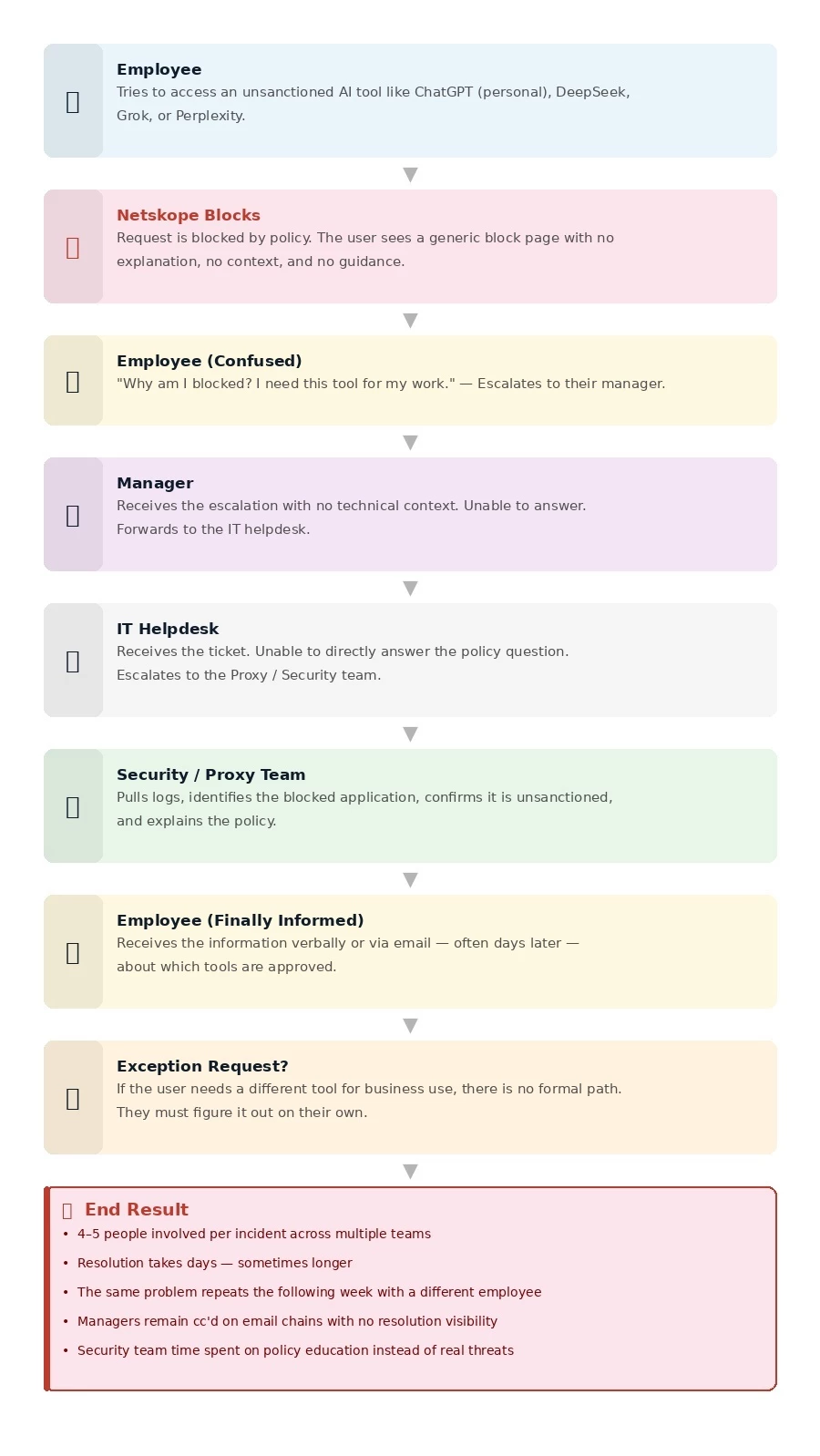
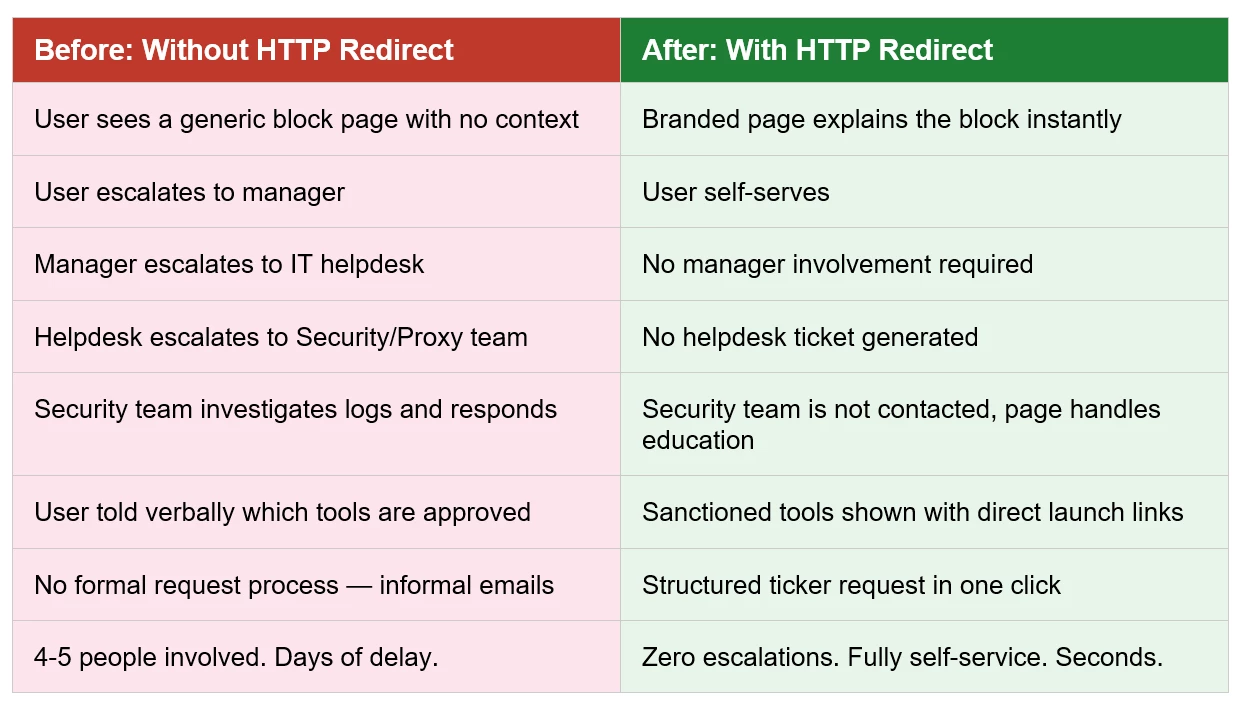
The Problem: The Old Way Was Slow:
The Real Cost of the Old Approach:
Every blocked AI access incident consumed time from 4-5 people across multiple teams.
Users remained unaware of approved alternatives, meaning the same mistakes repeated.
No self-service path existed. Every exception request was informal and untracked.
Managers were pulled into technical conversations they had no context for.
The security team spent time on education that should have been automated.
The Solution: Netskope HTTP Redirect with a Custom AI Governance Page
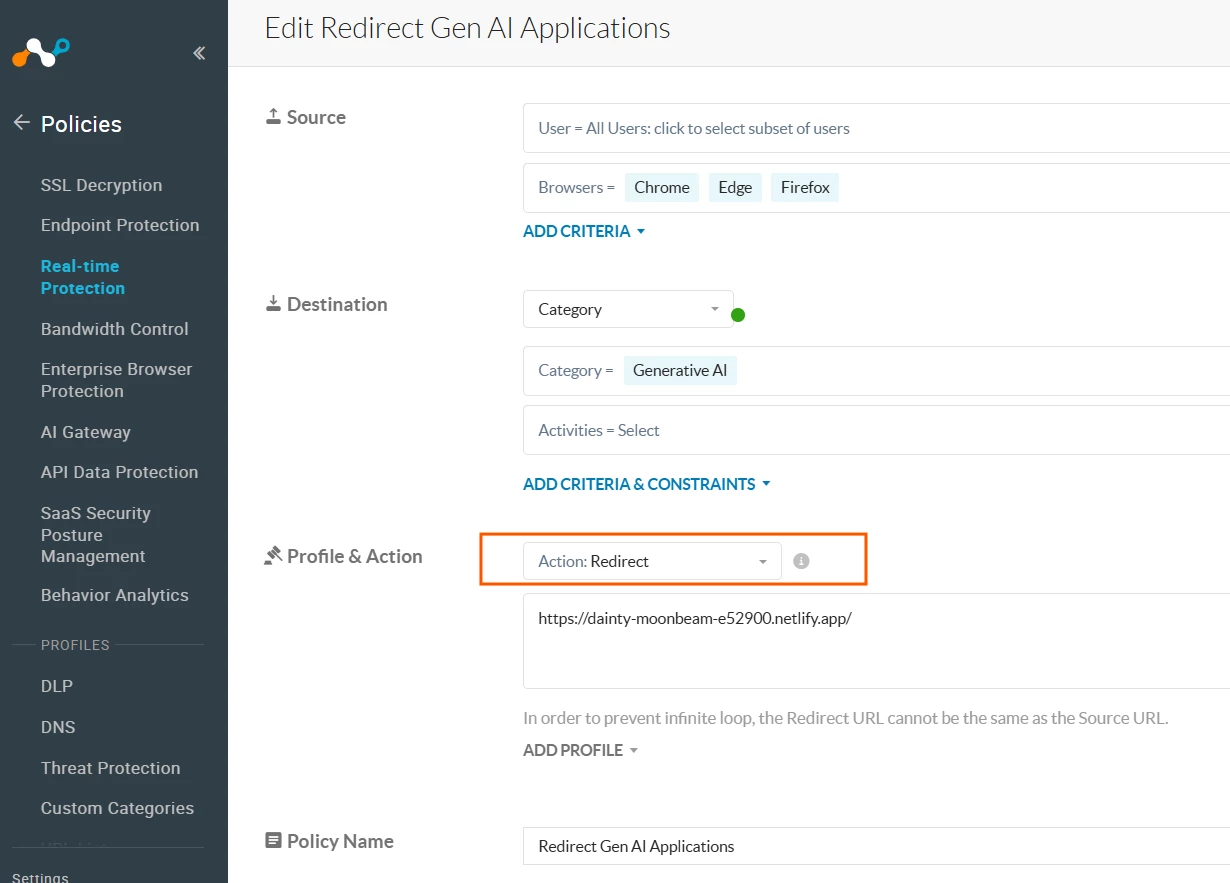
Netskope's HTTP Redirect feature allows security teams to intercept blocked traffic and redirect users to a custom URL instead of showing a generic block page. Combined with a purpose-built AI Governance landing page, this transforms the user experience completely.
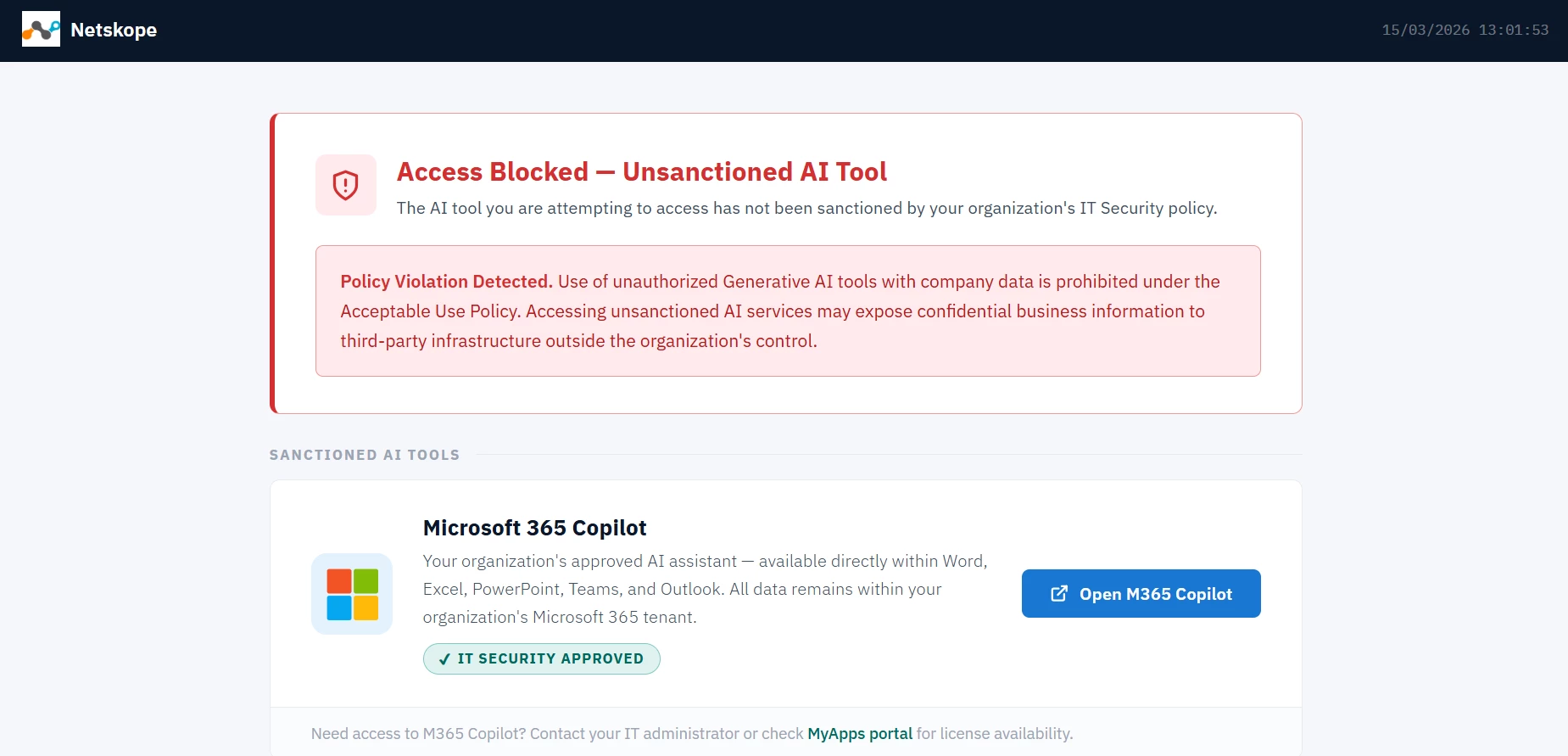
Rather than hitting a dead end, the user is redirected to a rich, informative page that does three things at once:
• Clearly explains WHY they are blocked and what policy was violated
• Shows WHICH AI tools are sanctioned and approved for company use
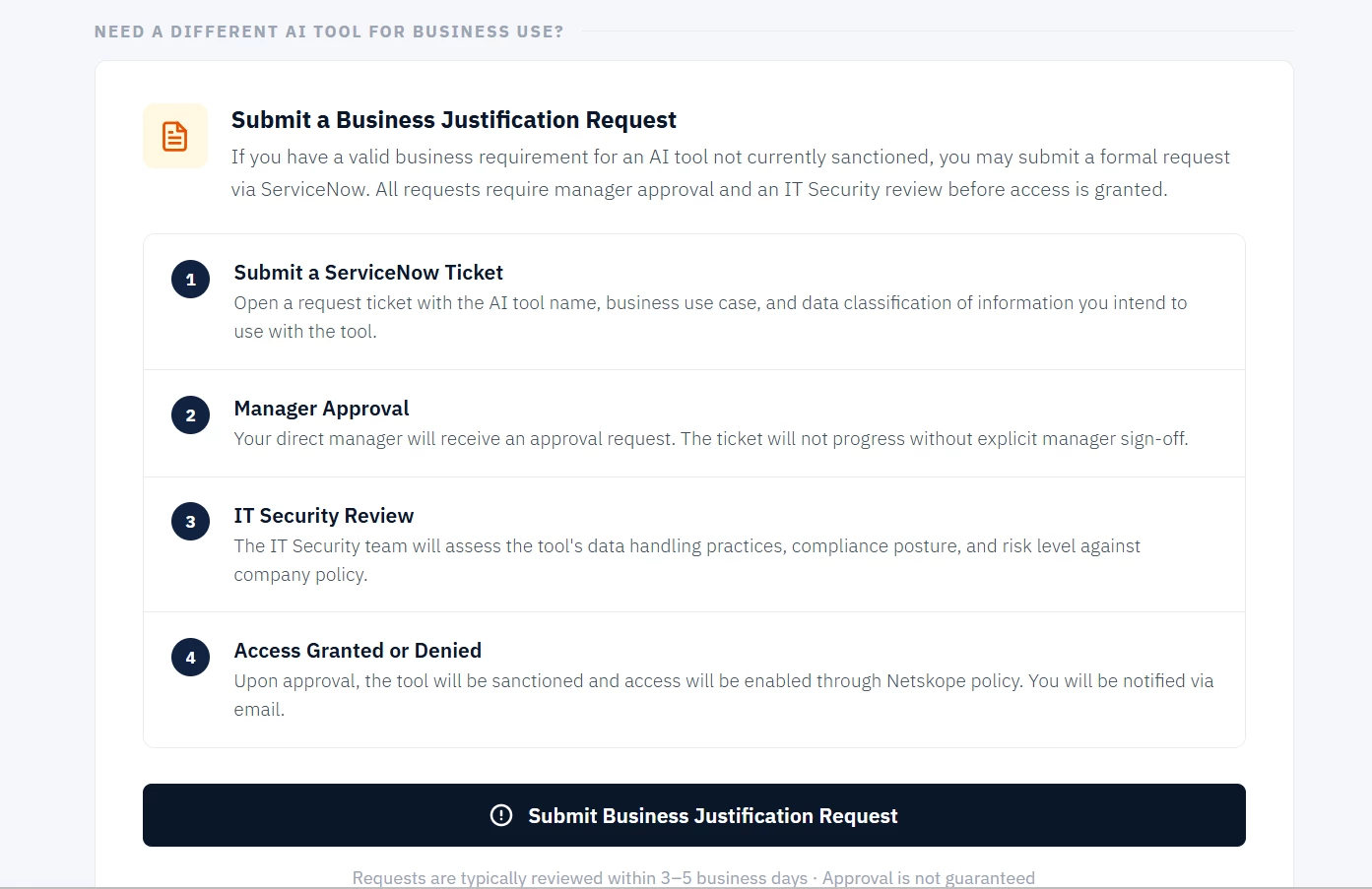
• Provides a DIRECT path to request access to a new tool via ticketing tool with the full approval process outlined
Policy Overview:
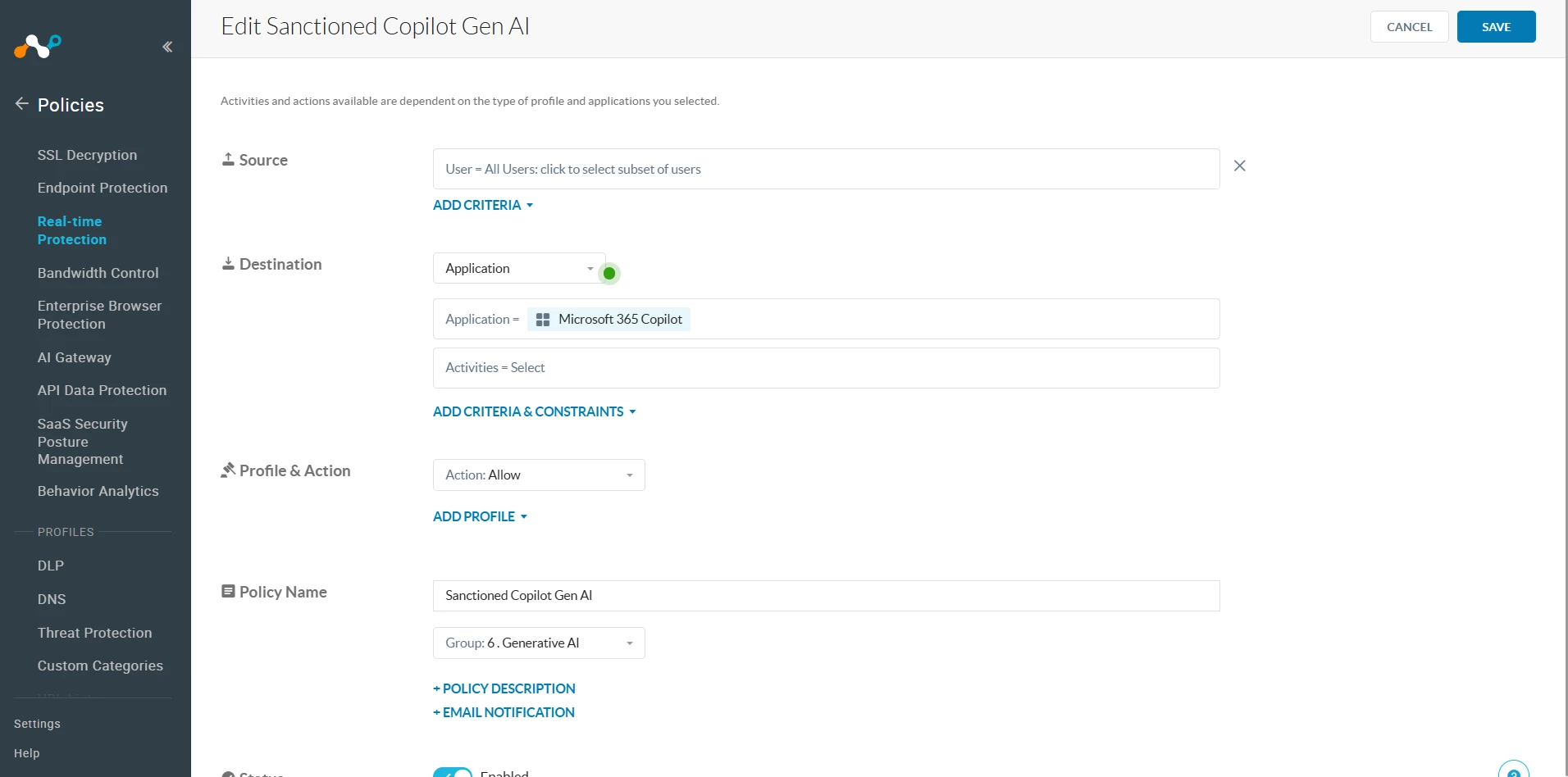
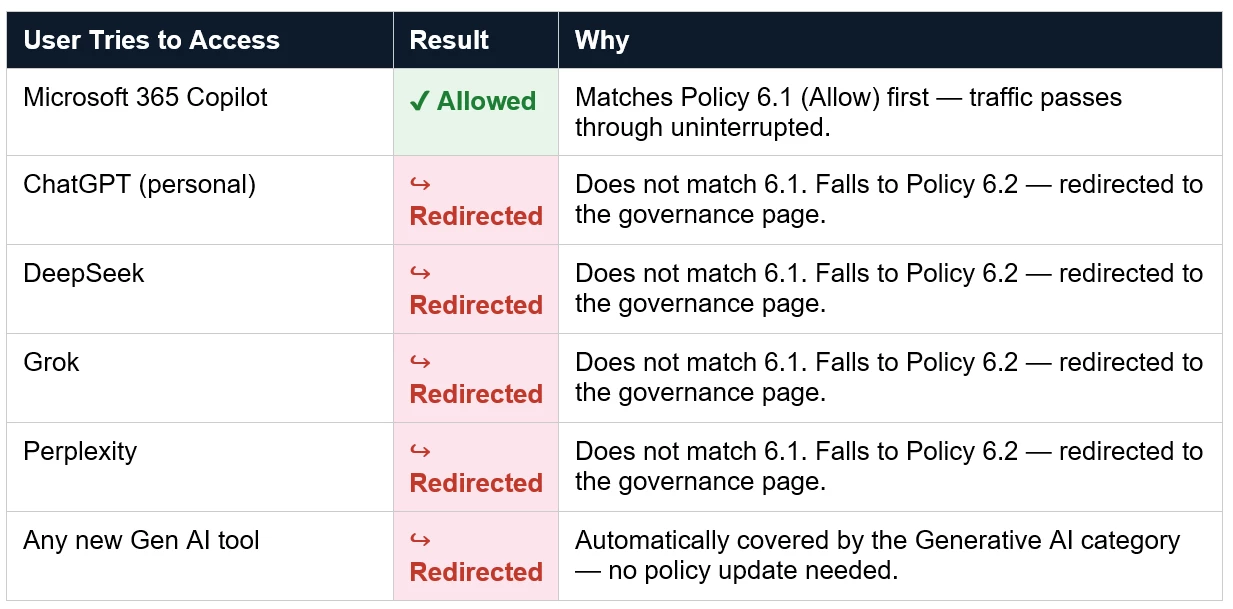
Netskope evaluates policies top-down and stops at the first match.Policy 6.1 (Allow) must sit above Policy 6.2 (Redirect).
This ensures Microsoft 365 Copilot traffic hits the Allow rule first and is never caught by the broader Generative AI redirect below it.

Policy 6.1 — Sanctioned Copilot Gen AI (Allow)
This policy explicitly allows access to Microsoft 365 Copilot. It ensures your sanctioned tool is never blocked, regardless of the broader Generative AI redirect policy below it.
Policy 6.2 — Redirect Gen AI Applications
This policy catches all remaining Generative AI traffic anything not already matched by Policy 6.1 and redirects the user to the custom AI Governance landing page instead of showing a generic block.
How the Two Policies Work Together — Traffic Flow:
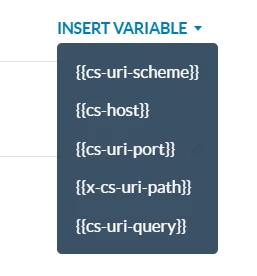
Pro Tip
Use the INSERT VARIABLE option in the Redirect URL field to pass contextual information to your governance page
User Experience:
When a user attempts to access an unsanctioned Generative AI tool, Netskope intercepts the request in real time and redirects their browser to a custom landing page instead of showing a generic block message.
Below is a sample page from my test lab demonstrating what the user sees:
https://dainty-moonbeam-e52900.netlify.app/
Terms and Conditions
- All documented information undergoes testing and verification to ensure accuracy.
- In the future, it is possible that the application's functionality may be altered by the vendor. If any such changes are brought to our attention, we will promptly update the documentation to reflect them.
Notes
- This article is authored by Netskope Global Technical Success (GTS).
- For any further inquiries related to this article, please contact Netskope GTS by submitting a support case with 'Case Type – How To Questions'.



