


Author: Stevan Pierce
Date: May 8, 2026
Modern security teams are stuck in an old debate.
The business wants ChatGPT, Copilot, Cursor, Gemini, and the next AI assistant your CEO sees demoed at a conference. The security team sees prompts full of source code and customer PII heading to a third-party model, an MCP server nobody vetted suddenly connecting to your data lake, and an "AI Overviews" toggle that quietly turned a sanctioned search engine into a generative assistant overnight.
The instinct is to block. Block the domain. Block the category. Send a stern email.
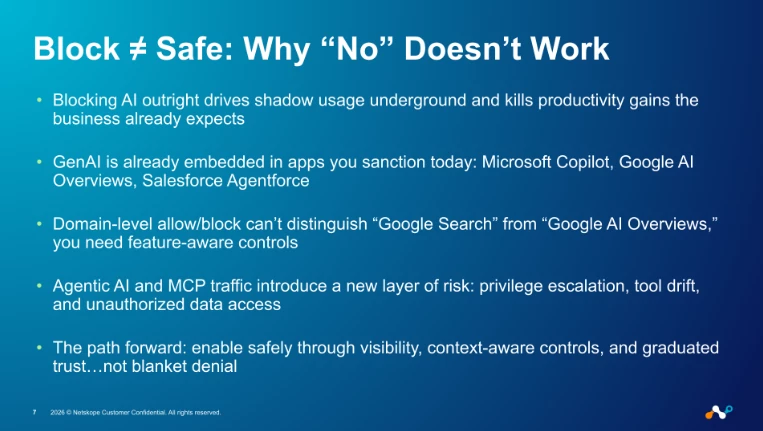
It doesn't work. Blocking a sanctioned AI assistant doesn't make the data exfiltration risk go away. It just pushes the user to a personal account on their phone, where you have zero visibility. And the embedded AI in apps you've already approved? You can't block that without breaking the app.
At Netskope, we faced this exact problem in our own environment. As Customer Zero, our security team not only secures Netskope but also pushes our own platform to its limits, trying to solve the same challenges our customers wrestle with every day.
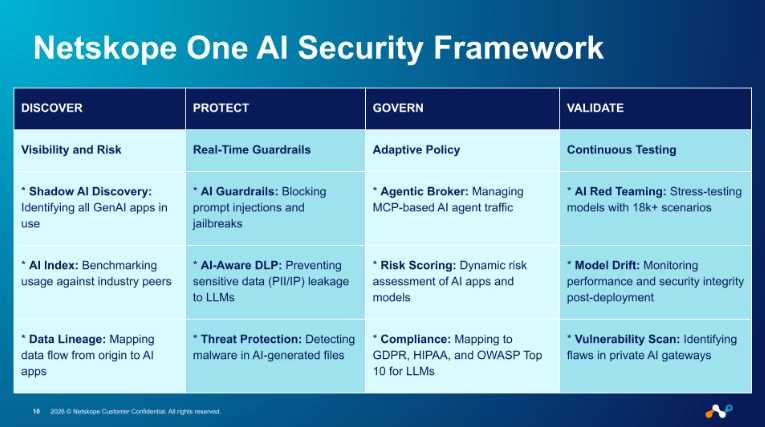
What we landed on isn't a single product or a single policy — it's a four-stage operating model: Discover, Protect, Govern, Validate.
Why "Block Everything" Doesn't Work Anymore
Before we get into the controls, it's worth being honest about why the old playbook fails.
- Blocking AI outright drives usage underground. Shadow AI on personal devices and personal accounts is the predictable result of a ban — and it's the worst possible outcome from a data-protection standpoint.
- GenAI is already inside your sanctioned apps. Microsoft Copilot, Google AI Overviews, Salesforce Agentforce — all of these turned on without you flipping a switch. Domain-level allow/block can't tell "Google Search" apart from "Google AI Overviews".
- Agentic AI changes the threat model. Autonomous agents talking to MCP servers introduce privilege escalation, tool drift, and a brand-new supply chain risk surface. There were over 21,100 publicly identified MCP servers cataloged by the time we wrote this — and that number grows weekly.
- The business has stopped asking permission. AI features are bundled into renewals you already signed. "Just say no" was never a sustainable answer; now it isn't even a coherent one.
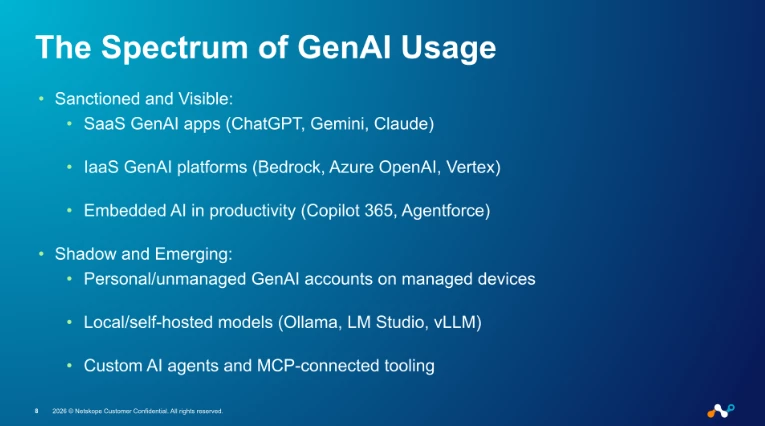
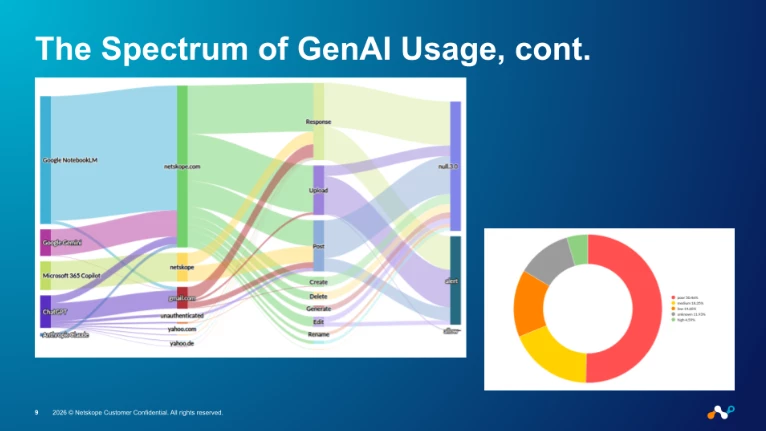
So the question isn't whether to enable GenAI. It's how to enable it without losing the data-protection posture you spent years building.
Stage 1 — Discover: You Can't Govern What You Can't See
The first stage is unglamorous: just see what's happening.
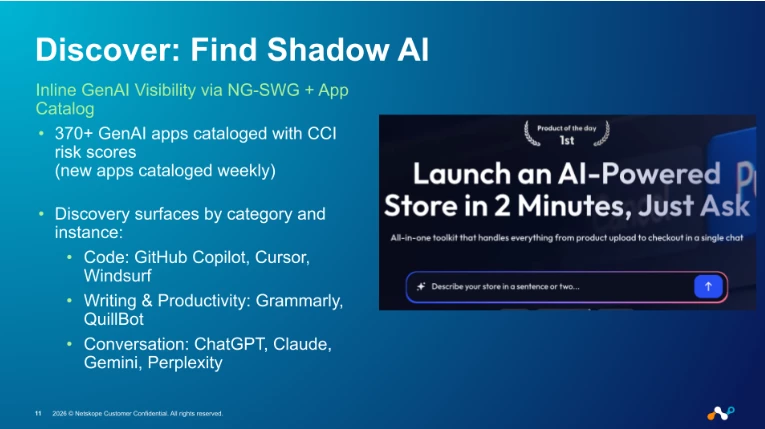
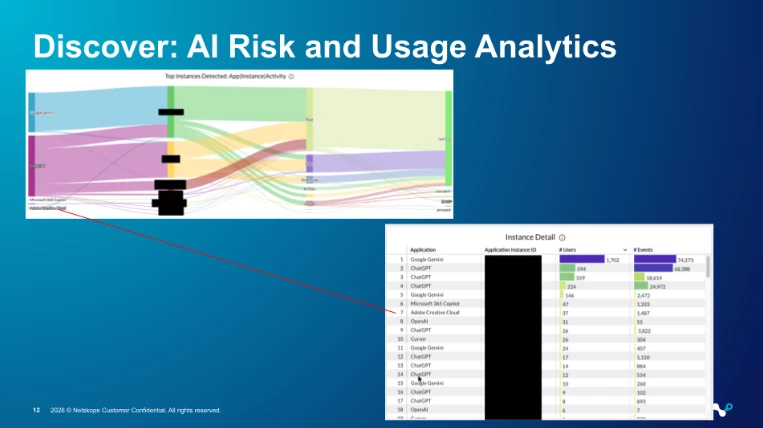
In our Customer Zero environment, we use Netskope's inline inspection (NG-SWG) plus the App Catalog (formerly CCI) to surface every GenAI app in use — sanctioned, unsanctioned, and embedded. The catalog covers 370+ GenAI applications today and grows weekly as new tools appear.
What we look for in the first 30 days:
- Which AI apps are users hitting? Conversation tools, code assistants, image generators, productivity copilots — all of it.
- Personal instance vs. enterprise instance. A user signing into ChatGPT with @netskope.com is a different risk profile than the same user on a personal Gmail. Instance awareness matters.
- Which apps are risky? The CCI/App Catalog risk score (Poor / Low / Medium / High / Excellent) gives us a defensible starting point for which apps deserve scrutiny first.
- Embedded AI features. Copilot 365 inside SharePoint, Gemini inside Workspace, Agentforce inside Salesforce — feature/activity tagging surfaces as distinct from the parent app.
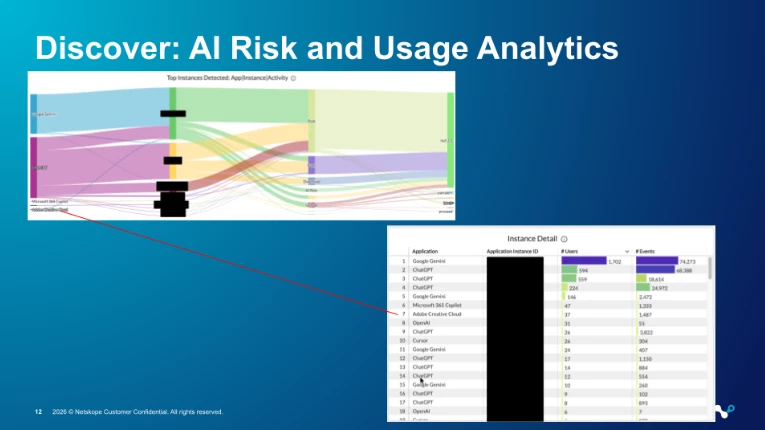
The output of this stage isn't policy. It's just a catalog — what's in use, by whom, with what risk grade. That catalog is the substrate every later stage builds on.
Stage 2 — Protect: DLP and Content Redaction at the Prompt
Once we know what's in use, we stop sensitive data from flowing into prompts and uploads.
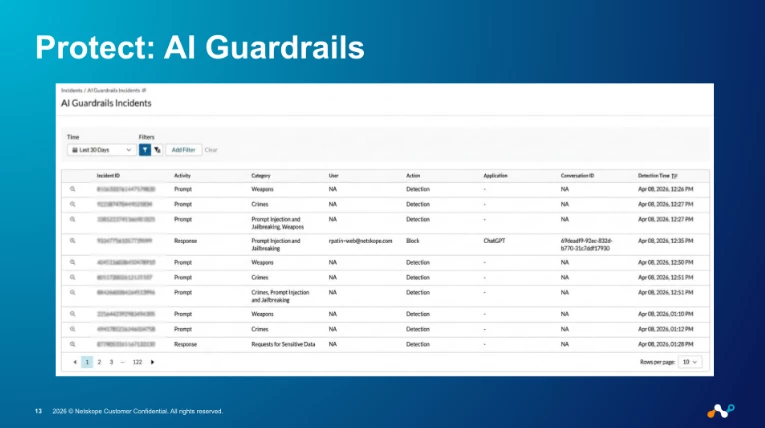
This is where the "without saying no" part of the title actually starts to mean something. The old DLP pattern is binary: detect → block → user is locked out → user complains → policy gets weakened until it's useless.
The pattern we run instead is graduated:
- Coach first, block last. When a user pastes something they shouldn't into a prompt, the first response is a coaching message, not a hard block. Most users self-correct. The minority who don't are the actual signal you want.
- Restrict to enterprise instances. Personal ChatGPT is blocked or coached toward the enterprise tenant; the enterprise tenant has DLP applied. Same app, completely different policy.
- Redact, don't block, when feasible. This is the new capability that changed the conversation internally. Instead of killing a session because a developer pasted a config file with three API keys in it, the prompt gets the keys masked and the rest of the prompt continues to the model. Productivity preserved. Secret protected. The user often doesn't even notice — and that's the point.
- Inspect uploads and responses, not just prompts. Sensitive data leaves through file uploads to AI tools more often than through typed prompts. Responses can also contain regulated data the model regurgitated from training or RAG context.
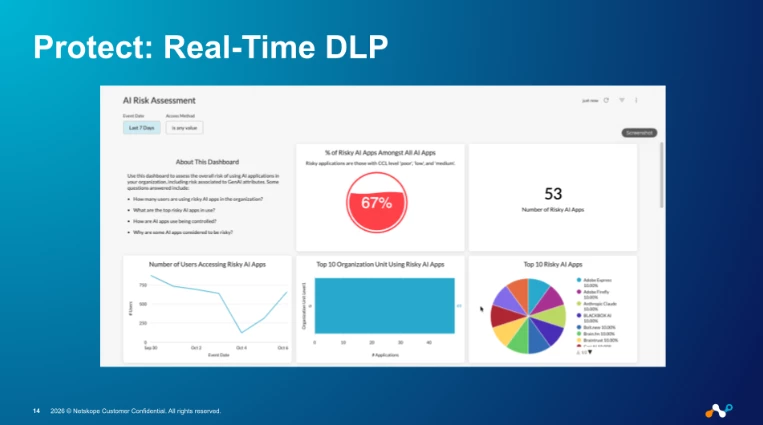
The DLP engine itself is the same one we already use for SaaS, web, and email — 3,000+ data identifiers, 1,600+ file types. The novelty here is where it inspects (the prompt path), not what it knows.
Stage 3 — Govern: AI Gateway, Guardrails, and the Agentic Broker
Stages 1 and 2 cover the human-in-front-of-a-keyboard case: a user typing a prompt into an app. Stage 3 covers the cases the old playbook never had to handle.
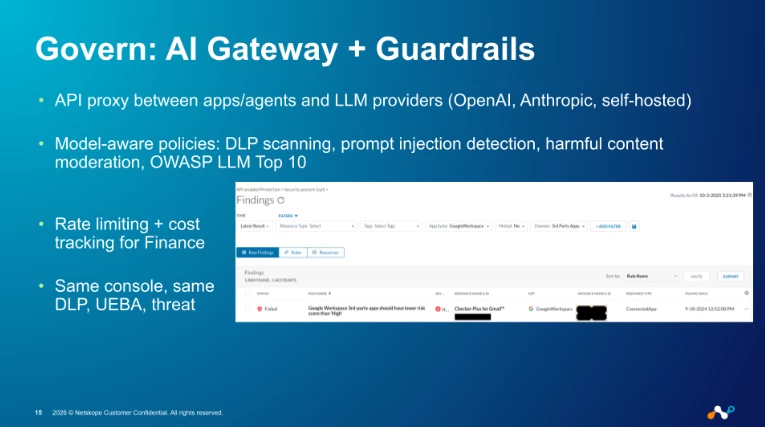
AI Gateway for app-to-LLM traffic
When your developers start building applications that call OpenAI, Anthropic, or your own self-hosted model, the traffic isn't going through a browser. It's an API call from a backend service, often with a service account token, often without DLP in the path.
The AI Gateway sits in that path:
- Authentication and rate limiting at the gateway, so a runaway loop in a dev environment doesn't burn through a six-figure token budget.
- Model-aware DLP and AI Security Guardrails — prompt injection detection, harmful content moderation, and OWASP LLM Top 10 coverage applied to API traffic the same way we apply DLP to browser traffic.
- Cost tracking per model and per user-group. Finance gets visibility into AI spend without us building a spreadsheet pipeline. This is the slide that gets the CFO on board, not the CISO.
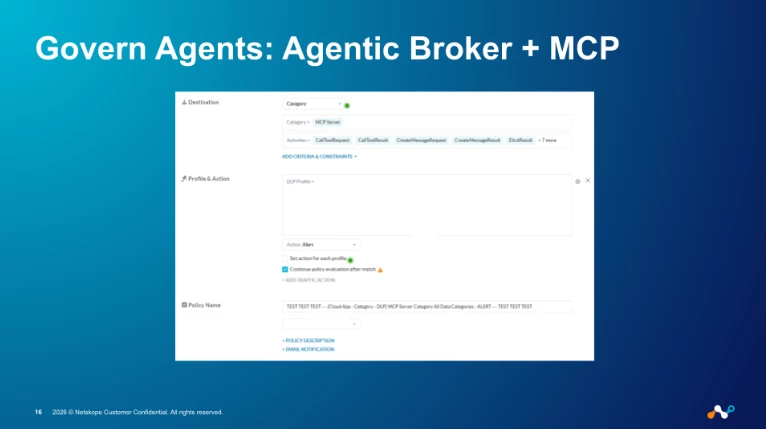
Agentic Broker for MCP traffic
The newer, weirder problem is agents. An autonomous agent on a developer's laptop can connect to an MCP server, gain a foothold in your data layer, and exfiltrate data without ever touching a browser or a SaaS console. The MCP server might be malicious, might have drifted from its original behavior, or might just have access to more than it should.
The Agentic Broker is how we govern that traffic:
- MCP server catalog with risk assessments — 21,100+ servers cataloged, so when an agent tries to connect we already have a risk grade.
- Header-based and category-based policies — block "Generative AI" category MCP servers entirely, allow only an internal allow-list, or coach on first use.
- Forensic logging — every MCP interaction lands in Application Events, just like every SaaS interaction does. Same investigation workflow.
Embedded AI feature controls
The third category is the embedded one. Copilot 365 inside Outlook, AI Overviews inside Google Search, Agentforce inside Salesforce. These aren't separate apps you can block — they're features inside apps you've sanctioned.
Application feature/activity tagging lets us write a policy that says "allow Google Workspace, but coach on Google AI Overviews" or "allow Salesforce, but DLP-inspect Agentforce prompts." Same app, different feature, different policy.
Stage 4 — Validate: AI Red Teaming and Continuous Tuning
The trap with any AI security program is shipping policies and walking away. The threat surface moves too fast for that.
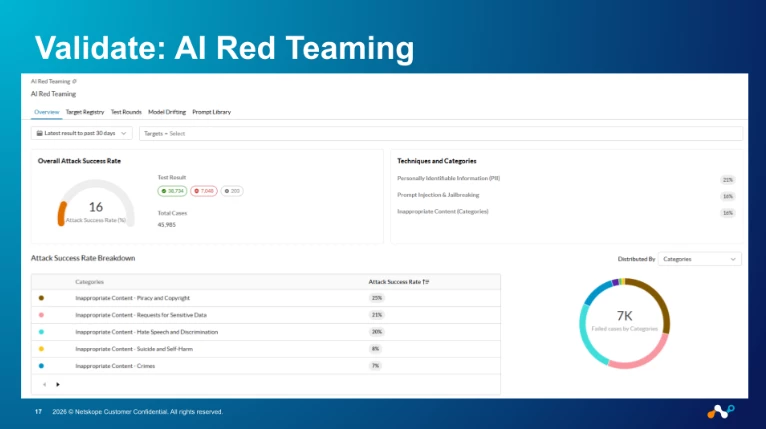
Validation, for us, is two practices running in parallel:
- AI Red Teaming against our own LLM-backed features and any internally hosted models. Prompt injection, jailbreak attempts, data poisoning scenarios — same methodology the Netskope Red Team publishes externally, run against ourselves first. Findings feed directly back into Guardrails policy tuning, not into a backlog.
- Continuous policy tuning from real telemetry. Every coaching event, every block, every redaction is logged. We review the top false-positive sources weekly and adjust profiles. We review the top bypassed coaching events too — those are the users teaching us where the policy is too loose.
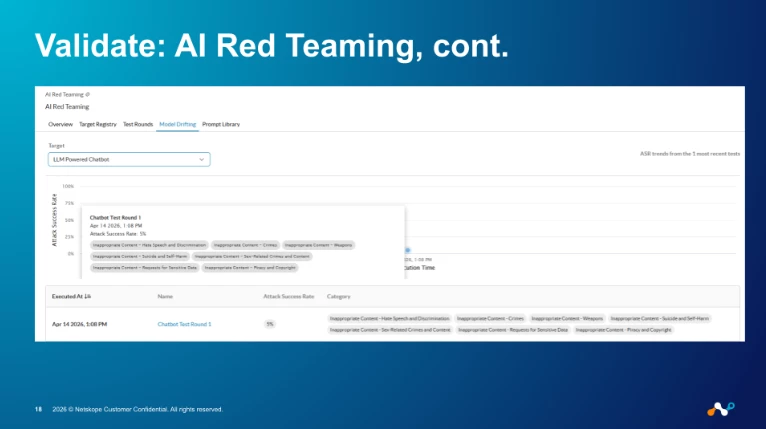
The feedback loop matters more than any single policy. A "perfect" policy on day one is worse than a mediocre policy that gets sharpened every Friday for a year.
Putting It All Together: A Practical Roadmap
If you're trying to move from "we said no to ChatGPT and now we don't know who's using what" to "we can confidently say yes," here's the sequence we'd recommend, in order:
- Turn on visibility first, policy second. A month of pure discovery is worth more than a month of policy-writing in the dark. You will be surprised by what's in use.
- Coach before you block. Coaching events tell you which users self-correct (most) and which ones don't (the signal). Hard blocks on day one generate noise, not learning.
- Restrict to enterprise instances before you fight the app itself. Most of the data-leakage risk in personal-vs-enterprise ChatGPT goes away the moment you steer everyone to the corporate tenant where DLP is applied.
- Add the AI Gateway when you have your first internal app calling an external LLM. Before that, it's solving a problem you don't have yet. After that, it's the only place inspection can happen.
- Stand up the Agentic Broker before your first agent goes to production. This one is easier to do early than to retrofit. MCP traffic without a broker in the path is hard to govern after the fact.
- Treat red-team findings and false-positive reviews as recurring work, not projects. Put them on the calendar. Otherwise they don't happen.
Key Takeaways
If you take only a handful of things from this post, take these:
- "Block everything" stopped being a coherent strategy the moment AI got embedded in your sanctioned apps. It's not a discipline question; it's a technical reality.
- Visibility is the prerequisite, not the deliverable. You cannot govern what you cannot see, and the App Catalog plus inline inspection is the cheapest, fastest visibility move you can make today.
- Redact before you block. Modern DLP can preserve productivity by masking sensitive tokens in a prompt while letting the rest through. That's the difference between "AI is blocked here" and "AI is safe to use here."
- Agentic AI and MCP are not the next problem they're already a current one. If you don't have a broker in the path, you don't have visibility into agent-to-tool communications. Start the conversation now.
- Tuning is the work. Policies degrade. Threat surfaces move. Bake the feedback loop into your operating model from day one or it won't exist.
We've found that customers who internalize "Discover → Protect → Govern → Validate" as an operating model — not a project plan — are the ones who can keep saying yes to the business without losing sleep.
If you're walking through this in your own environment and want to compare notes, drop a comment below. We read every one.
Stevan



