



Hello Folks,
Below you can find a recap of topics discussed during the September Advanced Analytics Office Hours and those sent in that we were not able to cover in the session. Feel free to comment and continue the discussion, as well as attend our future sessions that can be found from the Community Events Calendar!
Q: I need to better understand if users are accessing particular apps via SSO authentication.
A: The “SSO” field in Application Events provides visibility into SSO services detected for each app based on Netskope App Catalog.
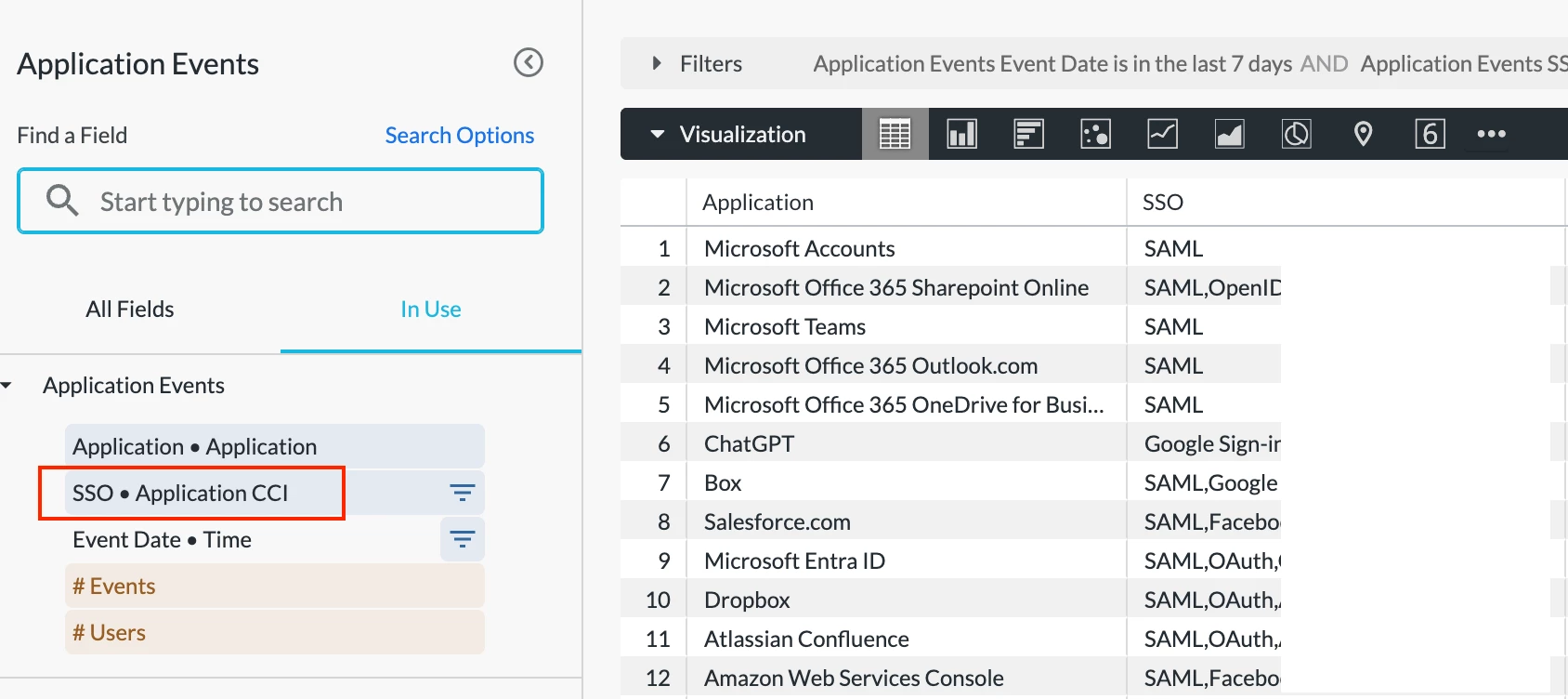
Please keep in mind that this reflects SSO services supported by each app rather than SSO services used by users when accessing each app. Advanced Analytics doesn’t provide visibility into “what SSO services were used when a user accessed an app.”
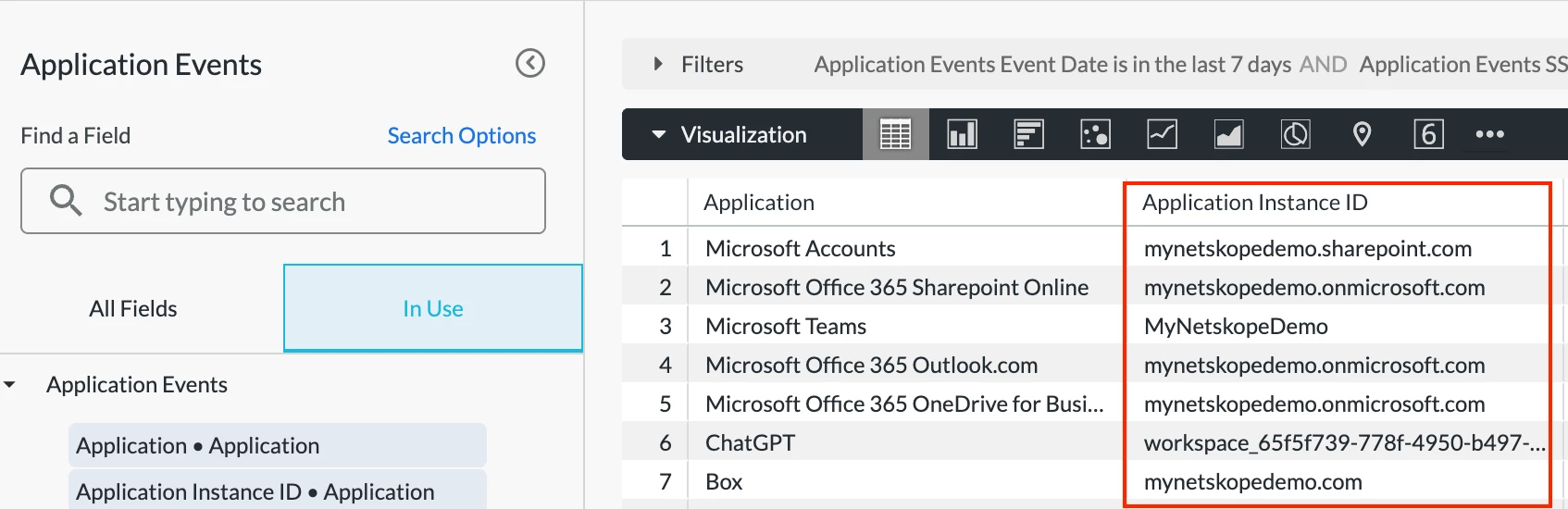
If you’re looking to leverage SSO to identify corporate vs. non-corporate app logins, the “Application Instance ID” field can help.
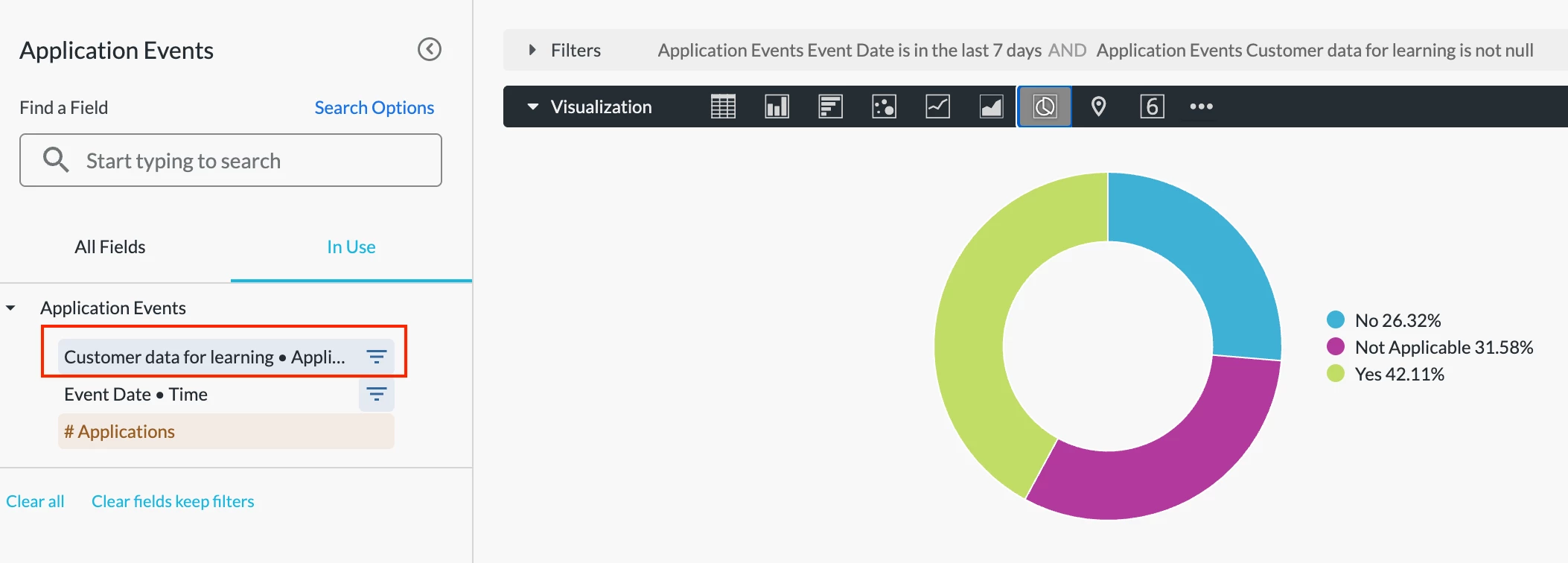
Q: How to best use CCI to investigate app usage? How to visualize app usage where "customer data is shared for learning purposes?"
A: Netskope Cloud Confidence Index (CCI) is a database of cloud apps that Netskope has evaluated based on objective criteria adapted from Cloud Security Alliance Guidance. These criteria measure apps’ enterprise-readiness, taking into consideration app security, audit-ability, and business continuity.
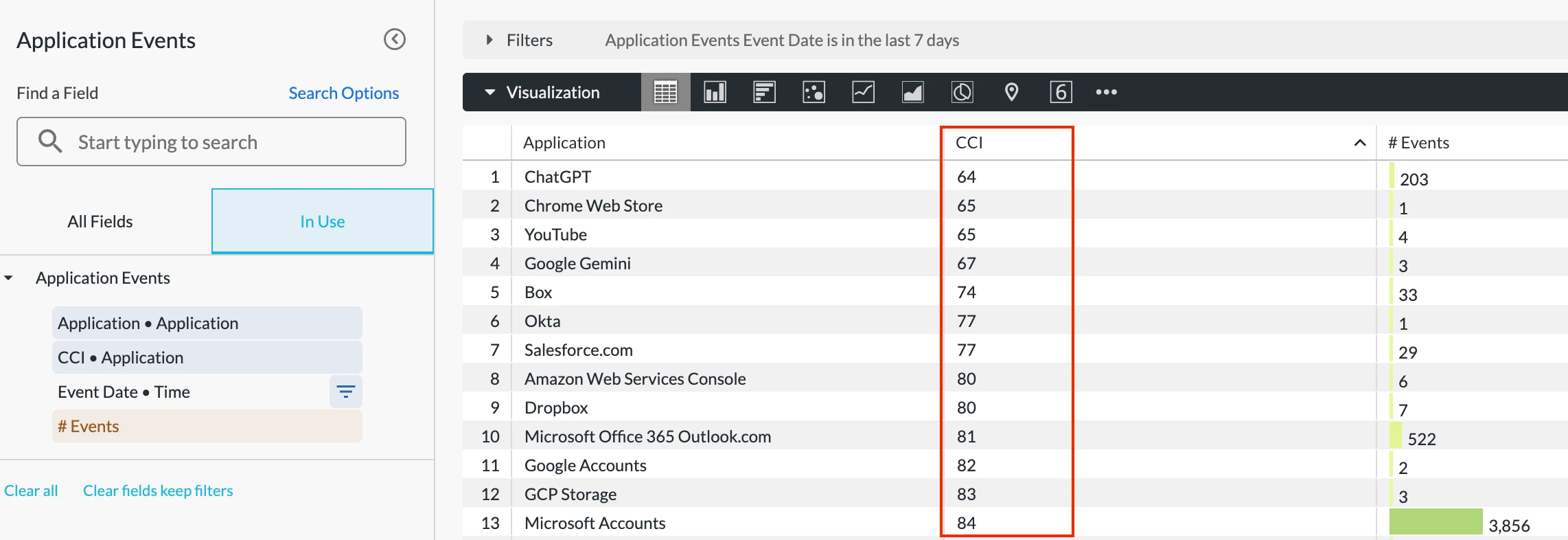
Each app is assigned a score of 0-100, and based on that score, is placed into one of five Cloud Confidence Levels (CCL): Poor, Low, Medium, High, or Excellent. You can use the CCI score to make an app selection decision, as well as set policies based on level.
Using CCI in Advanced Analytics is very simple. You can add the “CCI” field to any of your dashboards to understand “how risky” your apps are.
To identify app usage where customer data is shared for learning purposes, we can leverage the “Customer data for learning” field in Application Events. This field reflects whether the app is using customer data for learning purposes or not.
Q: I’m looking to hunt Shadow IT like sanctioned vs. unsanctioned AI app usage.
A: The Application Risk Management Dashboard is a great starting point to uncover and monitor shadow IT. The dashboard helps you better understand:
- What risky & unsanctioned apps are being used in your environment
- If there is any sensitive data movement to these risky & unsanctioned apps
- If there are any unsanctioned or non-corporate app instances in use and the corresponding user activities
Q: How to monitor user coaching and the justification reasons provided in my organization?
A: Coaching Policy Dashboard in Netskope Library can help.
Q: What’s the best dashboard that can be used by our incident response team to perform in-depth user investigation?
A: We recommend starting with the User Behavior Analytics (UBA) Dashboard in Netskope Library. The dashboard helps you monitor anomalous user behaviors in your environment by providing detailed visibility into different types of behavior analytics alerts, including compromised credentials.
If you are looking to drill into user activities, the User/Organization Unit Investigation Dashboard in our community will be a great option. This dashboard helps you investigate suspicious user behaviors in your environment, e.g., file uploads to non-corporate instances.
Q: There’re multiple AI related dashboards in Advanced Analytics. What are the target use cases for each of them?
A: To monitor overall AI usage and uncover risky user activities, the AI Usage Dashboard in Netskope Library is a great starting point. The dashboard provides comprehensive visibility into AI app usage and site visits in your environment. Key metrics include AI app overview & usage trend, detailed user activities, instance awareness, policy actions, and web traffic generated in AI sites.
If you are looking to gauge overall AI risk in your environment, the AI Risk Assessment Dashboard in Netskope Library is a great option. This dashboard helps you understand how “risky” your AI usage is based on our AI application risk attributes.
Meanwhile, Advanced Analytics also provides 3 dedicated AI dashboards helping you monitor AI usage and enhance AI security posture.
- AI Gateway Guardrails Dashboard: Drill into the user prompts & AI model responses and understand how Netskope AI Guardrails policies protect your AI usage from prompt injection, jailbreaks, unsafe use, and data leaks.
- AI Gateway Dashboard: Drill into AI app-to-app traffic and understand how AI Gateway secures the critical API traffic fueling AI-powered applications in your environment.
- Agentic Broker for Securing MCP: Understand how MCP usage in your environment is trending over time and identify anomalous/suspicious usage.
Resources shared in the session:
Netskope Community - Advanced Analytics: https://community.netskope.com/p/advanced-analytics
Training Resources Post: https://community.netskope.com/dashboard-gallery-38/advanced-analytics-training-resources-5713?tid=5713&fid=38
Application Risk Management Dashboard:
https://community.netskope.com/dashboard-gallery-38/application-risk-management-6132
Why is my filter not working: https://community.netskope.com/video-library-20/netskope-advanced-analytics-why-is-my-filter-not-working-5805
User/Organization Unit Investigation Dashboard:
CASB Health Check Dashboard V2.7:
https://community.netskope.com/dashboard-gallery-38/casb-health-check-dashboard-6075
NG-SWG Health Check Dashboard V2.8:
https://community.netskope.com/dashboard-gallery-38/ng-swg-health-check-dashboard-6104
Security Health Check (Self-Service) Dashboard V2:



