



 Netskope Global Technical Success (GTS)
QuillBot AI Chat - DLP on Activity 'Post'
Netskope Cloud Version - 129
Objective
QuillBot AI Chat - DLP on Activity 'Post'
Prerequisite
Netskope SWG or Next-Gen SWG license is required
Context
How to add DLP controls to QuillBot AI Chat activity ‘Post’ using Realtime Protection Policies.
Do You Know?
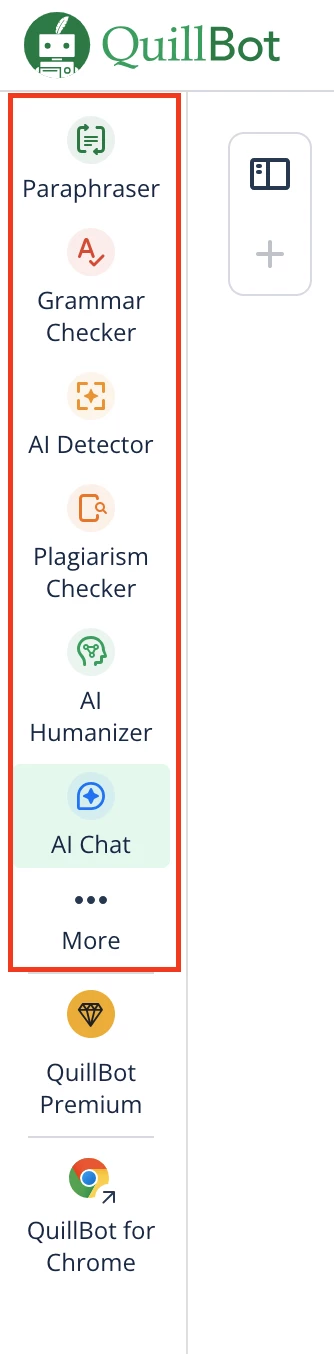
- QuillBot is a generative AI application that offers multiple services, including Paraphraser, Grammar Check, AI Detector, AI Humanizer, AI Chat and many more
- As of Aug 30, 2025, Netskope recognizes QuillBot as a Cloud Application, but no pre-defined cloud app connector is available.
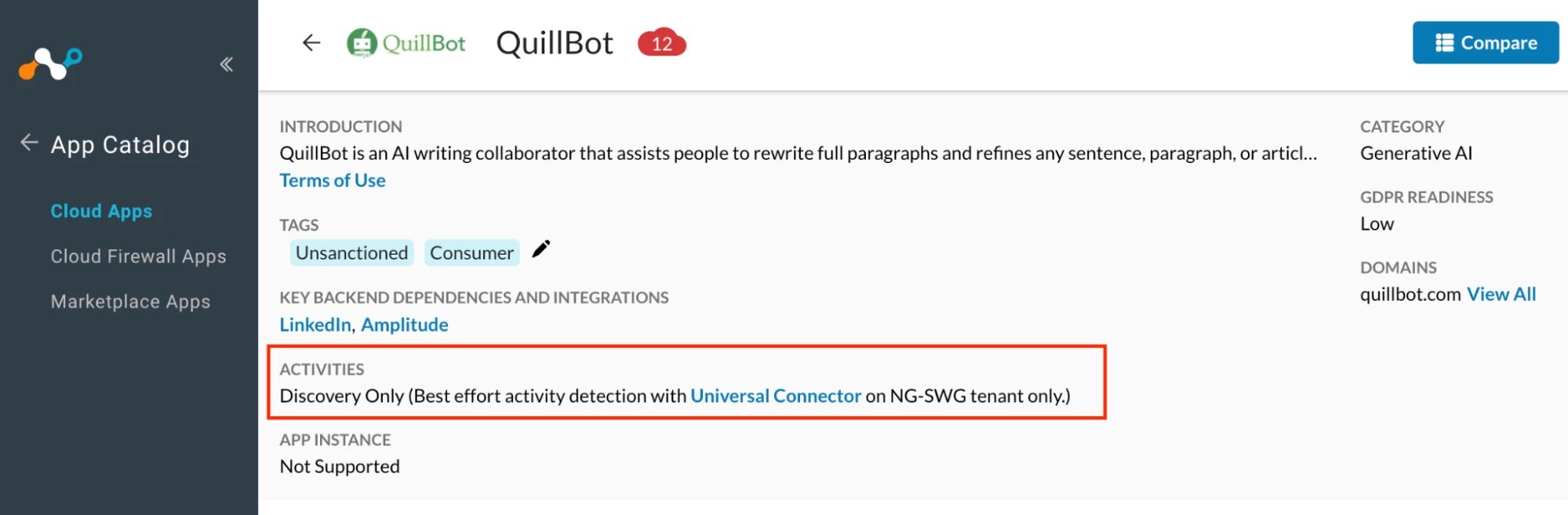
- Netskope Product Management is currently working on a product enhancement request that addresses the need for a predefined cloud app connector for QuillBot. At this time, there are no confirmed release timelines.
- In the interim, customers can utilize the Custom Cloud App connector to apply DLP controls to QuillBot AI Chat activity ‘Post’
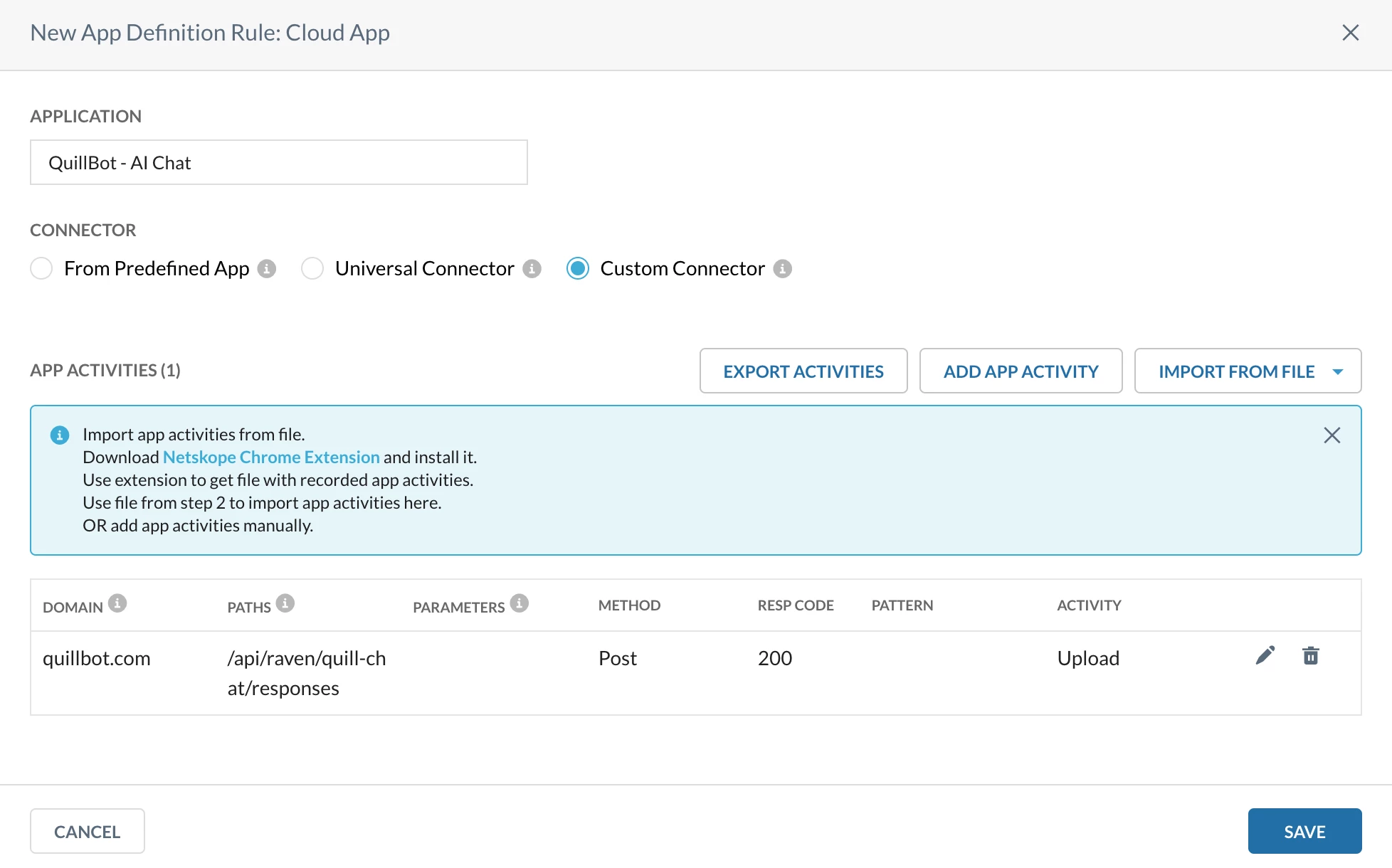
- To create a Custom Cloud App connector, it is essential to understand the behavior and traffic patterns of QuillBot AI Chat. The following details outline the observed interactions and activities performed by the application -
i. When initiating an interaction with AI Chat (specifically referring to a chat session, not a file upload), the traffic is redirected to https://quillbot.com/api/raven/quill-chat/responses
ii. This interaction is labeled as ‘Responses’
iii. The end-user chat messages can be found within the payload section of the HTTP traces. This is where the actual content of the user’s input is transmitted.
iv. With each interaction, a new ‘Response’ thread is generated, but the path remains the same https://quillbot.com/api/raven/quill-chat/responses
References
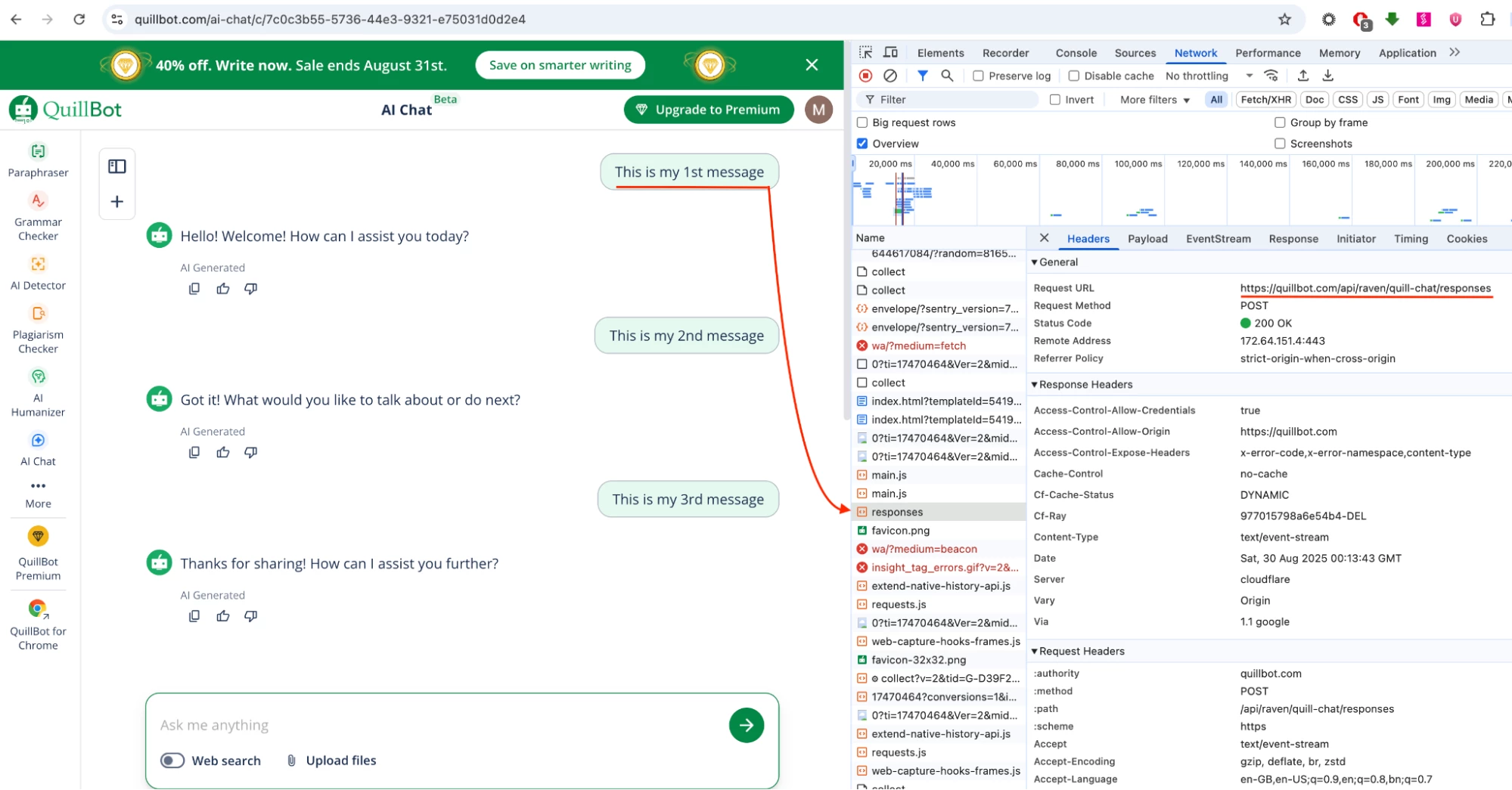
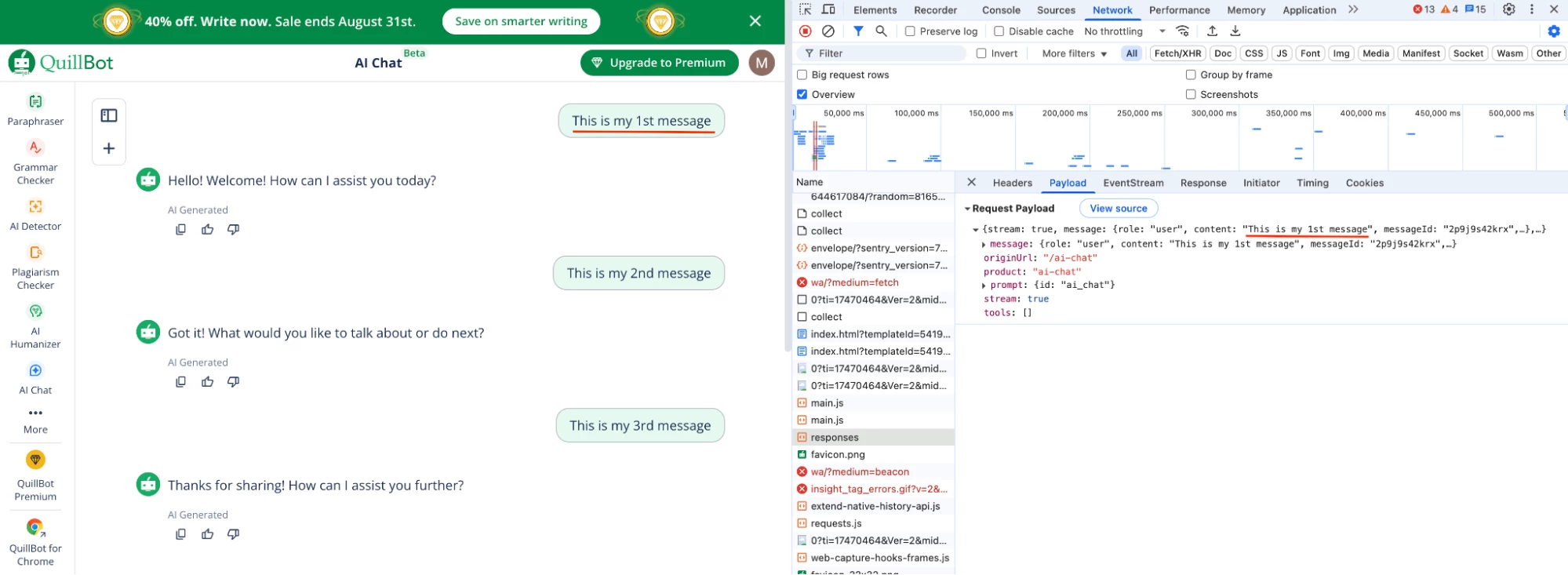
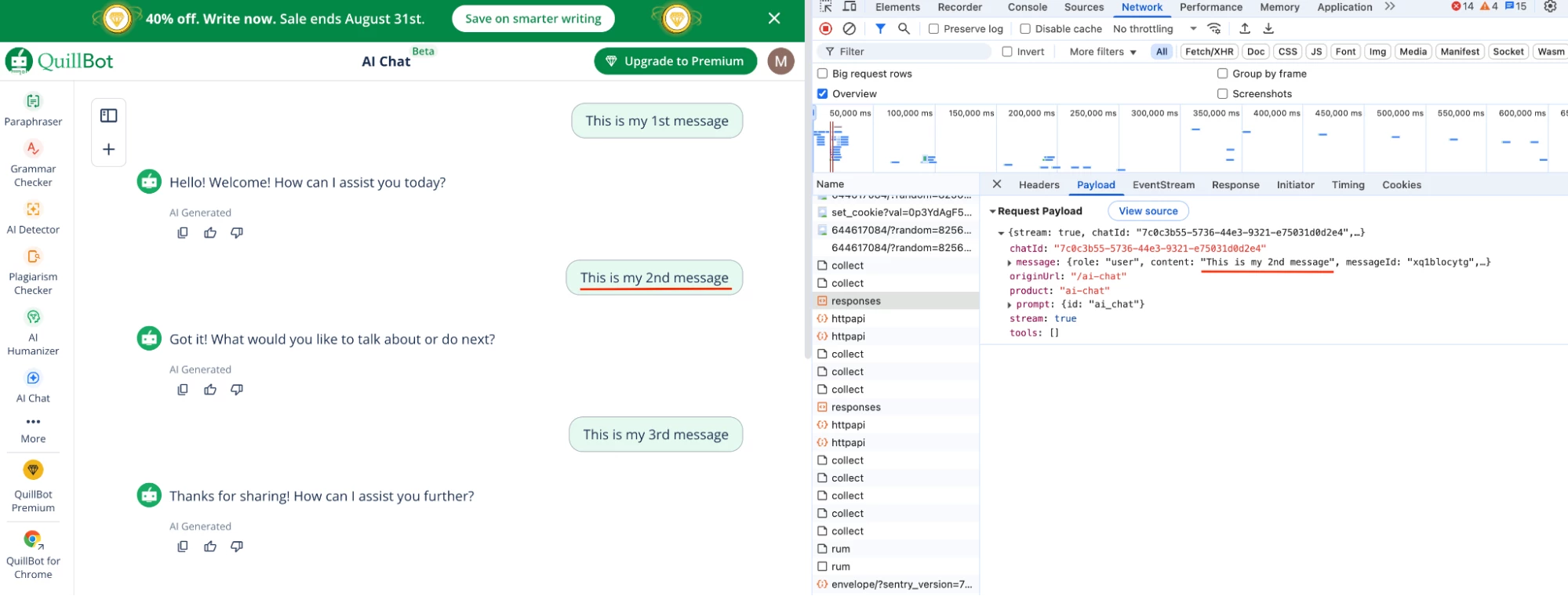
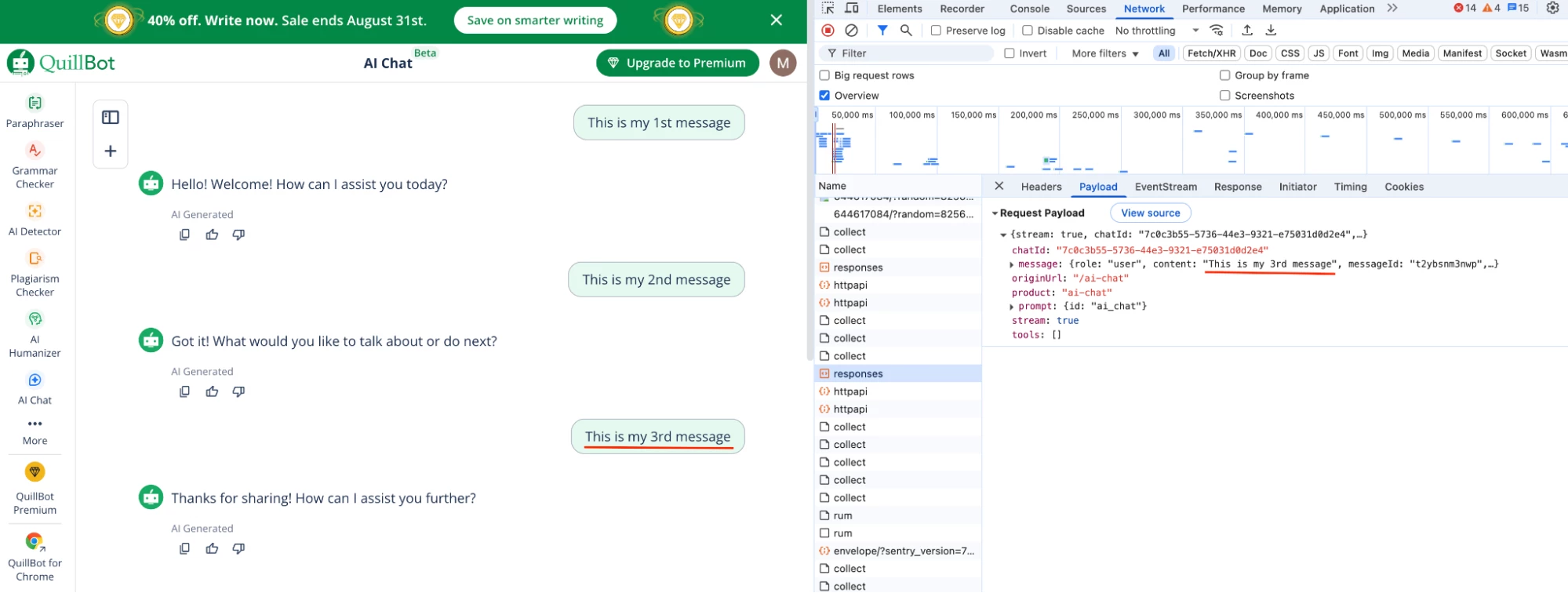
| Chat Conversation | |
| Transactions are destined to | |
Configuration
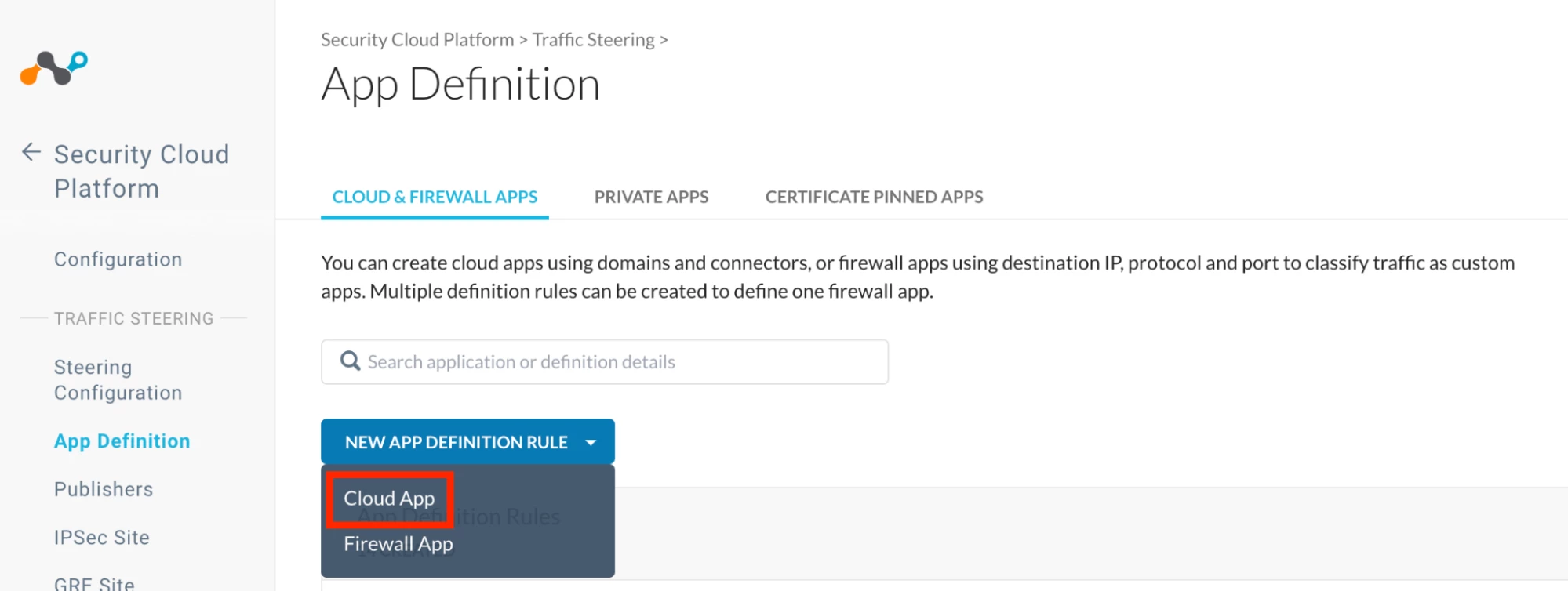
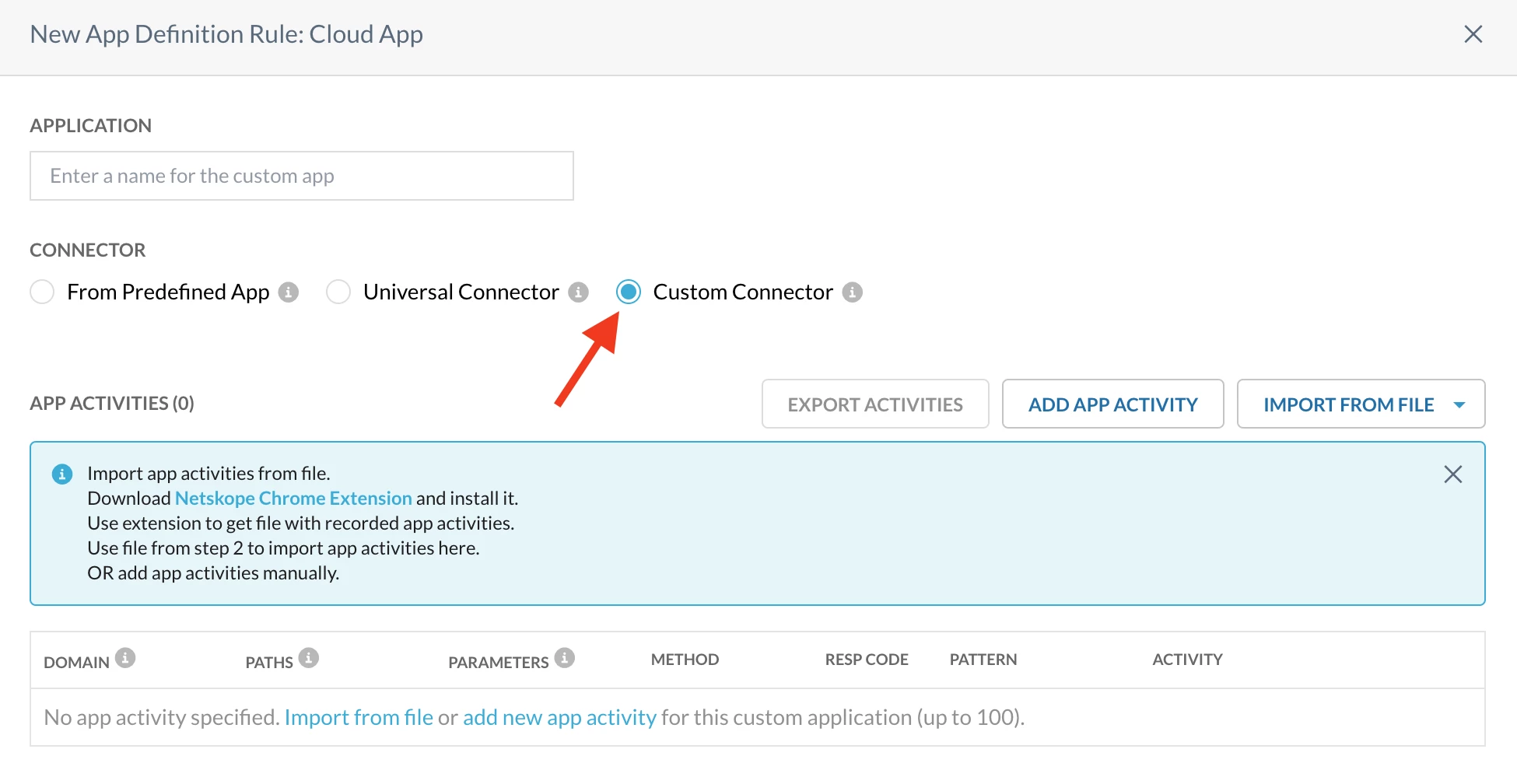
Step 1: Create a custom cloud app connector for QuillBot AI Chat
Path: Netskope Tenant UI >>> Security Cloud Platform >>> Traffic Steering >>> App Definition >>> Cloud & Firewall Apps >>> Cloud App
Note
a. Why ‘Upload’ and not ‘Post’?
With Netskope Custom Cloud App connector, DLP controls cannot be applied on the ‘Post’ activity, so we select ‘Upload’ instead to enforce the required policies.
Step 2: Realtime protection policy
Path: Netskope Tenant UI >>> Policies >>> Real-time Protection >>> New Policy
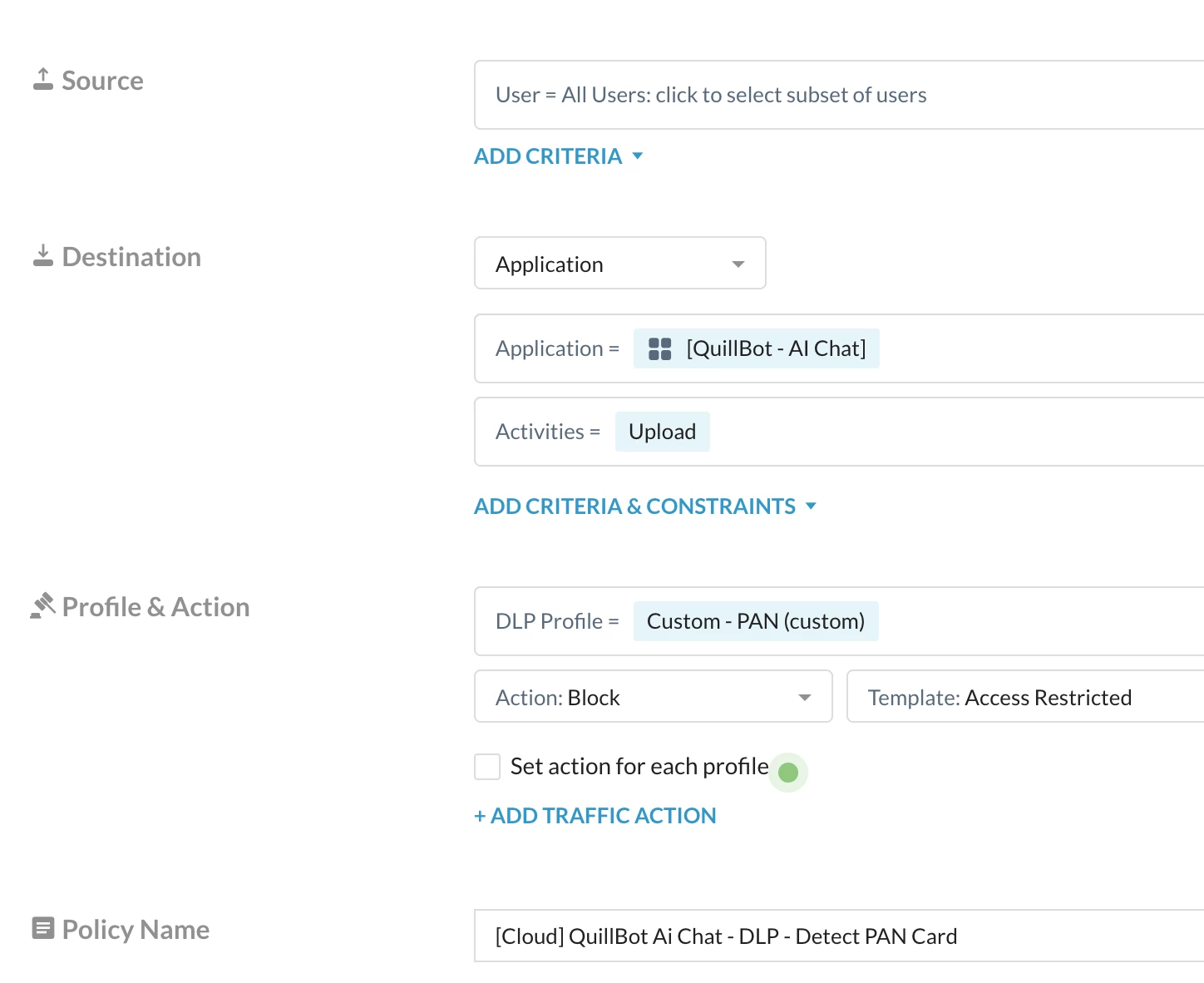
Note - I am using a custom DLP to detect the keyword PAN
Verification
- Access Quillbot AI Chat - Link
- Test 1 - Start a conversation with violated content
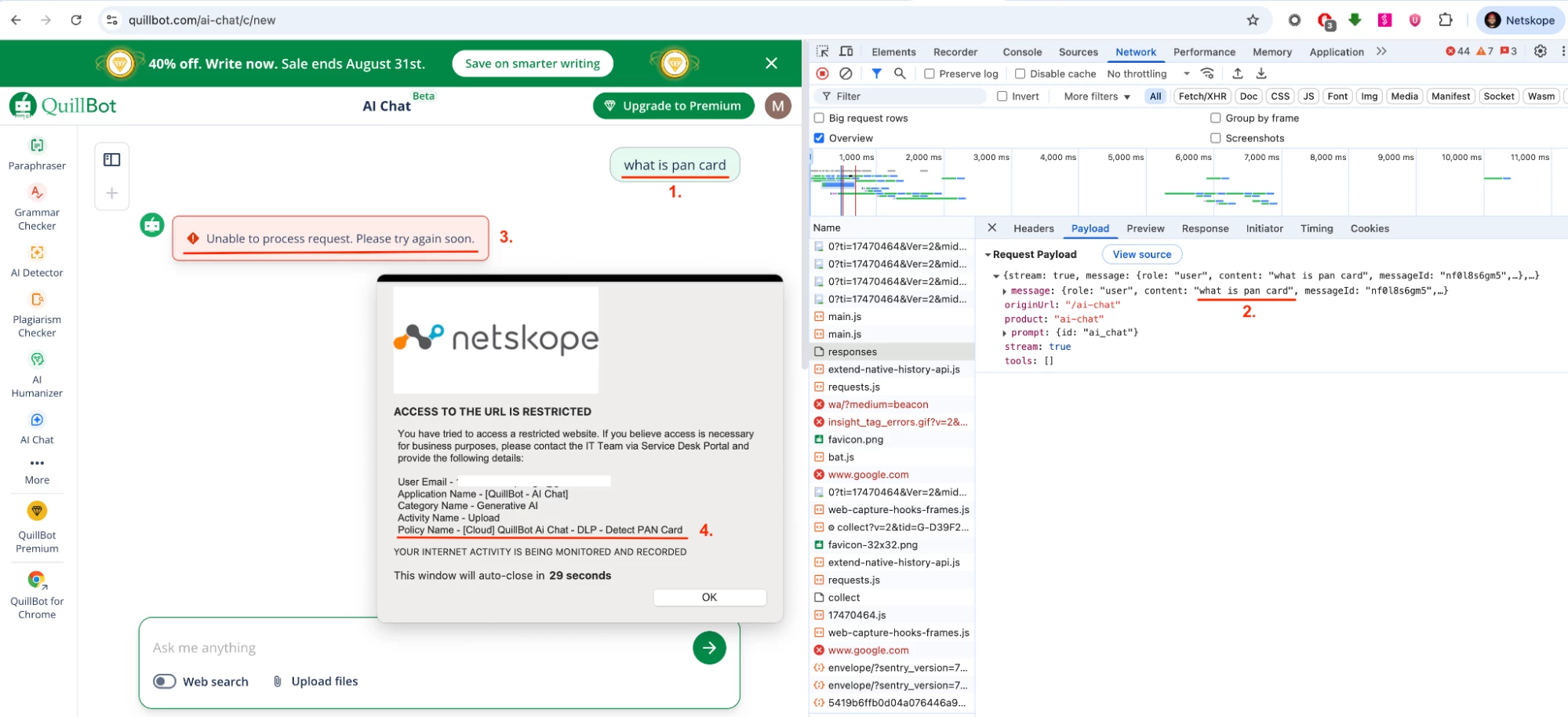
- Test 2 - Add the violated content in the subsequent conversation
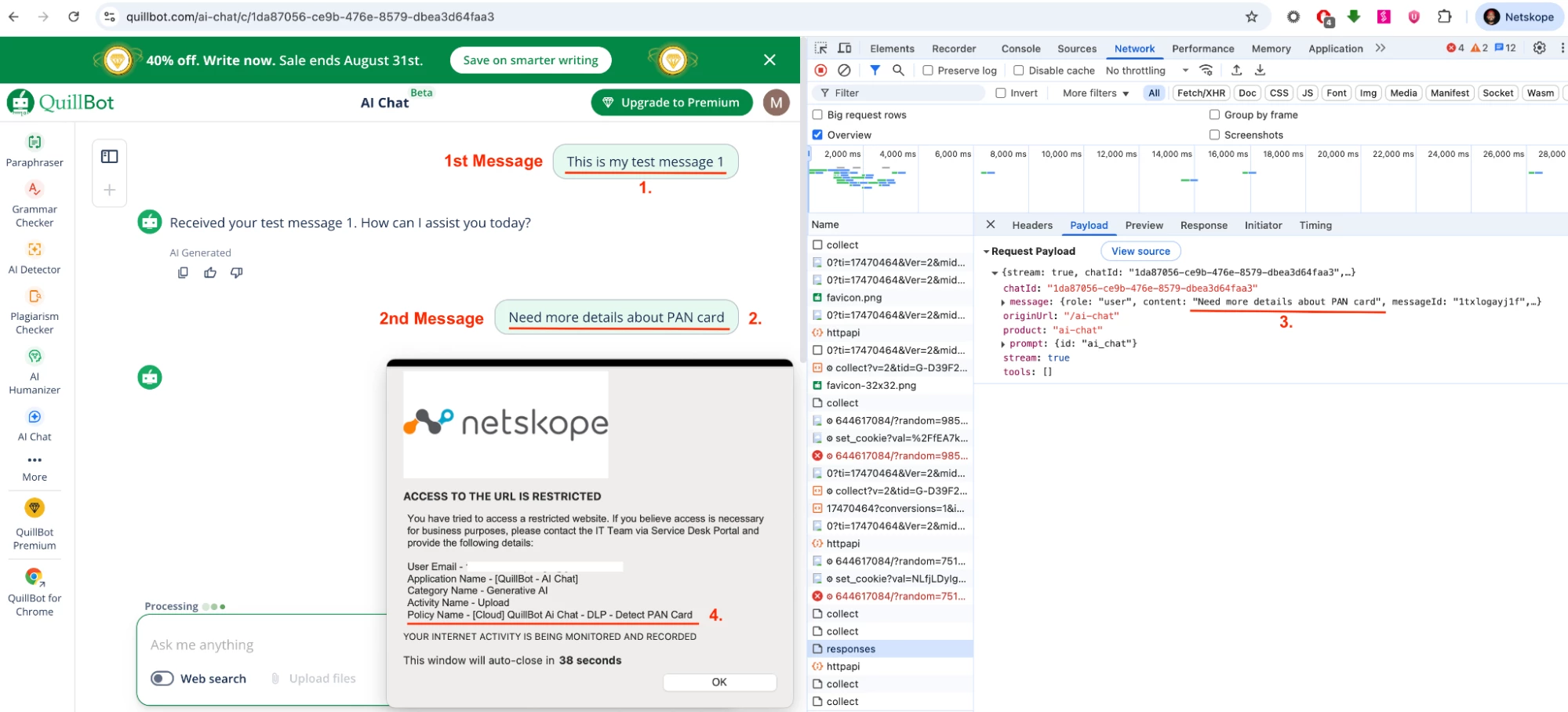
Note - User Notification format used above Link
Author Notes
- This document will be revised once Netskope introduces a pre-defined cloud app connector for QuillBot AI Chat.
- With the pre-defined cloud app connector, there is no longer a need to create a custom category for QuillBot AI Chat.
Terms and Conditions
- All documented information undergoes testing and verification to ensure accuracy.
- In the future, it is possible that the application's functionality may be altered by the vendor. If any such changes are brought to our attention, we will promptly update the documentation to reflect them.
Notes
- This article is authored by Netskope Global Technical Success (GTS).
- For any further inquiries related to this article, please contact Netskope GTS by submitting a support case with 'Case Type – How To Questions'.



